
Microsoft Designer simplifies beginner friendly design. Create stunning visuals fast. Unlock your creative potential now!
Microsoft Designer Is a Game-Changer in Beginner Friendly Design
Artificial intelligence is no longer a futuristic concept; it’s woven into our daily operations. In the fast-paced realm of visual and graphic design, AI tools are rapidly changing the game. They promise to streamline workflows, boost creativity, and democratise design capabilities.
For those dipping their toes into the visual and graphic design space, the initial learning curve can feel like climbing Mount Everest in flip-flops. Complex software, intricate terminology, and the sheer volume of design principles can be overwhelming.
This is precisely where tools like Microsoft Designer step in. They aim to bridge the gap between having a great idea and bringing it to life visually, even if you’ve never touched design software before.
Microsoft Designer is not just another AI image generator; it’s a comprehensive design assistant built to empower users of all skill levels.
Table of Contents
- What is Microsoft Designer?
- Key Features of Microsoft Designer for Beginner Friendly Design
- Benefits of Using Microsoft Designer for Visual and Graphic Design
- Pricing & Plans
- Hands-On Experience / Use Cases
- Who Should Use Microsoft Designer?
- How to Make Money Using Microsoft Designer
- Limitations and Considerations
- Final Thoughts
- Frequently Asked Questions
What is Microsoft Designer?
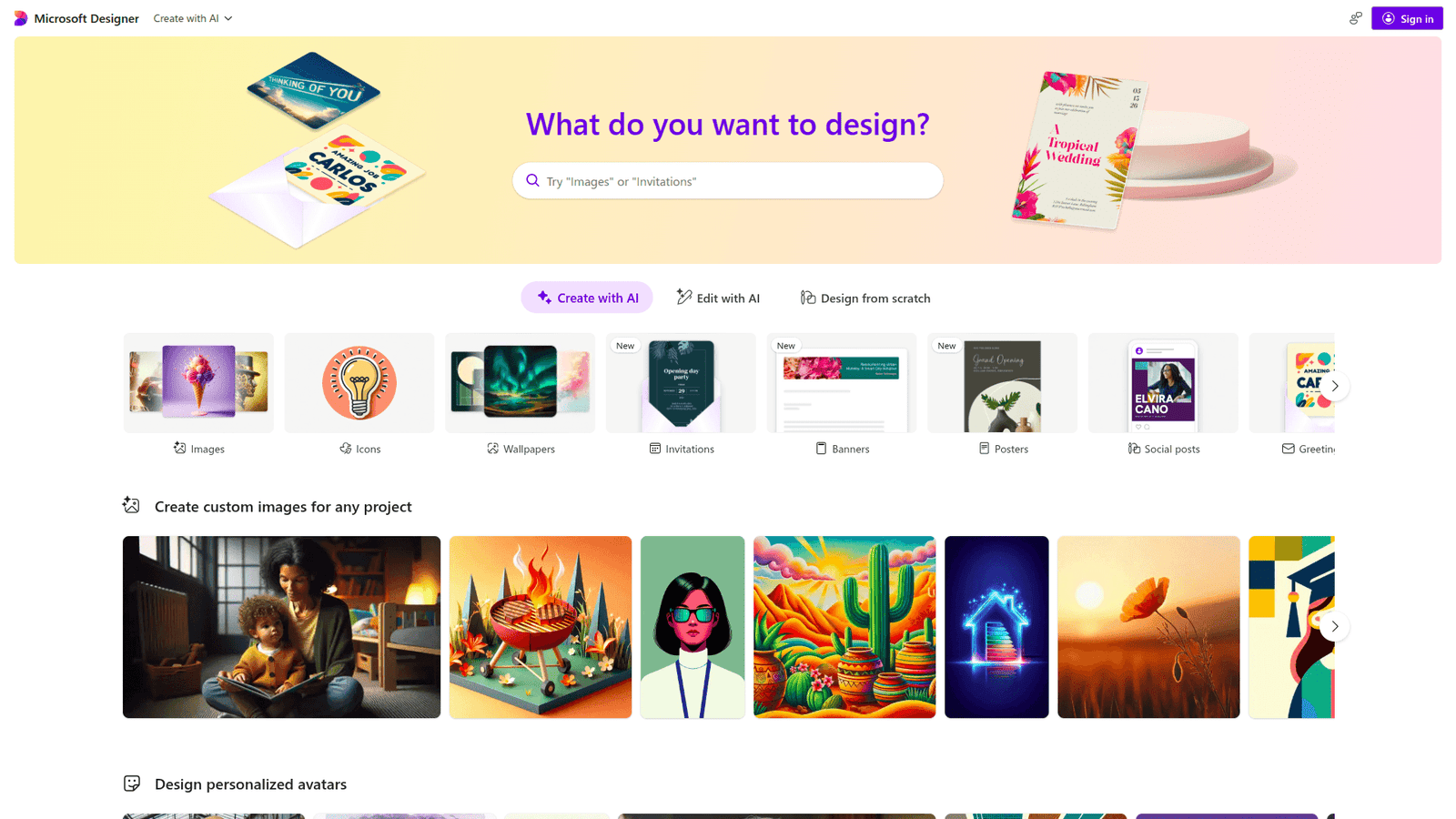
Microsoft Designer is an AI-powered graphic design tool that helps users create a wide range of visual content. Think social media posts, invitations, digital postcards, and more.
It’s designed to be incredibly intuitive, allowing anyone with an idea to bring it to life visually without needing extensive design experience.
The core principle behind Microsoft Designer is to simplify the design process. It leverages AI to suggest layouts, generate designs based on text prompts, and even create variations of existing designs.
Its target audience is broad, encompassing individuals, small business owners, marketers, content creators, and anyone who needs to produce professional-looking visuals quickly and efficiently.
Essentially, it takes the guesswork out of design, making it accessible to a much wider audience.
Key Features of Microsoft Designer for Beginner Friendly Design
Feature 1: AI-Powered Design Generation
This is the heart of Microsoft Designer’s appeal for beginner friendly design. You provide a text prompt – a description of what you want to create – and the AI generates a range of design options.
This bypasses the need to understand colour theory, typography, or layout principles from scratch. The AI handles the heavy lifting, presenting you with professionally composed designs.
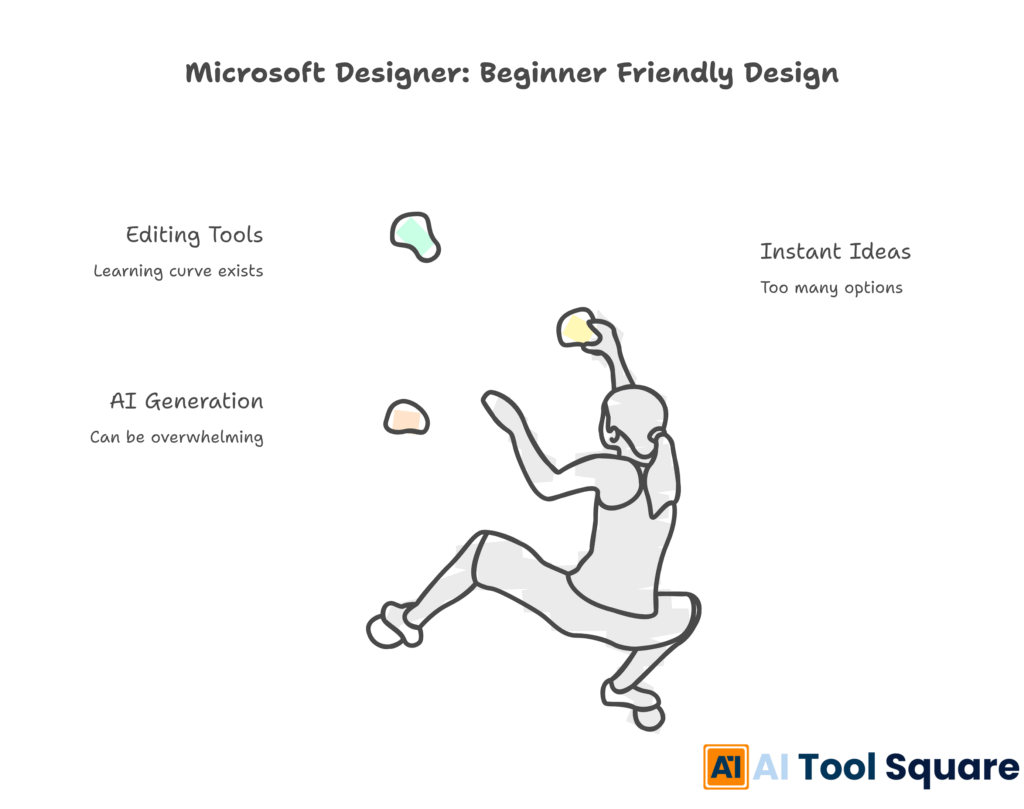
For someone new to design, this feature is a revelation. It removes the initial “blank canvas paralysis” and provides immediate visual starting points.
Feature 2: Instant Design Ideas and Variations
Beyond initial generation, Microsoft Designer excels at offering variations. If you like a design but want to tweak it, the tool can generate alternative layouts, colour schemes, or arrangements of elements.
This iterative process is crucial for beginners. It allows them to explore different visual directions without starting over, fostering experimentation and learning in a low-stakes environment.
It’s like having a design assistant who can rapidly present you with multiple takes on your concept.
Feature 3: Easy-to-Use Editing Tools
While the AI does a lot, you’re not locked into its suggestions. Microsoft Designer includes straightforward editing tools. You can easily swap out images, change text, adjust colours, and move elements around.
These tools are designed with simplicity in mind, avoiding the overwhelming complexity of professional design software. Drag-and-drop functionality and clear icons make modifications accessible to anyone.
This empowers beginners to refine their designs, add their personal touch, and ensure the final output perfectly matches their vision, building confidence with each edit.
Benefits of Using Microsoft Designer for Visual and Graphic Design
One of the most immediate benefits for users engaging in visual and graphic design with Microsoft Designer is the sheer time savings.
Imagine needing a social media graphic for an urgent promotion. Instead of spending hours wrestling with design software, you can generate several options in minutes.
This efficiency boost is invaluable for individuals and small teams with limited resources or tight deadlines.
Beyond speed, the quality of the output is a significant advantage. The AI is trained on vast datasets of effective designs, meaning it often produces aesthetically pleasing and well-composed visuals right out of the gate.
This can elevate the professional appearance of your communications, even if your design skills are nascent.
Furthermore, Microsoft Designer can help overcome creative blocks. When inspiration is low, feeding a prompt into the tool can spark new ideas and directions you might not have considered otherwise.
It acts as a creative collaborator, offering fresh perspectives and helping to break through design ruts.
The accessibility is also a major win. It democratises design, allowing entrepreneurs, educators, and non-designers to create compelling visuals without needing to invest in expensive software or hire external help.
This leads to greater creative freedom and the ability to execute marketing and communication strategies more effectively.
The tool helps maintain brand consistency too. By allowing users to input brand colours or logos, generated designs can align with established visual identities, ensuring a cohesive brand presence across all platforms.
This is a critical factor for businesses of all sizes. It helps ensure that even user-generated content looks polished and on-brand.
Finally, the learning curve is minimal. This reduces the frustration often associated with adopting new design tools, allowing users to become productive almost immediately.
This rapid onboarding is a significant differentiator in a crowded market of design software. It lowers the barrier to entry considerably.
Pricing & Plans
Microsoft Designer offers a freemium model, making it highly accessible.
The **free tier** provides access to a substantial set of features, allowing users to generate designs, experiment with templates, and download their creations. This is more than enough for casual users or those just starting out to explore its capabilities.
For users who require more advanced features, higher resolutions, or additional capabilities, Microsoft Designer is often integrated into Microsoft 365 subscriptions.
Premium features might include advanced AI functionalities, more extensive template libraries, higher download limits, or integration with other Microsoft services.
Comparing it to alternatives, many professional design tools can be costly, with subscription fees for software like Adobe Creative Cloud running into significant monthly expenses.
Microsoft Designer’s approach, offering a robust free version and bundling advanced features within existing Microsoft 365 plans, presents a compelling value proposition.
This makes it a cost-effective choice for individuals and small businesses looking to produce high-quality visuals without a hefty investment.
The pricing structure ensures that budget constraints are less of a barrier to creating professional-grade designs.
This democratisation of design resources is a key aspect of its appeal.
Hands-On Experience / Use Cases
A content marketer looking to create eye-catching social media graphics for an upcoming campaign can utilise Microsoft Designer effectively.
They can start by inputting a prompt like: “An Instagram post promoting a summer sale on eco-friendly clothing, featuring vibrant colours and a minimalist aesthetic.” The AI will then generate a variety of design options.
The marketer can select a design they like, perhaps one with a strong visual focus on the product. They can then easily replace the placeholder images with actual product photos.
Text elements like headlines and call-to-actions can be edited to match campaign messaging. If the brand has specific colours, these can be applied to elements to maintain consistency.
The tool’s ability to generate multiple variations allows the marketer to quickly A/B test different visual styles or messages on social media.
Another scenario involves a small business owner who needs to design a flyer for a local event. Instead of hiring a graphic designer, they can use Microsoft Designer.
The prompt might be: “A flyer for a community bake sale, cheerful and inviting, including date, time, and location.” The AI can generate several flyer layouts.
The owner can then edit the text to include all event details and perhaps upload a photo of some delicious baked goods. The resulting flyer can be downloaded and printed or shared digitally.
Teams have reported using Microsoft Designer to quickly create presentation slides with custom graphics, design email newsletter headers, and even generate simple logos for new projects.
The tool’s versatility means it can adapt to a wide array of visual communication needs, making it a practical asset for day-to-day operations.
The ease of use ensures that even individuals with no prior design training can produce professional-looking materials, saving both time and money.
Who Should Use Microsoft Designer?
Microsoft Designer is a prime candidate for anyone who needs to create visuals but lacks formal design training or time.
Bloggers and content creators can use it to generate eye-catching featured images, social media graphics, and blog post headers that draw readers in.
Marketers will find it invaluable for quickly producing campaign assets, social media ads, email banners, and promotional materials without relying on a separate design department or agency.
Small business owners can leverage it to create professional-looking marketing collateral, menus, business cards, and online advertisements, enhancing their brand image.
Students can use it for creating presentations, project visuals, and even personal event invitations with a polished look.
Non-profit organisations with limited budgets can produce compelling visuals to promote their causes and events.
Freelancers in various fields, such as copywriting or social media management, can add design services to their offerings without needing to master complex software.
Basically, if you have an idea that needs a visual form and you want it done quickly and with minimal fuss, Microsoft Designer is likely a good fit.
It truly lowers the barrier to entry for creating effective visual content.
How to Make Money Using Microsoft Designer
Microsoft Designer isn’t just for personal projects; it can be a powerful tool for generating income. Its efficiency and ease of use allow individuals to offer design services that were previously out of reach.
Service 1: Social Media Graphics Package
Many small businesses struggle with consistent and engaging social media content. Users can offer a package of custom-designed social media posts, stories, and banners.
By using Microsoft Designer, they can rapidly produce a batch of high-quality, on-brand graphics for clients, significantly reducing the time required compared to traditional methods.
This service can be priced attractively for clients who need a constant stream of visual content.
Service 2: Event Promotion Materials
From local bake sales to larger community events, there’s always a need for flyers, posters, and digital invitations.
A service offering custom-designed event promotion materials can be very lucrative. Clients provide event details, and the designer uses Microsoft Designer to create appealing visuals tailored to the event’s theme.
The quick turnaround time enabled by the AI tool means more projects can be handled, increasing earning potential.
Service 3: Simple Logo and Branding Kits
While not a replacement for high-end branding agencies, Microsoft Designer can assist in creating basic logos and visual identity elements for startups or new ventures.
Users can offer “starter branding kits” that include a simple logo, colour palette suggestions, and font pairings. The AI can help generate initial logo concepts based on prompts related to the business’s industry and values.
This democratises branding for small entrepreneurs who cannot afford premium design services.
A content creator who specialises in social media management found they could take on 50% more clients after integrating Microsoft Designer into their workflow. They offer tiered packages, from single post design to monthly content calendars, all created efficiently with the tool. This led to a 30% increase in their monthly revenue within six months.
The key is to leverage the tool’s speed and ease of use to offer competitive pricing and fast delivery, which are highly valued by clients.
Limitations and Considerations
While Microsoft Designer is powerful, it’s not a silver bullet for every design challenge.
One consideration is that AI-generated content, while often good, may require refinement. The AI’s output is based on patterns and existing data.
For highly unique or complex conceptual designs, manual editing and creative input will still be necessary. It’s a fantastic starting point, but not always the final word.
The level of customisation, while improved, might still be limited compared to professional-grade software like Adobe Photoshop or Illustrator. Users seeking intricate control over every pixel might find the tool’s scope restrictive.
Additionally, relying solely on AI without understanding basic design principles can lead to generic-looking designs. While the AI suggests good layouts, a human touch is often needed to ensure the design truly resonates with a specific audience or brand voice.
There’s also a learning curve, albeit a small one, with any new tool. While beginner-friendly, users still need to learn how to effectively craft prompts and navigate the editing interface to get the best results.
For advanced users, the lack of granular control over certain design elements might be a point of frustration. The tool prioritises simplicity over intricate feature sets.
It’s important to remember that AI is a tool, and like any tool, its effectiveness depends on the user’s skill and intent.
Users should also be mindful of copyright and originality when using AI-generated assets, though Microsoft typically provides clear guidelines on usage rights.
Final Thoughts
Microsoft Designer is a significant advancement for anyone looking to dive into visual and graphic design without the steep learning curve.
It empowers individuals and small businesses to create professional-looking visuals quickly and efficiently, effectively democratising design.
Its AI-powered features, intuitive interface, and cost-effectiveness make it an outstanding choice for beginner friendly design needs.
While it has limitations, its strengths in speed, accessibility, and idea generation far outweigh them for its intended audience.
If you’re struggling with design software or need to produce visuals on a tight schedule, give Microsoft Designer a serious look.
Start experimenting with its AI capabilities today and unlock your creative potential.
Visit the official Microsoft Designer website
Frequently Asked Questions
1. What is Microsoft Designer used for?
Microsoft Designer is used to create a wide range of visual content, including social media posts, invitations, presentations, posters, and more, using AI-powered design generation and easy-to-use editing tools.
2. Is Microsoft Designer free?
Yes, Microsoft Designer offers a robust free tier that allows users to create and download designs. Advanced features may be available through Microsoft 365 subscriptions.
3. How does Microsoft Designer compare to other AI tools?
Microsoft Designer stands out by offering a more integrated and user-friendly approach to graphic design specifically, rather than just image generation. It focuses on creating complete designs for various purposes with intuitive editing capabilities.
4. Can beginners use Microsoft Designer?
Absolutely. Microsoft Designer is specifically built with beginners in mind, featuring AI assistance for design generation and simple editing tools that require no prior design experience.
5. Does the content created by Microsoft Designer meet quality and optimization standards?
The AI is designed to produce aesthetically pleasing and well-composed designs. For specific optimization standards (e.g., SEO for web images), manual adjustments and adherence to best practices by the user might still be necessary.
6. Can I make money with Microsoft Designer?
Yes, you can leverage Microsoft Designer to offer various design services, such as social media graphics creation, event promotion materials, and simple branding kits, to clients.
7. How to make money with Microsoft Designer?
By utilising its efficient AI generation and editing features, you can offer fast and affordable design services to businesses and individuals, thereby generating income from your design creations.