



Discover the best AI presentation makers to revolutionize your Presentation Design workflow. Unlock efficiency and create stunning visuals effortlessly. Find your perfect tool now!
Unleashing Creativity: The Best AI Presentation Makers Reviewed
The demand for high-quality, impactful presentations is constant. Yet, the time and effort involved in creating visually stunning slides can be immense. This is where the best AI presentation makers step in, changing the game for individuals and businesses alike. I’m talking about tools that leverage artificial intelligence to automate design, generate content, and streamline your entire workflow. These digital tools aren’t just a convenience; they’re a necessity if you want to boost your productivity and ensure your messages land with maximum effect. We’re moving beyond simple slide decks here. We’re talking about truly intelligent software solutions that understand your needs and help you craft compelling narratives with ease.
Gone are the days of spending hours wrestling with design elements or struggling to find the right imagery. The latest generation of AI tools makes Presentation Design faster, smarter, and more accessible than ever before. If you’ve been looking to optimize your creative process, you’re in the right place. I’ve put together a comprehensive comparison of the top platforms available. My goal is to help you cut through the noise and find the specific AI solution that fits your unique requirements. This isn’t just about reviewing features; it’s about understanding how these platforms can truly enhance your communication strategy.
Table of Contents
- What Are the Best AI Presentation Makers?
- Top 7 AI Presentation Makers (Detailed Reviews)
- Feature Comparison: What to Look For in an AI Presentation Maker
- Pricing Breakdown: Free vs. Premium AI Presentation Makers
- Real-World Use Cases and Results with AI Presentation Makers
- Who Should Use Each AI Presentation Maker?
- How to Choose the Right AI Presentation Maker for Your Needs
- Making Money with These AI Presentation Design Tools
- Common Limitations of AI Presentation Makers to Consider
- Final Verdict and Recommendations for Best AI Presentation Makers
- Frequently Asked Questions About AI Presentation Makers
What Are the Best AI Presentation Makers?
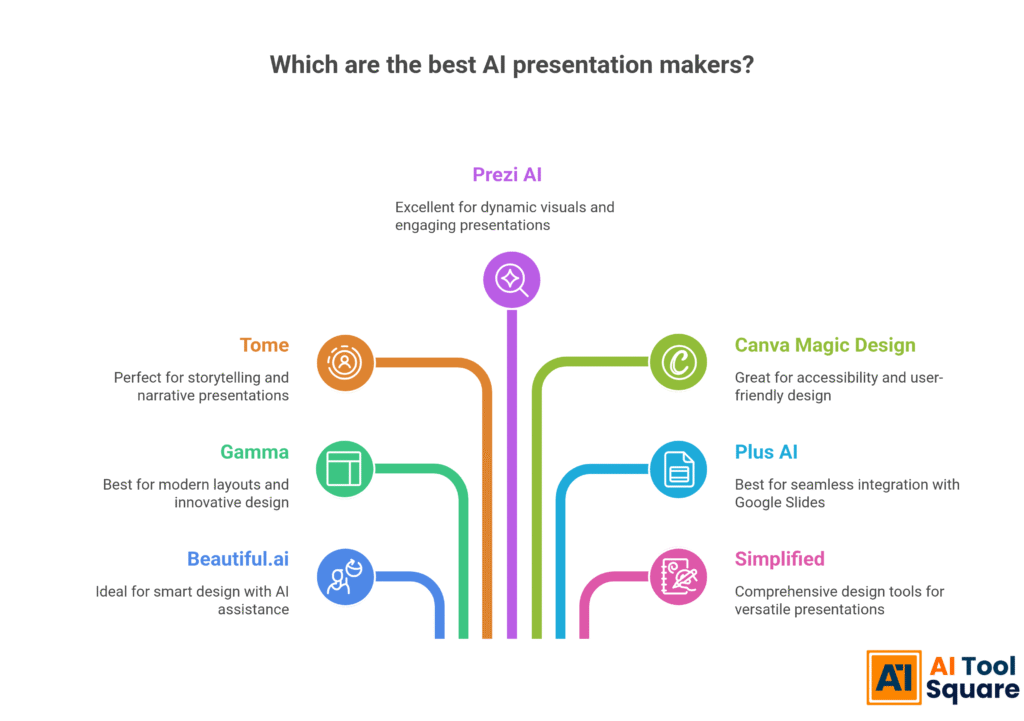
When I talk about the best AI presentation makers, I’m referring to advanced digital tools that automate significant portions of the presentation creation process. These aren’t just glorified templates. We’re talking about software solutions that understand your content, suggest layouts, pick relevant images, and even generate text. The criteria for selection often boil down to several key factors. I look at ease of use, the quality of output, the range of features, and, crucially, how much time they actually save you.
My selection focuses on tools that offer a genuine advantage in Visual and Graphic Design for presentations. We need something that goes beyond basic automation. These AI tools should help you achieve professional-grade results without needing a dedicated design team. They should boost your productivity, allowing you to focus on your message rather than wrestling with formatting. Think about the impact of consistent branding and powerful visuals, generated almost instantly. That’s the promise these top-tier platforms deliver.
Here’s a quick look at some of the leading contenders that consistently rank as the best AI presentation makers:
Beautiful.ai – Best AI Presentation Makers for Smart Design
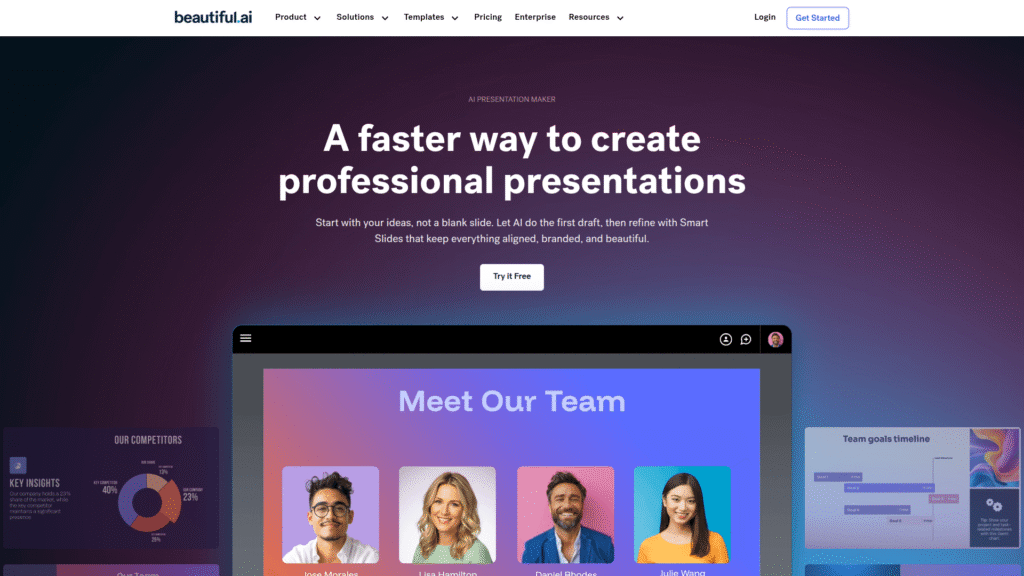
Beautiful.ai stands out because it enforces smart design rules as you create. This means your presentations look professional from the get-go. It’s one of the top AI tools for maintaining visual consistency and ensuring every slide is on point. If you want automation that also guides your design choices, this is a strong contender.
Visit the official Beautiful.ai website
Gamma – Leading best AI presentation makers for Modern Layouts
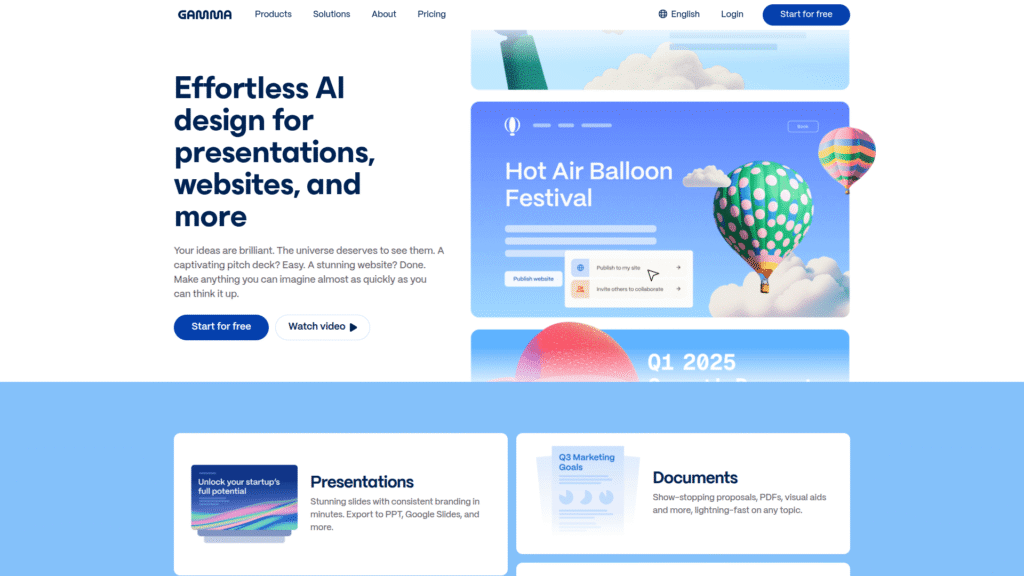
Gamma specializes in creating visually appealing, modern layouts quickly. It’s perfect for those who need a sleek, contemporary feel without spending hours in design software. Its focus on user experience makes it a leading choice among the best AI presentation makers.
Visit the official Gamma website
Tome – Best AI Presentation Makers for Storytelling
Tome is all about powerful storytelling. It helps you craft narratives with rich media and interactive elements. If your presentations need to be engaging and deliver a strong story, Tome performs exceptionally well among the best AI presentation makers. It helps you generate compelling content, not just pretty slides.
Visit the official Tome website
Prezi AI – Top best AI presentation makers for Dynamic Visuals
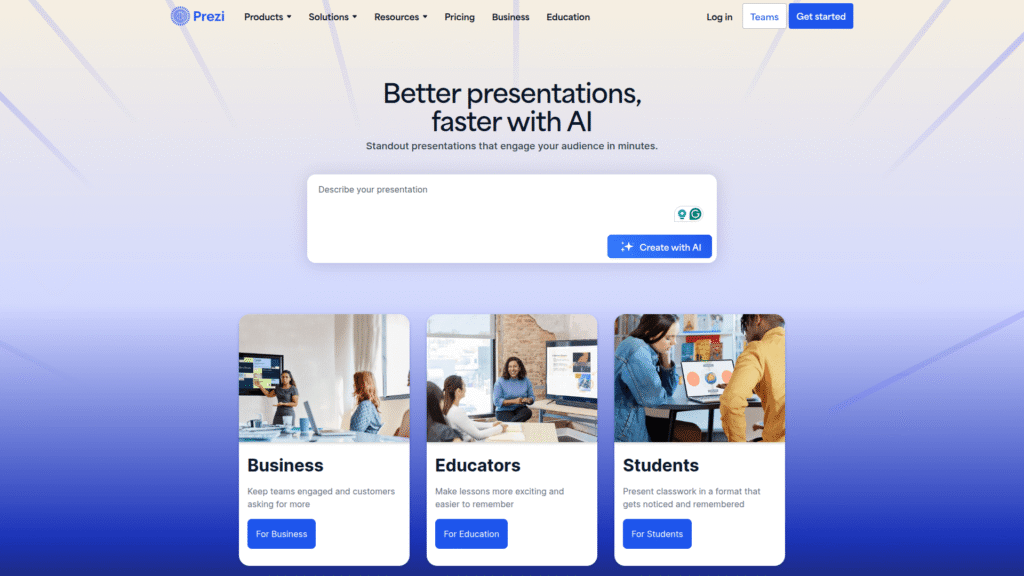
Prezi AI brings its signature non-linear presentation style to the AI world. It’s excellent for dynamic, conversational presentations that break away from traditional slide decks. For those who want to make a truly memorable impression, Prezi AI is a powerful option in the category of best AI presentation makers.
Visit the official Prezi AI website
Canva Magic Design – Best AI Presentation Makers for Accessibility
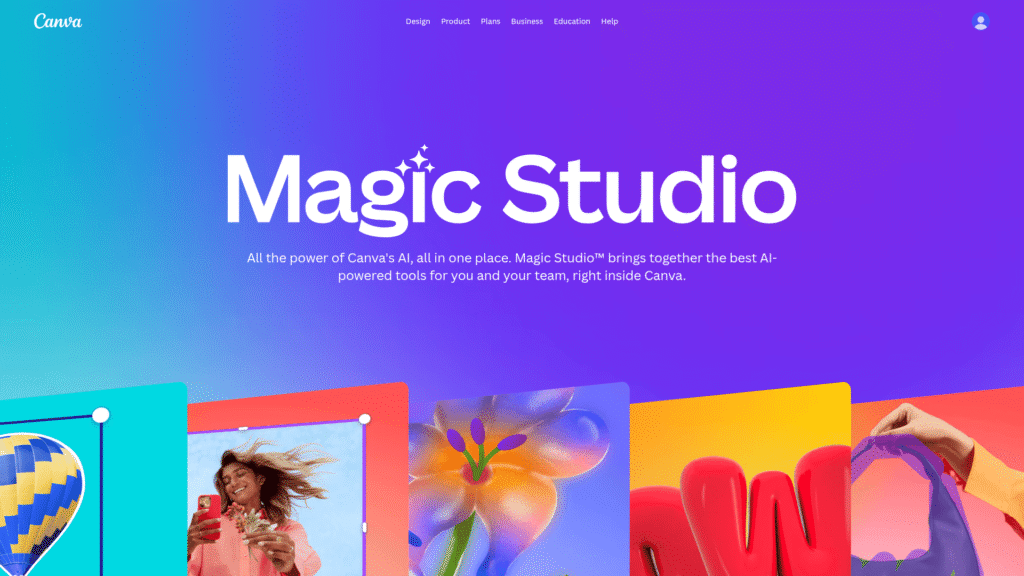
Canva’s Magic Design feature integrates AI into an already incredibly popular and user-friendly platform. It’s fantastic for quick, accessible design solutions. For anyone already comfortable with Canva, this makes it an obvious choice among the best AI presentation makers for everyday use and quick turnarounds.
Visit the official Canva website
Plus AI – Leading best AI presentation makers for Google Slides
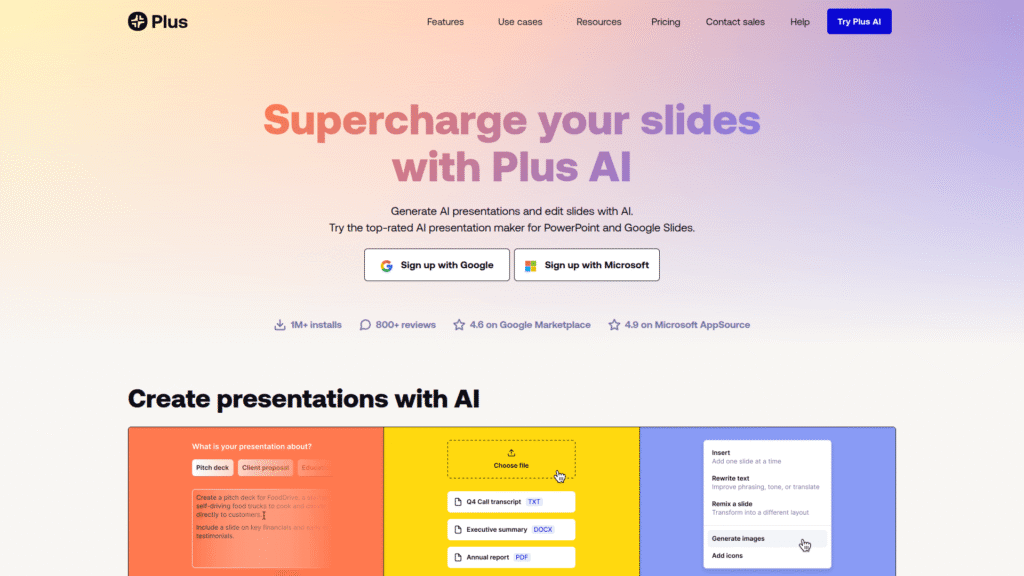
Plus AI is specifically designed as an add-on for Google Slides. It optimizes your workflow directly within a familiar environment, making it incredibly efficient for Google Workspace users. This positions it as one of the best AI presentation makers for seamless integration and productivity within that ecosystem.
Visit the official Plus AI website
Simplified – Best AI Presentation Makers for Comprehensive Design
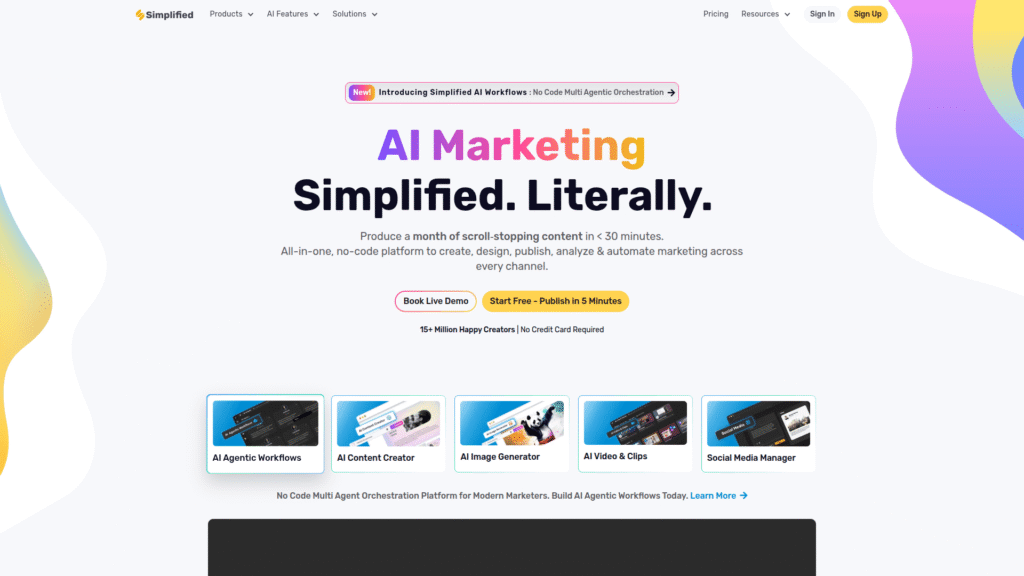
Simplified offers a suite of AI tools beyond just presentations, including graphic design, video editing, and copywriting. Its AI presentation maker is part of a larger ecosystem, making it a strong contender for those who need an all-in-one Visual and Graphic Design solution. It’s a very versatile option among the best AI presentation makers.
Visit the official Simplified website
Top 7 AI Presentation Makers (Detailed Reviews)
Alright, let’s dig into the specifics. You need to know exactly what each of these best AI presentation makers brings to the table. I’m going to break down their key features, pricing structures, and give you an honest look at their pros and cons. This detailed comparison will help you see which one truly aligns with your needs for efficient and high-quality Presentation Design. We’re looking for real performance and tangible results here.
Each tool has its unique strengths, whether it’s content generation, visual optimization, or specific integration capabilities. Understanding these differences is crucial for making an informed decision. My aim is to give you the raw facts so you can choose the best AI tool to boost your productivity and visual impact. Let’s get into it and see how each platform performs in the competitive landscape of AI-powered design.
Beautiful.ai for best AI presentation makers
Beautiful.ai sets itself apart by its “intelligent templates.” This means it enforces design best practices automatically. As you add content, the slides adjust to maintain visual harmony. It’s like having a graphic designer built right into the software. This makes it one of the best AI presentation makers for users who want polished, professional slides without needing design expertise. It excels in ensuring visual consistency and aesthetic appeal.
- Features: Smart templates, AI content generation, brand kit enforcement, collaborative features, broad library of customizable slides.
- Pricing: Offers a free trial. Paid plans start around $12/month (Pro) and $40/month (Team), billed annually. Enterprise options are available.
- Pros: Guarantees beautiful, consistent design; very easy to use; excellent for non-designers; boosts efficiency significantly.
- Cons: Less creative freedom than traditional tools; can feel restrictive for experienced designers; specific export options might be limited.
Visit the official Beautiful.ai website
Gamma – Leading best AI presentation makers for Modern Layouts
Gamma focuses on delivering modern, interactive presentations quickly. It uses AI to generate entire decks from a prompt, then allows for easy customization with a card-based interface. It’s a fantastic option among the best AI presentation makers for creating engaging, scrollable content that feels more like a webpage than a slide deck. This approach generates immediate results and improves audience engagement.
- Features: AI generation from text prompts, flexible card-based layouts, rich media integration, analytics, live sharing.
- Pricing: Free plan available with limited AI credits. Pro plan starts at $10/month per user, billed annually, with more AI credits and features.
- Pros: Extremely fast for generating first drafts; modern and engaging presentation style; excellent for remote teams; boosts content creation speed.
- Cons: Might be too different for traditional presentation users; advanced formatting can sometimes be tricky; less control over minute design details.
Visit the official Gamma website
Tome for best AI presentation makers
Tome is another one of the best AI presentation makers that prioritizes storytelling. It helps users craft rich, interactive “Tomes” that combine text, images, videos, and embedded content. The AI assists in structuring your narrative and selecting appropriate visuals. It’s fantastic for internal communications, sales pitches, and educational content where a strong story is paramount. This platform truly helps you generate a compelling narrative.
- Features: AI storytelling assistant, rich media embedding (videos, 3D models), interactive content, mobile-friendly design, real-time collaboration.
- Pricing: Free basic plan. Pro plan is $10/month per user, billed annually, offering unlimited AI credits and advanced features.
- Pros: Excellent for visually rich and interactive stories; AI content generation is impressive; collaborative functionality is robust; improves results.
- Cons: Not a traditional slide-based tool, which might require adjustment; some features are still evolving; offline access can be limited.
Visit the official Tome website
Prezi AI – Best AI Presentation Makers for Dynamic Visuals
Prezi has long been known for its unique, non-linear presentation style, and Prezi AI builds on that. It’s one of the best AI presentation makers for creating dynamic, engaging experiences that break away from sequential slides. The AI component helps you outline content, select suitable templates, and structure your “path” through the information, making it easier to leverage Prezi’s distinctive visual approach. This helps you create something truly unique.
- Features: AI-powered content outline generation, dynamic zoom and pan effects, extensive template library, offline viewing, video integration.
- Pricing: Free basic plan with limited features. Premium plans range from $3/month (Standard) to $7/month (Premium), billed annually, offering more storage and features.
- Pros: Creates highly memorable and engaging presentations; AI assists in structuring complex content; great for visual storytelling; boosts efficiency.
- Cons: Can be challenging for those accustomed to linear slides; requires a learning curve; overuse of zoom can be distracting; less control over specific design elements.
Visit the official Prezi AI website
Canva Magic Design – Best AI Presentation Makers for Accessibility
Canva Magic Design integrates AI into the immensely popular Canva platform. It allows users to generate presentations from a text prompt, choosing from various styles and layouts. This makes it one of the best AI presentation makers for anyone already using Canva or looking for an intuitive, accessible design tool. Its strength lies in combining AI automation with a vast library of design assets and an easy-to-use interface. This technology makes design available to everyone.
- Features: AI presentation generation, vast template library, extensive stock photo/video collection, brand kit, collaborative tools.
- Pricing: Free plan with basic features. Canva Pro is $119.99/year or $14.99/month, offering full access to Magic Design and all premium assets.
- Pros: Incredibly user-friendly; huge asset library; excellent for quick design tasks; good collaboration features; boosts productivity.
- Cons: AI generation can sometimes be generic; less sophisticated AI features than dedicated AI presentation tools; relies heavily on existing templates.
Visit the official Canva website
Plus AI – Best AI Presentation Makers for Google Slides Users
Plus AI is an add-on specifically built for Google Slides. It’s one of the best AI presentation makers if you’re deeply embedded in the Google Workspace ecosystem. It uses AI to generate new presentations, reformat existing ones, or even re-mix content from documents directly within Google Slides. This seamless integration means minimal disruption to your current workflow, making it incredibly efficient for teams. It is a fantastic example of technology enhancing existing processes.
- Features: AI generation within Google Slides, reformatting slides, AI image generation, content re-mixing, template customization.
- Pricing: Free trial available. Paid plans start from $10/month (Starter) to $25/month (Pro), billed annually, offering more AI credits and features.
- Pros: Native integration with Google Slides; very easy to learn; great for quick edits and content generation; improves workflow.
- Cons: Only works with Google Slides; less standalone functionality; features are focused on augmentation rather than ground-up unique design.
Visit the official Plus AI website
Simplified – Best AI Presentation Makers for Comprehensive Design
Simplified is an all-in-one AI platform that includes a presentation maker as part of its extensive suite. It’s among the best AI presentation makers for users who need a single tool for multiple design tasks – from graphic design to video editing and copywriting. The AI helps generate content, choose appropriate visuals, and lay out slides effectively, making it a powerful solution for diverse creative needs. This integrated approach can seriously boost your productivity across the board.
- Features: AI presentation generation, AI image generation, copywriting, graphic design, video editing, social media scheduling.
- Pricing: Free plan with limited AI credits and features. Paid plans range from $24/month (Small Team) to $48/month (Business), billed annually.
- Pros: Comprehensive suite of AI tools; good for solo creators and small teams; AI content generation is robust; boosts overall digital output.
- Cons: Can be overwhelming due to many features; presentation maker might not be as specialized as dedicated tools; learning curve for full potential.
Visit the official Simplified website
Feature Comparison: What to Look For in an AI Presentation Maker
Choosing among the best AI presentation makers isn’t just about picking the flashiest one. It’s about matching features to your specific workflow and desired outcomes. When I evaluate these digital tools, I look at core functionalities that genuinely improve Presentation Design and overall productivity. Forget the marketing hype; we need to focus on what actually delivers results.
You want a tool that doesn’t just automate but intelligently optimizes. That means looking beyond basic template generation. Does it understand context? Can it adapt to your brand? How much control do you retain over the final output? These are the questions that separate the merely good from the truly exceptional AI tools. I’m breaking down the essential features you should prioritize.
AI Content Generation in best AI presentation makers
This is often the first thing people look for. The ability of the best AI presentation makers to generate text from a prompt, outline, or existing document is a huge time-saver. Some tools like Gamma and Tome excel here, creating initial drafts that you can then refine. Others, like Beautiful.ai, focus more on smart design around your content. The key is how accurately and coherently the AI can interpret your input and generate relevant, engaging text for your slides. This feature significantly enhances efficiency.
Visual Automation and Design Optimization for best AI presentation makers
Beyond text, the visual aspect is critical. The best AI presentation makers should handle image selection, layout adjustments, and aesthetic consistency. Beautiful.ai is a prime example, with its enforced design rules ensuring every slide looks professional. Canva Magic Design leverages a vast asset library, while Prezi AI focuses on dynamic visual paths. Look for tools that automatically suggest or apply relevant images, icons, and even brand colors, ensuring your Visual and Graphic Design is always on point. This improves the overall performance of your presentation.
Customization and Control in best AI presentation makers
Automation is great, but you need to retain control. Can you easily tweak the AI’s suggestions? Do you have options for specific fonts, colors, and branding elements? Tools like Canva Magic Design offer extensive customization options within an easy-to-use interface. Plus AI works within Google Slides, giving you the familiarity of that platform while adding AI capabilities. The balance between AI assistance and user control is vital. You don’t want a tool that locks you into generic designs.
Collaboration Features for best AI presentation makers
Many presentations are team efforts. The best AI presentation makers facilitate smooth collaboration. Look for real-time editing, commenting features, and easy sharing options. Gamma and Tome both offer strong collaborative environments, making it simple for multiple users to contribute and review. This boosts team productivity and streamlines the feedback loop, leading to better results faster.
Integration Capabilities for best AI presentation makers
Does the tool play nicely with your existing software? Plus AI’s deep integration with Google Slides is a perfect example. Some platforms allow embedding from other services like YouTube, Vimeo, or even interactive dashboards. The more seamlessly a tool integrates into your workflow, the more efficient it becomes. This is a crucial factor for long-term optimization and overall productivity.
Pricing Breakdown: Free vs. Premium AI Presentation Makers
Let’s talk money. When considering the best AI presentation makers, pricing is a huge factor for many users. You’ll find a spectrum, from completely free tiers to expensive enterprise solutions. My advice: don’t just jump for the free option without understanding its limitations. Often, the free versions are excellent for testing the waters, but they might hold back the truly powerful AI features that will genuinely optimize your workflow.
Premium plans usually unlock unlimited AI credits, advanced design features, brand kit integration, and priority support. They’re an investment, yes, but often a worthwhile one if you depend on high-quality Presentation Design for your work. I’ll break down what you can expect from each tool’s pricing structure. We’re looking for value here, not just the lowest price.
Beautiful.ai best AI presentation makers Pricing
Beautiful.ai offers a solid free trial, letting you experience its smart design capabilities. Its paid plans are structured to cater to individuals and teams. The Pro plan at around $12/month (billed annually) is excellent for individual professionals who need consistent, high-quality output. Teams will look at the Team plan, which starts at $40/month, providing shared libraries and enhanced collaboration. This investment helps generate impressive results.
Gamma best AI presentation makers Pricing
Gamma provides a generous free plan with limited AI credits, which is great for casual use or initial experiments. Their Pro plan, starting at $10/month per user (annual billing), unlocks unlimited AI generation and removes Gamma branding. This makes it a cost-effective solution for small businesses and individuals who frequently need to create modern, interactive presentations. It helps boost efficiency in content creation.
Tome best AI presentation makers Pricing
Tome has a very accessible free basic plan. This allows you to create a good number of “Tomes” and experiment with its AI storytelling features. The Pro plan, at $10/month per user (annual billing), offers unlimited AI credits and advanced analytics. For storytellers and content creators, this pricing provides excellent value, especially given its focus on rich media and interactive elements. It’s about generating better, more engaging content.
Prezi AI best AI presentation makers Pricing
Prezi AI maintains Prezi’s traditional tiered pricing. A free basic plan offers limited features and storage. Paid plans, starting from $3/month (Standard) up to $7/month (Premium) when billed annually, significantly expand storage, features, and privacy options. For those who love Prezi’s dynamic style and want AI assistance, these plans make it an affordable way to optimize their presentation strategy.
Canva Magic Design best AI presentation makers Pricing
Canva’s free plan is robust and includes basic access to Magic Design, but for full functionality and premium assets, Canva Pro is necessary. At $119.99/year or $14.99/month, Canva Pro offers incredible value, unlocking unlimited AI generation, a massive content library, and extensive brand kit features. For anyone heavily invested in Visual and Graphic Design beyond just presentations, this is one of the best AI presentation makers as part of a larger ecosystem.
Plus AI best AI presentation makers Pricing
Plus AI provides a free trial to experience its Google Slides integration. Their paid plans, ranging from $10/month (Starter) to $25/month (Pro) annually, offer varying levels of AI credits and features. For dedicated Google Slides users, this is a targeted investment that significantly improves productivity and design quality directly within their preferred environment. It’s a key tool for workflow optimization.
Simplified best AI presentation makers Pricing
Simplified offers a free plan with a decent amount of AI credits, making it a good entry point. Its paid plans, from $24/month (Small Team) to $48/month (Business) annually, unlock more comprehensive features across its entire suite of design tools. If you need an all-in-one AI platform for various creative tasks, the value here is in its breadth of offerings, making its presentation maker part of a larger, efficient solution.
Real-World Use Cases and Results with AI Presentation Makers
It’s one thing to talk about features and pricing. It’s another to see these best AI presentation makers in action. I want to show you how real people are leveraging these tools to achieve incredible results and boost their productivity. This isn’t theoretical; this is about tangible improvements in how we communicate and design. We’re looking at efficiency gains, better visual communication, and ultimately, a stronger impact.
Think about the scenarios where presentation quality truly matters: sales pitches, investor updates, educational content, internal reports. In each of these, the right AI tool can make a dramatic difference. I’m going to walk you through some specific examples, highlighting how different platforms shine in various contexts. This will give you a clearer picture of which of these AI tools can truly optimize your specific needs.
Beautiful.ai best AI presentation makers for Professional Proposals
Imagine a marketing consultant needing to pitch a new strategy to a major client. Using Beautiful.ai, they input their key points. The AI automatically designs professional, on-brand slides, ensuring consistent typography, color schemes, and image placement. The consultant spends less time on formatting and more on refining their message. The result is a polished, credible proposal that helps them close the deal, demonstrating how this AI tool delivers strong results.
Gamma best AI presentation makers Case Study for Internal Comms
A fast-growing tech startup needs to quickly onboard new employees with engaging internal communications. They use Gamma to create interactive, scrollable “decks” that combine company culture videos, process diagrams, and policy summaries. The AI generates the initial layout from a simple prompt, allowing the HR team to customize it in minutes. The modern format keeps new hires engaged, dramatically improving information retention and streamlining the onboarding process. This shows excellent productivity.
Tome best AI presentation makers for Educational Content Creation
A university lecturer wants to create an engaging online lesson about quantum physics. They use Tome. They input their lecture notes, and Tome’s AI suggests structures, finds relevant visuals, and even helps generate interactive quizzes. The lecturer embeds 3D models of atoms and links to research papers, making the complex topic accessible and interactive. This results in a highly engaging learning experience, far beyond what traditional slides could offer, boosting educational performance.
Prezi AI best AI presentation makers for Sales Pitches
A sales executive needs to deliver a memorable presentation to a prospective client. Instead of a linear slide deck, they use Prezi AI. They outline their product’s benefits, and the AI helps them create a dynamic “path” that zooms into key features and back out to the big picture. This unique, conversational style allows the executive to adapt the flow based on client interest, making the pitch feel less like a lecture and more like an engaging conversation. This strategy improves their sales results.
Canva Magic Design best AI presentation makers for Social Media Visuals
A small business owner wants to announce a new product launch across all their social media channels. They use Canva Magic Design. They input text about their new product, and the AI instantly generates several presentation variations, complete with stock photos and design elements. The owner then easily adapts these for Instagram stories, Facebook posts, and a short explainer video, ensuring consistent branding and efficient Visual and Graphic Design across all platforms. This seriously enhances efficiency.
Who Should Use Each AI Presentation Maker?
Alright, so you’ve seen what these best AI presentation makers can do. Now, the big question: which one is right for YOU? It’s not a one-size-fits-all situation. Different tools excel for different purposes and different user types. My aim here is to cut through the noise and tell you exactly who will get the most value from each platform. This is about finding the perfect fit to optimize your specific Presentation Design workflow.
Whether you’re a marketing professional, an educator, a startup founder, or just someone who needs to make occasional impactful presentations, there’s an AI tool out there for you. We’re matching needs to capabilities to ensure you pick the best AI solution for your unique goals. Let’s break down the ideal user profiles for each of these powerful digital tools.
Best best AI presentation makers for Beginners: Canva Magic Design
If you’re new to design or just need a straightforward, intuitive tool, Canva Magic Design is your go-to. Its user-friendly interface combined with a vast library of templates and assets makes creating polished presentations incredibly easy. The AI helps kickstart the process, but you still have plenty of visual control. It’s the most accessible entry point into the world of best AI presentation makers.
Best best AI presentation makers for Marketers and Sales Professionals: Beautiful.ai & Gamma
For professionals focused on impactful pitches and brand consistency, Beautiful.ai is excellent. It ensures every slide adheres to your brand guidelines automatically, leading to professional, persuasive presentations. Gamma, with its modern, interactive layouts, is also fantastic for engaging sales decks and marketing content that stands out. Both these tools significantly improve presentation quality and enhance results.
Best best AI presentation makers for Educators and Storytellers: Tome & Prezi AI
Tome shines when your goal is to tell a rich, interactive story. Its focus on narrative flow and multimedia integration makes it perfect for educators, trainers, and anyone who needs to convey complex information in an engaging way. Prezi AI is for those who want to break free from traditional slides and create dynamic, non-linear experiences that captivate an audience. Both boost creativity and improve information retention.
Best best AI presentation makers for Google Workspace Users: Plus AI
If Google Slides is your daily driver, Plus AI is a no-brainer. It integrates seamlessly into your existing workflow, allowing you to leverage AI for content generation and design tweaks without ever leaving Google Slides. It’s the ultimate tool for optimizing productivity within that ecosystem, making it one of the best AI presentation makers for efficiency.
Best best AI presentation makers for All-in-One Creators: Simplified
For solo entrepreneurs, content creators, or small businesses that need a broad range of Visual and Graphic Design tools – from social media graphics to video editing and presentations – Simplified is a strong contender. Its integrated AI suite means you can handle multiple creative tasks from a single platform, boosting overall efficiency and ensuring consistent branding across all your digital assets.
How to Choose the Right AI Presentation Maker for Your Needs
So, you’ve got a good grasp of the top contenders among the best AI presentation makers. Now comes the crucial step: actually picking the one that’s going to make a difference for you. It’s not about which tool is objectively “best,” but which one is best for your specific challenges and goals. This decision framework is designed to help you cut through the noise and make an informed choice that truly optimizes your Presentation Design workflow.
I’m going to give you a simple, actionable process to evaluate these digital tools. Forget paralysis by analysis. Focus on what truly matters for your productivity and the quality of your output. Your choice should enhance your capabilities, save you time, and ultimately lead to better communication.
- Define Your Primary Goal:
- Are you looking for speed? (e.g., Gamma, Canva Magic Design)
- Is visual consistency paramount? (e.g., Beautiful.ai)
- Do you need rich storytelling capabilities? (e.g., Tome, Prezi AI)
- Is seamless integration with existing tools crucial? (e.g., Plus AI for Google Slides)
- Are you after an all-in-one design solution? (e.g., Simplified)
- Assess Your Design Skill Level:
- Beginner/Non-Designer: Tools that enforce design principles (Beautiful.ai) or offer massive templates (Canva Magic Design) will be easier.
- Intermediate: You might appreciate more customization options while still benefiting from AI automation (Gamma, Tome).
- Advanced: You might seek specific AI features that augment your existing skills rather than dictate them (Plus AI, some aspects of Simplified).
- Consider Your Content Type and Audience:
- Data-heavy presentations: Look for strong chart and graph integration.
- Creative pitches: Tools that allow for dynamic visuals and rich media (Prezi AI, Tome) might be better.
- Internal reports: Focus on efficiency and clarity (Beautiful.ai, Plus AI).
- External sales/marketing: High visual polish and engagement (Beautiful.ai, Gamma) are key for strong results.
- Evaluate Your Budget:
- Start with free trials to test functionality before committing.
- Compare features across free and paid tiers. Is the jump in features worth the investment?
- Factor in annual vs. monthly billing to maximize savings.
- Test Drive Your Top Choices:
- Don’t just read reviews. Sign up for trials and try creating a presentation you actually need.
- Pay attention to the user interface, the speed of AI generation, and the ease of making edits.
- Check for collaboration features if you work in a team.
By following these steps, you’ll narrow down the options and confidently choose among the best AI presentation makers that truly align with your needs, leading to improved productivity and standout presentations.
Making Money with These AI Presentation Design Tools
Using the best AI presentation makers isn’t just about saving time; it’s about creating value you can monetize. If you’ve mastered these digital tools, you possess a valuable skill. Businesses and individuals constantly need compelling presentations, but often lack the time, skill, or resources to create them. This is where you come in. Leveraging these AI solutions allows you to deliver high-quality Presentation Design services quickly and efficiently, turning your expertise into income.
Think of yourself as a turbocharged presentation designer. The AI handles the heavy lifting of design and content generation, freeing you up to focus on strategy, messaging, and client relations. This boosts your capacity and allows you to take on more projects, leading to greater earnings. Here are three specific services you can offer, using these advanced AI tools to generate significant results.
- AI-Powered Presentation Creation Service:
- Offer to create full presentations for clients from their raw content (notes, documents, verbal briefings).
- Use tools like Gamma or Beautiful.ai to rapidly generate initial drafts, then refine them with client feedback.
- Target small businesses, consultants, or busy executives who need professional pitches, reports, or training materials but lack the time for design.
- Monetization: Charge per presentation, per slide, or hourly. Highlight the speed and quality you can deliver thanks to AI, positioning yourself as an efficiency expert in Visual and Graphic Design.
- Presentation Redesign and Optimization:
- Many clients have existing, stale, or poorly designed presentations. Offer to revamp them using the AI tools.
- Take their old content, input it into a tool like Beautiful.ai or Canva Magic Design, and transform it into a modern, visually appealing, and effective presentation.
- Focus on improving visual clarity, message impact, and overall engagement. This can significantly enhance a client’s communication performance.
- Monetization: Charge a flat fee per redesign, demonstrating before-and-after improvements as part of your portfolio. Emphasize how your service will help them get better results.
- Interactive Content & Storytelling Services:
- With tools like Tome and Prezi AI, you can offer specialized services for creating highly interactive and dynamic presentations or digital stories.
- This is ideal for educators, thought leaders, or brands looking to launch experiential marketing content.
- Leverage AI to structure compelling narratives and integrate rich media elements (videos, 3D models, interactive charts).
- Monetization: Position this as a premium service. Charge based on the complexity and interactivity required. These bespoke solutions command higher fees due to their unique engagement capabilities and the deep optimization involved.
By positioning yourself as an expert in using the best AI presentation makers, you can create a profitable niche, offering services that save clients time and deliver superior visual communication.
Common Limitations of AI Presentation Makers to Consider
While the best AI presentation makers are incredibly powerful and efficient, it’s crucial to have a realistic understanding of their limitations. They’re not magic wands, and expecting perfection from every AI tool can lead to frustration. I want to give you an honest assessment of where these digital tools currently stand, so you can manage your expectations and work effectively with them to boost your productivity.
Understanding these drawbacks isn’t about dismissing the technology; it’s about knowing how to best leverage it. Every tool has its quirks, and AI is no exception. By being aware of these common limitations, you can avoid potential pitfalls and maximize the benefits these platforms offer for your Presentation Design efforts.
- Generic Output:
- Sometimes, the AI-generated content or design can feel a bit generic or lacking in a unique creative spark.
- If you rely solely on the AI, your presentation might look similar to others generated by the same tool, potentially hindering differentiation and uniqueness in Visual and Graphic Design.
- Solution: Always use AI generation as a starting point. Personalize and add your unique voice and branding.
- Lack of Nuance and Contextual Understanding:
- AI, while smart, doesn’t always grasp the subtle nuances or specific cultural contexts of your content.
- It might select irrelevant images or generate text that’s technically correct but misses the deeper meaning or tone you intended. This can affect the presentation’s overall performance.
- Solution: Thoroughly review all AI-generated content for accuracy, tone, and appropriateness. Human oversight is indispensable.
- Limited Creative Freedom:
- Especially with tools like Beautiful.ai that enforce strict design rules, advanced designers might feel restricted.
- You might not have the pixel-perfect control over every element that you’d get with traditional design software.
- Solution: Understand the balance. These tools prioritize speed and consistency. If extreme creative freedom is paramount, a hybrid approach with traditional tools might be necessary.
- Dependency on Quality Input:
- Garbage in, garbage out. The quality of the AI’s output is highly dependent on the quality and clarity of your input prompt or content.
- Vague or poorly structured input will lead to mediocre AI-generated presentations.
- Solution: Spend time crafting clear, detailed prompts and providing well-organized content. The better your input, the better the AI’s output, thus optimizing the entire process.
- Learning Curve for Advanced Features:
- While many tools are user-friendly for basic generation, unlocking their full potential often requires understanding their specific interface and advanced features.
- This can take some time and effort, especially for more comprehensive platforms like Simplified or dynamic ones like Prezi AI.
- Solution: Dedicate time to exploring tutorials and experimenting with different features to truly master the tool and maximize your efficiency.
- Pricing and AI Credit Limitations:
- Free plans often come with limitations on AI credits or features, pushing you towards paid subscriptions for serious use.
- Managing AI credits on paid plans can sometimes be tricky, potentially leading to unexpected costs if you generate a lot of content.
- Solution: Carefully review pricing tiers and credit usage policies. Factor potential costs into your budget.
By being aware of these common limitations, you can approach the best AI presentation makers with a strategic mindset, maximizing their strengths while mitigating their weaknesses to deliver exceptional Presentation Design.
Final Verdict and Recommendations for Best AI Presentation Makers
We’ve covered a lot of ground, diving deep into the features, pros, cons, and use cases of the best AI presentation makers. My goal was to give you an unfiltered look at how these digital tools can genuinely revolutionize your Presentation Design workflow. Now, it’s time for the final verdict and my top recommendations, tailored for different needs. Remember, the “best” tool is always the one that best serves your specific goals and helps you get results.
The landscape of AI tools is evolving rapidly, but the platforms I’ve reviewed here consistently deliver on their promise of enhanced productivity and visual quality. I’ve distilled my insights into clear recommendations to help you make your final choice. Whether you’re a beginner or a seasoned pro, there’s an AI solution ready to optimize your efforts and improve your performance.
Best AI Presentation Makers for Beginners & Quick Productivity: Canva Magic Design
If you need to hit the ground running with minimal fuss, Canva Magic Design is an unbeatable choice. It combines AI generation with an incredibly intuitive interface and a massive asset library. It’s perfect for anyone who wants professional-looking presentations fast, without a steep learning curve. This is an excellent tool for boosting efficiency from day one.
Best AI Presentation Makers for Professional Polish & Brand Consistency: Beautiful.ai
For those who prioritize impeccable design, brand adherence, and a consistently professional look, Beautiful.ai is the clear winner. Its intelligent templates ensure every slide is perfectly aligned and aesthetically pleasing, saving you countless hours of manual adjustments. It’s an investment that pays off in credibility and strong visual communication.
Best AI Presentation Makers for Modern & Interactive Storytelling: Gamma & Tome
When your goal is to create highly engaging, dynamic presentations that break the mold of traditional slides, both Gamma and Tome excel. Gamma offers sleek, card-based layouts perfect for modern digital consumption, while Tome focuses on rich, interactive narratives. Choose Gamma for quick, web-like presentations and Tome for deep, multimedia-rich storytelling. Both truly enhance audience engagement.
Best AI Presentation Makers for Google Workspace Integration: Plus AI
If your team lives and breathes Google Slides, then Plus AI is non-negotiable. Its seamless integration and AI capabilities directly within Slides make it the ultimate tool for optimizing your existing workflow. It boosts team productivity without forcing a switch to a new platform.
Best AI Presentation Makers for All-in-One Design & Versatility: Simplified
For individuals or small teams needing a comprehensive suite of AI-powered Visual and Graphic Design tools beyond just presentations, Simplified offers exceptional value. Its presentation maker is part of a larger ecosystem, allowing you to manage various creative tasks from one platform, ensuring consistent output and maximized efficiency across all your digital assets.
Ultimately, the best AI presentation makers are those that empower you to communicate more effectively and efficiently. Take advantage of free trials, compare their strengths against your specific needs, and you’ll find the perfect AI tool to elevate your next presentation and drive superior results.
Frequently Asked Questions About AI Presentation Makers
What are the best AI presentation makers?
The best AI presentation makers include tools like Beautiful.ai, Gamma, Tome, Prezi AI, Canva Magic Design, Plus AI, and Simplified. Each excels in different areas, from enforcing strict design principles to creating interactive storytelling experiences. My top recommendation depends on your specific needs, but these are consistent performers in boosting Presentation Design quality and efficiency.
Are these AI presentation makers free?
Many of the best AI presentation makers offer free plans or free trials. Tools like Gamma, Tome, and Canva Magic Design have robust free tiers, though they often come with limitations on AI credits, features, or branding removal. For full functionality and professional use, premium subscriptions are typically required. Always check the pricing page for the latest details.
How do AI presentation makers improve productivity?
AI presentation makers boost productivity by automating time-consuming tasks. They can generate initial content drafts, suggest layouts, select relevant visuals, and apply consistent branding. This significantly reduces the manual effort in Visual and Graphic Design, allowing you to focus more on refining your message and less on formatting, leading to quicker turnaround times and better results.
Can AI presentation makers generate images and graphics?
Yes, many of the best AI presentation makers have integrated AI image generation capabilities or leverage vast stock photo libraries. Tools like Canva Magic Design, Simplified, and Plus AI can suggest or create visuals based on your content, helping you maintain a high level of visual quality and relevance without manual searching.
Are AI presentation makers suitable for professional use?
Absolutely. The best AI presentation makers are designed for professional use. They help create polished, consistent, and engaging presentations for business pitches, educational lectures, internal reports, and more. Their automation capabilities ensure high-quality output, making them invaluable for anyone who needs to deliver impactful presentations regularly and needs to optimize their workflow.
What should I look for when choosing an AI presentation maker?
When choosing among the best AI presentation makers, consider your primary goal (speed, design quality, storytelling), your design skill level, your budget, and required integration capabilities. Look for features like AI content generation, visual automation, customization options, and collaboration tools. Testing free trials is the best way to determine the right fit for your specific Presentation Design needs.
Do AI presentation makers integrate with other software?
Yes, integration is a key feature for many of the best AI presentation makers. For example, Plus AI integrates directly with Google Slides, enhancing your existing workflow. Other tools allow for embedding content from various platforms like YouTube, Vimeo, or data visualization tools, streamlining content creation and ensuring seamless digital workflow.




