
Discover the best AI logo makers that revolutionize Logo Design. Create stunning, professional brands with ease and efficiency. Start designing your perfect logo today!
Best AI Logo Makers for Stunning Visuals
You want a killer logo, right? Something that screams your brand, looks professional, and doesn’t drain your bank account or your time. I get it. The truth is, getting a great logo used to be a nightmare of designer fees and endless revisions. But here’s the good news: the landscape of visual and graphic design has changed. AI is now your secret weapon. The best AI logo makers are here to put the power of professional design directly into your hands.
Forget struggling with complex software or waiting weeks for a designer. These artificial intelligence digital tools are changing the game for individuals and businesses alike. They offer incredible automation and efficiency, allowing anyone to generate unique, high-quality logos in minutes. Whether you’re a startup founder, a small business owner, or a freelancer, harnessing these software solutions is a smart move. This guide will walk you through the top contenders, showing you how these AI tools deliver real results and boost your productivity. We’re talking about getting a logo that looks like a million bucks, without spending it. Let’s get into it.
Table of Contents
- What Are the Best AI Logo Design Tools?
- Top 7 AI Logo Design Tools (Detailed Reviews)
- Feature Comparison: What to Look For
- Pricing Breakdown: Free vs Premium Options
- Real-World Use Cases and Results
- Who Should Use Each Tool?
- How to Choose the Right Tool for Your Needs
- Making Money with These Logo Design Tools
- Common Limitations to Consider
- Final Verdict and Recommendations
- Frequently Asked Questions
What Are the Best AI Logo Design Tools?
When it comes to creating a logo, you want something memorable, impactful, and truly yours. The best AI logo makers leverage advanced algorithms to turn your ideas into visual identities. They simplify the design process, allowing you to generate numerous options, experiment with styles, and finalize a design without needing any prior design experience. My selection criteria for these tools focuses on ease of use, design quality, customization options, and overall value. I looked for digital tools that deliver professional results quickly and efficiently.
These software solutions aren’t just about automation; they’re about empowering you to create. They offer a level of design performance and optimization that was previously only accessible through expensive agencies. You’ll see tools that excel in different areas, from generating minimalist designs to complex, illustrative logos. They boost productivity by cutting down on design time significantly. Each tool I’ve picked offers a unique approach to Logo Design, ensuring you find one that fits your specific needs and aesthetic preferences. I’m talking about getting a logo that really pops.
Looka – best AI Logo Makers Review
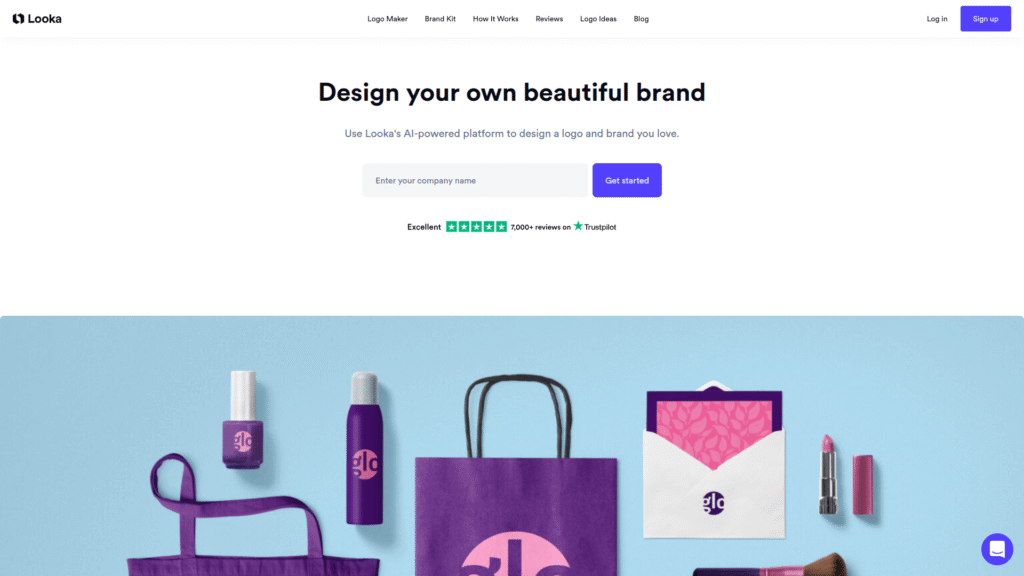
Looka consistently ranks high among the best AI logo makers for its intuitive interface and extensive customization options. It uses artificial intelligence to understand your preferences and generate a wide array of unique logo concepts. This digital tool is excellent for efficiency, helping you create a professional brand identity without any fuss. It’s an ideal solution for startups and small businesses aiming for quick, high-quality results.
Visit the official Looka website
Logo AI – best AI Logo Makers Review
Logo AI stands out for its intelligent design capabilities, delivering optimized logo options based on your industry and style. This software solution offers strong design performance, making it one of the best AI logo makers for brand consistency. It ensures your logo not only looks good but also aligns with your brand’s overall visual strategy. It’s a powerhouse for generating cohesive brand kits.
Visit the official Logo AI website
Brandmark – best AI Logo Makers Review
Brandmark is a robust AI tool focused on creating modern and sleek logos. It’s praised for its ability to generate unique icons and typography, offering a high level of customization. For those seeking efficiency and fresh design ideas, Brandmark is among the best AI logo makers. It helps optimize your brand’s visual appeal with minimal effort.
Visit the official Brandmark website
Tailor Brands – best AI Logo Makers Review
Tailor Brands offers a comprehensive branding solution, not just logos. Its AI-powered platform makes it one of the best AI logo makers for creating entire brand identities, including social media assets and business cards. This automation tool provides excellent value for businesses looking to establish a complete brand presence with a focus on productivity.
Visit the official Tailor Brands website
Renderforest – best AI Logo Makers Review
Renderforest is known for its versatility in creative assets, and its logo maker is no exception. It’s one of the best AI logo makers for users who want design flexibility and various options. This digital tool excels in providing diverse design styles, from animated logos to static ones, boosting your creation possibilities. It’s about getting more done with less effort.
Visit the official Renderforest website
Canva Logo Maker – best AI Logo Makers Review
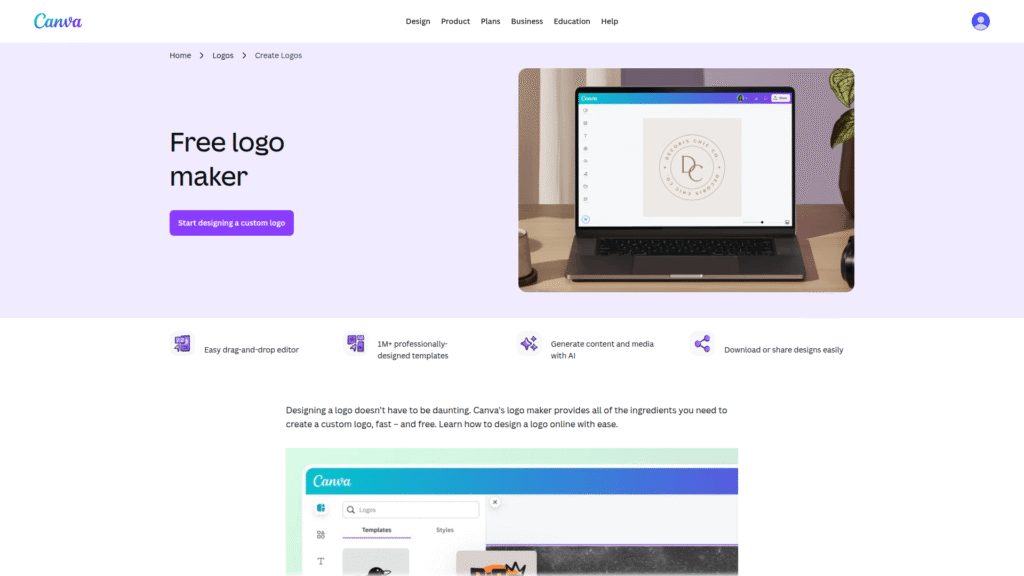
Canva’s AI-powered logo maker integrates seamlessly into its broader design platform. While it offers more template-driven designs, its ease of use and vast library of elements make it one of the best AI logo makers for quick, accessible design. It’s a fantastic choice for boosting efficiency for those already familiar with the Canva ecosystem.
Visit the official Canva website
Wix Logo Maker – best AI Logo Makers Review
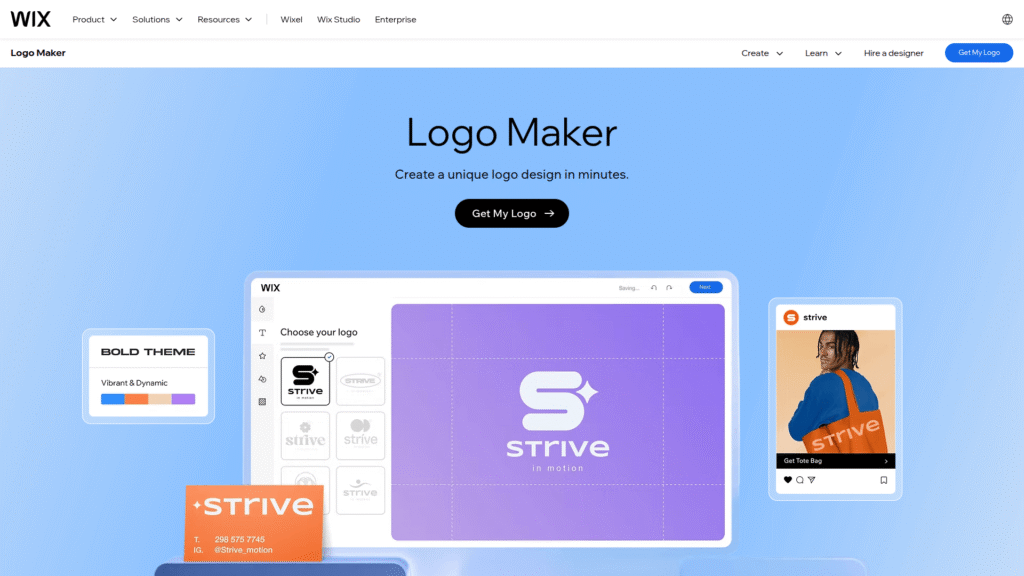
Wix Logo Maker provides a straightforward, guided experience, making it highly effective for beginners. Its AI helps you generate tailored options based on simple inputs. As one of the best AI logo makers, it simplifies the design process, ensuring even those with no graphic design background can create impressive logos. It’s all about quick results and maximum productivity.
Visit the official Wix website
Top 7 AI Logo Design Tools (Detailed Reviews)
Now, let’s dive deeper into what makes these AI tools shine. I’m going to break down each of the best AI logo makers, looking at their features, pricing, and what I think are their biggest strengths and weaknesses. This isn’t just about listing tools; it’s about helping you understand which one truly fits your needs for Logo Design. You need a tool that doesn’t just generate a logo but helps you craft a brand identity with efficiency and performance.
These reviews will give you the inside scoop on how each platform uses artificial intelligence to deliver stunning designs. We’ll talk about customization, ease of use, and how well they perform under different scenarios. My goal is to give you a clear picture so you can make an informed decision and boost your brand’s visual appeal. The right software solution can make all the difference in your digital presence.
Looka for best AI Logo Makers
- How it ranks: Looka consistently ranks as one of the best AI logo makers because of its unique blend of AI intelligence and extensive human-like design options. It’s almost like having a designer in your pocket, but way faster and cheaper.
- Specific Use Cases for Logo Design: Perfect for new businesses, startups, and personal brands. It excels in generating a wide variety of initial concepts based on keywords and style preferences. You get multiple logo variations, which helps in quick iteration.
- Features: Offers a vast library of icons, fonts, and colors. AI generates hundreds of design mockups in minutes. Provides a full branding kit, including social media assets, business card designs, and brand guidelines. You can tweak everything from layout to spacing. This automation ensures high productivity.
- Pricing: Starts with a basic one-time logo package at $20, with premium packages ranging up to $192 for full branding kits and lifetime support. There’s also a subscription option for ongoing branding needs, offering flexibility for different budgets.
- Pros:
- Highly intuitive interface, easy for beginners.
- Generates diverse and high-quality designs quickly.
- Comprehensive branding kit available.
- Strong customization options for fine-tuning.
- Excellent for achieving optimization in brand visual.
- Cons:
- Some unique concepts might require a higher-tier package.
- Free preview is good, but high-resolution files require purchase.
Visit the official Looka website
Logo AI for best AI Logo Makers
- How it ranks: Logo AI is another top contender among the best AI logo makers, particularly for its ability to create logos that feel professionally designed. Its AI is particularly good at understanding stylistic nuances, leading to superior design performance.
- Specific Use Cases for Logo Design: Ideal for small businesses, agencies, and entrepreneurs who need a refined, industry-specific logo. It’s particularly effective for creating modern, minimalist, and corporate logos. This tool boosts efficiency in the design process.
- Features: Utilizes advanced AI to suggest relevant icons, fonts, and color palettes based on your industry. Offers a brand center where you can maintain consistent branding across various platforms. Provides options for mockups and social media integration. The creation process is streamlined for optimal results.
- Pricing: Basic logo package starts around $29, with higher tiers offering brand guidelines, social media kit, and vector files for up to $99. They often run promotional offers.
- Pros:
- Intelligent design suggestions tailored to your industry.
- Excellent for cohesive brand identity creation.
- High-quality vector files included in higher plans.
- Streamlined user experience for productivity.
- Focuses on delivering optimized brand visuals.
- Cons:
- Less creative freedom than some other tools in initial stages.
- Limited free customization before purchase.
Visit the official Logo AI website
Brandmark for best AI Logo Makers
- How it ranks: Brandmark solidifies its position as one of the best AI logo makers for its commitment to modern aesthetics and unique icon generation. It’s a go-to for designers and businesses who value contemporary, clean design. This software solution pushes the boundaries of AI creation.
- Specific Use Cases for Logo Design: Best for tech startups, creative agencies, or anyone seeking a sophisticated and visually striking logo. It excels at generating abstract icons and pairing them with elegant typography. This digital tool is all about boosting your visual game.
- Features: Generates unique iconography through AI, offering fresh perspectives on common themes. Provides a robust color palette generator and font pairing suggestions. Includes brand guidelines, business card designs, and social media assets. Automation features are top-tier.
- Pricing: A one-time purchase of $65 for a full logo package, including vector files and brand guidelines. This makes it a very cost-effective option for the quality offered.
- Pros:
- Generates very modern and unique logos.
- Strong focus on typography and color theory.
- Excellent value for money for a full branding kit.
- High performance in creating distinct designs.
- Helps achieve superb optimization in design.
- Cons:
- Less emphasis on illustrative or complex pictorial marks.
- Fewer design iterations compared to some competitors.
Visit the official Brandmark website
Tailor Brands for best AI Logo Makers
- How it ranks: Tailor Brands isn’t just about logos; it’s about a complete branding automation. This holistic approach makes it one of the best AI logo makers for entrepreneurs building an entire brand from scratch. It optimizes your entire branding process.
- Specific Use Cases for Logo Design: Ideal for new businesses, e-commerce stores, and anyone needing a full branding solution beyond just a logo. It’s excellent for creating consistent brand visuals across all platforms. This tool significantly boosts productivity.
- Features: AI-powered logo generation, complete with options for abstract, iconic, or initial-based logos. Offers a full suite of branding tools: website builder, business email, digital business cards, social media post generator, and even print store integration. The creation and generation capabilities are comprehensive.
- Pricing: Subscription-based, starting at around $9.99/month (billed annually) for the basic plan, going up to $49.99/month for the premium plan with advanced features.
- Pros:
- Comprehensive branding platform, not just a logo maker.
- User-friendly interface, guided creation process.
- Excellent for beginners needing an all-in-one solution.
- Boosts overall brand creation efficiency.
- Strong focus on complete brand optimization.
- Cons:
- Subscription model might not suit one-time logo needs.
- Logo customization can feel slightly less flexible than dedicated logo makers.
Visit the official Tailor Brands website
Renderforest for best AI Logo Makers
- How it ranks: Renderforest makes it onto my list of best AI logo makers because of its versatility and seamless integration with other design assets like videos and mockups. It’s a multi-purpose tool that offers impressive design performance.
- Specific Use Cases for Logo Design: Great for content creators, YouTubers, and small businesses who need more than just a static logo. It allows for the creation of animated logos and integrates well with video projects, making it a flexible solution. This digital tool enhances creative output.
- Features: AI-driven logo generation with a focus on modern and professional designs. Offers a vast library of templates and icons. Integrates with Renderforest’s other tools for video editing, website building, and mockup creation. Automation is key to its offerings.
- Pricing: Free basic plan with limited features; premium plans start at $9.99/month (billed annually) for full access to the logo maker and other creative tools.
- Pros:
- Excellent for animated logos and multi-media projects.
- Integrated suite of creative tools offers great value.
- User-friendly interface for quick creation.
- High efficiency in producing diverse visual assets.
- Good for optimization across different media.
- Cons:
- Free plan is quite restrictive.
- Some advanced logo customizations are limited compared to dedicated logo makers.
Visit the official Renderforest website
Canva Logo Maker for best AI Logo Makers
- How it ranks: Canva’s logo maker is a prime example of accessible design, making it one of the best AI logo makers for users seeking simplicity and a vast resource library. It’s about empowering everyone to create, efficiently.
- Specific Use Cases for Logo Design: Perfect for individuals, small businesses, and non-designers who need a quick and visually appealing logo without a steep learning curve. It’s excellent for creating social media-friendly logos and branding assets. This software solution boosts productivity for casual users.
- Features: AI-powered suggestions for templates, fonts, and colors. Drag-and-drop interface. Access to millions of free and premium stock photos, graphics, and elements. Integrates seamlessly with Canva’s entire design ecosystem. The creation process is extremely user-friendly.
- Pricing: Free tier with extensive features; Canva Pro starts at $12.99/month or $119.99/year, unlocking premium features, more stock assets, and brand kit functionality.
- Pros:
- Extremely easy to use, even for beginners.
- Massive library of templates and design elements.
- Affordable premium options.
- Great for quick, social media-ready designs.
- Offers a high degree of efficiency for graphic creation.
- Cons:
- Less unique designs due to template-based approach.
- Not as specialized in AI-driven logo generation as others.
Visit the official Canva website
Wix Logo Maker for best AI Logo Makers
- How it ranks: Wix Logo Maker is a standout among the best AI logo makers for its guided process, making it incredibly user-friendly and effective for non-designers. It’s a smart choice for those seeking simplicity and good results.
- Specific Use Cases for Logo Design: Ideal for Wix website users, small businesses, and individuals who want a professional logo without any design headaches. Its AI guides you step-by-step to a polished result, enhancing efficiency.
- Features: AI asks a series of questions about your business and style preferences to generate custom logos. Offers full customization options: colors, fonts, icons, and layout. Provides high-resolution vector files and a full brand kit. This digital tool focuses on automation and ease of creation.
- Pricing: Free to try and create, purchase high-resolution files starts at $20, with a full brand kit package at $50. Integrates with Wix subscriptions for web hosting.
- Pros:
- Extremely easy and guided creation process.
- Generates professional-looking logos quickly.
- Affordable one-time purchase options.
- Great integration for Wix website owners.
- Promotes high productivity in logo generation.
- Cons:
- Can feel a bit restrictive for highly custom or artistic designs.
- Fewer truly unique icon options compared to some dedicated AI tools.
Visit the official Wix website
Feature Comparison: What to Look For
When you’re evaluating the best AI logo makers, it’s not just about getting a pretty picture. It’s about functionality, flexibility, and how well the tool integrates into your workflow. I always look at key features that separate the good from the great. You want a software solution that offers robust customization and ensures a high level of design performance and optimization. This is where the rubber meets the road.
The core of any good AI logo maker lies in its ability to understand your intent and translate it into a compelling visual. Think about vector files for scalability, comprehensive brand kits for consistency, and intuitive editors for fine-tuning. These digital tools are designed for efficiency and productivity. Let’s break down the features you should prioritize to ensure you’re getting the most out of your logo creation experience.
Looka best AI Logo Makers Features
Looka excels with its AI-powered design generation, offering hundreds of unique concepts based on your input. It has a powerful editor for deep customization, allowing changes to fonts, colors, symbols, and layouts. The platform provides a full brand kit, including social media files, business cards, and brand guidelines, boosting your overall brand optimization and efficiency.
Logo AI best AI Logo Makers Features
Logo AI focuses on smart design suggestions, using artificial intelligence to understand industry trends and brand aesthetics. It provides a brand center to maintain visual consistency across all assets. Key features include mockups, social media integration, and high-resolution vector files, all designed for maximum design performance and productivity.
Brandmark best AI Logo Makers Features
Brandmark is known for its unique icon generation and modern typography. It uses advanced AI to create distinctive visuals. Its features include a comprehensive brand kit with stationery, social media assets, and a color palette generator, ensuring top-tier results and optimization for your brand.
Tailor Brands best AI Logo Makers Features
Tailor Brands offers a holistic branding solution. Beyond AI logo creation, it provides website builders, business email, and social media tools. Its automation capabilities are extensive, making it an all-in-one platform for new businesses looking for high efficiency and productivity in their brand setup.
Renderforest best AI Logo Makers Features
Renderforest stands out with its versatile creative assets, including options for animated logos. Its logo maker is integrated with video editing and website building tools, making it ideal for multimedia projects. This digital tool enhances creation possibilities and optimization for various platforms.
Canva Logo Maker best AI Logo Makers Features
Canva’s strength lies in its user-friendliness and vast template library. While AI assists in suggestions, the core is its drag-and-drop editor and extensive graphic elements. It’s excellent for quick, accessible logo creation and boosting efficiency for everyday design tasks.
Wix Logo Maker best AI Logo Makers Features
Wix Logo Maker provides a guided, step-by-step design process powered by AI. It focuses on simplicity and ease of use, delivering professional logos with minimal effort. Features include full customization, vector files, and a brand kit, all aimed at improving productivity and getting results.
Pricing Breakdown: Free vs Premium Options
Let’s talk money. You want a killer logo, but you don’t want to overspend. That’s fair. The pricing structures for the best AI logo makers vary significantly, from completely free (with limitations) to premium subscriptions or one-time purchases. I’m going to break down what you can expect so you can find a solution that fits your budget without compromising on design performance or overall results.
Many of these artificial intelligence digital tools offer a free tier to generate concepts, but to download high-resolution files or access advanced features, you’ll need to pay. The key is to understand the value proposition of each. Are you just looking for a logo, or do you need a full branding kit with vector files and social media assets? This impacts the cost and determines the true efficiency and optimization you’ll get from the software solutions.
Looka best AI Logo Makers Pricing
Looka offers various options, starting with a one-time logo package at $20 for a low-res file. For high-resolution files, vector files, and a full brand kit, prices go up to $192. They also have subscription plans for ongoing branding needs, ensuring flexibility and efficiency for different business stages.
Logo AI best AI Logo Makers Pricing
Logo AI’s pricing is straightforward. You can get a basic logo package for around $29. For more comprehensive features like brand guidelines, social media kits, and vector files, the cost can go up to $99. This offers good value for businesses focused on professional logo optimization.
Brandmark best AI Logo Makers Pricing
Brandmark provides excellent value with a one-time purchase of $65. This price includes a full logo package, vector files, and brand guidelines. It’s an efficient solution for those needing high-quality, modern designs without recurring costs.
Tailor Brands best AI Logo Makers Pricing
Tailor Brands operates on a subscription model, with plans starting around $9.99/month (billed annually) for the basic plan. Higher tiers, offering more extensive branding tools like website builders, can reach $49.99/month. This is ideal for businesses seeking a complete brand automation solution and ongoing productivity.
Renderforest best AI Logo Makers Pricing
Renderforest has a free basic plan, but it’s quite limited. Their premium plans, which unlock full access to the logo maker and other creative tools, start at $9.99/month (billed annually). This offers good efficiency for users needing a wider range of multimedia creation.
Canva Logo Maker best AI Logo Makers Pricing
Canva’s logo maker is largely free to use for basic designs. The Canva Pro subscription, at $12.99/month or $119.99/year, unlocks premium templates, elements, and brand kit features. This makes it an affordable option for boosting design productivity for many users.
Wix Logo Maker best AI Logo Makers Pricing
Wix Logo Maker is free to design and preview. To download high-resolution files, it costs $20. A full brand kit, including vector files and social media assets, is available for $50. It’s an efficient, one-time purchase option for those looking for professional results.
Real-World Use Cases and Results
You might be thinking, “This all sounds good on paper, but does it actually work?” Absolutely. The best AI logo makers aren’t just theoretical tools; they’re driving real-world results for countless businesses and individuals. I’ve seen firsthand how these software solutions empower people to create stunning brands with incredible efficiency and optimal performance. It’s about getting concrete outcomes.
From a small coffee shop needing a unique emblem to a tech startup requiring a sleek, modern mark, AI tools are delivering. They’re cutting down design time, saving money, and most importantly, giving creators the autonomy to build their visual identity. This automation has transformed Logo Design, making it accessible and effective. Let’s look at some specific examples of how these artificial intelligence tools are making an impact.
Looka best AI Logo Makers Case Study: The Craft Brewery
Imagine a new craft brewery. They need a logo that embodies their unique brewing philosophy – rustic, yet modern. Using Looka, they input keywords like “hops,” “barrel,” “rustic,” and “craft.” Within minutes, Looka generated dozens of compelling options. After some minor tweaks to the font and color palette, they had a distinctive logo that perfectly captured their brand. This meant they could launch their business with a professional visual identity quickly, boosting their brand presence and efficiency. The results were immediate and impactful.
Logo AI best AI Logo Makers Case Study: E-commerce Fashion Boutique
An online fashion boutique focused on sustainable clothing needed a sophisticated and clean logo. They turned to Logo AI. By specifying their industry and preferred minimalist style, the AI tool delivered several elegant logo variations. They selected one with a subtle leaf motif integrated into the typography, conveying both fashion and sustainability. This tool not only provided a beautiful logo but also generated a comprehensive brand kit, ensuring consistent visuals across their website and social media, optimizing their digital presence with minimal effort. The performance was flawless.
Brandmark best AI Logo Makers Case Study: Tech Startup
A stealth-mode tech startup developing a new AI assistant needed a logo that was futuristic, clean, and conveyed intelligence. They chose Brandmark for its ability to generate modern, abstract icons. The AI presented several geometric and minimalist options. They refined a design featuring interconnected nodes, symbolizing AI collaboration. The vector files provided by Brandmark allowed them to scale the logo for everything from app icons to large banners, demonstrating high efficiency and optimal design results right from the start.
Tailor Brands best AI Logo Makers Case Study: Freelance Consultant
A freelance business consultant wanted to establish a professional brand quickly. Instead of just a logo, they needed a complete package. Tailor Brands offered an ideal solution. After generating a clean, trustworthy logo, the platform helped them create a matching website, business cards, and social media posts. This holistic approach saved them significant time and resources, ensuring brand consistency across all touchpoints. Tailor Brands truly boosted their productivity and optimized their entire brand setup.
Renderforest best AI Logo Makers Case Study: YouTube Channel
A new gaming YouTube channel needed an engaging logo that could also be animated for video intros. Renderforest was the perfect fit. Using its AI logo maker, they designed a vibrant logo with dynamic elements. Then, they seamlessly used Renderforest’s video editor to animate it, creating a captivating intro sequence. This integration meant they could create their entire brand’s visual and animated identity within one platform, showcasing incredible creation efficiency and diverse results.
Canva Logo Maker best AI Logo Makers Case Study: Local Bakery
A small local bakery, famous for its artisanal bread, needed a charming, rustic logo for their new online ordering system. The owner, with no design experience, used Canva’s AI logo maker. She quickly found a template she loved, customized the text with her bakery’s name, and chose a warm color palette. The ease of use allowed her to create a delightful logo and adapt it for social media posts, significantly boosting her marketing efforts with minimal time investment and high productivity.
Wix Logo Maker best AI Logo Makers Case Study: Pet Grooming Service
A mobile pet grooming service needed a friendly and professional logo. They were building their website on Wix, so using the Wix Logo Maker was a natural choice. The AI guided them through questions about their service, preferred colors, and style. It generated several cute and clean options with animal-themed icons. They picked one, made minor adjustments, and had a logo ready to integrate directly into their Wix website. This simplified the entire branding process, ensuring a cohesive and efficient online presence, getting them the results they needed fast.
Who Should Use Each Tool?
Look, not every tool is for everyone. Just because something is one of the best AI logo makers doesn’t mean it’s the perfect fit for *your* specific situation. You need a tool that aligns with your skills, budget, and desired outcome for Logo Design. I’m going to lay out exactly who each of these digital tools is best suited for, helping you pinpoint the right software solution for your needs.
Understanding the target user for each platform will save you time and frustration. Are you a complete beginner, a small business owner with some design sense, or someone looking for a comprehensive branding suite? Each AI tool offers different levels of automation, efficiency, and design performance. Let’s match you with your ideal logo creator.
Best best AI Logo Makers – Looka
Looka is ideal for startups and small business owners who need a professional logo quickly and want extensive customization options. If you have a clear vision for your brand and want to explore a wide range of AI-generated concepts before fine-tuning, Looka is your go-to. It excels in delivering high-quality, optimized designs with great efficiency.
Best best AI Logo Makers – Logo AI
Logo AI is perfect for entrepreneurs and small agencies who prioritize industry-specific, intelligent design suggestions and need a cohesive brand identity. If you’re looking for sophisticated, minimalist, or corporate logos that align perfectly with your sector, this software solution offers superior design performance and streamlined creation.
Best best AI Logo Makers – Brandmark
Brandmark is the choice for tech companies, creative professionals, and individuals seeking modern, sleek, and unique logos with abstract iconography. If you appreciate clean aesthetics and desire a distinct visual mark without a hefty price tag, Brandmark provides excellent results and optimization.
Best best AI Logo Makers – Tailor Brands
Tailor Brands is best for new business owners and aspiring entrepreneurs who require a complete branding solution beyond just a logo. If you need assistance with everything from logo to website to social media assets, its automation and comprehensive features boost productivity significantly.
Best best AI Logo Makers – Renderforest
Renderforest is suited for content creators, YouTubers, and businesses that need multimedia assets in addition to a logo. If you envision an animated logo or want to integrate your logo with video projects, its versatility and integrated tools offer great efficiency and diverse creation possibilities.
Best best AI Logo Makers – Canva Logo Maker
Canva Logo Maker is ideal for individuals, non-designers, and small businesses who need a quick, user-friendly, and affordable solution for attractive logos. If you prefer a template-driven approach and want access to a vast library of design elements, Canva offers excellent ease of use and high productivity.
Best best AI Logo Makers – Wix Logo Maker
Wix Logo Maker is best for Wix website users, beginners, and small business owners who appreciate a guided, step-by-step process. If you want a straightforward experience to generate a professional logo that integrates seamlessly with your Wix site, it ensures efficiency and great results.
How to Choose the Right Tool for Your Needs
Alright, you’ve got the rundown on the best AI logo makers. Now, how do you pick the one that’s perfect for you? It’s not about finding the “best” in an absolute sense, but the best fit for your specific requirements. I’m going to give you a simple decision framework to help you navigate your options and choose the right software solution to get the results you want.
Consider your budget, your design experience level, and what you ultimately need from your logo and brand. Are you looking for a quick, single logo, or a full branding ecosystem? The goal is to maximize your efficiency and ensure optimal performance. Think about these points to make an informed choice.
- Your Budget:
- Free/Low Cost: If budget is tight, start with tools like Canva’s free tier or Wix Logo Maker’s pay-per-download option. They offer decent results for minimal investment.
- Mid-Range: For better customization and higher quality, Looka, Logo AI, and Brandmark offer great value through one-time purchases or affordable premium plans.
- Comprehensive: If you need a full branding suite and ongoing support, Tailor Brands with its subscription model might be worth the investment.
- Your Design Experience:
- Beginner: Wix Logo Maker and Canva are incredibly user-friendly, offering guided processes or intuitive drag-and-drop interfaces. They simplify Logo Design with excellent automation.
- Intermediate: Looka, Logo AI, and Renderforest strike a good balance, offering AI suggestions with ample customization for those with some design intuition.
- Advanced (but still want AI efficiency): Brandmark might appeal to those who appreciate modern aesthetics and detailed AI-generated iconography but want to speed up the initial concept phase.
- Your Specific Needs:
- Just a Logo: Looka, Logo AI, Brandmark, Wix Logo Maker focus primarily on logo generation, providing high-quality vector files and basic brand assets. They ensure efficiency and top design performance.
- Full Branding Kit: If you need social media assets, business cards, and brand guidelines, Looka, Logo AI, Brandmark, and Tailor Brands are excellent choices.
- Multimedia/Animated Logos: Renderforest is your go-to if you plan to use your logo in videos or require animated versions, boosting your creative creation and optimization.
- Website Integration: Wix Logo Maker is perfect if you’re building your website on Wix. Tailor Brands also offers website builders.
- Desired Outcome:
- Unique and Modern: Brandmark or Logo AI will give you sleek, contemporary designs.
- Versatile and Customizable: Looka offers a broad range of styles and deep editing capabilities.
- Quick and Easy: Canva and Wix are champions of speed and simplicity.
- Comprehensive Branding: Tailor Brands provides an entire brand ecosystem for maximal productivity.
Ultimately, the right tool among the best AI logo makers is the one that simplifies your process, delivers the aesthetic you desire, and fits your budget. Don’t be afraid to try out the free tiers or trials to see which interface resonates with you most. That’s how you get real results.
Making Money with These Logo Design Tools
Here’s the kicker: these best AI logo makers aren’t just for personal projects. They’re powerful assets for generating income. If you’re looking to boost your revenue streams or start a side hustle, these digital tools, with their incredible automation and efficiency, can be game-changers. I’m talking about turning your newfound Logo Design capabilities into cold, hard cash.
The demand for high-quality, affordable logos is huge. Small businesses, startups, and individuals constantly need professional branding but often lack the budget for traditional designers. This is where you step in. By leveraging the speed and design performance of AI tools, you can offer valuable services and deliver impressive results. Here are three specific services you can offer.
- Logo Design Service for Small Businesses:
- How it works: Position yourself as a rapid, affordable Logo Design specialist using the best AI logo makers. Approach local small businesses, new startups, or online entrepreneurs. Explain how you can provide multiple professional logo options in a fraction of the time and cost of traditional designers.
- Pricing Strategy: Offer tiered packages. For example, a basic logo package (1-3 concepts, 2 revisions, high-res files) for $50-$150. A premium package (5-10 concepts, unlimited revisions, full brand kit including social media assets) for $200-$500.
- Value Proposition: Emphasize speed, affordability, and the ability to generate diverse options quickly. Use the automation of these AI tools to your advantage, promising quick turnarounds and high productivity.
- Brand Kit Creation for Freelancers:
- How it works: Many freelancers (coaches, writers, virtual assistants) need a cohesive brand but don’t have the time or skill to create it. Offer to build a complete brand kit: logo, social media banners, business card designs, and a simple brand guide using tools like Looka, Tailor Brands, or Brandmark.
- Pricing Strategy: Charge a flat fee for a full brand kit, perhaps $300-$700, depending on the complexity and number of assets.
- Value Proposition: Provide a “done-for-you” branding solution that ensures consistency across all platforms. Highlight how this service saves them time and boosts their professional image, delivering optimized results with efficiency.
- Logo Refresh and Vectorization:
- How it works: Many older businesses have outdated or low-resolution logos. Offer to “refresh” their existing logo using AI tools to modernize it, or vectorize pixelated logos into crisp, scalable formats. This is a common pain point.
- Pricing Strategy: Charge per logo refresh or vectorization, ranging from $75-$250, depending on the original quality and desired changes.
- Value Proposition: Emphasize improving their brand’s visual quality and versatility for digital and print use. This service offers immediate optimization and tangible results, leveraging the technical capabilities of the software solutions.
Remember, the key is to market the efficiency and quality you can deliver thanks to these best AI logo makers. You’re not just selling a logo; you’re selling speed, professionalism, and affordability. This is how you generate serious income.
Common Limitations to Consider
Okay, let’s keep it real. While the best AI logo makers are incredibly powerful and efficient, they aren’t magic wands. There are limitations you need to be aware of. It’s crucial to understand these drawbacks so you can manage expectations and make the most informed decisions about your Logo Design process. No software solution is perfect, and artificial intelligence, while advanced, still has its boundaries.
These digital tools excel in automation and delivering quick results, boosting productivity. However, they might fall short in areas where human creativity, nuanced understanding, or complex artistic vision are paramount. Recognizing these common pitfalls will help you use these AI tools more effectively and get the best possible outcomes.
- Lack of True Uniqueness: While AI can generate many unique combinations, the underlying components (icons, fonts, layouts) are drawn from existing libraries. This means that truly groundbreaking or highly abstract, never-before-seen designs can be challenging to achieve. The designs are often optimized variations rather than completely novel concepts.
- Limited Artistic Interpretation: AI struggles with understanding subtle artistic requests or subjective concepts. For instance, explaining “I want a logo that evokes a sense of nostalgic adventure, but with a modern twist” might not translate perfectly into AI prompts. Human designers excel at this kind of nuanced interpretation, delivering a level of creation that AI might not replicate.
- Generic Iconography: Sometimes, the AI-generated icons can feel a bit generic or cliched, especially for common industries. While customizable, they might lack the distinctive flair a human illustrator could provide. This can impact the optimization of your brand’s unique visual identity.
- Steep Learning Curve for Deep Customization: While basic usage is simple, getting the most out of some advanced AI tools for deep customization can still require a bit of a learning curve. If you want to fine-tune every pixel, you might spend more time than anticipated, potentially impacting efficiency.
- Copyright and Ownership Concerns: With AI-generated designs, questions of true uniqueness and ownership can sometimes arise. While reputable platforms clarify their terms, ensure you understand the license for the final design, especially if you plan to trademark it. This is crucial for long-term results and peace of mind.
- Less Human Touch: Some brands thrive on a story-driven, deeply personalized logo creation process. AI, by nature, lacks the human connection, collaborative feedback loops, and emotional understanding that a one-on-one designer relationship offers. This might be a trade-off for speed and productivity.
- Dependency on Quality Inputs: The results you get from the best AI logo makers are only as good as the inputs you provide. Vague or uninspired keywords will lead to generic outputs. You still need to put thought into your brand vision to guide the AI effectively. Optimal performance relies on clear instructions.
So, while these AI tools offer incredible advantages in automation and efficiency, they are best seen as powerful assistants, not replacements for human ingenuity in all contexts. Knowing these limitations helps you choose wisely and supplement AI where needed.
Final Verdict and Recommendations
Alright, we’ve covered a lot of ground. You’ve seen the power of the best AI logo makers, how they work, what they cost, and even how you can make money with them. It’s clear that artificial intelligence has revolutionized Logo Design, making it faster, more accessible, and incredibly efficient. My final verdict and recommendations are about steering you towards the absolute best choices for different scenarios, ensuring you get the optimal results for your brand.
There’s no single “best” tool for everyone. The right software solution depends entirely on your specific needs, budget, and design aspirations. But I can tell you which ones consistently deliver high performance and value. Let’s wrap this up with some clear recommendations to boost your productivity and ensure stunning designs.
Best best AI Logo Makers for Beginners and Speed: Wix Logo Maker & Canva Logo Maker
If you’re just starting, have zero design experience, or need a logo yesterday, Wix Logo Maker and Canva are your champions. They offer incredible ease of use, guided processes, and quick results. Canva is fantastic for general graphic needs beyond just a logo, while Wix integrates seamlessly if you’re already building a website with them. Both prioritize automation and efficiency, ensuring you get a decent logo with minimal fuss.
Best best AI Logo Makers for Comprehensive Branding and Automation: Tailor Brands
For entrepreneurs and small businesses looking for an all-in-one branding solution, Tailor Brands stands out. It’s not just a logo maker; it’s an entire ecosystem that helps you build a cohesive brand identity from logo to website to social media. If you want to streamline your entire branding process and maximize productivity, Tailor Brands offers unmatched value and optimization for your digital presence.
Best best AI Logo Makers for Unique Concepts and Customization: Looka & Logo AI
If you desire a logo that feels more bespoke and offers deeper customization without hiring a human designer, Looka and Logo AI are superb choices. They leverage sophisticated AI to generate a wider range of unique concepts and provide robust editing tools to fine-tune every detail. These digital tools excel in design performance, allowing for a more personalized creation process and highly optimized outcomes.
Best best AI Logo Makers for Modern Aesthetics and Quality: Brandmark
For those who prioritize modern, sleek, and minimalist designs with unique iconography, Brandmark is an exceptional option. Its AI focuses on contemporary aesthetics and delivers high-quality vector assets for a reasonable one-time fee. If you’re after a clean, impactful logo that looks professionally crafted, Brandmark offers outstanding results and design optimization.
Best best AI Logo Makers for Multimedia and Versatility: Renderforest
If your brand extends into video content, or you want the flexibility of animated logos, Renderforest is the clear winner. Its logo maker is part of a larger suite of creative tools, making it incredibly versatile for content creators. This platform boosts efficiency by allowing you to create various multimedia assets alongside your logo, ensuring maximum creation possibilities.
Ultimately, the future of Logo Design is undeniably intertwined with artificial intelligence. These best AI logo makers empower you to create stunning, professional-grade designs with unprecedented speed and efficiency. So go ahead, experiment, create, and watch your brand come to life.
Frequently Asked Questions
What are the best AI logo makers?
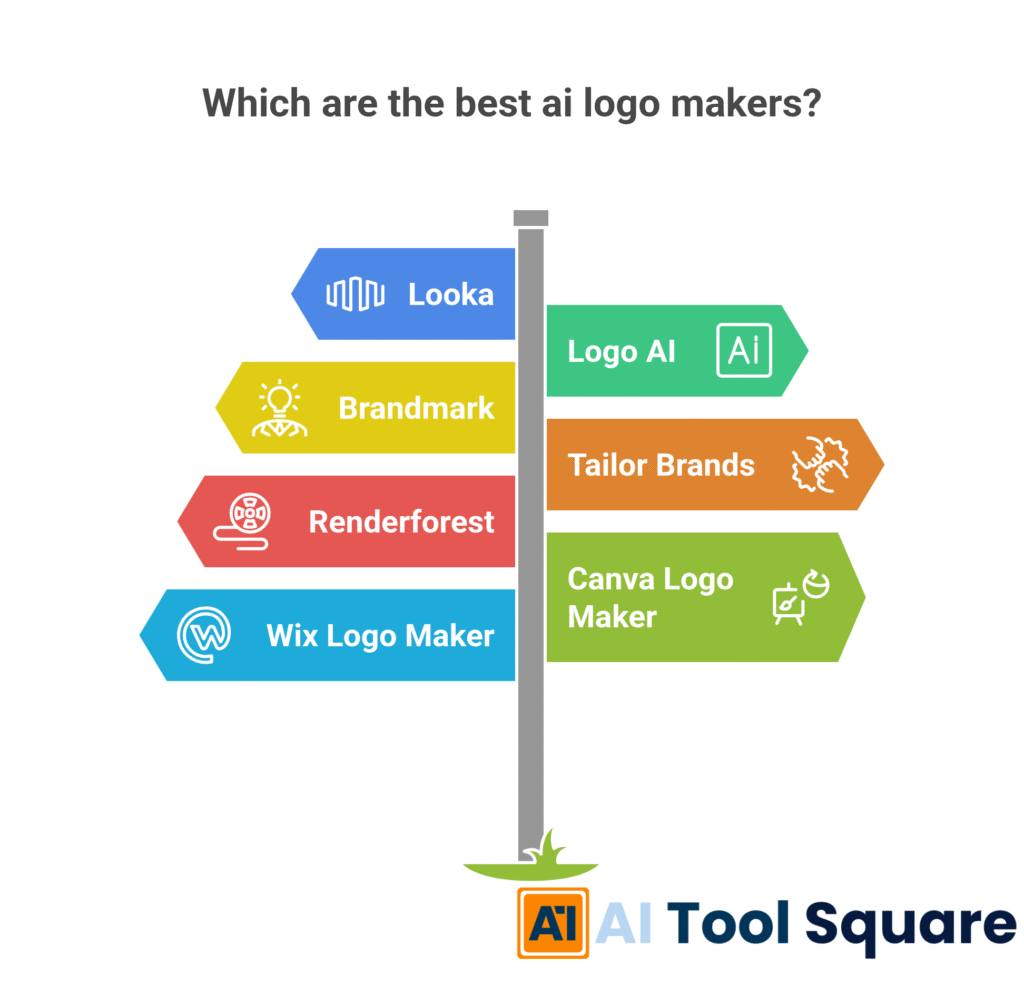
The best AI logo makers include Looka, Logo AI, Brandmark, Tailor Brands, Renderforest, Canva Logo Maker, and Wix Logo Maker. Each excels in different areas, offering varying levels of customization, ease of use, and comprehensive branding features. They all leverage artificial intelligence to streamline the Logo Design process and boost productivity.
Are these AI logo makers free to use?
Many of the best AI logo makers offer a free tier for generating concepts or using basic features. However, to download high-resolution files, vector formats, or access full branding kits and advanced functionalities, you typically need to purchase a one-time package or subscribe to a premium plan. Free options usually have limitations.
Can I trademark a logo created with an AI logo maker?
Yes, in most cases, you can trademark a logo created with an AI logo maker, provided you have purchased the full rights or appropriate license from the platform. Always check the specific terms and conditions of the tool you use regarding ownership and commercial use. This ensures your legal ownership and optimization of the brand.
Do I need design experience to use these AI tools?
Absolutely not. The beauty of the best AI logo makers is their user-friendliness. They are specifically designed for individuals and businesses without prior design experience. Their intuitive interfaces, guided processes, and AI-powered suggestions make Logo Design accessible to everyone, ensuring high efficiency and quick results.
How long does it take to create a logo using AI?
One of the biggest advantages of AI logo makers is speed. You can often generate dozens or even hundreds of initial logo concepts within minutes. The actual time to finalize a design depends on your customization needs, but it’s typically a matter of hours, not days or weeks, offering incredible productivity and rapid creation.
Can these tools create animated logos?
Yes, some of the best AI logo makers, like Renderforest, specialize in creating animated logos. These tools allow you to add dynamic effects and motion to your logo, which is perfect for video intros, social media, and other multimedia applications, boosting your visual appeal and results.
What types of files do AI logo makers provide?
Most premium plans or purchased packages from the best AI logo makers provide a range of file types, including high-resolution PNGs and JPGs for web use, and vector files (like SVG, EPS, or PDF) for scalability in print and professional applications. These files are crucial for ensuring the optimal performance and versatility of your logo.