

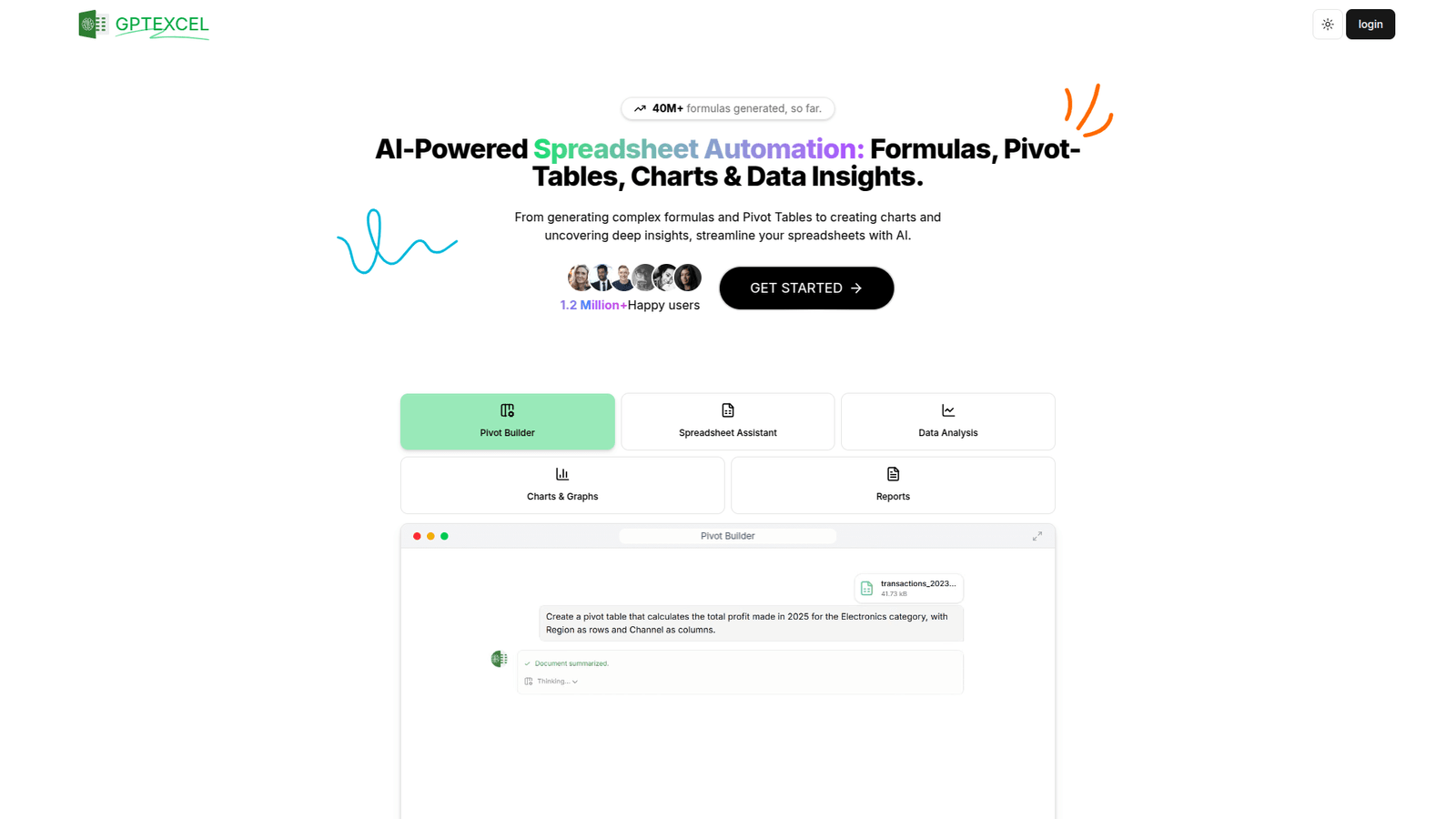

GPT Excel streamlines your Excel and Google Sheets workflow. Boost efficiency in data analysis, automate tasks, and get accurate insights faster. Try GPT Excel today and revolutionize your spreadsheets!
GPT Excel Helps Me Meet Deadlines Without Chaos
Ever stare at a spreadsheet, hours melting away, thinking, “There has to be a better way?”
I’ve been there. We all have.
In the world of Data Analysis and Business Intelligence, time is money. Efficiency isn’t just a buzzword; it’s survival.
And when it comes to Excel and Google Sheets, chaos can easily take over.
The demand for speed and accuracy in processing data is relentless.
That’s where AI steps in, specifically tools like GPT Excel.
It’s not just about automating; it’s about empowering.
It’s about turning those soul-crushing spreadsheet tasks into something manageable.
No more pulling all-nighters just to crunch numbers.
GPT Excel promises to bring order to that chaos.
It’s built for those who want to work smarter, not just harder.
Let’s unpack what it means for your daily grind.
- What is GPT Excel?
- Key Features of GPT Excel for Excel and Google Sheets
- Benefits of Using GPT Excel for Data Analysis and Business Intelligence
- Pricing & Plans
- Hands-On Experience / Use Cases
- Who Should Use GPT Excel?
- How to Make Money Using GPT Excel
- Limitations and Considerations
- Final Thoughts
- Frequently Asked Questions
What is GPT Excel?
Okay, so what exactly is GPT Excel?
Imagine having a super-smart assistant living right inside your spreadsheets.
That’s essentially GPT Excel.
It’s an AI tool designed to turbocharge your work in Excel and Google Sheets.
It uses advanced AI, specifically large language models, to understand your natural language commands.
No more sifting through obscure formulas or complex VBA scripts.
You tell it what you want, in plain English, and it makes it happen.
This isn’t some niche tool for tech wizards.
It’s built for anyone who works with data.
Think marketing analysts, business owners, finance professionals, data analysts, and even students.
If you spend time trying to clean data, create formulas, or extract insights from spreadsheets, this tool is for you.
Its core function? To bridge the gap between human intent and spreadsheet execution.
It translates your requests into the exact functions, formulas, or scripts needed.
This means less time struggling with syntax and more time getting answers.
It aims to democratise data analysis.
You don’t need to be an Excel guru to get expert-level results anymore.
It’s about making advanced spreadsheet capabilities accessible to everyone.
This tool helps you move from “how do I do this?” to “what does this data tell me?” much faster.
It is designed to simplify complex data operations.
No more endless searching for the right formula.
You just ask.
And GPT Excel responds with actionable solutions.
Key Features of GPT Excel for Excel and Google Sheets
Alright, let’s talk about what this thing can actually do.
It’s not just a fancy search bar for formulas.
It’s an operational powerhouse for your Excel and Google Sheets.
- Natural Language to Formula Conversion:
This is the big one. Instead of remembering VLOOKUP or SUMIFS syntax, you type “Find the sales total for John Doe in Q3.”
GPT Excel translates that into the correct formula, instantly.
It saves a ton of head-scratching and error-checking.
This feature alone can shave hours off your week.
It handles complex nested formulas with ease, even if you just describe the logic.
- Data Cleaning and Transformation:
Ever dealt with messy data? Duplicate entries, inconsistent formatting, missing values?
GPT Excel helps you clean it up without manual effort.
You can tell it, “Remove duplicate rows based on column A” or “Standardise all dates to DD/MM/YYYY format.”
It generates the steps or formulas needed to scrub your data squeaky clean.
This is crucial for reliable Data Analysis and Business Intelligence.
Clean data means accurate insights, always.
- Data Analysis and Insight Generation:
Beyond cleaning and formulas, GPT Excel helps you actually understand your data.
Ask it things like, “Show me the top 5 performing products by revenue” or “Calculate the average customer lifetime value.”
It can create pivot tables, conditional formatting rules, or even write small scripts to generate the insights you need.
It doesn’t just do the work; it helps you ask better questions.
This turns raw data into actionable intelligence faster than ever.
It helps you uncover patterns you might have missed.
- VBA and Google Apps Script Generation:
For more advanced automation, GPT Excel can generate custom code.
Imagine needing a script to email a report automatically every Friday.
You describe the task, and it writes the code.
This is a game-changer for automating repetitive tasks that go beyond standard formulas.
It opens up a world of custom solutions without needing to learn programming languages.
It’s like having a developer on call for your spreadsheets.
- Explanation and Learning Aid:
It’s not just about giving you answers; it’s about helping you learn.
If GPT Excel generates a complex formula, you can ask it to explain what each part does.
This demystifies complex spreadsheet functions.
It turns every interaction into a learning opportunity.
You become a better spreadsheet user just by using the tool.
Benefits of Using GPT Excel for Data Analysis and Business Intelligence
So, why should you care about GPT Excel?
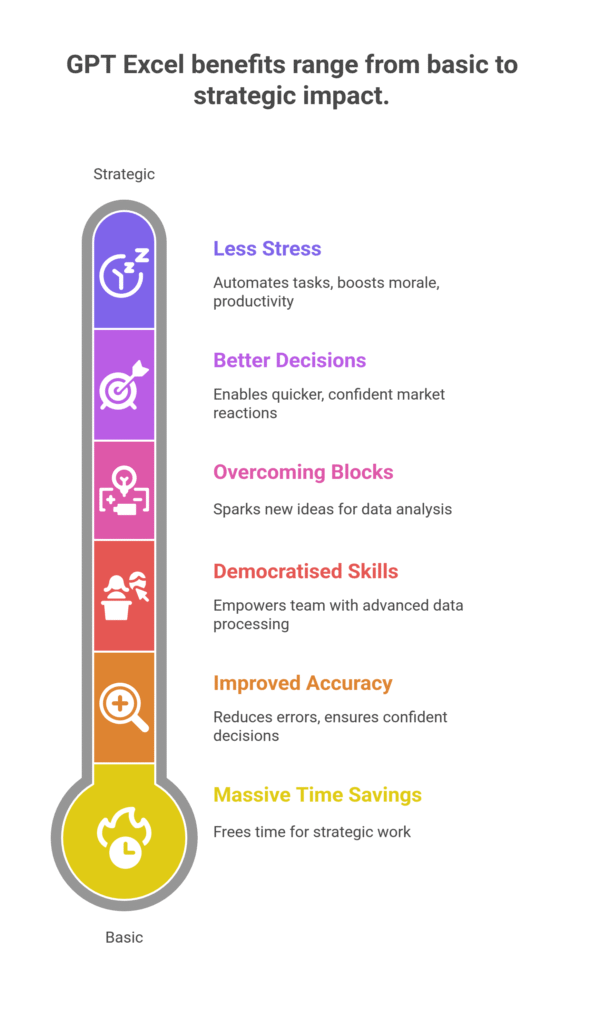
It boils down to a few core benefits that hit your bottom line and your sanity.
First, massive time savings.
Hours spent googling formulas, debugging errors, or manually cleaning data vanish.
You get answers in seconds, not minutes or hours.
This frees you up for higher-value strategic work.
Imagine what you could do with an extra 5-10 hours a week.
Second, improved accuracy and reliability.
Human error is a real thing, especially when dealing with complex spreadsheets.
GPT Excel generates precise formulas and scripts.
This reduces the chance of costly mistakes in your Data Analysis and Business Intelligence.
Accurate data means confident decisions.
It means you trust your numbers.
Third, it democratises advanced spreadsheet skills.
You don’t need to be an Excel wizard to perform complex analysis anymore.
This empowers your entire team to get more out of their data.
No more waiting for the “Excel guy” to finish his backlog.
Everyone can access sophisticated data processing.
Fourth, it helps in overcoming creative and analytical blocks.
Sometimes you know what you want to achieve, but not how to execute it in Excel.
GPT Excel provides solutions, sparking new ideas for analysis.
It acts as a brainstorming partner for your data problems.
This can unlock insights you might have never found.
Fifth, better decision-making.
With faster, more accurate insights, you can react quicker to market changes.
You can identify trends earlier.
You can make data-driven decisions with greater confidence.
This is where the real value lies for any business.
Finally, it leads to less stress and burnout.
Manual, repetitive spreadsheet tasks are mind-numbing.
Automating these reduces the grind.
It lets you focus on the interesting parts of your job.
This is a boost for morale and overall productivity.
Pricing & Plans
Alright, let’s talk brass tacks: what’s it going to cost you?
Because a tool, no matter how good, has to make financial sense.
GPT Excel typically operates on a freemium model.
There’s often a free tier, which is great for trying it out.
The free plan usually offers limited daily requests or a basic set of features.
It’s perfect for casual users or for those who want to kick the tires.
You can get a feel for its capabilities without any commitment.
This free access allows you to gauge its effectiveness for your specific Excel and Google Sheets needs.
For serious users and businesses, premium plans are where the real power lies.
These plans usually include significantly more requests, advanced features, and priority support.
Things like bulk data processing, more complex script generation, and deeper analytical capabilities are often locked behind a paid subscription.
Pricing often varies based on usage tiers – maybe a ‘Pro’ plan for individuals and a ‘Business’ or ‘Enterprise’ plan for teams.
Monthly subscriptions are common, sometimes with discounts for annual commitments.
When considering the price, think about the time you save.
If it saves you just a few hours a month, the cost is easily justified.
Compare it to the cost of hiring a dedicated data analyst or even the opportunity cost of your own time.
GPT Excel is generally competitively priced against other AI assistants or specialized spreadsheet tools.
It provides a lot of value for its cost, especially given its broad utility across different tasks in Data Analysis and Business Intelligence.
Always check the official website for the most current pricing details.
They can change, and features can be added or adjusted.
The investment often pays for itself quickly through increased efficiency and accuracy.
Hands-On Experience / Use Cases
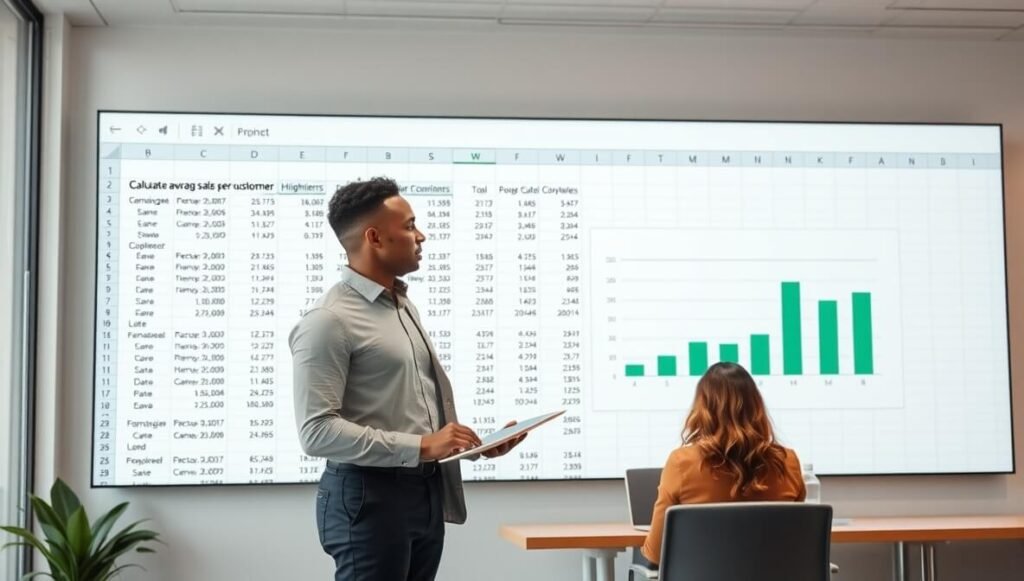
Let’s get practical. How does this actually play out in real life?
I’ve put GPT Excel through its paces, and the results are pretty consistent.
Scenario 1: The Sales Report Nightmare.
I had a messy sales dataset. It included customer names, product IDs, sales dates, and revenue figures.
But some dates were inconsistent, and there were duplicate entries for certain transactions.
My goal? To generate a report showing monthly sales trends and top 10 products.
Instead of spending an hour on data cleaning, I typed: “Clean column B (dates) to YYYY-MM-DD format and remove duplicate rows based on Transaction ID.”
GPT Excel gave me the exact formulas and steps. Boom. Data cleaned in minutes.
Then, I asked, “Create a pivot table showing total sales per month.”
It outlined the pivot table structure and even suggested how to group dates.
Finally, “Show me the top 10 products by revenue.”
It provided a formula to rank products and even explained conditional formatting to highlight them.
What would have been a two-hour task was done in less than 30 minutes.
Scenario 2: Marketing Campaign Analysis.
A marketing team needed to analyse campaign performance across different channels.
They had data on impressions, clicks, conversions, and cost per channel.
They wanted to calculate ROI per channel and identify underperforming campaigns.
I used GPT Excel to generate formulas for calculating ROI (Revenue – Cost / Cost).
Then, I asked it to help identify campaigns with an ROI below a certain threshold.
It provided a filter criteria and even a small Google Apps Script suggestion for sending alerts if a campaign dipped too low.
This moved the analysis from reactive to proactive.
Usability:
The interface is straightforward. You input your request in a natural language chat window.
The responses are clear, usually providing the formula, the explanation, and sometimes even visual steps.
There’s a minimal learning curve. If you can type a question, you can use GPT Excel.
The results are generally highly accurate, assuming your request is clear.
Sometimes, you need to refine your prompt for complex tasks, but it learns quickly.
For anyone struggling with Excel and Google Sheets, this tool feels like magic.
It transforms frustrating tasks into manageable ones.
Who Should Use GPT Excel?
So, who really stands to benefit from GPT Excel?
It’s not for everyone, but for a specific group of people, it’s a no-brainer.
Data Analysts and Business Intelligence Professionals: This is a core audience.
If your job involves crunching numbers, generating reports, and extracting insights, GPT Excel speeds up your workflow significantly.
It handles repetitive tasks, letting you focus on deeper analysis and strategy.
Marketers: Analysing campaign performance, tracking SEO metrics, managing ad spend budgets in Excel and Google Sheets are daily tasks.
GPT Excel helps them quickly build performance dashboards and identify trends without needing to be a spreadsheet expert.
Small Business Owners: Juggling multiple hats means less time for manual data entry and analysis.
GPT Excel can help manage finances, track inventory, or analyse sales data, offering powerful tools without hiring a dedicated analyst.
Finance Professionals: Budgeting, forecasting, financial modelling—these are heavily reliant on spreadsheets.
GPT Excel can assist in creating complex financial formulas, validating data, and automating routine reporting.
Project Managers: Tracking project timelines, resources, and budgets often involves detailed spreadsheets.
GPT Excel helps in building custom dashboards and automating status reports, keeping projects on track.
Students and Educators: Learning complex spreadsheet functions can be tough.
GPT Excel acts as a powerful tutor, explaining formulas and helping students understand concepts by doing.
Anyone with Repetitive Spreadsheet Tasks: If you find yourself doing the same thing over and over in Excel or Google Sheets, GPT Excel can automate it.
This applies to administrative assistants, researchers, and many others.
In essence, if you spend a significant amount of your working week inside Excel or Google Sheets and wish you could do things faster, smarter, or without pulling your hair out, GPT Excel is for you.
It’s an investment in your productivity and efficiency.
How to Make Money Using GPT Excel
Okay, let’s talk about the real reason many of you are here: how do you turn this tool into cold, hard cash?
GPT Excel isn’t just about saving time; it’s about creating new revenue streams or supercharging existing ones.
- Offer Spreadsheet Optimisation Services:
Many businesses, especially small to medium-sized ones, struggle with inefficient or outdated spreadsheets. They’re a tangled mess of manual entries and broken formulas.
You can offer services to audit their existing Excel and Google Sheets files.
Then, use GPT Excel to clean, optimise, and automate them.
This means setting up robust dashboards, automating data entry, or creating custom reports.
Charge a project fee for this, demonstrating the time and money they will save.
Think of it as a digital decluttering service for their data.
- Provide Custom Data Analysis and Reporting:
Businesses constantly need insights, but don’t always have the internal expertise or tools.
GPT Excel allows you to perform complex data analysis for clients quickly.
You can offer services like sales trend analysis, marketing ROI reports, financial forecasting, or customer behaviour insights.
Because GPT Excel speeds up your process, you can take on more clients or charge less for your services, making you more competitive.
Deliver clear, actionable reports that help clients make better decisions.
This positions you as a valuable Data Analysis and Business Intelligence consultant.
- Create and Sell Premium Spreadsheet Templates:
If you’re good at spotting common needs, you can build advanced, automated templates for specific niches.
Use GPT Excel to build complex formulas, macros, or scripts into these templates.
Examples: budgeting templates for freelancers, inventory management for e-commerce, project trackers for agencies, or CRM light versions.
You can sell these templates on platforms like Etsy, Gumroad, or even your own website.
The AI helps you build sophisticated functionality into your templates much faster than manual coding.
Real Case Study: The Freelance Analyst
Meet Sarah, a freelance data analyst. Before GPT Excel, she spent 60-70% of her project time on data cleaning and formula creation. She could only take on 2-3 clients a month, max.
After integrating GPT Excel, her efficiency skyrocketed. She started offering “Express Data Clean-up” services for a flat fee, which she could complete in an hour instead of half a day.
She now takes on 5-6 clients a month for full analysis projects. Her average revenue per client is $1,500.
GPT Excel cut her grunt work by half. This freed her up to serve more clients and focus on delivering high-value insights.
She effectively doubled her monthly income, going from roughly $4,000 to over $8,000, all while working fewer stressful hours.
The key is to leverage GPT Excel’s speed and accuracy to deliver high-quality work in less time.
That efficiency translates directly into more projects, more clients, and more profit.
Limitations and Considerations
No tool is perfect. And GPT Excel, while powerful, has its boundaries.
Understanding these is crucial for setting realistic expectations.
First, accuracy isn’t 100% guaranteed.
While GPT Excel is incredibly good, it’s still an AI.
Sometimes, especially with ambiguous or very complex requests, it might misinterpret your intent.
This means you still need to review the formulas and scripts it generates.
Think of it as a brilliant first draft, not always the final version.
Always double-check the output, especially for critical Data Analysis and Business Intelligence tasks.
Second, there’s a learning curve for effective prompting.
While it understands natural language, the clearer and more specific your prompts, the better the results.
Learning to phrase your questions precisely for the AI takes a little practice.
It’s not steep, but it’s there.
The more context you give it, the better it performs.
Third, data privacy and security.
When you input sensitive data, even implicitly, into an AI tool, questions about privacy arise.
Always review the tool’s data policies and terms of service.
For highly confidential company data, consider if the risk is acceptable.
Most reputable AI tools have strong privacy measures, but due diligence is always smart.
Fourth, reliance on internet connectivity.
Being a cloud-based AI tool, GPT Excel requires an active internet connection to function.
If you’re working offline, its features won’t be accessible.
This is a minor point for most, but something to keep in mind for fieldwork or travel.
Fifth, it doesn’t replace fundamental spreadsheet knowledge entirely.
While it helps you avoid memorising every formula, a basic understanding of spreadsheet logic and data structures is still valuable.
This helps you frame better questions and validate the AI’s output.
It’s a co-pilot, not a fully autonomous driver, for your Excel and Google Sheets work.
Sixth, over-reliance can hinder learning.
If you use it for every single task, you might miss opportunities to genuinely improve your own spreadsheet skills.
Use it as a tool to learn and accelerate, not as a crutch.
Be mindful of its limitations and leverage its strengths.
Final Thoughts
So, what’s the verdict on GPT Excel?
It’s not just another shiny new AI toy.
It’s a serious piece of kit for anyone working with data, especially in Excel and Google Sheets.
This tool fundamentally shifts how you interact with spreadsheets.
It takes the pain out of complex formulas and repetitive data tasks.
It frees up your mental energy to focus on what truly matters: deriving insights and making informed decisions.
For Data Analysis and Business Intelligence professionals, it’s like adding an extra brain to your team.
One that works 24/7 without coffee breaks.
It accelerates your workflow, boosts accuracy, and can even open up new revenue streams.
Yes, it has its limitations – you still need to be the human in the loop, guiding it and verifying its work.
But the benefits far outweigh these considerations.
If you’re serious about optimising your data processes and getting more done in less time, GPT Excel is an essential tool.
It’s an investment that pays dividends in productivity, accuracy, and peace of mind.
My recommendation? Give it a go. Start with the free tier if available.
See how it transforms your daily grind.
You might just wonder how you ever managed without it.
Visit the official GPT Excel website
Frequently Asked Questions
1. What is GPT Excel used for?
GPT Excel is used to streamline and automate tasks in Excel and Google Sheets using natural language commands. It helps users generate formulas, clean data, create analyses, and even write custom scripts, making complex spreadsheet operations much simpler.
2. Is GPT Excel free?
GPT Excel typically offers a freemium model. This means there’s often a free tier with limited features or usage, allowing users to try the tool. For more extensive use and advanced capabilities, premium subscription plans are available.
3. How does GPT Excel compare to other AI tools?
GPT Excel specialises in spreadsheet-specific tasks, unlike broader AI writing tools. It focuses on translating natural language into actionable Excel and Google Sheets functions, formulas, and scripts. Its strength lies in its deep integration and understanding of spreadsheet logic, setting it apart from more general-purpose AI assistants.
4. Can beginners use GPT Excel?
Absolutely. One of GPT Excel’s biggest benefits is its accessibility for beginners. You don’t need to be an Excel guru to use it. By typing your requests in plain English, even novices can perform complex data operations, significantly reducing the learning curve for advanced spreadsheet work.
5. Does the content created by GPT Excel meet quality and optimisation standards?
GPT Excel generates formulas and data operations that are technically sound and optimised for spreadsheet performance. While it ensures accuracy in execution, the interpretation and strategic application of the results still require human oversight to meet specific business intelligence quality and optimisation standards.
6. Can I make money with GPT Excel?
Yes, you can. GPT Excel can help you offer services like spreadsheet optimisation, custom data analysis, and reporting to clients. Its ability to accelerate complex tasks means you can take on more projects, deliver faster, and increase your earning potential as a data consultant or freelancer.




