
Zoho Analytics supercharges your AI Dashboard Generation, transforming complex data into actionable insights. Boost your decision-making and efficiency. Ready to level up your analytics?
Zoho Analytics Is Built for Data Analysis and Business Intelligence – Here’s Why
You’re drowning in data, right?
Endless spreadsheets, scattered metrics, and the constant scramble to turn numbers into something meaningful.
It’s a common problem for anyone in the Data Analysis and Business Intelligence space.
The promise of AI has been whispered for years, but actually leveraging it to simplify your workflow?
That’s where the rubber meets the road.
Manual dashboard creation is a time sink. It’s slow, it’s prone to human error, and frankly, it’s boring.
What if there was a tool that could automate much of this, giving you back hours in your day?
That’s exactly what Zoho Analytics brings to the table, especially when it comes to AI Dashboard Generation.
It’s not just another BI tool. It’s a complete shift in how you approach data.
Let’s cut to the chase and see how this thing works.
Table of Contents
- What is Zoho Analytics?
- Key Features of Zoho Analytics for AI Dashboard Generation
- Benefits of Using Zoho Analytics for Data Analysis and Business Intelligence
- Pricing & Plans
- Hands-On Experience / Use Cases
- Who Should Use Zoho Analytics?
- How to Make Money Using Zoho Analytics
- Limitations and Considerations
- Final Thoughts
- Frequently Asked Questions
What is Zoho Analytics?
So, what exactly is Zoho Analytics?
Think of it as your ultimate data sidekick.
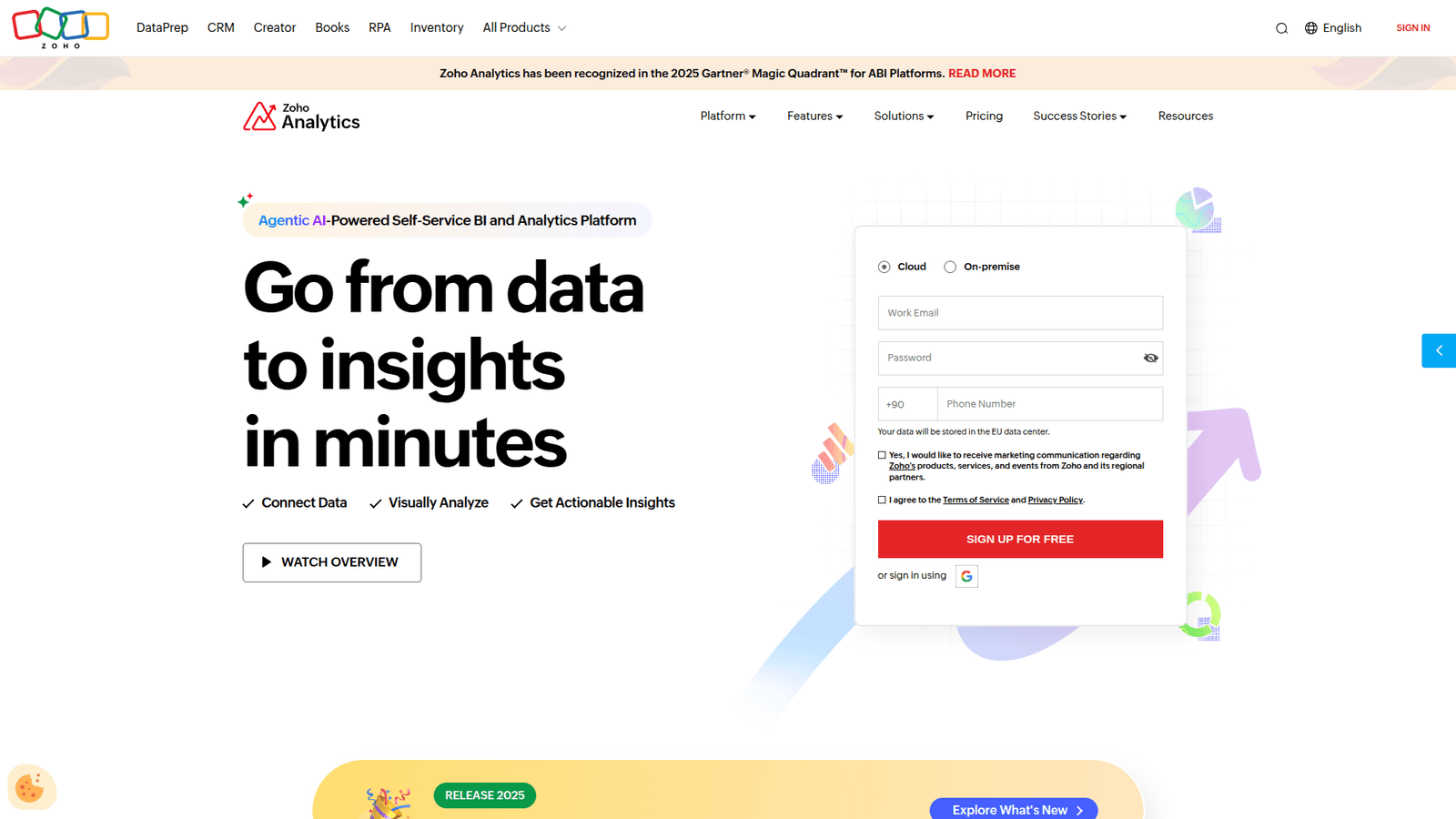
It’s a self-service business intelligence and analytics platform.
This means it’s designed to help you, the user, connect to various data sources, visualise that data, and uncover hidden insights, all without needing to be a coding genius.
Its core function? Turning raw, messy data into beautiful, actionable dashboards and reports.
It’s built for everyone who needs to understand their numbers better.
This includes marketers trying to track campaign performance, sales teams optimising their pipelines, and executives making high-level strategic decisions.
The magic happens with its AI-powered capabilities, especially in dashboard generation.
It takes the guesswork out of what to visualise and how to display it, often suggesting the best charts and reports based on your data.
This isn’t just about pretty pictures.
It’s about getting answers quickly, finding trends you might have missed, and making data-backed decisions that move the needle.
Forget manual data manipulation and endless pivot tables.
Zoho Analytics automates much of that grunt work.
It connects to hundreds of data sources, from spreadsheets and databases to popular business apps like Salesforce, Google Analytics, and even social media platforms.
The goal is simple: centralise your data, visualise it intelligently, and empower you to act on it.
It’s about making complex data accessible and understandable for anyone who needs it.
This tool is aimed at businesses of all sizes, from startups needing quick insights to large enterprises requiring sophisticated reporting.
If you’re dealing with data and need to make sense of it fast, Zoho Analytics is in your corner.
It reduces the time spent on data prep and increases the time spent on actual analysis and strategy.
This is where real value is created.
Key Features of Zoho Analytics for AI Dashboard Generation
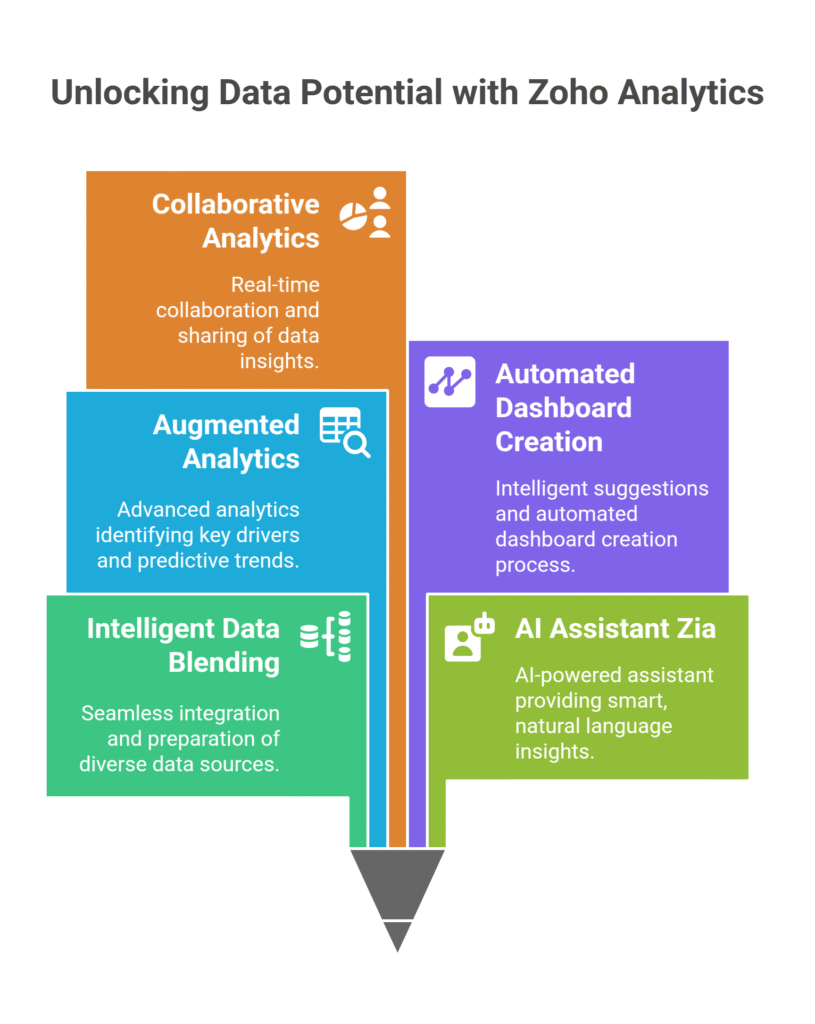
- Intelligent Data Blending and Preparation: This isn’t just about connecting to data. Zoho Analytics excels at blending data from disparate sources, cleaning it, and preparing it for analysis automatically. Imagine having sales data from your CRM, website traffic from Google Analytics, and marketing spend from your ad platforms all talking to each other. The AI identifies relationships and suggests ways to combine these datasets. This dramatically reduces the manual effort typically involved in data normalisation. You just point it to your data, and it starts making sense of it. This foundational step is critical for accurate AI Dashboard Generation, as bad data in means bad insights out. It saves you hours of tedious work.
- Zia, the AI Assistant for Smart Insights: Zia is the secret sauce. This AI-powered assistant is your personal data analyst. You can ask Zia questions in natural language, like “What were my sales last quarter by region?” or “Show me the top 5 performing products this month.” Zia then generates relevant reports and visualisations on the fly. More than that, it proactively uncovers hidden insights and anomalies in your data. It can spot trends you might miss, highlight outliers, and even suggest the best types of charts to represent your findings. This direct interaction with AI speeds up the entire analysis process and helps you create more impactful dashboards without endless clicking and dragging. It’s like having an expert analyst on demand.
- Augmented Analytics and Predictive Modelling: Zoho Analytics goes beyond simple reporting. It includes augmented analytics capabilities that automatically identify key drivers, correlations, and outliers within your data. It helps you understand not just “what happened,” but “why it happened.” Furthermore, its predictive modelling features allow you to forecast future trends. Want to know what your sales might look like next quarter based on historical data? Zoho Analytics can generate those predictions. This foresight is invaluable for strategic planning and decision-making, allowing you to build proactive dashboards that look forward, not just backward. It turns your dashboards into strategic tools.
- Automated Dashboard Creation and Suggestions: This is where the “AI Dashboard Generation” truly shines. After you’ve connected your data, Zoho Analytics can automatically suggest and even create dashboards based on the metrics it deems most relevant. It learns from your data and common analytical patterns. You don’t have to start from a blank canvas. It provides intelligent recommendations for charts, graphs, and layout, often surprising you with insights you hadn’t considered. This automation drastically cuts down the time from data import to actionable dashboard. It frees you up to focus on interpreting the insights, rather than building the visuals.
- Collaborative Analytics and Sharing: Data insights are only as powerful as their reach. Zoho Analytics is built for teams. It allows you to easily share reports and dashboards with colleagues, clients, or stakeholders, with granular control over who sees what. You can embed dashboards in websites, share them via private links, or even set up scheduled email reports. Real-time collaboration features mean multiple users can work on reports and dashboards simultaneously. This ensures everyone is working from the same single source of truth, fostering better alignment and quicker decision-making across the organisation. It makes data a shared asset.
Benefits of Using Zoho Analytics for Data Analysis and Business Intelligence
Let’s talk about the real benefits of throwing Zoho Analytics into your Data Analysis and Business Intelligence workflow.
It’s not just about features; it’s about what those features do for you.
First up, massive time savings.
Remember those hours spent wrestling with spreadsheets, trying to piece together a coherent report?
Gone.
Zoho Analytics automates data preparation, blending, and much of the visualisation process.
This means you spend less time on manual grunt work and more time on actual analysis and strategy.
It’s about working smarter, not just harder.
Next, improved insight quality.
The AI-driven insights from Zia aren’t just guesses.
They’re based on sophisticated algorithms that spot patterns and anomalies a human might miss.
This leads to deeper, more accurate insights, helping you make more informed decisions.
You’re not just seeing data; you’re understanding it at a profound level.
Then there’s the benefit of overcoming data paralysis.
Ever feel overwhelmed by the sheer volume of data available?
Zoho Analytics simplifies this by presenting complex data in intuitive, easy-to-digest dashboards.
It takes the fear out of big data, making it approachable even for those who aren’t data scientists.
It brings clarity to chaos.
Another huge win is empowering non-technical users.
You don’t need a degree in statistics or programming to use this tool effectively.
Its self-service nature means that anyone in your team can explore data and generate reports.
This democratises data access, spreading data literacy throughout your organisation and allowing more people to contribute to data-driven strategies.
Finally, it leads to faster decision-making.
When you have real-time, accurate dashboards at your fingertips, you can react quickly to market changes, identify opportunities, and mitigate risks.
No more waiting days for a report.
The speed at which you can generate and understand insights translates directly into agile business operations.
These benefits aren’t just theoretical.
They translate into a direct impact on your bottom line, making your data analysis efforts more efficient, effective, and profitable.
Pricing & Plans

Let’s talk money, because that’s always a question when it comes to powerful tools like this.
Is Zoho Analytics going to break the bank?
The good news is, Zoho Analytics offers a range of plans, making it accessible for various business sizes and needs.
Yes, there’s typically a **free plan** available.
This free tier is perfect for individuals or very small teams just getting started with data analysis.
It allows you to connect a limited number of data sources, perform basic analytics, and get a feel for the platform’s capabilities.
It’s a great way to test the waters without any financial commitment.
However, if you’re serious about leveraging its full power, especially for advanced AI Dashboard Generation and extensive data integration, you’ll want to look at their premium versions.
The premium plans are typically tiered, offering more data rows, more users, more data sources, and advanced features like Zia (the AI assistant), predictive analytics, and collaboration tools.
These plans usually start at a very competitive price point, scaling up based on your usage and the number of users.
Compared to some enterprise-level BI tools out there, Zoho Analytics often comes in at a fraction of the cost, while still delivering robust capabilities.
Alternatives like Tableau or Power BI can be significantly more expensive, especially when you factor in licenses for multiple users and additional features.
Zoho’s pricing model is generally transparent and designed to be cost-effective for small to medium-sized businesses, as well as larger enterprises looking for a more affordable, yet powerful, solution.
It’s about getting maximum bang for your buck.
Always check their official website for the most current pricing details, as these can change.
But rest assured, there’s likely a plan that fits your budget and operational needs.
The return on investment, given the time savings and improved decision-making, often makes even the higher-tier plans a smart financial move.
It’s an investment in better, faster insights.
Hands-On Experience / Use Cases
Let me tell you how this actually plays out.
I recently had a client, a mid-sized e-commerce business, who was struggling to get a unified view of their customer journey.
Their data was everywhere: sales in Shopify, marketing spend in Google Ads, website behaviour in Google Analytics, and customer service interactions in Zendesk.
The task was to generate a comprehensive dashboard that could highlight bottlenecks, successful campaigns, and customer churn risk.
Traditionally, this would involve days of manual data export, cleaning, and Excel wizardry.
Instead, we brought in Zoho Analytics.
The first step was connecting all these disparate data sources.
Zoho’s pre-built connectors made this surprisingly easy – literally a few clicks for each platform.
Then, the magic happened.
Using Zoho’s data blending capabilities, we combined the customer IDs across Shopify and Zendesk, then layered in traffic data from Google Analytics.
The AI identified common fields and suggested ways to merge them, significantly cutting down on data prep time.
Once the data was unified, we started using Zia.
Instead of manually dragging and dropping charts, I simply typed questions like “Show me customer acquisition cost by marketing channel last month” or “What’s the average time to resolution for support tickets for customers who made a purchase?”
Zia immediately generated relevant charts and tables.
For the primary AI Dashboard Generation, Zoho Analytics suggested several pre-built templates based on the type of data we had.
We selected a customer journey template, and it populated it with our data, offering insights we hadn’t even thought to look for.
It highlighted that customers who interacted with specific marketing campaigns had a significantly lower churn rate but higher support ticket volume post-purchase.
This led to an immediate pivot in their customer service strategy.
The usability of the platform was a huge win.
Even the client’s marketing manager, who wasn’t a data expert, could quickly learn to navigate the dashboards and ask Zia follow-up questions.
The results were tangible:
The client gained a holistic view of their customer journey for the first time.
They identified specific marketing channels that were underperforming and adjusted spend, leading to a 15% reduction in CAC within two months.
And the biggest win? The time from data to insight was slashed from days to hours, sometimes minutes.
It’s not just a tool; it’s a productivity multiplier.
Who Should Use Zoho Analytics?

Alright, who exactly needs this thing?
It’s not for everyone, but it’s for a lot of people who are currently fighting with data.
First up, small to medium-sized businesses (SMBs).
If you’re an SMB owner or manager, you often don’t have a dedicated data science team.
You need powerful insights without the enterprise price tag or the steep learning curve.
Zoho Analytics fills that gap perfectly, giving you big-company analytics on a small-company budget.
Next, marketing professionals.
Tracking campaign performance, understanding customer behaviour, optimising ad spend – it’s all data-driven.
Zoho Analytics helps marketers connect their Google Ads, Facebook Ads, Google Analytics, and CRM data to see the true ROI of their efforts.
It streamlines reporting and helps identify what’s working and what isn’t, fast.
Then there are sales managers and teams.
Monitoring sales pipelines, tracking conversion rates, analysing rep performance, forecasting revenue.
All crucial.
Zoho Analytics connects to your CRM (like Salesforce or Zoho CRM itself) to provide real-time dashboards that empower sales teams to make smarter decisions and close more deals.
Business analysts and consultants will find it invaluable.
If your job involves making sense of data for clients or internal stakeholders, Zoho Analytics offers a robust, flexible platform to do just that.
Its collaboration features are a big plus for client projects.
It’s an excellent tool for delivering professional, data-rich reports and presentations.
Finally, anyone involved in product management or operations.
Understanding product usage, identifying operational bottlenecks, optimising processes – this all requires solid data analysis.
Zoho Analytics helps visualise key performance indicators (KPIs) and provides insights to improve efficiency and product stickiness.
Essentially, if you’re making decisions based on numbers, and you’re tired of manual data crunching, Zoho Analytics is built for you.
It democratises data, putting powerful insights into the hands of those who need them most, regardless of their technical background.
How to Make Money Using Zoho Analytics
Alright, let’s get down to brass tacks.
How do you turn a powerful tool like Zoho Analytics into cold, hard cash?
It’s not just about saving time; it’s about creating new revenue streams or amplifying existing ones.
Here are a few ways:
- Offer Data Analysis & Dashboard Consulting: This is a no-brainer. Many businesses, especially SMBs, have data but no idea what to do with it. They don’t have the in-house expertise or the time. You can step in as a Zoho Analytics expert. Charge a retainer or project fee to connect their data sources, build custom dashboards, and provide regular analytical reports. Think of it: you’re giving them actionable insights that directly impact their bottom line, and they’ll pay good money for that. You can specialise in specific industries, like e-commerce analytics, SaaS metrics, or marketing performance dashboards.
- Optimise Your Own Business Operations: If you run your own business, this is where Zoho Analytics pays for itself. By having crystal-clear dashboards for sales, marketing, operations, and finance, you can identify inefficiencies, double down on what works, and cut what doesn’t. For example, a content agency could use it to track project profitability by client, identifying which types of content or clients are most lucrative. This direct optimisation leads to higher profit margins and allows you to scale more effectively without increasing overhead. It’s about making better internal decisions faster.
- Create & Sell Pre-Built Dashboard Templates/Solutions: As you gain expertise, you’ll start building highly effective dashboards for common business needs. Why not package these? For instance, you could create a “Sales Performance Dashboard for Shopify Stores” template, or a “Google Ads ROI Dashboard” template. Businesses could purchase these templates from you, connect their own data (with your initial setup help, if needed), and instantly get the insights they need. This creates a scalable productised service. You build it once, sell it multiple times.
Let me give you a quick example.
I know a freelance marketing consultant, let’s call her Sarah.
Before Zoho Analytics, she’d spend a day or two each month pulling data and creating reports for her clients.
It was tedious, and her reports, while informative, were static PDFs.
She started using Zoho Analytics for her clients’ reporting.
Now, she charges an additional monthly fee for “Premium Analytics Dashboards” alongside her core marketing services.
She connects to their Google Analytics, Facebook Ads, and CRM through Zoho.
She builds interactive dashboards that her clients can access 24/7, pulling real-time data.
Her clients love the transparency and the ability to explore the data themselves.
Sarah estimates she makes an extra $1,500 – $2,500 per month just from these premium analytics add-ons, simply by leveraging Zoho Analytics.
She saves time, delivers a superior service, and earns more.
It’s a triple win.
Limitations and Considerations
No tool is perfect.
Zoho Analytics is powerful, but it’s important to go in with your eyes open.
First, while the AI capabilities are strong, especially for AI Dashboard Generation, they aren’t a magic bullet.
The output is only as good as the input data.
If your source data is messy, inconsistent, or incomplete, even the smartest AI won’t give you perfect insights.
You’ll still need to ensure your data sources are clean and properly structured.
It reduces manual cleanup, but doesn’t eliminate the need for good data governance.
Second, there can be a learning curve, especially for advanced features.
While the basic drag-and-drop interface is intuitive, mastering complex data blending, custom formulas, or integrating with less common data sources might require some dedicated learning time.
It’s not insurmountable, but don’t expect to be a master on day one if you’re tackling very specific, niche analysis.
It requires an investment in learning.
Third, data volume and complexity can sometimes be a factor.
For truly massive datasets (think petabytes), or highly complex, unstructured data, you might still need to pair Zoho Analytics with more specialised data warehousing or data lake solutions.
While Zoho Analytics handles large datasets well for most business needs, there are limits to every tool.
This is a consideration for very large enterprises.
Finally, while Zoho Analytics offers a lot of connectors, you might encounter a niche system that doesn’t have a direct integration.
In such cases, you’d need to use a generic connector (like a database connection or a CSV upload) or explore API integrations, which adds a layer of technical complexity.
These aren’t deal-breakers, but they are points to keep in mind.
It’s about managing expectations and understanding where the tool excels and where it might require a bit more effort on your part.
For the vast majority of businesses and data analysis needs, Zoho Analytics is more than capable.
It’s about understanding its strengths and planning accordingly.
Final Thoughts
Look, if you’re still slogging through spreadsheets, trying to hand-craft reports, you’re leaving money and time on the table.
That’s the honest truth.
Zoho Analytics isn’t just another piece of software; it’s a shift in how you interact with data.
It moves you from being a data janitor to a data strategist.
The AI Dashboard Generation capabilities are a game-changer.
They cut down the time to insight dramatically, letting you focus on action, not just aggregation.
The value here is immense: better decisions, faster. More revenue, less wasted effort.
My recommendation? Give it a shot.
Start with the free plan. Connect some of your messy data.
Ask Zia a few questions.
See the insights it kicks back at you.
You’ll quickly realise the potential.
Don’t just take my word for it.
Go experience the difference yourself.
This isn’t hype; it’s a tool that delivers on its promise.
Visit the official Zoho Analytics website
Frequently Asked Questions
1. What is Zoho Analytics used for?
Zoho Analytics is a self-service business intelligence and analytics platform. It helps users connect various data sources, visualise that data through reports and dashboards, and uncover actionable insights to make better business decisions. It’s used for everything from sales tracking and marketing performance analysis to financial reporting and operational efficiency.
2. Is Zoho Analytics free?
Yes, Zoho Analytics typically offers a free plan. This free tier provides basic functionalities for individuals or very small teams to get started with data analysis. For more advanced features, higher data limits, and increased user capacity, they offer various paid premium plans which are competitively priced.
3. How does Zoho Analytics compare to other AI tools?
Zoho Analytics stands out for its robust AI-powered features like Zia, its natural language processing for queries, and its automated dashboard generation. While tools like Tableau and Power BI are strong, Zoho Analytics often provides a more integrated ecosystem (being part of the Zoho suite) and a more cost-effective solution, especially for SMBs, without sacrificing critical analytical capabilities.
4. Can beginners use Zoho Analytics?
Absolutely. Zoho Analytics is designed with a user-friendly, self-service interface that makes it accessible to beginners. Its drag-and-drop functionality, intuitive visualisation options, and the AI assistant Zia (which can answer questions in plain language) significantly lower the barrier to entry for those new to data analysis and business intelligence.
5. Does the content created by Zoho Analytics meet quality and optimization standards?
Zoho Analytics focuses on generating data visualisations and insights, not written content. The dashboards and reports it creates are high-quality, professional, and optimized for clarity and impact, making complex data easy to understand. They meet the highest standards for data accuracy and visual presentation, which is crucial for making informed decisions.
6. Can I make money with Zoho Analytics?
Yes, definitely. You can make money by offering data analysis and dashboard consulting services to businesses lacking in-house expertise. You can also use Zoho Analytics to optimise your own business operations, leading to increased efficiency and profitability. Furthermore, you can create and sell pre-built, industry-specific dashboard templates to a wider audience, establishing a scalable revenue stream.