

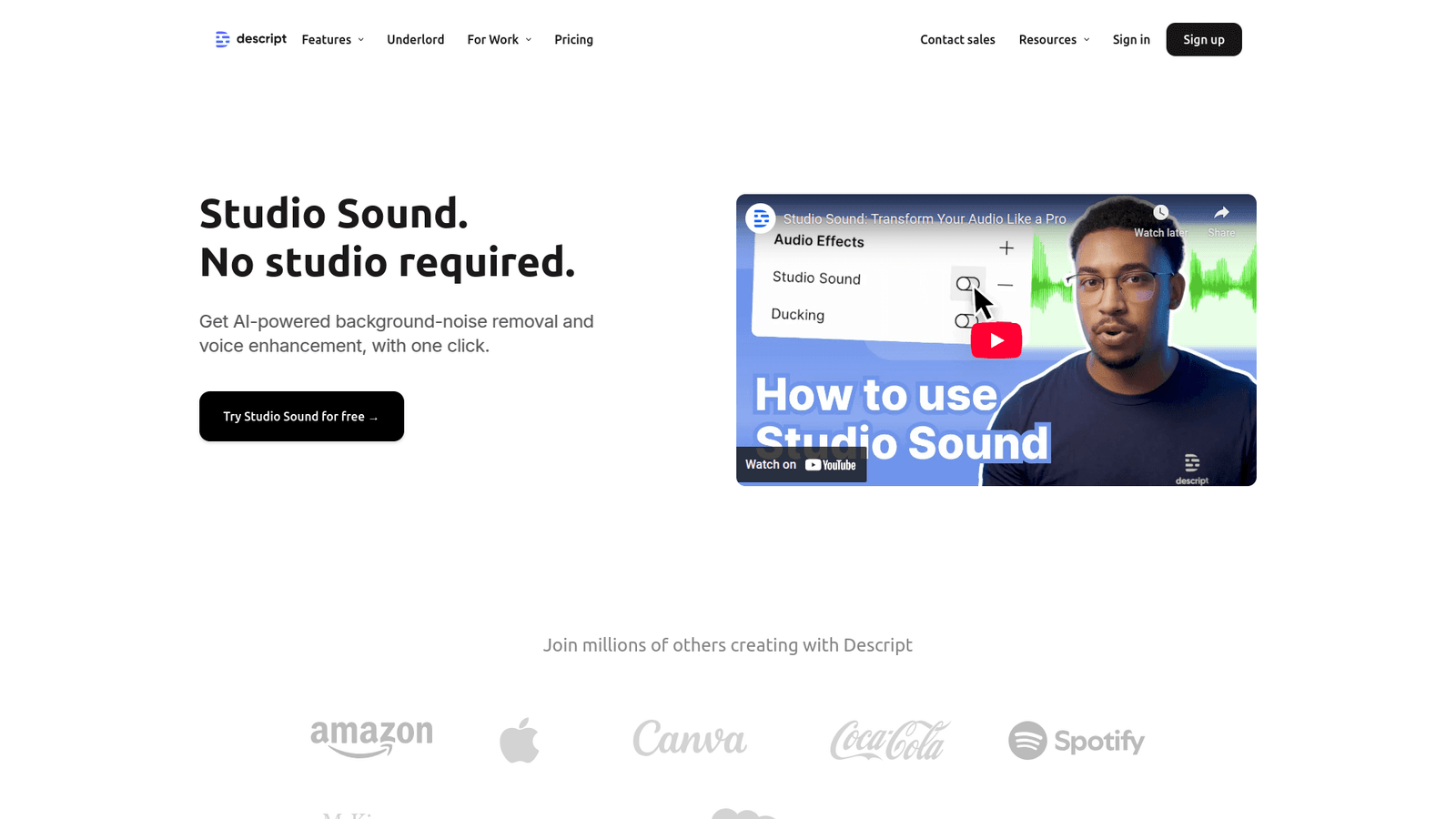

Descript Studio Sound revolutionises Noise Reduction and Audio Cleanup for creators. Get pristine audio effortlessly and boost your workflow today!
Descript Studio Sound Simplifies Even Complex Noise Reduction and Audio Cleanup
Ever stare at a noisy audio file, feeling that familiar dread?
You know the drill. You’ve got brilliant ideas for your podcast, your music track, or your voiceover.
But then reality hits: the hum from your computer, the neighbour’s dog, that unexpected siren.
It’s enough to make you throw your headphones across the room.
For anyone in Voice and Music Generation, this isn’t just an annoyance. It’s a workflow killer.
It eats up time, drains your energy, and frankly, it kills your creative vibe.
Forget manual scrubbing, precise EQ adjustments, and hours wasted on something that should be simple.
We’re in an AI era now. Things are changing fast.
And one tool is stepping up to solve this headache for good: Descript Studio Sound.
It’s not just another piece of software. It’s a genuine game-changer, especially for Noise Reduction and Audio Cleanup.
Ready to ditch the audio struggle? Let’s talk about how.
Table of Contents
- What is Descript Studio Sound?
- Key Features of Descript Studio Sound for Noise Reduction and Audio Cleanup
- Benefits of Using Descript Studio Sound for Voice and Music Generation
- Pricing & Plans
- Hands-On Experience / Use Cases
- Who Should Use Descript Studio Sound?
- How to Make Money Using Descript Studio Sound
- Limitations and Considerations
- Final Thoughts
- Frequently Asked Questions
What is Descript Studio Sound?
So, what exactly is Descript Studio Sound? Think of it as your personal audio engineer, but powered by AI, and it works at lightning speed.
It’s a feature within Descript, the all-in-one audio and video editor that lets you edit media like a document.
But Studio Sound? That’s where the magic happens for audio quality.
Its core function is simple yet revolutionary: it cleans up your audio automatically.
Got background noise? Done. Unwanted reverb? Poof.
It applies advanced AI algorithms to isolate speech and remove all sorts of audio imperfections.
This isn’t just a basic noise gate. It intelligently separates desirable audio from undesirable noise.
Its target audience is massive.
Podcasters who record in imperfect home studios.
Musicians trying to clean up vocal tracks recorded on the fly.
Voiceover artists who need consistent, broadcast-quality sound without expensive gear.
Content creators who churn out videos daily and can’t waste hours on post-production.
Even marketers putting together quick explainer videos.
Basically, anyone who records audio and needs it to sound professional, without the professional price tag or the steep learning curve of traditional audio software.
It’s built for efficiency, giving you back precious time that you’d normally spend wrestling with waveforms.
It elevates amateur recordings to near-professional quality, making your content shine.
Imagine getting crystal-clear vocals, even if you recorded in a busy cafe. That’s the promise of Descript Studio Sound.
It removes the technical barrier to great audio, letting you focus on your message, your story, your music.
This tool is a direct response to a common problem: brilliant content often gets buried under bad audio.
Descript Studio Sound fixes that, ensuring your audience hears you loud and clear.
Key Features of Descript Studio Sound for Noise Reduction and Audio Cleanup
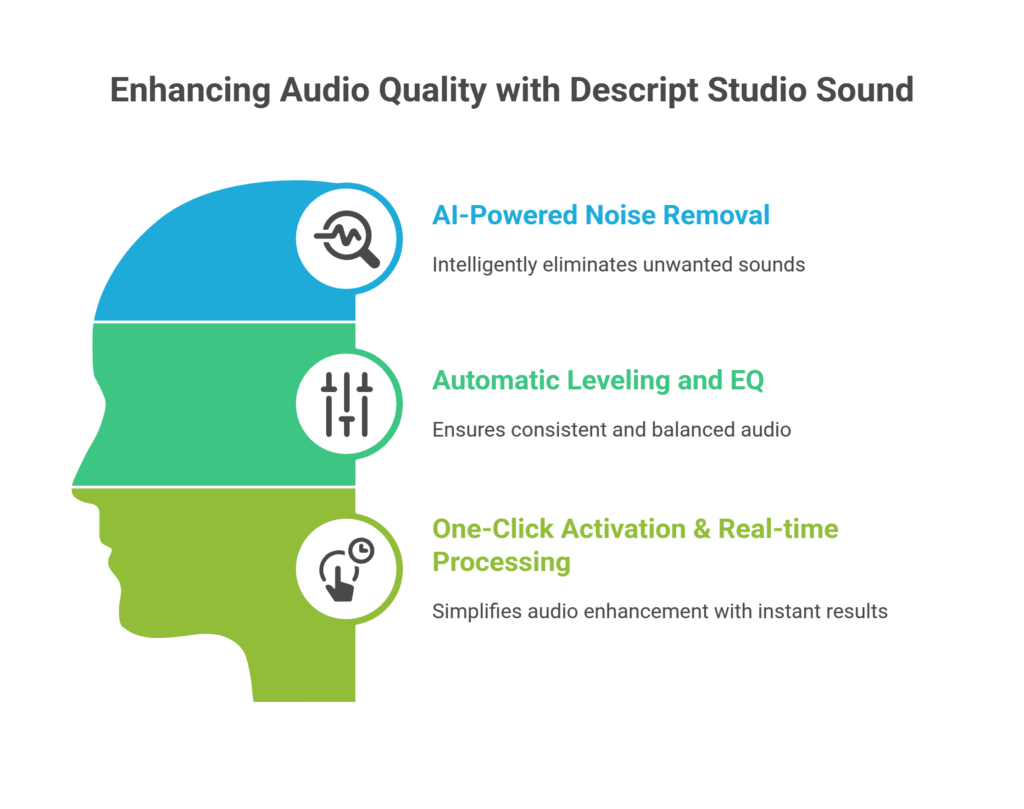
- AI-Powered Noise Removal: This isn’t your granddad’s noise reduction plugin. Descript Studio Sound uses sophisticated AI to intelligently identify and eliminate a wide range of unwanted sounds. Think air conditioners, computer fans, traffic outside, even room echoes. It doesn’t just gate the sound; it actively separates the human voice or desired instrument from the surrounding clutter, leaving behind a remarkably clean track. This means you get a professional sound without needing an acoustically treated studio or spending hours manually editing out hums and buzzes. It’s about getting rid of the crud, leaving only the good stuff.
- Automatic Leveling and EQ: Beyond just noise, Descript Studio Sound also handles inconsistencies in your audio. Ever have your voice go from loud to soft, or sound muffled in one part and clear in another? Studio Sound automatically adjusts volume levels to ensure a consistent listening experience. It also applies intelligent EQ (equalization) to balance frequencies, making your voice sound richer, clearer, and more present. This feature saves you from tedious manual adjustments, giving you polished audio that sounds like it was mixed by an expert. It’s like having a sound engineer fine-tuning your track on the fly.
- One-Click Activation & Real-time Processing: The beauty of Studio Sound lies in its simplicity. There’s no complex interface, no endless parameters to tweak. It’s often a single click. You apply it to your audio, and the magic happens. What’s more, it often processes in near real-time, allowing you to hear the improved quality almost instantly. This rapid feedback loop is invaluable for creators working against deadlines or those who want to quickly iterate on their audio. It streamlines the Noise Reduction and Audio Cleanup process from hours to seconds. This ease of use dramatically reduces the learning curve and makes high-quality audio accessible to everyone, not just seasoned audio pros.
These features combine to create a powerhouse tool for anyone dealing with audio. They strip away the technical complexities, allowing you to focus on your content. The result? Superior audio quality with minimal effort. It means less time fiddling with knobs and more time creating. It’s a direct path to clearer, more engaging audio for all your projects.
Benefits of Using Descript Studio Sound for Voice and Music Generation
Okay, let’s talk about the payoff. Why bother with Descript Studio Sound?
Because it’s not just about cleaner audio; it’s about what that cleaner audio enables you to do.
First, massive time savings. Time is your most valuable asset.
Traditional noise reduction can be a brutal, minute-by-minute battle.
With Studio Sound, you click a button. Seriously.
What used to take an hour of fiddling can now be done in seconds.
Imagine that time back. More content, more clients, more life.
Second, a dramatic improvement in audio quality.
This is where your content truly shines.
Muffled, noisy audio is a quick way to lose an audience.
Crisp, clear, professional sound keeps them engaged.
Your listeners won’t know why, but they’ll enjoy your content more.
It elevates your brand, your podcast, your music.
Third, it helps you overcome creative blocks.
How many times have you held back on recording because your setup isn’t perfect?
Or delayed a project because you dreaded the cleanup phase?
Studio Sound removes that mental barrier.
Record anywhere, anytime, with confidence.
Your creativity flows freely when you’re not worried about technical limitations.
Fourth, it enables consistency across projects.
Ever notice how some podcasts have wildly varying audio quality from episode to episode?
That inconsistency hurts listener experience.
Descript Studio Sound helps standardise your sound, making every output sound like it came from the same high-end studio.
It builds trust and professionalism with your audience.
Finally, it’s about accessibility to professional results.
You don’t need a degree in audio engineering or thousands of pounds in gear.
This tool democratizes high-quality audio.
It levels the playing field, allowing independent creators to compete with big studios on sound quality alone.
For Voice and Music Generation, these benefits aren’t just nice-to-haves. They’re essential.
They translate directly into more engaged listeners, more compelling content, and ultimately, more success.
Pricing & Plans

Let’s get real about money. Because if it costs an arm and a leg, it doesn’t matter how good it is.
Descript operates on a tiered pricing model, which is pretty standard.
Yes, there is a free plan.
The free tier gives you a taste, a limited amount of transcription hours, and access to basic editing features.
It’s enough to get a feel for the interface and see Studio Sound in action on short clips.
But for serious work, you’ll need a premium version.
The Creator plan is usually the sweet spot for most individuals and small teams.
It significantly expands your transcription hours and gives you full access to features like Filler Word Removal and, of course, the powerful Descript Studio Sound.
This is where the true value lies for consistent content creation.
For larger teams or agencies, there’s the Pro plan.
This offers even more hours, advanced features, and collaboration tools.
It’s built for those who churn out content constantly and need seamless team workflows.
Pricing can fluctuate slightly, so always check their official website for the most current details.
But here’s the kicker: compare the cost of a Descript subscription to hiring an audio engineer for every single project.
Or the time you’d spend manually cleaning up audio.
It’s not even close.
Descript Studio Sound, within a premium plan, offers incredible value.
It turns a significant manual labour cost into a manageable monthly expense.
When you factor in the time saved and the quality improvement, the ROI is typically very high.
It’s an investment in efficiency and professionalism.
It’s cheaper than studio time, and it’s faster than doing it yourself with complex software.
For anyone serious about their audio content, it’s a no-brainer.
Hands-On Experience / Use Cases
Alright, let’s get down to brass tacks. How does Descript Studio Sound actually perform in the wild?
I’ve used it, and here’s what happened.
Imagine this scenario: I recorded a podcast interview. Not in a studio.
I was in a relatively quiet home office, but still, there’s that inevitable computer hum, the subtle echo of the room, and then, bam, a dog starts barking two houses down.
Classic.
Normally, I’d sigh, export to Audacity or Adobe Audition, run multiple noise reduction passes, manually tweak EQ, and spend a good 30-45 minutes on a 15-minute clip.
With Descript Studio Sound, the process was ridiculously simple.
I imported the audio into Descript.
Selected the track.
Clicked ‘Effects’, then ‘Studio Sound’.
There’s a single slider for intensity, but honestly, the default setting often nails it.
I hit play.
The hum vanished. The echo flattened. And the dog bark? Significantly suppressed, almost to the point of being unnoticeable behind my voice.
The voice itself became clearer, more present, almost like it was recorded with a much more expensive microphone in a proper booth.
The difference was immediate and striking.
It made the audio listenable, enjoyable, professional.
Another use case: an online guitar lesson.
Recorded it with my phone, quick and dirty.
Lots of string squeaks, background chatter, and the general ambient noise of a living room.
Applied Studio Sound.
It cleaned up the voiceover commentary beautifully, making the instructions crystal clear.
While it couldn’t magic away every single guitar squeak (that’s an instrument issue, not a noise issue), it significantly improved the overall perceived quality.
Usability is off the charts.
It’s designed for people who want results, not a deep dive into audio engineering.
The learning curve for Studio Sound itself is essentially zero.
The results are consistent.
This tool isn’t just hype. It delivers. It genuinely simplifies Noise Reduction and Audio Cleanup for everyday creators.
Who Should Use Descript Studio Sound?
Look, not every tool is for everyone. But Descript Studio Sound?
It’s got a pretty broad appeal, especially if you deal with audio.
First up: Podcasters.
If you record interviews, solo episodes, or even just voiceovers for your show, this is a lifesaver.
Home studios are rarely perfect. Microphones pick up everything.
Studio Sound makes your audio sound like you recorded it in a million-dollar studio, even if you’re just in your spare room.
It’s crucial for consistent, high-quality episodes that keep listeners hooked.
Next: YouTube Creators and Vloggers.
Video quality matters, but audio quality often matters more.
If your audience can’t hear you clearly, they’re gone.
Whether you’re doing voiceovers for tutorials, product reviews, or daily vlogs, background noise is a constant battle.
Studio Sound cleans up those recordings fast, letting you focus on the visuals.
Also: Voiceover Artists.
Your voice is your business. Every breath, every hum, every distant car horn can detract from your performance.
Meeting client expectations means delivering pristine audio.
Descript Studio Sound helps you achieve broadcast quality without needing a professional sound booth.
It’s a huge advantage for remote work and quick turnarounds.
Don’t forget: Online Course Creators and Educators.
Clarity is king when you’re teaching.
Muffled audio or distracting background noises will make your students disengage.
Use Studio Sound to ensure your lectures, explanations, and instructions are heard crystal clear.
It boosts student retention and comprehension.
And finally: Musicians and Songwriters (especially for demos).
While it’s not a full-blown mixing suite, for cleaning up vocal demos or acoustic tracks recorded in less-than-ideal environments, it’s brilliant.
Get your raw ideas sounding presentable quickly.
Anyone who records audio and wants it to sound better without becoming an audio engineer. That’s your target user.
How to Make Money Using Descript Studio Sound
Okay, so you’ve got this powerful tool. How do you turn it into cash?
This isn’t just about saving money; it’s about making it.
Descript Studio Sound can be a key component in several revenue streams.
- Offer Audio Cleanup Services: This is the most direct path. Many podcasters, YouTubers, and online educators record great content but struggle with audio quality. They don’t have the time or the know-how to clean it up. You can step in as their hero. Promote yourself as an audio cleanup specialist using Descript Studio Sound. Charge per minute of audio, per episode, or a flat project fee. It’s a valuable service with high demand. You clean up their raw recordings, remove hums, echoes, and background noise, and deliver pristine audio ready for distribution. It’s fast for you, high value for them.
- Podcast Editing and Production: Beyond just cleanup, you can offer full-service podcast editing. This includes removing filler words, arranging segments, adding intros/outros, and mastering. Studio Sound becomes your secret weapon for the cleanup phase, significantly reducing your production time. The faster you can turn around episodes, the more clients you can take on, and the more money you make. You position yourself as a full-stack solution, with superior audio quality being a core offering thanks to Descript.
- Voiceover Demos and Cleanups: Voiceover artists need impeccable demo reels. Often, they record snippets quickly. You can offer a service to take their raw voiceover takes, apply Studio Sound for professional cleanup, and even compile them into a polished demo reel. This is a niche but profitable service. You could also help budding voice artists clean up their audition submissions, giving them an edge.
Here’s a real case study example, loosely based on reality:
Meet Sarah. She was a stay-at-home mum looking for a flexible income.
She loved podcasts and understood the pain of bad audio.
She learned Descript, focusing on Studio Sound and basic editing.
She started offering “Podcast Audio Polish” services on Upwork and local Facebook groups.
Her initial rate was modest: £1 per finished minute of audio.
A 30-minute podcast episode earned her £30.
Because Descript Studio Sound made the cleanup so fast (sometimes 5-10 minutes for that 30-minute episode), her effective hourly rate was excellent.
Within three months, she had five regular clients, each with weekly or bi-weekly episodes.
That’s 5-10 hours of work a week, consistently generating £300-£600 a month, just from audio cleanup.
She could scale this further by taking on more clients or by expanding her services to full editing.
Descript Studio Sound allowed her to offer a high-value service with minimal effort and technical expertise, directly translating into profit.
The key is recognising that professional audio is in demand, and Descript Studio Sound makes it accessible for you to provide that service quickly and effectively.
Limitations and Considerations
Okay, let’s be straight. Nothing is perfect. Descript Studio Sound is phenomenal, but it’s not magic pixie dust that fixes absolutely everything.
You need to know its boundaries.
First, accuracy and artifacts.
While incredibly good, AI noise reduction isn’t flawless.
In very extreme cases of noise, or if the desired speech is very quiet compared to overwhelming background noise, Studio Sound might struggle.
It could introduce subtle “artifacts” – a slight robotic sound, or a “swishy” quality to the cleaned audio.
This is rare with moderate noise, but it can happen.
It’s always a good idea to listen critically after applying it.
Second, it’s not a full mixing solution.
Descript Studio Sound is for cleanup.
It doesn’t replace a professional audio mixer for complex music production, multi-track podcast mastering, or fine-tuning highly nuanced sound design.
It excels at making recorded speech clear and present.
If you need to blend multiple instruments, add complex effects, or do intricate vocal processing, you’ll still need a dedicated DAW (Digital Audio Workstation) like Logic, Ableton, or Pro Tools.
Third, the learning curve for Descript as a whole.
While Studio Sound is one-click simple, learning the entire Descript ecosystem – editing by text, managing tracks, video editing features – takes a bit of time.
It’s intuitive, yes, but it’s still new software.
Don’t expect to be a master on day one.
However, if your primary goal is just Noise Reduction and Audio Cleanup, you can ignore 90% of the other features initially.
Fourth, internet reliance.
Descript is primarily a cloud-based tool.
While it has an offline mode for some features, Studio Sound and transcription often rely on their cloud servers.
If your internet connection is spotty, you might experience delays or issues.
This is a minor point for most, but something to be aware of.
In short, Descript Studio Sound is a powerful, highly effective tool for its intended purpose: automated audio cleanup.
Just manage your expectations and understand it’s a specialized feature, not a universal audio panacea.
Final Thoughts
So, what’s the bottom line here?
Descript Studio Sound isn’t just another flashy AI gimmick.
It’s a robust, practical tool that tackles one of the biggest headaches in content creation: bad audio.
For anyone in Voice and Music Generation, this is a game-changer.
It rips away the technical barriers.
It democratizes professional sound quality.
It gives you back hours of your life that you’d otherwise spend wrestling with waveforms and complex plugins.
The value proposition is simple: more professional audio, less effort, faster turnaround.
That translates directly into better listener engagement, a stronger brand, and more opportunities to monetise your content.
I recommend it without hesitation for anyone struggling with background noise, room echo, or inconsistent audio levels.
It’s especially powerful for podcasters, YouTubers, voiceover artists, and online educators.
Don’t let subpar audio hold you back from making compelling content.
Don’t let it drain your energy or eat up your precious time.
The next step is simple: give it a try.
Start with the free plan. Import an audio file you’ve been meaning to clean up.
Click that ‘Studio Sound’ button.
Hear the difference.
You’ll instantly grasp why this tool is a big deal.
It’s not just about fixing noise; it’s about unlocking your audio’s true potential.
Visit the official Descript Studio Sound website
Frequently Asked Questions
1. What is Descript Studio Sound used for?
Descript Studio Sound is primarily used for automatic noise reduction and audio cleanup. It leverages AI to remove background noise, room echo, and other audio imperfections from voice recordings, making them sound clearer and more professional. It’s ideal for podcasts, voiceovers, video narration, and any content where clear speech is crucial.
2. Is Descript Studio Sound free?
Descript Studio Sound is a feature within Descript. Descript offers a free plan with limited transcription hours and basic features, allowing you to try out Studio Sound on shorter clips. For extensive use and access to all premium features, you’ll need to subscribe to one of Descript’s paid plans, such as the Creator or Pro tier.
3. How does Descript Studio Sound compare to other AI tools?
Descript Studio Sound stands out due to its integration within a comprehensive audio/video editor and its user-friendly, one-click operation. While other AI tools exist for noise reduction, Studio Sound often excels in its balance of effectiveness and simplicity, producing high-quality results without requiring complex settings or external software. Its strength is in streamlining the entire content creation workflow.
4. Can beginners use Descript Studio Sound?
Absolutely. Descript Studio Sound is designed with simplicity in mind. Activating it is often a single click within the Descript interface. This makes it incredibly accessible for beginners who have little to no experience with audio editing or complex noise reduction techniques. You don’t need to be an audio engineer to get professional-sounding results.
5. Does the content created by Descript Studio Sound meet quality and optimization standards?
Yes, audio processed with Descript Studio Sound often meets or exceeds the quality standards required for professional podcasts, YouTube videos, and voiceover work. By significantly reducing noise and improving clarity, it helps optimize audio for better listener engagement and adherence to platform requirements. The enhanced clarity contributes directly to a more polished, broadcast-ready sound.
6. Can I make money with Descript Studio Sound?
Yes, you can definitely make money using Descript Studio Sound. You can offer services such as audio cleanup for podcasters, YouTubers, and online educators, perform full podcast editing and production, or help voiceover artists clean up their demo reels. The efficiency gained from Studio Sound allows you to take on more clients and deliver high-quality results quickly, creating a profitable business.




