

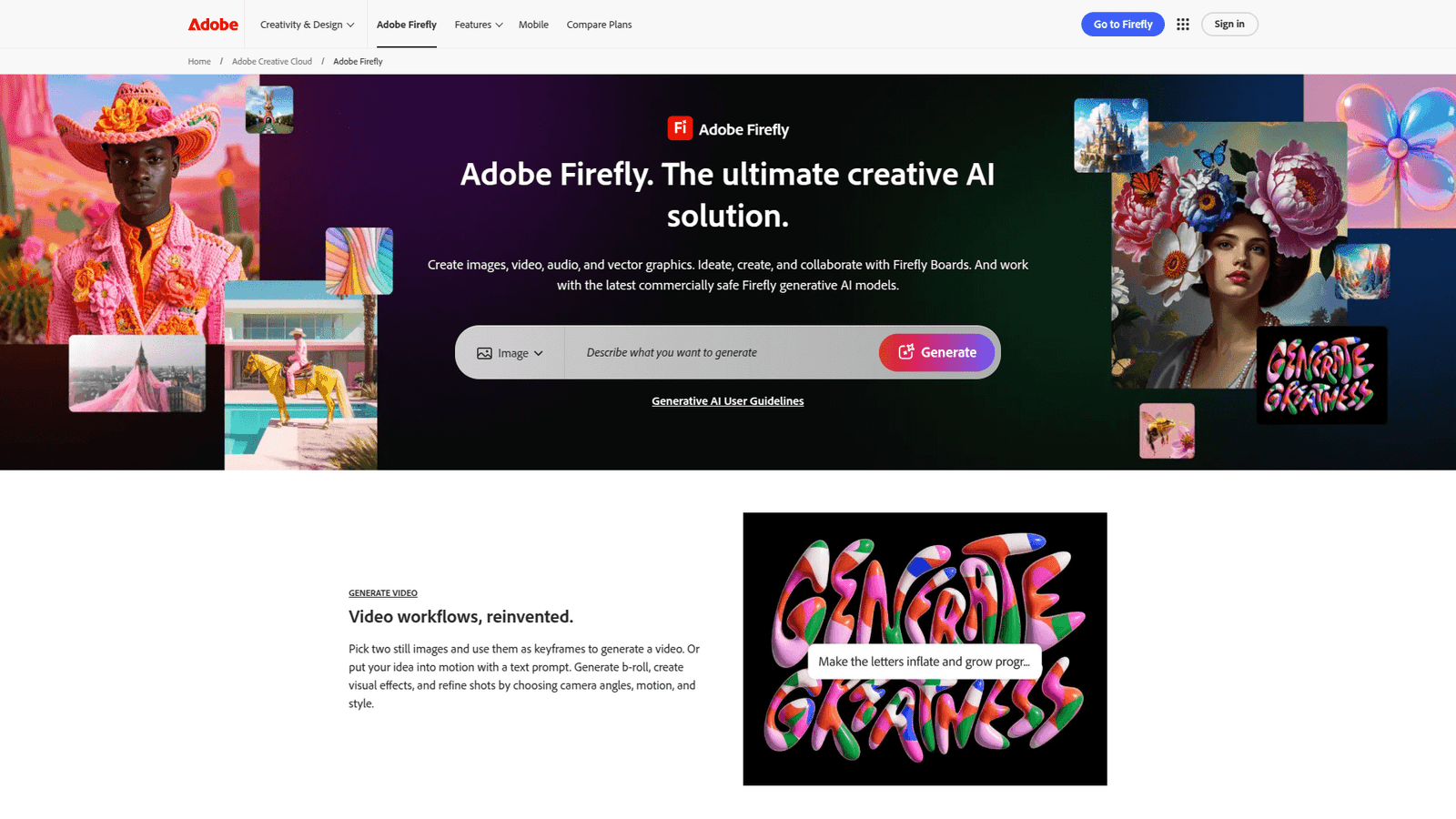

Adobe Firefly redefines image generation. Generate stunning visuals fast, overcome creative blocks, and boost your design workflow. Start creating incredible images today!
Why Adobe Firefly Is a Game-Changer in Image Generation
Ever feel like you’re constantly battling creative blocks? Or maybe you’re just trying to keep up with the insane demand for fresh, high-quality visuals?
The world of Visual and Graphic Design is changing at lightning speed. AI isn’t just a buzzword anymore; it’s a fundamental tool.
And if you’re not using it, you’re already behind.
That’s where Adobe Firefly steps in. It’s not just another AI tool; it’s a powerhouse designed to revolutionize how you approach Image Generation.
I’ve seen the struggle firsthand. Designers spending hours on concepts that just don’t click. Businesses pouring money into stock photos that look generic.
Adobe Firefly fixes that. It gives you the power to create unique, high-quality images on demand. No more waiting, no more settling.
Let’s break down exactly how this tool can transform your workflow and boost your bottom line.
Table of Contents
- What is Adobe Firefly?
- Key Features of Adobe Firefly for Image Generation
- Benefits of Using Adobe Firefly for Visual and Graphic Design
- Pricing & Plans
- Hands-On Experience / Use Cases
- Who Should Use Adobe Firefly?
- How to Make Money Using Adobe Firefly
- Limitations and Considerations
- Final Thoughts
- Frequently Asked Questions
What is Adobe Firefly?
Adobe Firefly is Adobe’s answer to the AI revolution in creative fields. Think of it as your personal creative assistant, powered by artificial intelligence. Its main gig? Generating incredible images from text prompts.
It’s not just about whipping up random pictures. Firefly is built with creators in mind. It understands the nuances of design. This tool isn’t just for seasoned pros. It’s for anyone who needs visuals. This means marketers, writers, small business owners, even hobbyists.
What sets it apart? It’s part of the Adobe ecosystem. That means it’s designed to work seamlessly with your existing Adobe Creative Cloud applications. This integration alone is a massive time-saver. No more exporting, importing, or compatibility headaches.
Firefly trains on Adobe Stock’s vast library of licensed content. This is huge. It means your generated images are commercially safe. You don’t have to worry about copyright issues or licensing nightmares. That’s a game-changer for businesses and agencies.
It’s also about more than just text-to-image. Firefly offers a suite of generative AI features. These features include text effects, recoloring, and generative fill. Each feature streamlines different parts of the design process.
The goal? To remove friction from your creative workflow. It helps you iterate faster. It helps you explore more ideas. It helps you deliver high-quality visuals on demand.
This tool helps you scale your content creation efforts. You can produce more unique assets. You can do it in less time. This means you can meet tighter deadlines and exceed client expectations.
Adobe Firefly empowers you to bring your wildest ideas to life. And it does it with unprecedented speed and control.
Key Features of Adobe Firefly for Image Generation
- Text to Image Generation: This is the core superpower. You type in a description, and Firefly creates an image. Want a “futuristic cityscape at sunset with flying cars”? Boom, you get it. This feature is a massive time-saver for concepting and asset creation. It lets you generate multiple variations quickly. You can experiment with different styles, moods, and compositions effortlessly. This accelerates your initial design phase dramatically. No more endless searching for the perfect stock photo. You just create it.
This text-to-image capability excels at generating unique visuals. It’s perfect for blog posts, social media, or early mock-ups. It helps you visualize complex ideas. You can bring abstract concepts to life in seconds. This speed helps you iterate faster. You can refine your vision on the fly. It helps you avoid creative blocks. You always have a starting point.
- Generative Fill: Imagine you have an image, but it needs more space. Or you want to remove an object. Generative Fill handles it. You select an area, describe what you want, and Firefly fills it. This is magic for extending backgrounds. It’s also great for seamless object removal. It’s perfect for repurposing existing assets. You can adapt images to different aspect ratios without cropping. This saves hours of manual editing. It helps you maintain a consistent visual style.
This feature is a lifesaver for compositing. It blends new elements seamlessly into your existing images. Need to add a prop to a scene? Just type it in. Want to expand a photo to fit a banner ad? Generative Fill makes it easy. It maintains perspective and lighting. This results in incredibly realistic additions or removals. It minimizes post-production work significantly.
- Text Effects: Beyond images, Firefly can create stunning text effects. You can apply various textures and styles to text. Think fiery letters, moss-covered words, or chrome typography. This is incredible for headlines, logos, and branding. It adds visual punch to your designs. It helps your text stand out from the crowd. These aren’t just simple gradients. These are rich, complex textures generated in seconds.
Text Effects allow you to quickly prototype branding ideas. You can see how a specific material looks on your typography. It helps you achieve unique visual identities. This is a powerful tool for graphic designers. It’s also for anyone needing eye-catching text. It eliminates the need for complex manual rendering. This means faster iteration and more creative options.
- Generative Recolor: This feature lets you change the color palette of vector graphics. Upload an SVG. Then, use text prompts to describe the new colors. For example, “warm desert tones” or “neon cyberpunk.” It instantly recolors the entire graphic. This is fantastic for branding, variations, and quick mock-ups. It helps you maintain brand consistency across different themes.
Generative Recolor simplifies what used to be a tedious task. Manually recoloring complex vectors takes ages. With Firefly, it’s instantaneous. This is a huge benefit for designers working with scalable vector assets. It helps you adapt designs for different campaigns or seasons. It ensures your branding is versatile and adaptable.
These features combine to create a truly powerful tool. They speed up your workflow. They unlock new creative possibilities. They help you deliver better results, faster.
Benefits of Using Adobe Firefly for Visual and Graphic Design
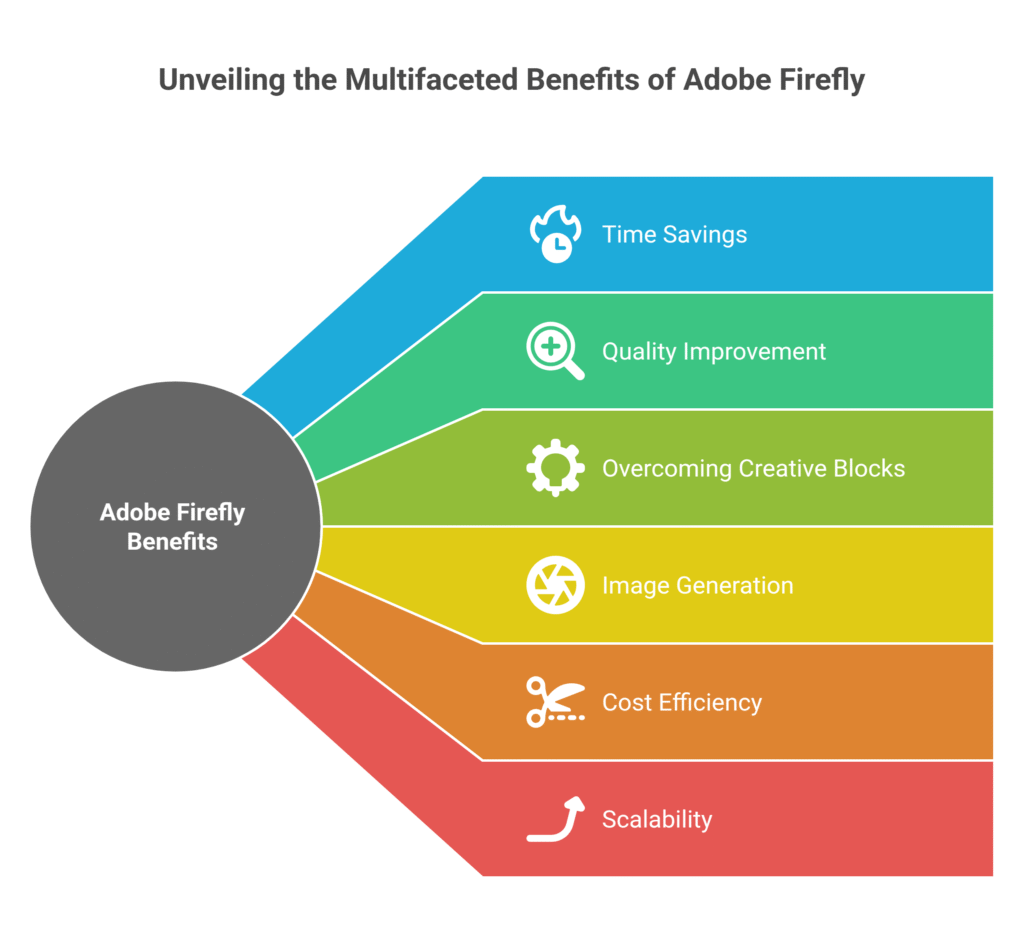
Why bother with Adobe Firefly? Simple: it supercharges your creative process and boosts your output.
First, let’s talk about time savings. This is massive. Instead of spending hours searching for the perfect stock photo or meticulously editing elements, you just prompt it. Need a specific scene that doesn’t exist? Firefly generates it in seconds. This means you’re not wasting valuable time on repetitive tasks. You’re focusing on the core creative vision. You can churn out content at a pace that was unimaginable before.
Then there’s quality improvement. Generic stock photos are a dime a dozen. Firefly lets you create unique, custom visuals tailored precisely to your needs. This elevates your brand image. It helps your content stand out. You get high-resolution images that integrate seamlessly into your projects. This isn’t about quantity over quality; it’s about both. You get custom assets that look polished and professional.
Overcoming creative blocks is another huge win. Ever stared at a blank canvas with no ideas? Firefly gives you a starting point. Type in a keyword, and you get visuals that spark inspiration. It’s like having an infinite brainstorming partner. It helps you visualize concepts you couldn’t quite articulate. This keeps your momentum going. It prevents those frustrating design dead ends.
For image generation, it’s a game-changer. You can generate variations of an image with simple adjustments. Need a different angle? A different lighting condition? Just tweak the prompt. This rapid iteration allows for extensive experimentation. You can explore more options than ever before. This ensures you land on the absolute best visual for your project.
Think about cost efficiency too. High-quality custom photography or illustration can be incredibly expensive. Firefly significantly reduces this need. You’re essentially getting custom assets at a fraction of the traditional cost. This is huge for small businesses and independent designers. It makes premium visuals accessible to everyone.
Finally, there’s the benefit of scalability. As your business grows, your demand for visuals will explode. Firefly allows you to scale your content production without scaling your team proportionally. You can meet large content demands quickly. This means faster campaign launches and more consistent online presence. It keeps you competitive in a visually driven market.
Adobe Firefly isn’t just a tool; it’s an unfair advantage. It saves you time, improves your output, busts through creative walls, and saves you money. What’s not to like?
Pricing & Plans
Alright, let’s talk money. Is Adobe Firefly going to break the bank? Or is it a no-brainer investment?
Adobe Firefly operates on a credit-based system. Essentially, you use “generative credits” each time you create something. This includes images, text effects, or generative fills.
Is there a free plan? Yes, there is. You get a certain number of generative credits each month for free. This is perfect for trying it out. It lets you get a feel for the tool. It’s also good for casual use or small personal projects. These free credits reset monthly.
For more serious use, you’ll need a premium plan. Adobe offers Firefly as a standalone subscription. It’s also included in some Adobe Creative Cloud plans. For example, if you already subscribe to Photoshop or the full Creative Cloud suite, you might have Firefly credits included. This is a huge bonus for existing Adobe users.
The premium plans offer a significantly larger number of generative credits. They also often provide faster processing speeds. This means less waiting time for your creations. Some plans even offer commercial usage rights explicitly. Always check the fine print for this.
How does it compare to alternatives? Many standalone AI image generation tools are out there. Some have cheaper monthly subscriptions. But here’s the kicker: Firefly’s integration with the Adobe Creative Cloud is its secret weapon.
If you’re already using Photoshop, Illustrator, or other Adobe products, the workflow is seamless. This saves you immense time on importing and exporting. It reduces potential compatibility issues. This efficiency often outweighs a slightly lower monthly fee from a standalone competitor.
Also, Firefly trains on Adobe Stock images. This means its outputs are generally commercially safer. Many other AI tools train on broader, less curated datasets. This can lead to copyright concerns down the line. For professional use, commercial safety is priceless.
Consider your usage needs. If you generate hundreds of images a month, a premium plan is essential. If it’s just a few here and there, the free tier might suffice. The value comes from its seamless integration and commercial reliability. It’s an investment in efficiency and peace of mind.
Hands-On Experience / Use Cases

Alright, enough talk. Let’s get into how this thing actually performs. I’ve used Adobe Firefly for a bunch of projects. The experience is surprisingly intuitive.
Here’s a common scenario: A client needs a series of social media posts. Each post needs a unique, engaging background. Manually finding or creating these backgrounds would take forever. This is where Firefly shines.
My process starts in the Firefly web interface. I’d type in prompts like “ethereal background with soft light and floating particles,” or “vibrant abstract shapes with neon glow.”
Within seconds, Firefly generates four variations. I can quickly tweak parameters: aspect ratio, style (photo, art, graphic), color palette, and lighting. This fine-tuning is crucial. It gives you control. I can rapidly iterate until I get close to the desired look.
Let’s say I get a good base image. But it needs more sky, or a specific element removed. This is where Generative Fill comes in. I’d open the image in the Firefly editor. I’d use the brush to select an area, then type “expand sky with dramatic clouds” or “remove the small tree on the left.” The results are often shockingly good. It respects the existing lighting and perspective. This makes the edits appear seamless.
For a different project, I needed unique typography for a header. I used the Text Effects feature. I typed in my headline, then prompted “text made of molten gold with sparks” or “moss-covered letters on a stone wall.” The outputs are stunning. They’re ready to drop into an Adobe Visual and Graphic Design program like Illustrator or Photoshop.
The usability is top-notch. The interface is clean. Prompts are easy to input. The options are clearly laid out. Even a beginner can get decent results quickly. For experienced designers, the depth of control allows for precise fine-tuning.
The results? Increased efficiency, absolutely. What used to take hours of searching and editing now takes minutes. The quality is also consistently high. These aren’t just generic images. They feel bespoke. They fit the specific narrative I’m trying to create.
This means I can take on more projects. I can deliver faster. And I can impress clients with custom, high-quality visuals. Firefly isn’t just a gimmick; it’s a powerful engine for creative production.
Who Should Use Adobe Firefly?
So, who exactly benefits from this AI powerhouse? Pretty much anyone who needs visuals, but let’s narrow it down.
Graphic designers: If you’re a professional designer, Firefly is like adding a turbocharger to your workflow. Concept art, mood boards, quick mock-ups, background generation – it speeds everything up. It helps you break through creative blocks faster. It lets you deliver more iterations to clients.
Digital marketers: Social media posts, ad creatives, blog headers, email visuals. Marketers need an endless stream of fresh content. Firefly lets you generate tailored images for specific campaigns. You can A/B test visuals quickly. You can create eye-catching ads without hiring a photographer for every single concept.
Content creators & bloggers: Need unique images for your articles or videos? Tired of using the same old stock photos as everyone else? Firefly creates custom visuals that make your content stand out. This boosts engagement. It gives your brand a distinctive look.
Small business owners: If you wear many hats, design might not be your forte. Firefly makes it accessible. You can create professional-looking marketing materials without a huge budget or design degree. It empowers you to handle more visual needs in-house.
Agencies: Agencies handle multiple clients with diverse needs. Firefly scales your creative output. You can rapidly produce visuals for various campaigns simultaneously. This increases your capacity. It helps you meet tight client deadlines.
Illustrators & artists: While not replacing your craft, Firefly can be an incredible ideation tool. Generate variations, explore styles, or quickly create backgrounds for your illustrations. It’s a powerful assistant for concept development.
Web designers: Need unique hero images, background textures, or icons for a website? Firefly can generate custom assets that fit your site’s aesthetic perfectly. It helps you create visually stunning and original web experiences.
Essentially, if your work involves any form of visual communication, Adobe Firefly can make your life easier and your output better. It democratizes image generation. It empowers anyone to create compelling visuals.
How to Make Money Using Adobe Firefly

Alright, let’s get to the good stuff. How do you turn Adobe Firefly from a cool tool into a cash cow? This isn’t just about saving money; it’s about making money.
- Service 1: Custom Image Generation for Clients: This is a direct play. Many businesses, especially small ones, need custom visuals but lack the budget for traditional photography or illustration. Offer a service where you generate unique images based on their needs. Think social media graphics, blog headers, website hero images, or product mock-ups. You can charge per image, per project, or even on a retainer. Your speed with Firefly means you can take on more clients and deliver faster.
I know a designer who started offering “AI-generated brand imagery” as a niche service. They focus on startups needing a distinct visual identity without massive upfront costs. They charge a flat fee for a package of 10-20 bespoke images. The profit margins are great because the production time is so low.
- Service 2: Enhanced Graphic Design Services: Integrate Firefly into your existing graphic design offerings. This boosts your efficiency, allowing you to take on more work or charge premium rates for faster delivery. For example, if a client needs a brochure, use Firefly to generate unique background textures or placeholder images that would otherwise take hours to source or create. You can also offer “generative fill” services to fix client images or expand their existing assets.
Imagine a client sends you a product photo, but it’s too cramped for a new ad layout. Instead of reshooting or spending hours in Photoshop trying to extend the background, you use Firefly’s Generative Fill. You do it in minutes. You bill for the time saved, or you maintain your standard rate while your actual work time shrinks. This directly translates to increased hourly earnings.
- Service 3: Selling Digital Assets: This is a passive income stream. Create unique digital assets using Firefly and sell them on marketplaces. Think custom textures, seamless patterns, abstract backgrounds, or unique graphic elements. These can be sold on platforms like Adobe Stock, Etsy, Creative Market, or your own website. Since Firefly allows for commercial use of its outputs (check your specific plan details), this is a legitimate avenue.
One designer I followed started making “AI Art Packs” for creators. They’d generate themed collections of abstract backgrounds or unique texture overlays using Firefly. They bundle these into packs and sell them for $10-$30 each. It’s a low-effort way to generate ongoing revenue once the initial work is done.
The key is leveraging Firefly’s speed and capability to create high-quality assets rapidly. This opens doors to services and products that were previously too time-consuming or expensive to offer. It’s about working smarter, not just harder.
Limitations and Considerations
No tool is perfect. While Adobe Firefly is powerful, it has its quirks and limitations. It’s important to understand these before you dive in.
First, accuracy and precision. While Firefly is excellent, it’s not always perfect. Sometimes, an image might have subtle distortions or anomalies. Hands, in particular, can still be a challenge for AI image generation. You might need to generate several iterations to get exactly what you want. This isn’t a one-and-done solution for every single image.
This leads to the next point: editing needs. The images generated by Firefly often serve as a fantastic starting point. But they usually require some post-production work. You might need to fine-tune colors, correct minor imperfections, or add specific details in Photoshop or Illustrator. Firefly is a creation engine, not always a final render button.
There’s also a learning curve, albeit a gentle one. While intuitive, mastering prompting takes practice. Learning how to phrase your requests to get the best results is an art form. You’ll experiment with different keywords, styles, and negative prompts. This helps you guide the AI effectively. It’s not just typing; it’s about strategic input.
Originality versus common themes: Firefly excels at unique compositions. But if you’re trying to generate something extremely specific and obscure, it might struggle. It pulls from its training data. If a concept isn’t well-represented, results might be less accurate. This isn’t usually an issue for broad commercial concepts, but it’s something to consider for niche or highly conceptual art.
Then there’s the credit system. While convenient, it means you have a finite number of generations. If you’re experimenting heavily, you can burn through credits quickly. This necessitates being mindful of your usage. It’s a consumption model, not unlimited creative freedom.
Finally, ethical considerations and bias. AI models can inherit biases from their training data. While Adobe makes efforts to mitigate this, it’s something to be aware of. Always review generated content for unintended stereotypes or misrepresentations, especially if it involves people or sensitive topics.
Understanding these limitations isn’t about discouraging use. It’s about setting realistic expectations. Firefly is an incredibly powerful tool. But like any tool, it’s most effective when you understand both its strengths and its boundaries. It’s a force multiplier, not a magic wand that eliminates all effort.
Final Thoughts
Look, the bottom line is this: Adobe Firefly isn’t just another AI fad. It’s a serious tool for anyone in visual and graphic design. Especially if you’re doing any kind of image generation.
It drastically cuts down the time you spend on repetitive tasks. It helps you overcome those frustrating creative blocks. And it empowers you to create custom, high-quality visuals that truly stand out.
The integration with the Adobe Creative Cloud suite? That’s the secret sauce. It makes your workflow smoother. It makes your life easier.
Is it perfect? No. You’ll still need your design skills for the final polish. But it gives you an incredibly strong head start. It frees you up to focus on the strategic, creative parts of your job.
If you’re looking to increase your output, improve your visual quality, and frankly, make more money by being more efficient, Firefly is a no-brainer.
My recommendation? If you haven’t tried it, you’re missing out on a massive competitive advantage. Get in there and play around with the free credits. See what it can do for your specific workflow.
The future of design is here. Don’t get left behind.
Visit the official Adobe Firefly website
Frequently Asked Questions
1. What is Adobe Firefly used for?
Adobe Firefly is primarily used for generating images, text effects, and vector recoloring from text prompts. It helps designers, marketers, and content creators quickly produce unique visuals, backgrounds, and stylistic text elements for various projects.
2. Is Adobe Firefly free?
Adobe Firefly offers a free tier with a limited number of generative credits each month. For more extensive use, it’s available through standalone premium subscriptions or included with certain Adobe Creative Cloud plans.
3. How does Adobe Firefly compare to other AI tools?
Adobe Firefly stands out due to its seamless integration with the Adobe Creative Cloud ecosystem and its training on commercially safe content like Adobe Stock. While other AI tools generate images, Firefly offers superior workflow integration and reduces copyright concerns for professional use.
4. Can beginners use Adobe Firefly?
Absolutely. Adobe Firefly features a user-friendly interface that makes it accessible for beginners. While mastering prompting takes practice, you can achieve impressive results quickly even with minimal prior experience in AI tools.
5. Does the content created by Adobe Firefly meet quality and optimization standards?
Yes, the images generated by Adobe Firefly are high-quality and suitable for professional use. While they often serve as a strong starting point and may require minor post-production edits, they provide a solid foundation for meeting various quality and optimization standards in design.
6. Can I make money with Adobe Firefly?
Yes, you can make money using Adobe Firefly by offering custom image generation services, enhancing your existing graphic design work with increased efficiency, or by creating and selling digital assets like textures and backgrounds on marketplaces.




