

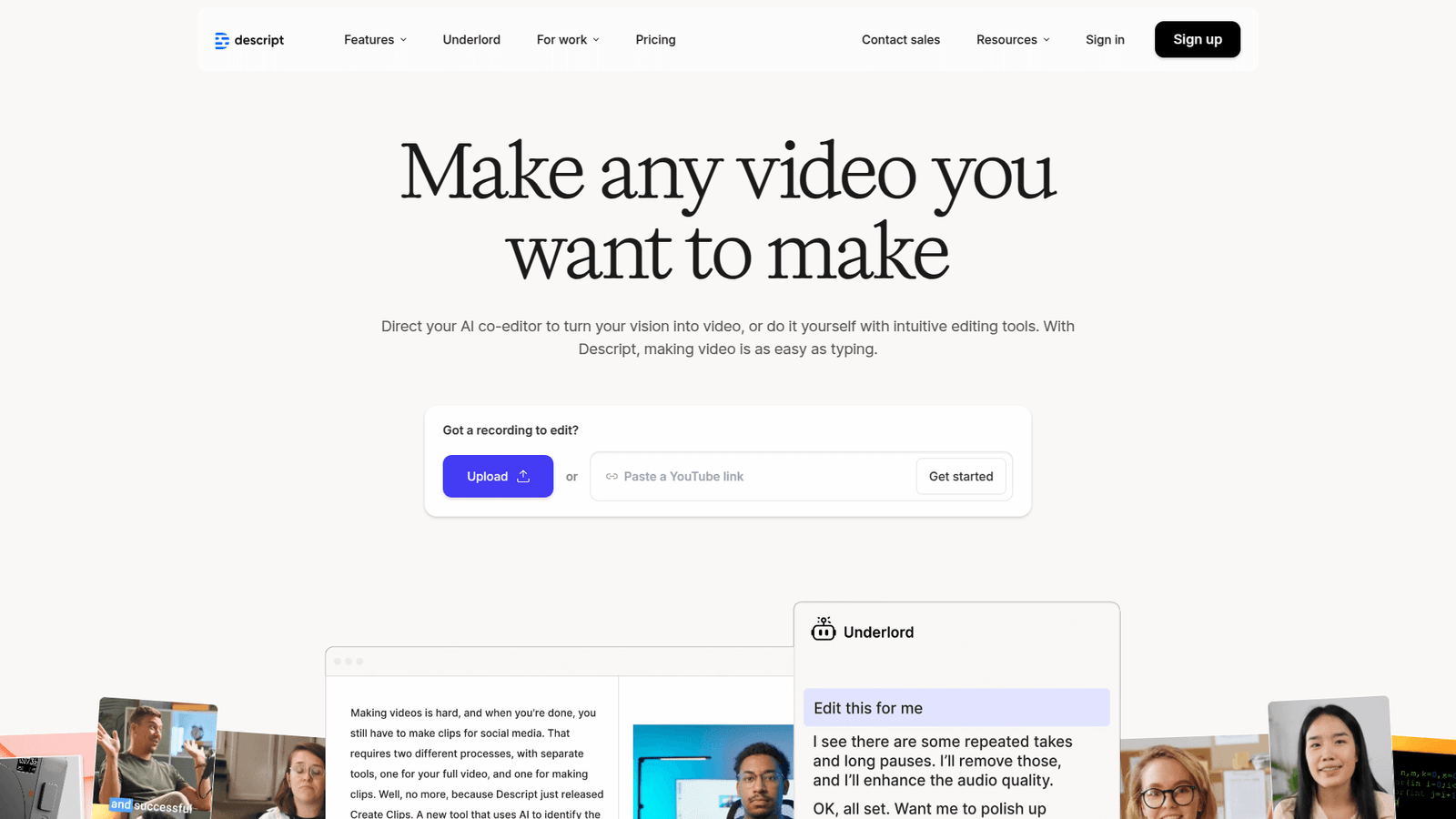

Descript revolutionizes video summarization, saving hours for creators. Unlock efficient content workflows and amplify your message faster. Get started with Descript today!
Don’t Outsource – Descript Can Do It In-House
The world of video is moving faster than ever.
You’re producing more, but the audience attention span?
It’s shrinking.
This means you need to be sharper, quicker, more efficient.
Especially when it comes to getting your message out.
And that’s where AI tools for Video and Animation come in.
They aren’t just a nice-to-have anymore.
They’re essential.
I’m talking about tools that can take hours of raw footage and distill it down to its essence.
Tools that can help you capture attention in seconds, not minutes.
And when we talk about that kind of power, one name keeps coming up: Descript.
It’s not just another piece of software.
It’s a workflow revolution.
Specifically, for something called Video Summarization.
This isn’t about just cutting clips.
It’s about intelligently identifying the core message, the punchy moments, the parts that truly matter.
Ready to stop wasting time and start making an impact?
Let’s talk Descript.
Table of Contents
- What is Descript?
- Key Features of Descript for Video Summarization
- Benefits of Using Descript for Video and Animation
- Pricing & Plans
- Hands-On Experience / Use Cases
- Who Should Use Descript?
- How to Make Money Using Descript
- Limitations and Considerations
- Final Thoughts
- Frequently Asked Questions
What is Descript?
So, what exactly is Descript? Think of it as a word processor for video and audio.
Seriously.
Instead of staring at a complex timeline, you’re looking at a text transcript of your content.
You edit the text, and it edits your video.
It’s that simple, yet incredibly powerful.
It was built for creators, marketers, podcasters, and anyone who deals with spoken-word content.
It handles transcription, editing, mixing, and yes, summarization, all in one place.
You upload your video, and Descript automatically transcribes it.
This transcription isn’t just text on a screen.
It’s the key to everything.
You can then highlight, delete, or rearrange words in the transcript.
And guess what?
The corresponding video or audio automatically cuts and moves right along with it.
This changes the game for video summarization.
No more scrubbing through footage for hours.
Just read the text, identify the core message, and snip away.
It’s designed to flatten the learning curve for video editing.
Making it accessible to everyone, not just seasoned pros.
If you can edit a document, you can edit a video in Descript.
This means faster turnaround times for summaries, promos, or highlight reels.
It’s a unified workspace that eliminates the need to jump between multiple applications.
For professionals in Video and Animation, this means a streamlined workflow.
Less time spent on mundane tasks, more time on creative vision.
It’s a tool that understands your time is money.
And it helps you make more of both.
Key Features of Descript for Video Summarization
Descript isn’t just a one-trick pony. It packs a serious punch for video summarization.
- Automatic Transcription:
This is the bedrock. You upload your video, Descript spits out a highly accurate transcript. This isn’t just about making your content accessible; it’s about making it editable like text. For video summarization, this is everything. You don’t listen to hours of footage anymore. You read. You scan. You identify key sections by scanning the text, not scrubbing the timeline. This dramatically reduces the time it takes to find the most important points in a long video. It’s like having the full script before you even start editing, allowing for strategic content extraction.
- Text-Based Editing:
Once you have that transcript, you edit the video by editing the text. Want to cut out a long pause? Delete the words “um” or “ah” in the transcript. Want to reorder a segment? Drag and drop the corresponding text blocks. This is revolutionary for creating video summaries. You can quickly eliminate filler, redundant information, or off-topic discussions by simply deleting sentences or paragraphs from the transcript. The video then magically syncs. This feature makes it incredibly intuitive to refine your summary down to the core message without getting lost in a complex video editor. It’s direct, precise, and fast.
- Overdub (AI Voice Cloning):
Okay, this feature might seem wild, but hear me out for video summarization. Imagine you’ve cut a summary, but you need to add a quick transition or a clarifying sentence. Or perhaps a speaker misspoke a word. With Overdub, you can type in new words, and Descript generates them in the speaker’s voice. This means you can add concise intros, outros, or connect disparate summary points without needing to re-record or hire a voice actor. It’s perfect for maintaining flow and coherence in a summary. It also allows for quick corrections if a summary cut feels too abrupt, providing a seamless listening experience. This is about polish and efficiency, giving your summaries a professional edge even with last-minute changes.
- AI Features (Studio Sound, Filler Word Removal, Eye Contact):
Descript has baked-in AI that cleans up your audio, removes those annoying “ums” and “ahs,” and can even correct eye contact in video. For video summarization, this means your final output is polished without extra effort. Studio Sound dramatically improves audio quality, making even poorly recorded segments sound professional – critical for clear summaries. Filler word removal automatically cleans up speech, tightening your narrative. And eye contact correction ensures your speaker always looks engaging, even if you’re cutting from different takes. These features ensure your summary isn’t just short, but also high-quality and engaging, every single time. It’s about delivering a crisp, clear message that commands attention.
- Multi-Track Editing and Collaboration:
While the focus is on text-based editing, Descript is a full-fledged video editor. You can work with multiple video and audio tracks. This is important for complex summaries where you might be combining different sources, adding music, or layering graphics. And the collaboration features mean you can share your summary project with team members, allowing for quick feedback and edits. Imagine a client needing a rapid summary: you can send them the transcript, they highlight the sections they want to keep, and you implement the changes in minutes. This streamlines the entire approval process for summaries. It ensures everyone is on the same page, accelerating project delivery and client satisfaction.
Benefits of Using Descript for Video and Animation
Look, time is money.
And in Video and Animation, time is always short.
Descript radically changes this equation, especially for video summarization.
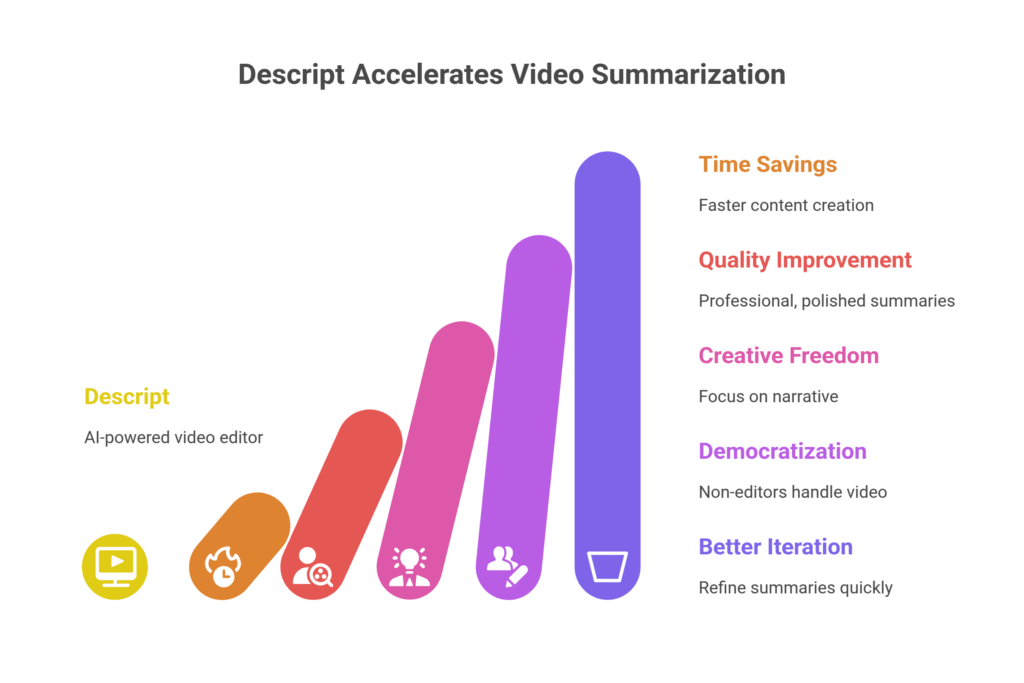
First, there’s the sheer speed.
You’re not manually scrubbing through hours of footage.
You’re reading a document.
This means you can condense a two-hour presentation into a five-minute highlight reel in a fraction of the time.
This isn’t just a little faster; it’s a game-changer for deadlines.
Then, quality.
The built-in AI tools for audio clean-up, filler word removal, and even eye contact correction mean your summaries aren’t just quicker to make.
They’re also better.
Crisper audio, smoother flow, more professional overall.
You don’t need to be an audio engineer or a seasoned video editor to produce pro-level summaries.
This frees up your creative energy.
Instead of getting bogged down in technical edits, you can focus on the narrative.
What’s the core message? How can I tell this story most effectively in a shorter format?
Descript handles the grunt work, letting you shine creatively.
It helps overcome creative blocks because the barrier to entry is so low.
You can experiment with different summary lengths and styles without massive time commitments.
Think of it as rapid prototyping for your video content.
Got an idea for a short promo from a long interview?
Just copy-paste text segments around.
It empowers non-editors to handle basic video tasks.
Imagine a marketing manager who needs a quick social media clip from a webinar.
They can do it themselves, reducing bottlenecks and freeing up your dedicated video team for bigger projects.
This democratizes video creation.
It allows for better iteration.
Because it’s so fast to make changes, you can refine your summary multiple times.
Get feedback, tweak, re-export.
All within minutes, not hours.
This leads to a more polished, targeted, and effective final product.
Ultimately, Descript helps you deliver more content, faster, and at a higher quality.
That’s a clear win for any professional.
It means more opportunities, more clients, and less burnout.
Pricing & Plans
Alright, let’s talk numbers.
Because a tool is only great if it makes financial sense.
Descript understands that.
They offer a few tiers, so you can pick what fits your needs.
First, yes, there’s a free plan.
It’s not just a demo.
It gives you enough to try out the core features.
You get 1 hour of transcription.
This is enough to test drive the text-based editing.
See how it handles your video for summarization.
It’s a smart way to get started without any commitment.
For most serious users, you’ll probably look at their paid plans.
These scale up based on the amount of transcription time you need per month.
The “Creator” plan is popular.
It gives you 10 hours of transcription per month.
Access to all the AI features like Studio Sound and Overdub.
Removes the Descript watermark.
This plan is usually priced competitively, especially when you consider the time it saves.
Then there’s the “Pro” plan.
This is for teams or heavy users.
It bumps up the transcription hours.
Adds advanced features like publishing integrations and priority support.
They also offer custom enterprise solutions for larger organizations.
How does this compare to alternatives?
Well, many traditional video editors require separate transcription services.
Which adds cost and another step to your workflow.
Then there are other AI tools.
Some focus purely on transcription, others on AI editing.
Descript’s strength is its all-in-one approach.
Combining high-quality transcription, text-based editing, and powerful AI features into one fluid experience.
The value proposition is clear: you’re paying for massive time savings and a higher quality output.
Think about what your time is worth per hour.
Then think about how many hours Descript can shave off your summarization workflow.
The return on investment usually becomes very clear, very fast.
It’s an investment in efficiency and quality that pays for itself.
Hands-On Experience / Use Cases

Okay, enough talk. Let’s get real.
How does Descript actually work when you’re in the thick of it?
I had a two-hour interview with an industry expert.
Packed with insights, but way too long for a social media share.
My goal: A 90-second summary for LinkedIn and YouTube Shorts.
Usually, this would be a multi-hour project.
First, upload the video to Descript.
The transcription starts automatically.
Within minutes, the full transcript appeared.
Accuracy was surprisingly high, even with some background noise in my recording.
Next, the magic of video summarization with text.
I scrolled through the transcript.
Highlighting key insights, deleting the fluff, the small talk, the pauses.
It was like editing a Word document.
When I deleted a sentence, that segment disappeared from the video.
If I moved a paragraph, the video clip moved with it.
I used the “Remove Filler Words” feature.
Just one click, and all the “ums” and “ahs” were gone.
The audio immediately sounded tighter, more professional.
For one specific point, the expert spoke a bit quietly.
I hit “Studio Sound.”
Suddenly, their voice was clear, crisp, and broadcast-ready.
I found a fantastic quote but needed a brief intro to it.
I typed a sentence, used Overdub.
Descript generated it in my voice, seamlessly blending with the existing audio.
It was surreal.
The first pass at a 90-second summary took me less than 30 minutes.
Compare that to hours of scrubbing a timeline in a traditional editor.
After the initial cuts, I previewed the video.
Made a few more tweaks, moving paragraphs around for better flow.
Exported it directly to my desktop.
The whole process, from raw footage to polished summary, was shockingly fast.
Another use case: repurposing long-form content.
Imagine a webinar. 60 minutes.
You need multiple short clips for social media.
Each highlighting a different tip or piece of advice.
With Descript, you just duplicate the transcript.
Then, for each copy, you extract a different 30-second segment by deleting everything else.
Export. Repeat.
You can pump out dozens of targeted snippets in an hour.
This means you can maximize the value of every piece of content you create.
For Video and Animation professionals, this isn’t just a convenience.
It’s a competitive advantage.
You can deliver more value to clients, faster.
Take on more projects.
Or simply get your own content out to the world with unparalleled speed.
The usability is intuitive, even for someone who isn’t a video editing guru.
It flattens the learning curve.
It lets you focus on content, not clicks.
Who Should Use Descript?
Descript isn’t for everyone.
But for a specific set of people and roles, it’s an absolute powerhouse.
If you’re a content creator, listen up.
Whether you’re on YouTube, TikTok, or just making videos for your audience.
Long-form interviews, tutorials, vlogs – anything with spoken word.
Descript will save you hours in editing.
Especially when you need short, punchy versions of your longer content.
For marketers, it’s a no-brainer.
Webinars, product demos, customer testimonials.
You need to chop these up into digestible social media clips.
Quick summaries for email campaigns.
Descript makes this effortless, letting you repurpose content constantly.
Podcasters will love it.
Edit audio, add music, remove filler words, all from a text transcript.
And creating video versions of your podcast for YouTube?
Seamless.
Agencies that handle content production for clients.
Imagine the efficiency gains when creating promo videos or case study summaries.
You can deliver faster, iterate quicker, and take on more projects.
Small businesses and entrepreneurs who do their own content.
You don’t have a dedicated video editor.
You probably don’t want to spend hours learning Premiere Pro.
Descript lets you create professional-looking videos.
Without the steep learning curve or the massive time sink.
Anyone needing efficient video summarization.
If your job involves condensing lengthy video meetings, lectures, or presentations.
Descript is built for you.
It turns a tedious chore into a simple text edit.
Professors, researchers, corporate trainers.
If you record lectures or training sessions.
Descript helps you create highlights, summaries, or specific topic clips.
Quickly and efficiently.
Basically, if you touch spoken-word video or audio, and you value your time, Descript is worth a hard look.
It democratizes video editing.
Making it accessible and efficient for a much wider audience than ever before.
It puts powerful tools in the hands of people who need them most.
How to Make Money Using Descript

Alright, you’ve got this powerful tool.
How do you turn it into cash?
Descript isn’t just about saving time; it’s about creating new revenue streams.
Or boosting existing ones through sheer efficiency.
- Offer Video Summarization Services:
This is direct. Many businesses and content creators have hours of video content: webinars, podcasts, meetings, interviews. They don’t have the time or skill to condense it. You can offer a service to take their long videos and turn them into punchy, shareable summaries. Think 1-minute highlight reels from 60-minute webinars. Or executive summaries of long corporate meetings. Charge per minute of original footage, or per finished summary. Example: A marketing agency needs 10 short social clips from their client’s hour-long product demo. You can deliver this in a fraction of the time a traditional editor would, allowing you to charge a premium while still being cost-effective for the client.
- Content Repurposing Specialist:
This is a big one. Clients are creating long-form content – YouTube videos, podcasts, live streams. They need it broken down into dozens of smaller pieces. LinkedIn posts, Instagram Reels, TikTok videos, blog embeds, quote graphics. Descript allows you to rip through a 60-minute video and pull out 20-30 individual, short-form pieces of content in an hour or two. You’re not just summarizing; you’re creating an entire content calendar from one piece of raw material. You can charge for a full “content bundle” package, delivering a month’s worth of social media content from a single long video. This is high-value, high-demand work.
- Podcast Production and Editing:
Podcasting is booming, but editing is a nightmare. With Descript, you can offer professional podcast editing services. Clean up audio, remove filler words, add intros/outros, seamlessly stitch together segments. All by editing the transcript. This is a massive time saver for you, meaning you can take on more clients. You can also offer to create “video versions” of audio-only podcasts, easily syncing the audio with simple visuals, or using their webcam footage, which you can then clean up and optimize for platforms like YouTube.
Consider this: I know a guy, let’s call him Mark. Mark used to spend days editing corporate training videos. Now, using Descript, he takes a 3-hour training session and distills it into 10-minute module summaries, plus a few 30-second promo clips. He does this in half a day. He charges his clients the same rate, but he can take on twice as many projects. He’s essentially doubled his income per week.
He focuses on the critical parts for each segment and cuts out everything else instantly. That’s how you make money with Descript – by being incredibly efficient, delivering faster, and taking on more volume. It’s about leveraging technology to multiply your output. For Video and Animation professionals, this means more billable hours, more satisfied clients, and a stronger reputation in the market.
Limitations and Considerations
No tool is perfect. And Descript, while revolutionary, has its limits.
First, accuracy of transcription.
It’s good. Really good, for AI.
But it’s not 100% perfect, especially with heavy accents, background noise, or highly technical jargon.
You will still need to review and correct the transcript.
This adds a step.
It’s much faster than listening to the whole video, but it’s still a manual check.
Second, editing needs.
While it’s a fantastic text-based editor, it’s not a full-blown Adobe Premiere Pro or DaVinci Resolve.
If you need complex visual effects, advanced color grading, or intricate motion graphics, you’ll still need to export to another program for final polish.
Descript excels at the spoken-word editing and quick visual cuts, not Hollywood-level post-production.
The learning curve.
While simpler than traditional editors, it’s still new.
It works differently.
It takes a little time to retrain your brain to think “text-first” when editing video.
But once it clicks, it’s incredibly fast.
The “AI magic” features, like Overdub, are impressive.
But they’re not flawless.
Overdub can sound a little robotic if used too extensively or on complex sentences.
It’s great for short fixes or transitions, but don’t expect it to replace a voice actor for full narrations.
Internet connection dependency.
Descript is primarily a cloud-based tool.
While you can work offline to some extent, the heavy lifting (transcription, AI processing) happens in the cloud.
So, a stable and fast internet connection is crucial for optimal performance.
This isn’t ideal for everyone working in remote areas or with unreliable internet.
Cost for high volume.
While the free plan is generous, if you’re transcribing hundreds of hours of content every month, the cost can add up.
You need to factor in your usage and whether the time savings justify the subscription fees.
For most users, it will. But it’s worth calculating.
Finally, file size and export times.
Working with large video files can still be taxing, and export times will vary based on your internet speed and project complexity.
It’s an improvement, but not instant.
These aren’t deal-breakers, just things to be aware of.
Descript still represents a massive leap forward for most video and audio editing tasks.
Especially for efficient video summarization.
Final Thoughts
Look, the game has changed.
If you’re still manually scrubbing through hours of footage to get your highlight reels, your summaries, or your social media clips, you’re losing.
Losing time, losing money, losing opportunities.
Descript isn’t just another AI tool.
It’s a foundational shift in how you interact with video and audio content.
It bridges the gap between text and visuals in a way no other tool does.
Making it unbelievably powerful for anyone in Video and Animation.
Especially if you care about efficiency in video summarization.
I’ve seen firsthand how it transforms workflows.
It turns what used to be a tedious, time-consuming task into something almost enjoyable.
You get to focus on the message, the story, the impact.
Not the technical drudgery.
My recommendation? Try it.
Start with the free plan.
Upload one of your longer videos.
See how quickly you can chop it down.
How easily you can extract the gold.
You’ll feel the difference immediately.
It’s an investment, yes.
But it’s an investment that pays you back in hours saved, in increased output, in higher quality content.
Stop thinking about outsourcing your video summarization.
Stop thinking about spending days on it.
Descript puts the power to do it in-house, faster and better than you thought possible.
It’s not hype. It’s simply smarter.
Visit the official Descript website
Frequently Asked Questions
1. What is Descript used for?
Descript is a comprehensive AI-powered tool for editing audio and video. It primarily uses a text-based interface, meaning you edit your media by editing its transcript. It’s used for podcasts, video essays, webinars, social media clips, and particularly for efficient video summarization by creators and marketers.
2. Is Descript free?
Yes, Descript offers a free plan that includes 1 hour of transcription per month and access to its core features, though with some limitations like a watermark on exports. Paid plans are available for more transcription hours and advanced features.
3. How does Descript compare to other AI tools?
Descript stands out by integrating transcription, text-based editing, screen recording, and AI features like Studio Sound and Overdub into a single workflow. Other AI tools might excel in specific areas (e.g., pure transcription, or AI-powered video generation), but few offer Descript’s all-in-one, intuitive approach to editing media like text.
4. Can beginners use Descript?
Absolutely. Descript’s text-based editing interface makes it significantly easier for beginners to learn video and audio editing compared to traditional timeline-based software. If you can use a word processor, you can quickly grasp the basics of Descript.
5. Does the content created by Descript meet quality and optimization standards?
Yes, content edited with Descript can meet high quality and optimization standards. Its AI features (like Studio Sound and filler word removal) enhance audio clarity, and the precise text-based editing allows for tightly edited, high-impact summaries and videos. For optimization, the tool’s efficiency means you can produce more polished content faster, which is key for consistent online presence.
6. Can I make money with Descript?
Definitely. Descript’s efficiency allows you to offer services like video summarization, content repurposing (turning long videos into many short clips), and podcast production. Its speed means you can take on more clients or projects, significantly boosting your income by delivering high-quality work in less time.




