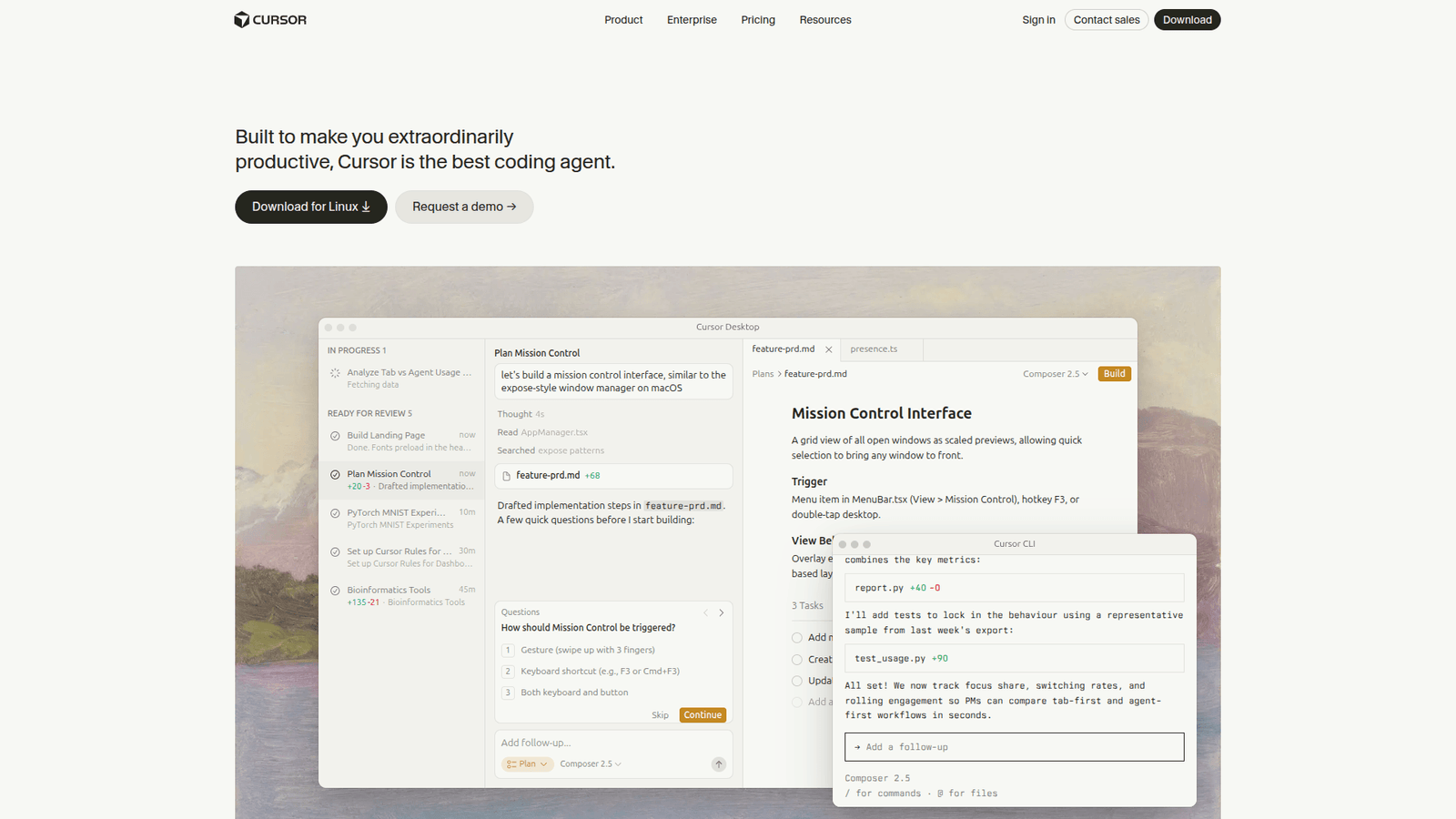

Cursor revolutionises learning to code. Master new skills faster and build projects effortlessly. Start your coding journey smarter today!
Why Cursor Is a Game-Changer in Learning To Code
Let’s cut the fluff. You’re here because you want to learn to code, right? Or maybe you’re already coding and looking for an edge.
The truth is, learning to code can feel like navigating a maze blindfolded. You hit a wall, stare at cryptic error messages, and wonder if you’re cut out for it.
But what if there was a tool that could act as your expert guide, your debugging assistant, and your code-writing sidekick, all rolled into one?
Enter Cursor. This isn’t just another AI text generator. It’s built from the ground up for developers, learners, and anyone serious about getting things done with code.
We’re talking about slashing your learning curve, zapping bugs before they become nightmares, and actually finishing those projects you’ve been dreaming about.
If you’re in the learning and education space, or just trying to get a grip on learning to code, this is the conversation you need to be having.
This is about working smarter, not just harder. This is about getting results. This is about Cursor.
What is Cursor?
Alright, let’s get down to brass tacks. What exactly is Cursor?
It is an AI-powered code editor. Think of your current code editor, like VS Code or Sublime Text, but supercharged with cutting-edge artificial intelligence.
It’s designed to help you write, understand, and debug code faster and more efficiently than ever before.
This isn’t just about generating snippets. Cursor integrates AI directly into your coding workflow, providing context-aware assistance at every step.
It understands your project, your codebase, and your intentions. This allows it to offer suggestions, explanations, and even code completions that are relevant and incredibly helpful.
The primary audience for it includes software developers, data scientists, students learning to code, and anyone who spends a significant amount of time working with code.
It aims to reduce friction, minimize errors, and accelerate the entire development process, making complex tasks feel more manageable.
Key Features of Cursor for Learning To Code
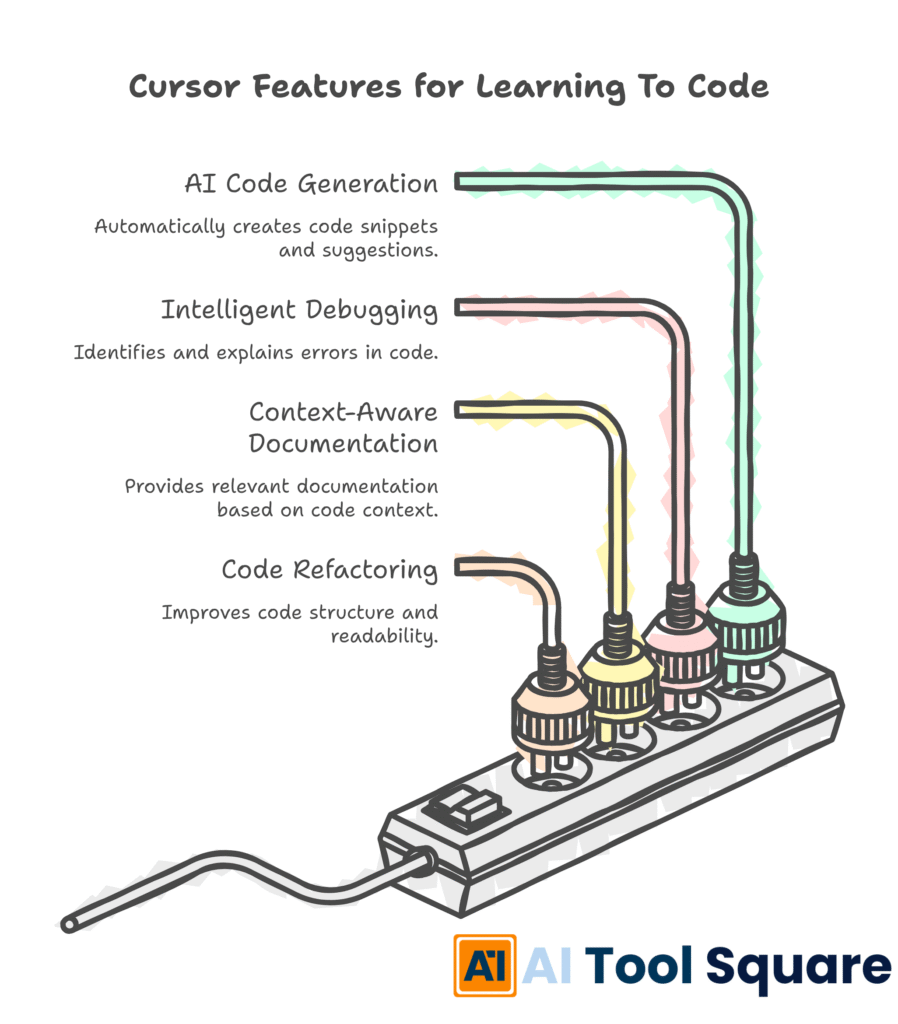
Cursor isn’t just another shiny AI toy; it’s packed with features that directly address the pain points of learning to code.
Feature 1: AI-Powered Code Generation and Autocompletion
This is probably the most obvious game-changer. Imagine typing a few characters and having Cursor predict and write entire lines or blocks of code for you.
For someone learning to code, this means seeing best practices and correct syntax in action. It drastically reduces the frustration of looking up boilerplate code or getting bogged down in syntax errors.
When you’re learning a new framework or language, understanding how to structure common patterns is crucial. Cursor can demonstrate these patterns, allowing you to learn by example and then adapt them.
It’s like having an experienced developer looking over your shoulder, offering perfect suggestions just when you need them.
Feature 2: Intelligent Code Debugging and Explanation
Errors. We all hate them, especially when learning. Cursor takes the sting out of debugging.
When your code breaks, instead of just showing a cryptic error message, it can explain what went wrong in plain English. It can tell you the cause of the bug and even suggest potential fixes.
This is invaluable for learners. Understanding *why* an error occurs is just as important as fixing it. Cursor helps build that deeper comprehension, turning errors into learning opportunities rather than roadblocks.
It can also explain existing code, which is a massive help when you’re trying to understand legacy code or libraries you’ve never encountered before.
Feature 3: Context-Aware Documentation and Refactoring
Trying to understand complex APIs or library functions can be a major hurdle in learning to code. Cursor provides context-sensitive documentation directly within the editor.
No more switching between tabs or wading through lengthy manuals. Ask it to explain a function, and it will provide a concise, relevant explanation based on your current code.
Furthermore, Cursor can help refactor your code. This means improving the structure and readability of your code without changing its functionality. For learners, this is a powerful way to see how professional code is structured and how to make their own code cleaner and more maintainable.
It helps you graduate from “it works” to “it works well and is easy to understand.”
Benefits of Using Cursor for Learning and Education
The impact of Cursor on the learning and education sector, particularly for those aspiring to master learning to code, is substantial.
Let’s talk about saving time. When you’re learning, every minute counts. It automates tedious tasks, generates boilerplate code instantly, and helps you find solutions to problems much faster.
This means you spend less time on manual entry and more time understanding core concepts and building actual projects. Your progress accelerates dramatically.
Beyond speed, there’s the improvement in code quality. By providing intelligent suggestions and helping with refactoring, Cursor guides you towards writing cleaner, more efficient, and more maintainable code from the outset.
This habit-forming aspect is critical for new developers. It instils good coding practices early on, setting a strong foundation for future learning and career growth.
Creative blocks are also significantly reduced. When you’re stuck on how to implement a feature or how to structure a complex piece of logic, it can offer multiple approaches or fill in the blanks, sparking new ideas and overcoming mental hurdles.
It democratises complex coding tasks. Advanced concepts that might seem overwhelming initially become more accessible when you have an AI assistant that can break them down, explain them, and help you implement them step-by-step.
Ultimately, Cursor makes the learning journey less frustrating and more rewarding. This boost in confidence and motivation is often the deciding factor for learners who might otherwise give up.
It fosters a more experimental and exploratory approach to coding. Because it can quickly generate code or explain concepts, learners are encouraged to try new things and experiment without the fear of getting bogged down in minor errors.
The overall result is a more efficient, effective, and enjoyable path to becoming a proficient coder.
Pricing & Plans

Understanding the cost is key. Cursor offers a flexible pricing structure to accommodate different user needs, from individuals just starting out to professional teams.
There is a free tier available, which is fantastic for students and individuals who want to get their feet wet with AI-assisted coding without any financial commitment.
The free plan typically includes a generous amount of AI usage, allowing users to experiment with code generation, debugging, and code explanation features. This makes it an accessible entry point for anyone interested in learning to code.
For users who require more advanced capabilities or higher usage limits, Cursor offers paid plans, such as the “Pro” or “Team” tiers.
These premium plans often unlock features like higher AI query limits, access to more powerful AI models, priority support, and enhanced collaboration tools for teams. This caters to individuals who are using it more intensively for projects or professional development.
When comparing to alternatives, many AI coding assistants operate on a similar freemium model. However, Cursor’s integration directly into a code editor, rather than being a separate plugin or web interface, often provides a more seamless and intuitive experience, which can justify its pricing for dedicated users.
The value proposition for the paid plans lies in the time savings and productivity gains, which can quickly outweigh the subscription cost, especially for those looking to accelerate their career in software development.
Hands-On Experience / Use Cases
Imagine a junior developer tasked with building a new feature for a web application. They’re familiar with the core language but struggle with integrating a specific third-party API.
Instead of spending hours sifting through documentation or asking senior developers for constant guidance, this developer opens Cursor. They start by describing the desired functionality in a comment: “Function to fetch user data from the external API and display their name and email.”
Cursor, understanding the context of the project and the language being used, instantly suggests a code snippet that includes the necessary API call, error handling, and data parsing. It even provides inline explanations for each part of the code, highlighting why certain parameters are used or why a particular error-handling strategy is implemented.
Later, the developer encounters a bug. The application crashes unexpectedly when a user enters specific input. Normally, this would involve a lengthy debugging session.
With Cursor, the developer simply highlights the problematic section of code and asks, “Explain this error and suggest a fix.” Cursor quickly identifies an edge case related to the input validation and proposes a revised code block that handles the erroneous input gracefully, preventing the crash.
Consider a student learning Python for data analysis. They need to create a complex data visualisation but are unsure about the best libraries or the specific syntax for plotting multiple series.
They might ask Cursor, “Show me how to plot a line graph with daily sales figures for the last month using Matplotlib, including labels and a legend.” Cursor generates the Python code, incorporating best practices for data plotting, and provides comments explaining each step, from importing the library to rendering the final plot.
For teams working on a large codebase, a developer can use Cursor to understand unfamiliar parts of the project. They can select a function or class and ask it to “Explain this code and its purpose within the larger application.” This dramatically speeds up onboarding for new team members and reduces the cognitive load of working with extensive codebases.
Another scenario involves migrating code from an older framework to a newer one. A developer can feed existing code snippets into Cursor and ask for suggestions on how to refactor them for the new framework, along with explanations of the architectural changes required.
These use cases demonstrate how Cursor acts as an intelligent assistant, accelerating development, aiding comprehension, and streamlining problem-solving across various coding challenges.
Who Should Use Cursor?

Cursor is incredibly versatile, but certain profiles benefit the most. If you’re serious about coding, this tool is likely for you.
Aspiring Developers and Students: This is arguably the biggest win. If you’re just starting out in learning to code, Cursor can significantly flatten the learning curve. It helps you understand syntax, debug errors quickly, and see how professional code is written.
Professional Developers: Even seasoned coders can leverage Cursor. It speeds up repetitive tasks, helps understand complex legacy code, and provides quick answers to obscure library functions.
Freelancers and Contractors: To take on more projects and deliver them faster, efficiency is key. Cursor helps you write code more quickly, debug faster, and improve code quality, leading to happier clients and more income.
Tech Leads and Engineering Managers: For those overseeing development teams, Cursor can assist in code reviews by providing insights into code quality and potential issues. It can also help in prototyping and exploring new technologies rapidly.
Anyone working on personal coding projects: If you have an app idea, a script to automate a task, or you’re just tinkering, Cursor makes the process smoother and more enjoyable.
Essentially, if your work or passion involves writing code, and you want to do it more effectively, Cursor is a tool worth integrating into your workflow.
How to Make Money Using Cursor
Cursor isn’t just a tool for learning or building; it’s a powerful engine for generating income. By significantly boosting your efficiency and code quality, it opens up several revenue streams.
Service 1: Accelerated Freelance Development
The most direct way to make money is by offering freelance coding services. With Cursor, you can complete projects faster and potentially take on more clients than you could without it.
Imagine a client needs a small web application. With Cursor, you can rapidly generate the backend API, set up the database structure, and build the frontend components with AI assistance. This speed advantage means you can offer competitive pricing or simply increase your hourly earnings by finishing tasks more quickly.
This service is particularly valuable for tasks like custom script writing, small website development, or bug fixing, where speed and accuracy are paramount.
Service 2: AI-Assisted Code Tutoring and Mentoring
Given Cursor’s strength in explaining code and debugging, it’s an ideal tool for educators and mentors. You can offer services as an AI-assisted code tutor.
This involves helping students understand complex programming concepts, guiding them through coding challenges, and using Cursor to demonstrate solutions and explain errors. Your value comes from your expertise combined with its ability to provide instant, clear explanations and code examples.
This can be offered through platforms like Upwork, Fiverr, or even direct client relationships, targeting students or individuals looking to upskill in learning to code.
Service 3: Code Quality and Optimization Consulting
Businesses often have legacy codebases that are difficult to maintain or inefficient. You can offer consulting services focused on improving code quality and performance.
Using Cursor’s refactoring capabilities and its ability to explain complex code, you can analyse existing projects, identify areas for improvement, and then use it to help rewrite and optimise the code. This might involve making code more readable, improving performance, or ensuring it adheres to modern coding standards.
This service provides immense value to companies looking to reduce technical debt and improve the long-term maintainability of their software assets.
Consider the example of a developer who specialises in WordPress plugin development. Before Cursor, building a custom plugin might take days of manual coding and testing. With it, they can outline the plugin’s features, and it helps generate the core structure, functions, and even error-handling logic. This developer can then offer premium plugin development services, delivering high-quality, custom solutions much faster than competitors, allowing them to charge a premium and secure more projects.
Another example: a team building an internal tool for a startup. They need specific data processing scripts. Using Cursor, they can rapidly develop these scripts, allowing the startup to move faster on its core product without a massive upfront investment in a dedicated development team for internal tooling.
Limitations and Considerations
While Cursor is a powerhouse, it’s not a magic wand. Understanding its limitations is crucial for effective use.
Accuracy is not 100%: AI models, including the ones powering Cursor, can sometimes generate code that is incorrect, inefficient, or even insecure. It’s imperative for the user to review, test, and validate all AI-generated code thoroughly.
Requires User Oversight: Cursor is an assistant, not a replacement for a human developer. Critical thinking, understanding of programming principles, and a keen eye for detail are still essential. You can’t just blindly copy-paste.
Learning Curve for AI Interaction: While the editor itself is familiar, effectively prompting the AI to get the desired output can take some practice. Learning how to ask the right questions and provide sufficient context is a skill in itself.
Context Window Limitations: For extremely large codebases, the AI might not be able to grasp the entire project’s context at once. Users might need to guide it by focusing on specific files or modules.
Potential for Over-Reliance: Learners, in particular, need to be mindful of not becoming overly dependent on the AI for fundamental tasks. The goal is to enhance learning, not to bypass it. Understanding the underlying concepts remains paramount.
Cost for full features: While a free tier exists, unlocking the full potential and higher usage limits requires a paid subscription, which might be a barrier for some.
These considerations highlight that Cursor is a tool to augment human capabilities, not to replace them entirely. Responsible and informed usage will maximise its benefits.
Final Thoughts
Let’s be clear: the landscape of learning and education, especially learning to code, is changing rapidly.
Cursor is at the forefront of this revolution. It’s not just another AI tool; it’s an integrated development environment that understands code and helps you build with it at an unprecedented speed.
For anyone looking to accelerate their coding journey, overcome common frustrations, or simply work more efficiently, Cursor is an absolute must-consider.
It bridges the gap between theoretical knowledge and practical application, turning complex challenges into manageable steps.
The benefits in terms of time savings, improved code quality, and reduced learning friction are too significant to ignore.
If you’re serious about coding, whether as a beginner or a seasoned professional, giving Cursor a spin is the logical next step.
Stop struggling with endless documentation and cryptic errors. Start building, learning, and achieving your coding goals faster.
Visit the official Cursor website and see for yourself how it can transform your workflow.
Frequently Asked Questions
1. What is Cursor used for?
Cursor is an AI-powered code editor designed to help developers write, understand, and debug code more efficiently. It integrates AI assistance directly into the coding workflow, offering features like code generation, intelligent debugging, and context-aware explanations.
2. Is Cursor free?
Cursor offers a free tier that provides a good amount of AI usage for individuals and students. For more extensive use or advanced features, they also offer paid plans like Pro and Team tiers.
3. How does Cursor compare to other AI tools?
While many AI tools exist for coding assistance, Cursor’s primary differentiator is its deep integration as a code editor itself. This provides a more seamless experience compared to standalone AI plugins or web-based tools. It understands your project context intimately.
4. Can beginners use Cursor?
Absolutely. Cursor is exceptionally beneficial for beginners learning to code. Its ability to explain errors, generate code snippets, and provide context-aware documentation significantly reduces the learning curve and frustration often associated with starting to code.
5. Does the content created by Cursor meet quality and optimization standards?
Cursor generates code, not content in the traditional sense. The quality and optimisation of the generated code depend heavily on the prompts provided and the user’s review. While Cursor can produce efficient and well-structured code, human oversight and testing are crucial to ensure it meets all quality and optimisation standards for a specific project.
6. Can I make money with Cursor?
Yes, you can definitely make money with Cursor. By leveraging its efficiency gains, you can offer accelerated freelance coding services, provide AI-assisted code tutoring, or consult on code quality and optimisation for businesses.
7. How to make money with Cursor?
To make money with Cursor, focus on services where speed and quality are key. Offer freelance development at a faster pace, tutor students by using it to explain concepts and debug, or provide consulting to help companies refactor and optimise their existing codebases.