
Unlock effortless insights with top AI BI tools. Discover 7 powerful solutions for natural language data querying, making complex analysis simple.
Master Your Data: 7 Powerful AI BI Tools for Effortless Queries
Alright, let’s cut the fluff. You’ve got data. Mountains of it. And you need answers. Fast. But sifting through spreadsheets, wrestling with SQL, or deciphering complex dashboards? That’s a drain on your time and your sanity. What if I told you there’s a way to get the insights you need, just by asking? No coding, no jargon, just plain English. That’s the magic of AI BI tools, and frankly, they’re a game-changer for anyone serious about making decisions based on facts, not gut feelings.
We’re talking about tools that understand your questions in plain language and spit out the data you need, visualized and ready to go. Forget the steep learning curves and the expensive consultants. These tools are democratizing data access, putting the power of business intelligence directly into your hands. If you’re ready to stop guessing and start knowing, you’re in the right place. This is about getting results, and these AI BI tools are your shortcut.
Table of Contents
- What Are the Best Natural Language Data Querying Tools?
- Top 7 Natural Language Data Querying Tools (Detailed Reviews)
- Feature Comparison
- Pricing Breakdown
- Real-World Use Cases
- Who Should Use Each Tool?
- How to Choose the Right Tool
- Making Money with These Tools
- Common Limitations
- Final Verdict and Recommendations
- Frequently Asked Questions
What Are the Best Natural Language Data Querying Tools?
The best natural language data querying tools are those that bridge the gap between human intuition and machine processing. They allow users to interact with their data using conversational language, eliminating the need for technical expertise. These AI BI tools are designed to understand context, interpret intent, and translate spoken or typed questions into actionable data requests. Think of it as having a brilliant data analyst on staff, available 24/7, who understands exactly what you’re asking without you needing to learn their language.
The focus is on speed, accuracy, and ease of use, allowing even the most non-technical users to extract valuable insights from their datasets. This capability is crucial for agile decision-making in today’s fast-paced business environments. When evaluating these tools, look for strong natural language processing (NLP) capabilities, a wide range of data source integrations, intuitive visualization options, and robust security features.
The primary goal of these advanced AI BI tools is to make data accessible to everyone within an organization, not just the data scientists or IT department. By simplifying the query process, businesses can foster a more data-driven culture. This leads to quicker identification of trends, faster responses to market changes, and ultimately, better business outcomes.
The evolution of these tools is rapidly changing how businesses approach business intelligence, moving away from static reports and towards dynamic, interactive data exploration. This shift empowers individuals at all levels to ask questions and receive immediate, relevant answers, driving efficiency and innovation across departments. The accessibility offered by these tools is a significant advantage for any organization looking to leverage its data effectively.
These sophisticated AI BI tools are revolutionizing the field of Data Analysis and Business Intelligence by making complex data manipulation straightforward. Users can ask questions like “What were our sales in the UK last quarter?” or “Show me the top 5 performing products in the last month, broken down by region.” The tool then processes this request and presents the relevant data, often in the form of charts, graphs, or tables. This intuitive approach significantly reduces the time and effort required to gain insights, speeding up the decision-making cycle. The ability to perform Natural Language Data Querying is no longer a futuristic concept but a present-day necessity for competitive businesses. These tools are at the forefront of this evolution.
Top 7 Natural Language Data Querying Tools (Detailed Reviews)
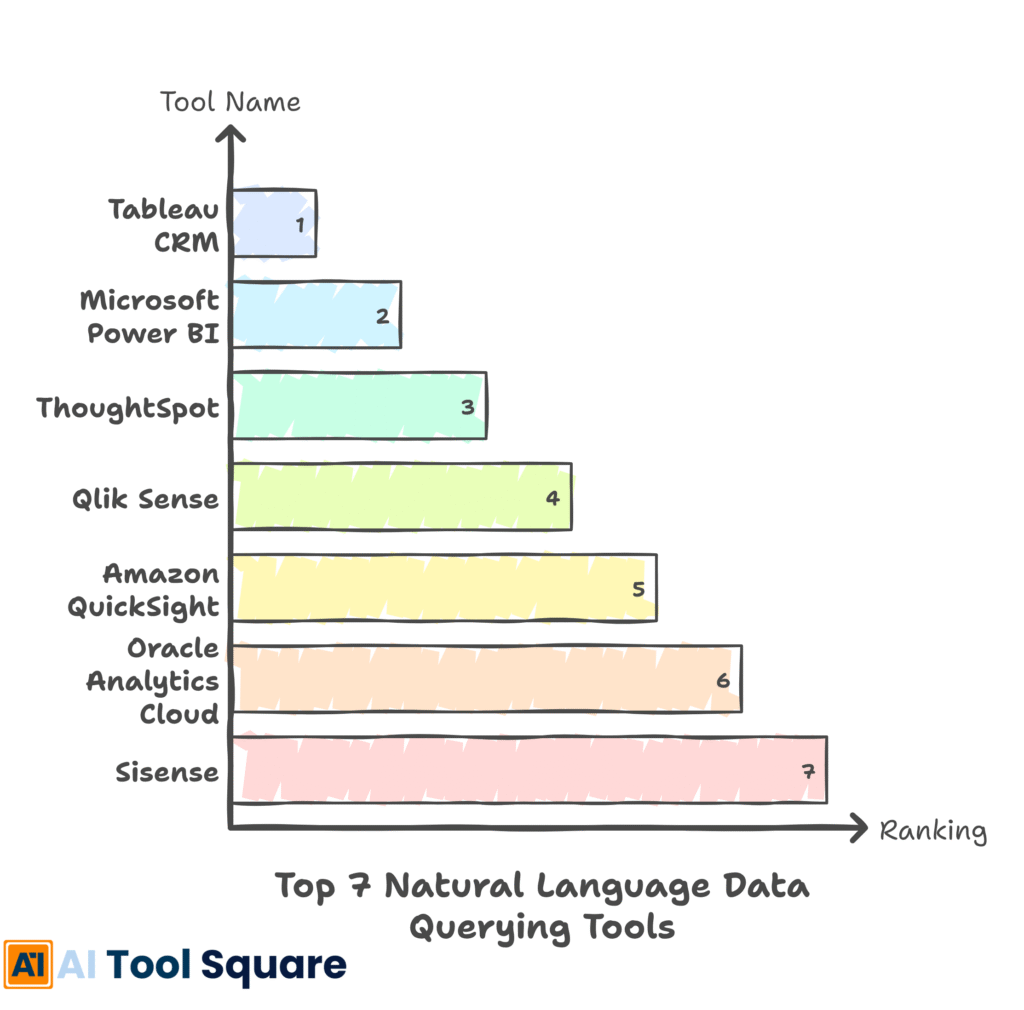
Let’s get down to brass tacks. We’ve sifted through the noise and identified seven AI BI tools that genuinely deliver on the promise of effortless data queries. These aren’t just theoretical solutions; they’re practical, powerful platforms that can integrate with your existing data infrastructure and start delivering value almost immediately. Each of these tools has its own strengths, catering to different needs and user bases.
Whether you’re a startup looking for an affordable entry point or an enterprise needing advanced analytics, there’s likely an option here for you. We’ll break down what makes each of these AI BI tools stand out, so you can make an informed decision. Remember, the goal is to find the tools that best align with your specific business objectives and technical capabilities.
The selection process for these AI BI tools focused on their core competency: understanding natural language queries. We looked at the accuracy of their natural language processing, the speed at which they return results, the clarity of their visualizations, and the ease of setup and ongoing use. Beyond the primary function, we also considered factors like data connectivity, security protocols, and scalability. These tools represent the cutting edge of business intelligence, designed to empower users without requiring them to become data engineers. The accessibility these AI BI tools offer is unparalleled, allowing for quicker insights and more informed strategies.
Choosing the right AI BI tools can seem daunting with so many options available. However, by understanding the unique value proposition of each, you can identify the best fit for your operational needs. These AI BI tools are designed to simplify complex data operations, making them indispensable for modern businesses aiming for data-driven growth. The continued development in AI BI tools promises even more sophisticated capabilities in the near future, making it a wise investment to adopt these technologies now.
1. Tableau CRM (formerly Einstein Analytics) – AI BI tools Review
Tableau CRM, now part of Salesforce’s broader analytics suite, is a powerhouse for businesses already embedded in the Salesforce ecosystem. Its AI capabilities, powered by Einstein, excel at understanding natural language queries and providing predictive insights. It integrates deeply with Salesforce data, offering a seamless experience for sales, service, and marketing teams. The platform allows users to ask questions in plain English and receive relevant dashboards and reports. Its AI BI tools feature predictive analytics and anomaly detection, going beyond simple data retrieval to offer proactive insights.
Features include natural language query (NLQ), AI-powered insights, predictive modeling, customizable dashboards, and mobile access. It offers robust data preparation tools and can connect to various external data sources. The AI BI tools within Tableau CRM are designed to surface opportunities and risks that might otherwise be missed.
Pricing is typically based on user licenses and features, often bundled with Salesforce subscriptions. It can be on the higher end, reflecting its enterprise-grade capabilities.
Pros: Deep Salesforce integration, powerful AI capabilities, comprehensive analytics, good visualization options. Cons: Can be expensive, steeper learning curve for advanced features, best suited for Salesforce users.
Visit official Tableau CRM website
2. Microsoft Power BI – AI BI tools Review
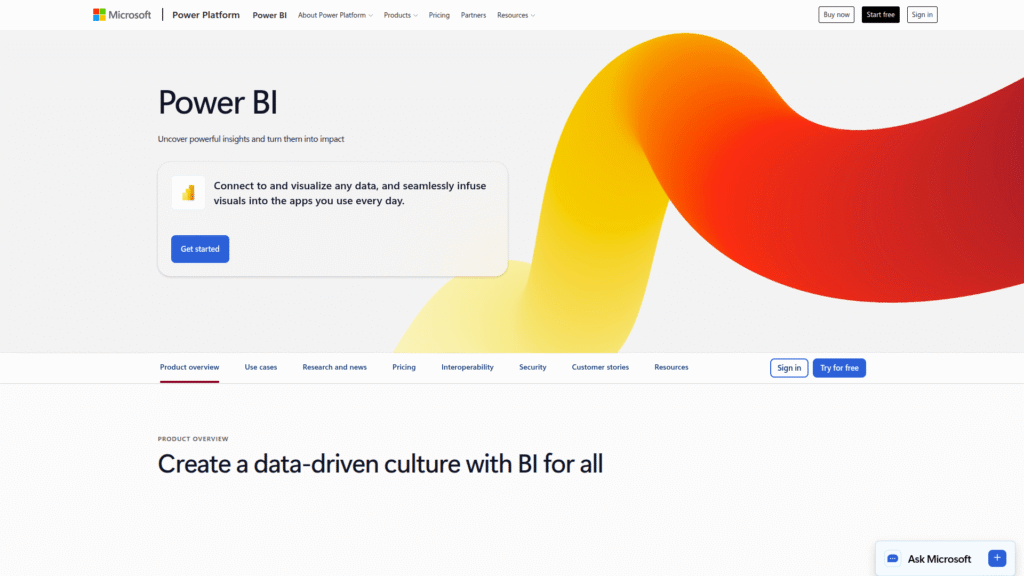
Microsoft Power BI is a widely adopted business analytics service that offers a compelling natural language query feature. Users can type questions into the Q&A visual, and Power BI generates answers using relevant visuals. This makes it incredibly accessible for users across an organization. Power BI excels at data visualization and offers a broad range of data connectors, making it versatile for various data sources. Its AI BI tools include sentiment analysis, image detection, and key influencer analysis, adding layers of intelligence to your data exploration.
Key features: Natural Language Q&A, interactive dashboards, a vast library of data connectors, AI-powered insights (like anomaly detection and key influencers), and robust reporting capabilities. The AI BI tools are continuously being enhanced with new machine learning functionalities.
Power BI offers a free version for individual use, with Power BI Pro and Power BI Premium offering more advanced features and collaboration capabilities at competitive price points.
Pros: User-friendly interface, strong visualization tools, extensive data connectivity, cost-effective, strong AI BI tools integration. Cons: Can become complex with advanced data modeling, desktop version is Windows-only.
Visit official Power BI website
3. ThoughtSpot – AI BI tools Review
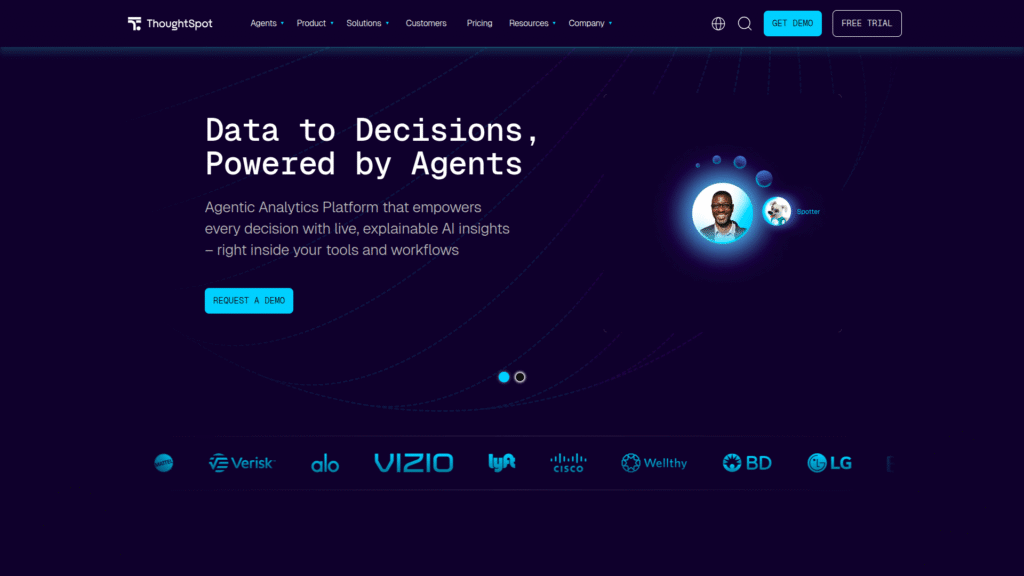
ThoughtSpot positions itself as a search-and-AI-driven analytics platform. Its core strength lies in its search-based interface, allowing users to simply type questions into a search bar, much like using Google. The AI BI tools in ThoughtSpot are designed to deliver answers instantly, with relevant charts and graphs automatically generated. It focuses on enabling business users to explore data independently, reducing reliance on IT or BI teams. This makes it one of the most intuitive AI BI tools for self-service analytics.
Features include live data analysis, AI-driven insights, natural language search, interactive visualizations, and robust security. The AI BI tools are deeply embedded to provide context-aware suggestions and automated insights discovery.
Pricing is typically custom and enterprise-focused, reflecting its powerful capabilities. It generally requires a consultation to get a quote.
Pros: Extremely intuitive search interface, fast performance, empowers non-technical users, strong AI BI tools for insight discovery. Cons: Can be expensive for smaller businesses, less emphasis on highly customized report design compared to some competitors.
Visit official ThoughtSpot website
4. Qlik Sense – AI BI tools Review
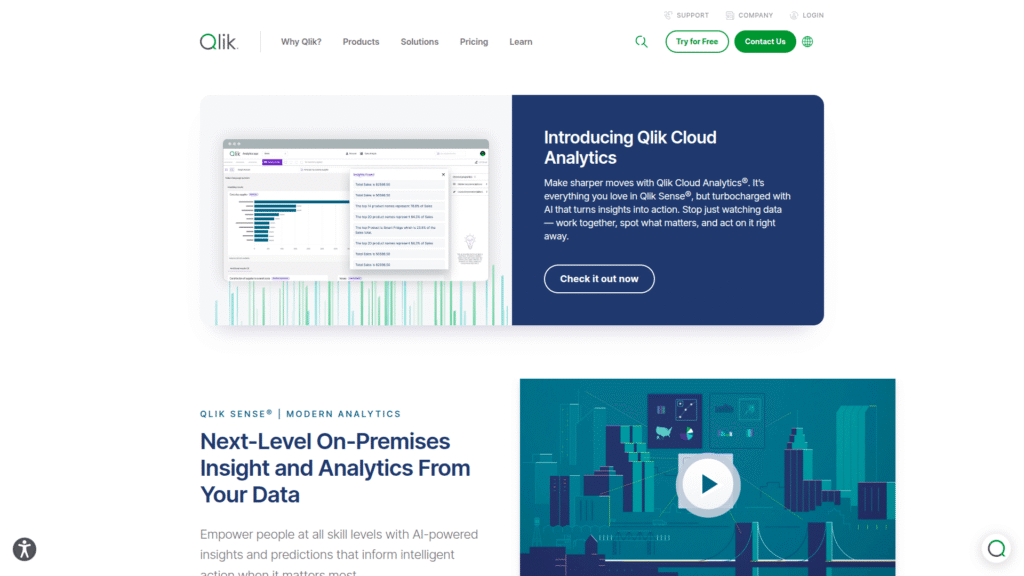
Qlik Sense is a powerful self-service analytics platform that incorporates natural language interaction through its conversational analytics feature. Users can ask questions and explore data through text or voice commands. Qlik Sense is known for its associative engine, which allows for free-form exploration of data and reveals hidden connections. The AI BI tools are integrated to suggest insights and automate tasks, making data analysis more efficient. This makes it a versatile option among AI BI tools.
Key features: Conversational analytics, associative exploration engine, AI-powered insights, interactive dashboards, robust data governance, and extensive connectivity options. The AI BI tools assist in identifying patterns and relationships within the data.
Qlik Sense offers various licensing models, including a free tier for individuals and tiered subscriptions for business users, making its AI BI tools accessible at different levels.
Pros: Powerful associative engine for data exploration, strong AI BI tools integration, good scalability, flexible deployment options. Cons: Interface can be overwhelming for beginners, advanced customization may require expertise.
Visit official Qlik Sense website
5. Amazon QuickSight – AI BI tools Review
Amazon QuickSight is a cloud-native business intelligence service that offers a feature called QuickSight Q. This allows users to ask questions about their data in natural language. It’s designed to be highly scalable and integrates seamlessly with other AWS services. QuickSight Q leverages machine learning to understand user questions and provide answers, making it a strong contender in the AI BI tools space. Its pay-per-session pricing model can be attractive for variable usage patterns.
Features include QuickSight Q for natural language querying, interactive dashboards, embedded analytics, machine learning insights, and auto-generated dashboards. The AI BI tools focus on providing quick, actionable insights from AWS data sources.
QuickSight offers a free trial, followed by pay-per-session pricing for Q and per-user pricing for standard dashboards, providing flexibility. Its AI BI tools are competitively priced within the AWS ecosystem.
Pros: Scalable, cost-effective pay-per-session pricing for Q, seamless AWS integration, good for organizations already using AWS. Cons: NLQ capabilities might be less mature than some dedicated platforms, visualization customization can be limited.
Visit official Amazon QuickSight website
6. Oracle Analytics Cloud – AI BI tools Review
Oracle Analytics Cloud (OAC) offers robust capabilities for data visualization and self-service analytics, including a natural language interface. Users can ask questions and receive insights without complex query languages. OAC integrates with Oracle’s extensive database and cloud services, providing a powerful platform for enterprises. The AI BI tools within OAC are designed to support advanced analytics and machine learning directly within the BI workflow, making these AI BI tools very potent.
Key features: Natural language interaction, AI-driven data preparation, machine learning integration, advanced visualization, and self-service data discovery. The AI BI tools support predictive analytics and data storytelling.
Pricing is typically subscription-based, with different tiers available based on features and usage. It’s generally positioned for enterprise deployments.
Pros: Comprehensive analytics features, strong integration with Oracle ecosystem, powerful AI and ML capabilities. Cons: Can be expensive, interface may require some learning, best suited for organizations with significant Oracle investments.
Visit official Oracle Analytics Cloud website
7. Sisense – AI BI tools Review
Sisense is an analytics platform designed for embedding analytics into applications and workflows. It offers a natural language query capability that allows users to interact with data conversationally. Sisense is known for its flexibility and ability to handle complex data from multiple sources, including disparate cloud and on-premise systems. Its AI BI tools are geared towards delivering insights directly where users work, making data actionable.
Features include a drag-and-drop interface, extensive data connectors, white-labeling options, embedded analytics, and natural language querying. The AI BI tools help automate insight discovery and provide context-specific data.
Sisense offers custom pricing, typically tailored to the deployment and features required, making it suitable for a range of business sizes looking for advanced AI BI tools.
Pros: Highly flexible, excellent for embedding analytics, strong data connectivity, powerful AI BI tools for actionable insights. Cons: Can be complex to set up initially, pricing can vary significantly based on needs.
Visit official Sisense website
Feature Comparison
When comparing these AI BI tools, it’s essential to look beyond just the natural language query function. Consider the breadth of data connectors available. Can each tool easily hook into your existing databases, cloud storage, and applications? Power BI and Sisense, for instance, are known for their extensive connectivity options. Tableau CRM offers unparalleled integration if you’re heavily invested in Salesforce. QuickSight shines within the AWS ecosystem. Oracle Analytics Cloud is a natural fit for Oracle database users.
The sophistication of the AI BI tools themselves also varies. Some, like ThoughtSpot and Tableau CRM, lean heavily into AI-driven insights and predictive capabilities. Others, like Power BI and Qlik Sense, offer strong natural language querying alongside robust visualization and reporting tools. The user interface and ease of use are critical. ThoughtSpot’s search-driven approach is arguably the most intuitive for beginners. Power BI and Qlik Sense offer a familiar desktop-like experience but might have a slightly steeper learning curve for advanced features. The goal is to find AI BI tools that match your team’s technical comfort level.
Scalability and deployment options are another key differentiator. QuickSight is inherently cloud-native and scales automatically within AWS. Tableau CRM and Oracle Analytics Cloud are also cloud-focused but can cater to enterprise-level complexity. Sisense offers significant flexibility in deployment, suitable for both embedded analytics and standalone BI. Ultimately, the best AI BI tools for you will depend on your specific technical environment, user skill sets, and business priorities. Carefully assessing these aspects will ensure you select AI BI tools that drive genuine value.
Pricing Breakdown
The cost of AI BI tools can range dramatically, from free versions for individuals to substantial enterprise-level investments. Microsoft Power BI offers a compelling free tier for personal use, with Pro and Premium licenses providing collaborative features and advanced capabilities at accessible price points, making its AI BI tools very attractive. Qlik Sense also offers a free tier and various subscription plans, catering to a spectrum of users. Amazon QuickSight’s pay-per-session model for its Q feature can be extremely cost-effective for organizations with unpredictable or lower usage needs, offering flexible access to its AI BI tools.
For enterprise-grade solutions like Tableau CRM, Oracle Analytics Cloud, and ThoughtSpot, pricing is often custom and can be significantly higher. These platforms are typically priced based on user licenses, feature sets, and the volume of data processed. They are geared towards larger organizations with complex data requirements and a need for advanced AI BI tools. Sisense offers custom pricing as well, often dependent on the scale of deployment and whether analytics are being embedded into applications. These AI BI tools are powerful but require a more significant budget commitment.
When evaluating pricing, don’t just look at the sticker price. Consider the total cost of ownership, including implementation, training, and ongoing maintenance. A cheaper tool might end up costing more in the long run if it doesn’t meet your needs or requires extensive customization. The value derived from accurate, timely insights provided by effective AI BI tools should always be weighed against the investment. Understanding these nuances is key to selecting the right AI BI tools without breaking the bank.
Real-World Use Cases
Imagine a retail manager using AI BI tools to ask, “What promotions drove the highest sales in our Boston stores last week?” The system instantly returns a report showing the impact of different discounts, enabling rapid adjustments to ongoing campaigns. This is the power of Natural Language Data Querying in action. In e-commerce, a marketing team can query, “Show me customer acquisition cost for new subscribers acquired via social media in the last quarter,” to optimize ad spend. These AI BI tools make such queries effortless.
For a financial services company, a risk analyst might ask, “What is the average loan default rate for clients with a credit score below 650 in the past year?” The AI BI tools provide this data, aiding in credit risk assessment and policy refinement. Healthcare providers can use AI BI tools to ask, “What is the readmission rate for patients with condition X in our hospital over the last six months?” This helps identify areas for improving patient care and reducing costs. The applications of these AI BI tools are vast and varied across industries.
Manufacturing firms can query, “Which production line had the highest downtime last month, and what were the primary reasons?” This allows for targeted maintenance and operational improvements. Human resources departments can use AI BI tools to ask, “What is the average employee tenure in the engineering department, and what factors correlate with longer stays?” to improve retention strategies. The ability to swiftly obtain answers to specific business questions through these AI BI tools fosters a proactive and data-informed operational culture.
Who Should Use Each Tool?
For organizations deeply integrated with Salesforce, Tableau CRM is the obvious choice. Its seamless connection to CRM data makes it invaluable for sales, marketing, and service teams looking to leverage their existing customer information with powerful AI BI tools. If your organization runs primarily on Microsoft products, Power BI presents a highly integrated and cost-effective solution. Its user-friendly interface makes it suitable for a broad range of users, from business analysts to department managers, benefiting from its accessible AI BI tools.
Businesses prioritizing simplicity and speed of insight, especially those with less technical staff, should strongly consider ThoughtSpot. Its search-driven interface democratizes data access, making it one of the most intuitive AI BI tools available. For companies needing to explore complex relationships within their data or those who appreciate a powerful, free-form exploration engine, Qlik Sense is an excellent option. Its associative model can uncover insights missed by traditional BI tools, supported by capable AI BI tools.
Organizations heavily invested in the AWS ecosystem will find Amazon QuickSight a natural and cost-effective fit, particularly for its scalable cloud-native architecture and pay-per-session pricing for advanced querying. Oracle users will find Oracle Analytics Cloud a powerful, integrated solution, offering robust features for enterprise-level analytics. Finally, Sisense is ideal for companies looking to embed analytics into their own applications or for those needing a highly customizable platform to connect to a wide array of data sources, leveraging its flexible AI BI tools.
How to Choose the Right Tool
Choosing the right AI BI tools starts with understanding your core needs. What problems are you trying to solve? Are you looking for basic data exploration, advanced predictive analytics, or the ability to embed insights into your applications? Define your primary use cases and the types of questions you need answered. Consider your team’s technical proficiency. If your users are not data experts, prioritize tools with intuitive natural language interfaces, like ThoughtSpot or Power BI’s Q&A feature. These AI BI tools are designed for self-service.
Evaluate data connectivity. Ensure the potential AI BI tools can connect seamlessly to all your critical data sources, whether they are cloud-based databases, on-premise systems, or SaaS applications. Integration capabilities are crucial. If you’re heavily invested in a specific ecosystem like Salesforce or AWS, tools that integrate well within those environments, such as Tableau CRM or Amazon QuickSight, will offer significant advantages. Think about scalability and future growth. Will the AI BI tools you choose be able to handle increasing data volumes and user numbers as your business expands?
Finally, consider the pricing model and total cost of ownership. Free tiers or pay-per-session models might be ideal for startups or departments with limited budgets. Enterprise solutions will naturally come with a higher price tag but may offer superior capabilities and support. Always take advantage of free trials or demos to test drive the AI BI tools with your own data. This hands-on experience is invaluable in determining which platform truly meets your requirements and provides the best return on investment from your chosen AI BI tools.
Making Money with These Tools
Leveraging AI BI tools effectively can directly impact your bottom line. By quickly identifying trends and opportunities, you can optimize pricing strategies, launch targeted marketing campaigns, and improve product development. For instance, asking an AI BI tool, “Which product bundles generate the highest profit margin?” can guide inventory and sales efforts towards more lucrative offerings. This direct insight-driven approach can significantly boost revenue and profitability. The accessibility of these AI BI tools allows for faster, more informed business decisions.
Reducing operational costs is another significant way these AI BI tools help. By pinpointing inefficiencies, such as high downtime on specific machinery or underperforming marketing channels, you can reallocate resources more effectively. For example, a query like “What are the main drivers of customer churn in the last quarter?” can lead to initiatives that improve customer retention, saving significant costs associated with acquiring new customers. These AI BI tools empower businesses to operate leaner and smarter.
Furthermore, these AI BI tools can unlock new revenue streams by identifying untapped market segments or unmet customer needs. A well-crafted question posed to your AI BI tools could reveal a niche market that your competitors are overlooking. This proactive approach to market analysis, facilitated by powerful AI BI tools, can give you a significant competitive edge, leading to new product development and market expansion. Ultimately, mastering these AI BI tools is about making smarter, faster, data-backed decisions that drive both revenue growth and cost savings.
Common Limitations
While AI BI tools are incredibly powerful, they aren’t magic bullets. One common limitation is the quality of the underlying data. If your data is messy, incomplete, or inaccurate, even the most sophisticated AI BI tools will provide flawed insights. Garbage in, garbage out, as they say. Users need to ensure data hygiene is a priority before expecting perfect answers from any of these AI BI tools. Understanding data governance and ensuring data integrity is paramount.
Another limitation can be the complexity of certain queries. While natural language is the goal, highly complex, multi-faceted questions or those requiring deep statistical modeling might still be challenging for some AI BI tools. Some platforms might struggle with nuanced business context or highly specialized industry jargon that isn’t part of their training data. The interpretation of results also requires a degree of business acumen. These AI BI tools provide data, but human interpretation is often needed to translate that data into strategic action.
Finally, the cost and implementation complexity of some enterprise-grade AI BI tools can be a barrier for smaller businesses. While many offer user-friendly interfaces, setting up robust data connections, managing user access, and ensuring security can still require technical expertise. Over-reliance on AI BI tools without understanding the fundamental data principles or business context can also lead to misinterpretations and poor decision-making. These AI BI tools are best used as powerful assistants, not replacements for critical thinking.
Final Verdict and Recommendations
The era of manual data wrangling and complex coding for insights is rapidly fading, thanks to the emergence of powerful AI BI tools. These platforms are not just a trend; they are a fundamental shift in how businesses interact with their data. For organizations looking to empower their teams with self-service analytics and unlock the true potential of their information, adopting AI BI tools is no longer optional, it’s essential for competitive survival and growth. The ability to ask questions in plain English and receive immediate, actionable answers is a game-changer.
Our top recommendations depend on your specific context. For Microsoft-centric organizations, Power BI remains a strong, cost-effective choice with excellent AI BI tools. If you’re a Salesforce user, Tableau CRM offers unparalleled integration. For pure simplicity and speed of insight for non-technical users, ThoughtSpot is hard to beat. For those prioritizing flexibility and embedded analytics, Sisense is a standout. Amazon QuickSight offers a scalable, cost-efficient cloud solution, especially for AWS users. Ultimately, the best AI BI tools are those that align perfectly with your existing infrastructure, user base, and strategic goals.
Don’t let your data sit idle. Explore these AI BI tools, take advantage of free trials, and find the solution that empowers your business to make smarter, faster decisions. Investing in the right AI BI tools is investing in a more informed, agile, and profitable future for your organization. Embrace the power of asking and knowing with these transformative AI BI tools.
Frequently Asked Questions
What is the primary benefit of using AI BI tools?
The primary benefit of AI BI tools is their ability to simplify data querying through natural language, making complex data analysis accessible to users without technical expertise. This speeds up the decision-making process and fosters a more data-driven culture.
Are AI BI tools suitable for small businesses?
Yes, many AI BI tools offer free tiers or affordable subscription plans, such as Microsoft Power BI and Qlik Sense, making them suitable for small businesses. These AI BI tools can provide significant value without a large upfront investment.
Can AI BI tools replace human data analysts?
AI BI tools are designed to augment, not replace, human data analysts. They automate routine queries and data exploration, freeing up analysts to focus on more complex problem-solving, strategic interpretation, and advanced modeling. These AI BI tools are powerful assistants.
How accurate are natural language queries in AI BI tools?
The accuracy of natural language queries in AI BI tools is generally high and improving rapidly with advancements in AI and machine learning. However, accuracy can depend on the quality of the data and the sophistication of the AI BI tools’ natural language processing capabilities.
What types of data sources can AI BI tools connect to?
Most AI BI tools can connect to a wide variety of data sources, including cloud databases (like AWS RDS, Azure SQL), data warehouses (Snowflake, Redshift), spreadsheets (Excel, Google Sheets), SaaS applications (Salesforce, Google Analytics), and on-premise databases.
Is there a learning curve associated with AI BI tools?
While the natural language querying feature significantly reduces the learning curve, there can still be a learning curve, especially for setting up data connections, managing security, and utilizing advanced features. However, it is generally much lower compared to traditional BI tools.
How do AI BI tools contribute to business growth?
AI BI tools contribute to business growth by enabling faster, more informed decisions, identifying new market opportunities, optimizing operational efficiency, reducing costs, and improving customer understanding through accessible data insights.