

Unlock hours of productivity with the 7 most powerful AI Excel tools. Discover top AI Excel tools for effortless data analysis.
7 Powerful AI Excel Tools That Actually Save You Hours
Right, let’s cut to the chase. You’re staring at a spreadsheet that looks like a digital jungle. Formulas are tangled, data’s messy, and the thought of wrestling it into submission makes you want to throw your laptop out the window. Sound familiar? I get it. We all spend way too much time babysitting spreadsheets when we should be building businesses. But what if I told you there’s a secret weapon?
A way to tame that data beast without needing a PhD in Excel? I’m talking about AI Excel tools. These aren’t your grandpa’s VLOOKUPs; these are game-changers. In this breakdown, I’m going to show you exactly which AI Excel tools will give you back your time, boost your accuracy, and frankly, make you look like a data wizard. Forget the grunt work; let’s get smart with your spreadsheets using the best AI Excel tools available.
We’re going to dive deep into the specific AI Excel tools that are actually worth your attention, the ones that deliver real results, not just fancy jargon. These aren’t theoretical solutions; they’re practical, powerful AI Excel tools designed to slash your workload. Whether you’re drowning in sales figures, customer data, or project timelines, there’s an AI Excel tool out there ready to do the heavy lifting for you. We’ll cover what makes them tick, how much they’ll cost you, and most importantly, how they can help you make more money by freeing up your most valuable asset: your time. Ready to stop wasting hours and start leveraging the power of AI Excel tools?
Table of Contents
- What Are the Best Excel and Google Sheets Tools?
- Top 7 Excel and Google Sheets Tools (Detailed Reviews)
- Feature Comparison
- Pricing Breakdown
- Real-World Use Cases
- Who Should Use Each Tool?
- How to Choose the Right Tool
- Making Money with These Tools
- Common Limitations
- Final Verdict and Recommendations
- Frequently Asked Questions
What Are the Best Excel and Google Sheets Tools?
Look, the truth is, most people who use Excel or Google Sheets are probably leaving a ton of potential on the table. They’re stuck in the old ways, manually inputting data, writing complex formulas that break if you look at them funny, and spending hours cleaning up inconsistencies. It’s inefficient, it’s error-prone, and it’s frankly a waste of your brainpower. The best AI Excel tools are designed to solve exactly these problems. They automate the tedious stuff, find patterns you’d never spot, and help you understand your data without needing a data science degree.
Think of them as your highly intelligent, incredibly fast spreadsheet assistant. These AI Excel tools can analyze vast datasets in seconds, generate reports automatically, and even predict future trends based on your historical information. They integrate directly into your existing workflow, meaning you don’t need to learn a whole new complex system. It’s about making your current tools smarter, faster, and more effective.
The “best” AI Excel tools are the ones that seamlessly integrate into your existing workflow, providing tangible time savings and actionable insights. They should simplify complex tasks, reduce the margin for human error, and empower you to make data-driven decisions with confidence. It’s not about replacing your skills; it’s about augmenting them. Imagine cleaning a messy dataset with a single click, or generating a detailed sales forecast without touching a single formula.
That’s the power of leveraging the right AI Excel tools. These solutions are built to understand natural language queries, meaning you can ask questions like “What were our top-selling products last quarter?” and get an answer, complete with charts, instantly. This democratizes data analysis, making powerful insights accessible to everyone, not just a select few. The key is finding AI Excel tools that align with your specific needs, whether that’s advanced reporting, data cleaning, predictive modeling, or even just understanding your data better.
The landscape of AI Excel tools is rapidly evolving, and what was cutting-edge last year might be standard practice today. The most effective AI Excel tools are those that offer a clear return on investment, primarily through time savings and improved decision-making. They often leverage machine learning algorithms to identify correlations, anomalies, and trends within your data that would be invisible to the naked eye, or at least incredibly time-consuming to find.
Some AI Excel tools are designed for specific functions, like data cleaning or forecasting, while others offer a broader suite of capabilities. The goal is always to reduce the manual effort required to extract value from your spreadsheets, allowing you to focus on strategy and growth rather than data wrangling. The right AI Excel tools can feel like a superpower, especially when you see how quickly they can process information that would have taken you days.
Ultimately, the best AI Excel tools are those that demonstrably save you time and improve the quality of your insights. They should be intuitive enough to use without extensive training, and their output should be easily digestible and actionable. Don’t get bogged down by the technical jargon; focus on the outcomes. If an AI Excel tool can help you identify a new revenue stream, optimize your marketing spend, or simply close your books faster, it’s a winner. Consider which aspects of your spreadsheet work are the most time-consuming or prone to errors. Chances are, there’s an AI Excel tool designed to tackle that specific pain point head-on. These are the AI Excel tools that provide a genuine competitive advantage.
Top 7 Excel and Google Sheets Tools (Detailed Reviews)
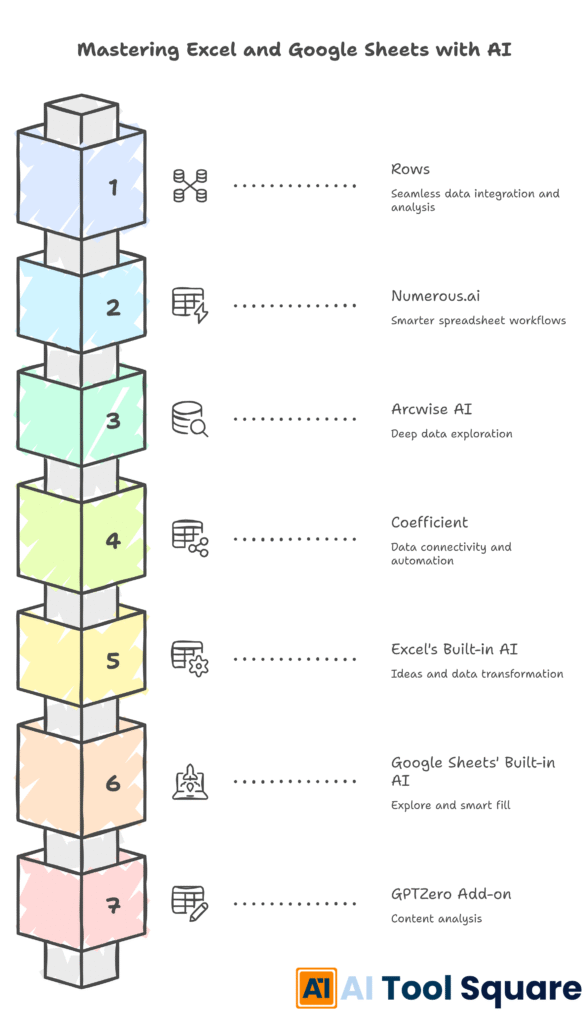
Alright, let’s get down to brass tacks. You want to know which AI Excel tools are the real deal. Forget the hype; these are the ones that have consistently delivered results for me and countless others. We’re talking about AI Excel tools that genuinely cut down hours of work, improve accuracy, and give you insights you wouldn’t have found otherwise. I’ve sifted through the noise to bring you a curated list of the top players.
Each of these AI Excel tools offers something unique, but they all share a common goal: to make your life easier and your data work harder for you. We’ll break down their key features, how they function, and where they shine. This isn’t just a list; it’s your roadmap to reclaiming your time and becoming a spreadsheet ninja. Stick with me, and by the end, you’ll know exactly which AI Excel tools are about to become your new best friends.
1. Rows – AI Excel tools for Seamless Data Integration and Analysis

Rows is an interesting beast. It’s more than just a spreadsheet; it’s a data platform built with AI at its core. It integrates directly with thousands of data sources, making it incredibly easy to pull in information from anywhere. Think about it: sales data from your CRM, marketing metrics from your ad platforms, customer feedback from surveys – all flowing into one place. Rows uses AI to help you analyze this data, ask questions in natural language, and even generate charts and tables automatically.
This is one of those AI Excel tools that simplifies the entire data gathering and analysis process. It’s designed for teams that need a central hub for their data, reducing the need to constantly export and import between different systems. The AI features help you surface insights quickly, making it a powerful tool for rapid decision-making. If you’re tired of data silos and manual data wrangling, Rows is definitely an AI Excel tool to consider.
Features: Connects to thousands of data sources, natural language data querying, AI-powered data cleaning and enrichment, collaborative features, real-time data updates, custom templates. It aims to be your central data hub, making it easy to work with data from various origins. The AI assistance helps in understanding and manipulating this data effectively.
Pricing: Rows offers a free tier for individuals and small teams, with paid plans starting at $49 per user per month, scaling with more advanced features and support.
2. Numerous.ai – AI Excel tools for Smarter Spreadsheet Workflows
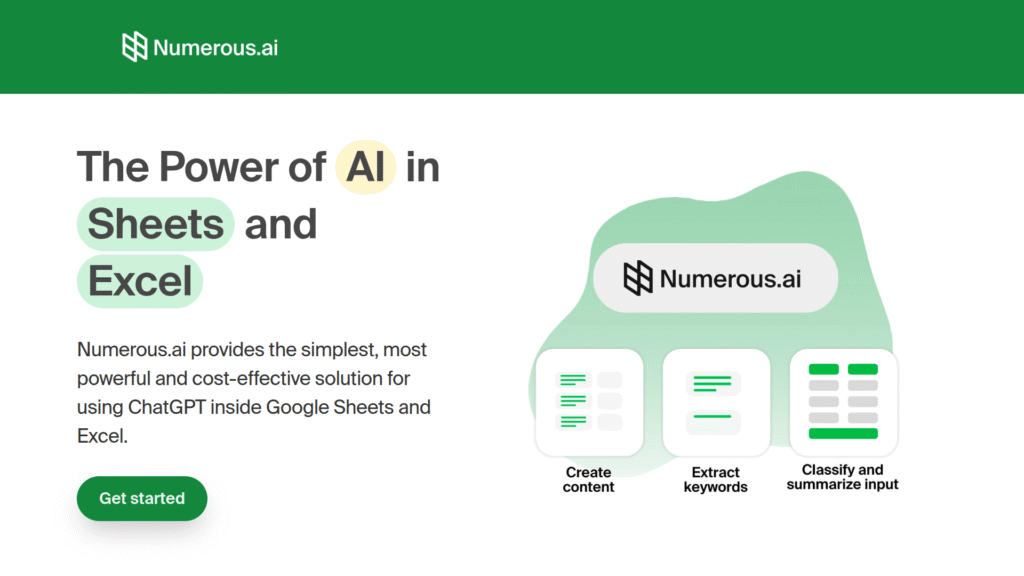
Numerous.ai is a fantastic addition to the AI Excel tools lineup, focusing on making your existing spreadsheets smarter. It integrates directly into Google Sheets and Excel, allowing you to use AI without leaving your familiar environment. Its core strength lies in its ability to automate repetitive tasks, generate formulas with natural language prompts, and perform complex data analysis. Imagine asking it to “calculate the year-over-year revenue growth for each product line” and getting the correct formula and result instantly.
This is where AI Excel tools truly shine – by abstracting away the complexity. Numerous.ai can also help with data cleaning, categorization, and even generating summaries of your data. For anyone who spends a significant amount of time in spreadsheets and wants to speed up their workflow, this is one of the AI Excel tools that offers a significant productivity boost. It’s built for the everyday user who needs AI assistance without a steep learning curve.
Features: Natural language to formula generation, AI-powered data analysis and insights, automated data cleaning and formatting, task automation within spreadsheets, supports both Excel and Google Sheets. It aims to enhance your existing spreadsheet experience with AI capabilities.
Pricing: Numerous.ai offers a free plan with limited features, and paid plans start at $10 per month for individuals and $20 per user per month for teams, providing more usage and advanced functionalities.
Visit official Numerous.ai website
3. Arcwise AI – AI Excel tools for Deep Data Exploration

Arcwise AI positions itself as a powerful tool for exploring and understanding your data more deeply, making it a valuable player among AI Excel tools. It connects to your data sources and uses AI to help you discover insights, understand relationships between different data points, and generate visualizations. What sets Arcwise AI apart is its focus on interactive exploration. You can ask complex questions and the AI will help you build the analysis step-by-step, guiding you towards clearer conclusions.
This is particularly useful when you’re not entirely sure what insights you’re looking for, but you know there’s something valuable hidden in your data. For businesses looking to get more out of their data without needing a dedicated data scientist, Arcwise AI is one of the AI Excel tools that bridges that gap effectively. It’s about empowering you to ask better questions and get better answers from your spreadsheets and databases.
Features: AI-powered data exploration and discovery, natural language querying, automated data storytelling and insights generation, robust visualization capabilities, connects to various data sources. It simplifies the process of finding hidden patterns and trends.
Pricing: Arcwise AI offers a free trial, with custom pricing for teams and enterprises based on usage and specific needs. They focus on delivering tailored solutions.
Visit official Arcwise AI website
4. Coefficient – AI Excel tools for Data Connectivity and Automation
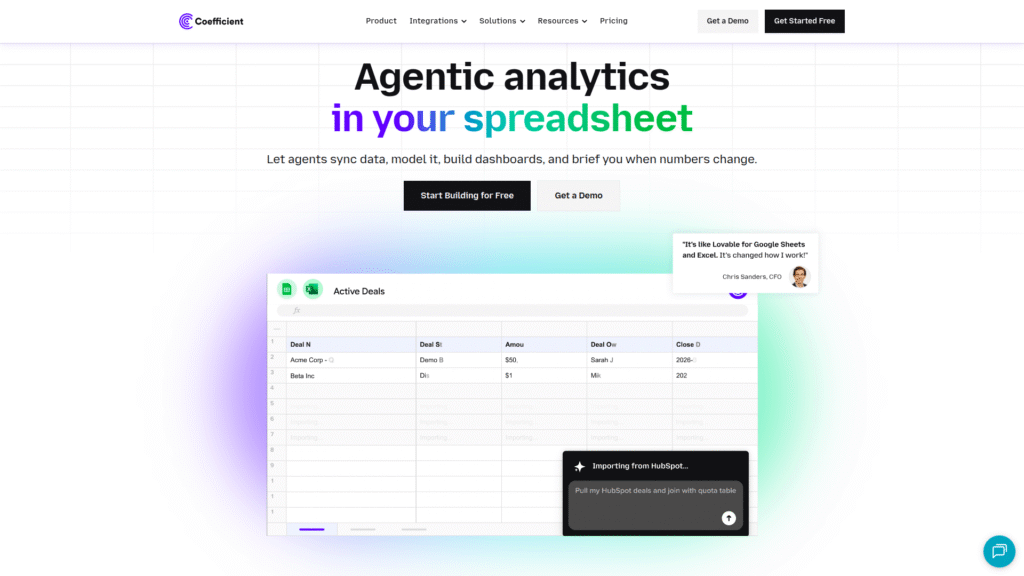
Coefficient is a smart tool that brings the power of AI directly into your Google Sheets and Excel workflows, making it a top contender in the AI Excel tools space. Its primary function is to connect your spreadsheets to various business applications like Salesforce, HubSpot, and more, allowing you to import data seamlessly. But it doesn’t stop there. Coefficient uses AI to automate data refreshes, build custom reports, and even generate insights from the imported data.
Think of it as a bridge between your operational data and your spreadsheet analysis, powered by AI. This means less time spent on manual data exports and imports, and more time spent on actual analysis and decision-making. For businesses relying heavily on multiple SaaS tools, Coefficient is one of those essential AI Excel tools that streamlines data management and reporting significantly. It’s about making your data flow effortlessly where you need it.
Features: Connects Google Sheets/Excel to hundreds of business apps, AI-powered automated data refreshes, custom report building, data cleaning and transformation, collaboration features. It centralizes your data for easier analysis.
Pricing: Coefficient offers a free plan for basic usage, with paid plans starting at $49 per month for individuals and tiered team plans based on features and data volume.
Visit official Coefficient website
5. Microsoft Excel’s Built-in AI Features (Ideas, Get & Transform)
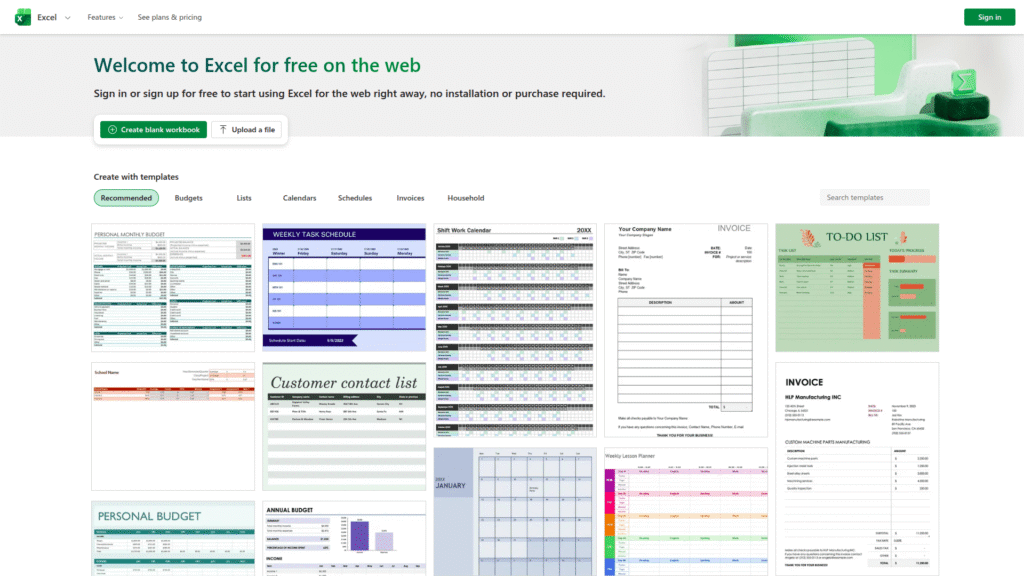
You know, sometimes the best tools are the ones you already have. Microsoft has been quietly baking powerful AI Excel tools directly into Excel itself, and they’re often overlooked. Features like “Ideas” can automatically analyze your data and suggest charts, pivot tables, and insights you might not have considered. It’s like having a mini data analyst built right in. Then there’s “Get & Transform” (formerly Power Query), which uses AI-like capabilities to clean, shape, and combine data from various sources with remarkable efficiency.
While not always explicitly branded as “AI,” these functionalities leverage sophisticated algorithms to automate complex data manipulation and analysis tasks. For many users, these built-in AI Excel tools are more than sufficient to handle a large portion of their daily data challenges. They’re readily available, deeply integrated, and continuously improving, making them incredibly accessible AI Excel tools for everyday business use. Don’t underestimate the power already sitting in your software.
Features: AI-powered data suggestions (Ideas), advanced data cleaning and transformation (Get & Transform/Power Query), natural language queries (in newer versions), automated chart and pivot table creation. These features are integrated directly into the Excel interface.
Pricing: Included with Microsoft 365 subscriptions, making them highly accessible for existing users. Specific features may vary slightly by subscription tier.
Visit official Microsoft Excel AI features
6. Google Sheets’ Built-in AI Features (Explore, Smart Fill, Smart Cleanup)
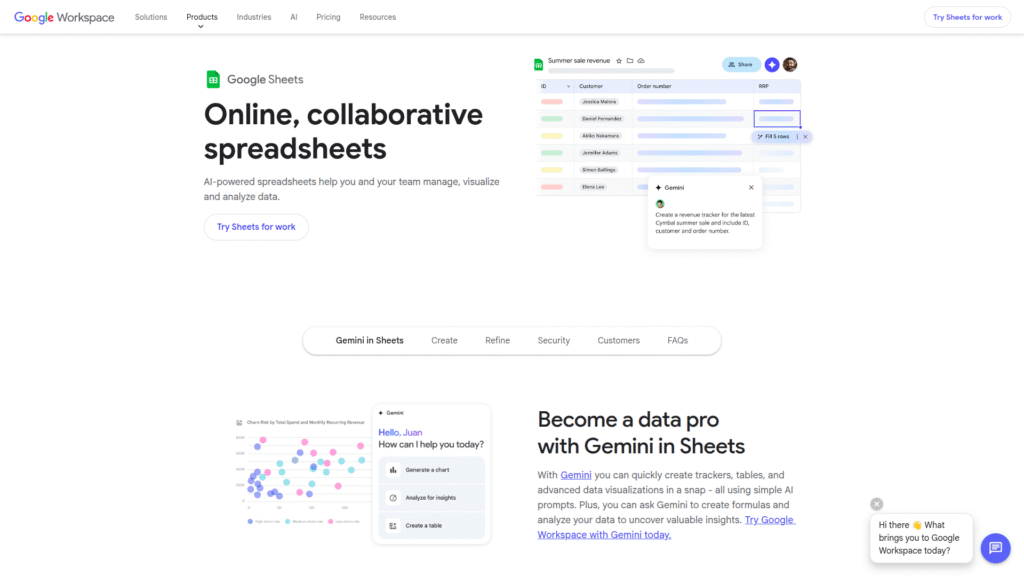
Just like Excel, Google Sheets offers a suite of powerful built-in AI Excel tools that are often underutilized. The “Explore” feature is phenomenal; it uses AI to automatically analyze your data and provide suggested charts, insights, and even answers to natural language questions about your data. It’s a quick way to get a visual and analytical overview without manually creating anything. Then you have “Smart Fill” and “Smart Cleanup,” which act like intelligent assistants for data entry and tidying up.
Smart Fill can recognize patterns and auto-complete entries (similar to Excel’s Flash Fill), while Smart Cleanup helps identify and remove duplicates or unwanted formatting. These native AI Excel tools are incredibly convenient because they’re already part of the platform you’re using daily. They significantly reduce the time spent on common data preparation tasks, making your work more efficient. Leveraging these built-in AI Excel tools is a no-brainer for anyone serious about productivity in Google Sheets.
Features: AI-powered data analysis and insights (Explore), pattern recognition for auto-completion (Smart Fill), duplicate detection and removal (Smart Cleanup), natural language querying via Explore. These are integrated directly into Google Sheets.
Pricing: Free, included as part of Google Workspace and personal Google accounts.
Visit official Google Sheets AI features
7. GPTZero (for Excel/Sheets Add-on) – AI Excel tools for Content Analysis
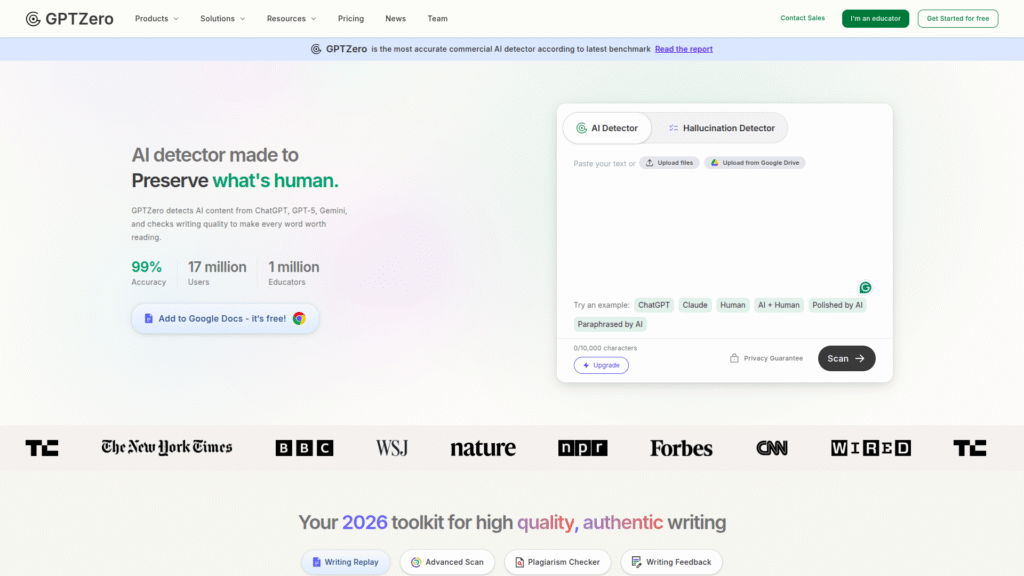
While GPTZero is primarily known for AI detection, its application as an add-on for Excel and Google Sheets opens up fascinating possibilities for data analysis, making it a unique entry in the AI Excel tools category. Imagine you have large blocks of text data within your spreadsheets – customer reviews, survey responses, or support tickets. A GPTZero add-on could potentially analyze sentiment, extract key themes, summarize content, or even categorize entries based on AI understanding.
This moves beyond traditional numerical analysis into the realm of qualitative data interpretation directly within your spreadsheet environment. For businesses that deal with significant unstructured text data, such specialized AI Excel tools can unlock valuable insights that are otherwise very difficult and time-consuming to extract manually. It’s about bringing advanced natural language processing capabilities to your familiar spreadsheet interface, offering a new dimension to your data analysis. The potential for these types of AI Excel tools to automate content analysis is enormous.
Features: (Dependent on specific add-on) Potential for sentiment analysis, text summarization, theme extraction, content categorization within spreadsheets. Integrates AI text processing directly into Excel/Google Sheets.
Pricing: Varies by the specific add-on developer. Typically involves a subscription model, often with a free trial or a limited free tier.
Visit official GPTZero website
Feature Comparison
When you’re wading through the options for AI Excel tools, it’s easy to get lost. The key is understanding what each tool actually *does* and how it stacks up against the others. We’ve looked at a range of AI Excel tools, from integrated features within Excel and Google Sheets to standalone platforms. Let’s break down how they compare on crucial features that translate to real time savings and better insights.
First, consider data connectivity. Tools like Rows and Coefficient excel here, acting as bridges to your existing business applications and databases. If your data is scattered across multiple platforms, these AI Excel tools are essential. On the other hand, Numerous.ai and the built-in features of Excel/Sheets focus on enhancing your work *within* the spreadsheet environment itself. They excel at formula generation, data cleaning, and quick analysis without needing external connections.
Natural language querying is another big differentiator. Many of the advanced AI Excel tools, such as Rows and Arcwise AI, allow you to ask questions in plain English and get data-driven answers. This capability dramatically lowers the barrier to entry for complex analysis. Even the built-in features of Excel (Ideas) and Google Sheets (Explore) offer versions of this, making basic insights accessible to everyone. Automation is paramount. How much manual work can these AI Excel tools eliminate?
Coefficient’s automated data refreshes and Numerous.ai’s task automation are prime examples. They take over the repetitive, time-consuming aspects of spreadsheet management. Finally, consider the scope: are you looking for a tool that does one thing exceptionally well, like content analysis with a potential GPTZero add-on, or a comprehensive platform like Rows that aims to be your central data hub? The best AI Excel tools for you will depend on your specific pain points and desired outcomes.
Data cleaning and preparation is a universal headache, and most AI Excel tools tackle this head-on. Microsoft’s Get & Transform and Google Sheets’ Smart Cleanup are robust built-in options. More specialized AI Excel tools might offer AI-driven suggestions for data correction or standardization, which can be incredibly powerful for large, messy datasets. Visualization capabilities also vary.
While Excel and Sheets have their own charting tools, some AI Excel tools, like Arcwise AI, focus on generating insightful visualizations automatically or providing more advanced interactive charting options powered by AI. The goal is to present your data in a way that makes sense quickly. When comparing AI Excel tools, map their features directly to the tasks you find most burdensome. The tool that most effectively eliminates your biggest bottlenecks is likely the best AI Excel tool for your specific needs.
Ease of use is another critical factor. While all these AI Excel tools aim to simplify complex processes, the learning curve can differ. Built-in features are obviously the easiest to start with. Standalone platforms like Rows or Arcwise AI might require a bit more upfront investment in learning, but often provide a richer, more powerful experience. Numerous.ai strikes a good balance, integrating AI assistance into familiar spreadsheet interfaces. When choosing between AI Excel tools, think about your team’s technical proficiency and the time you can dedicate to learning new software. Ultimately, the most effective AI Excel tools are those that you and your team will actually use consistently, because they provide clear, undeniable value in your day-to-day operations.
Pricing Breakdown
Let’s talk money. Because as much as we love efficiency, we also need to consider the bottom line. The pricing for AI Excel tools varies dramatically, from completely free to significant enterprise investments. On the most accessible end, you have the built-in features of Microsoft Excel (part of Microsoft 365) and Google Sheets. These are essentially free if you’re already using these platforms, representing incredible value. For these AI Excel tools, the cost is bundled into your existing subscription, making them the most budget-friendly option by far. You get powerful AI assistance without any additional expenditure, which is hard to beat.
Moving up, we have tools like Numerous.ai, which offer compelling freemium models. Their free tiers are often sufficient for individual users or very light use cases, allowing you to test the waters. Paid plans for individuals typically start around $10-$20 per month, and team plans are usually priced per user, often in the $20-$50 per user per month range, depending on the features and usage limits. These AI Excel tools provide a great balance of affordability and functionality for small to medium-sized businesses or individuals who need more than the basic built-in options. They offer dedicated AI features that go beyond what Excel or Sheets provide natively.
Then you have more comprehensive platforms like Rows, Coefficient, and Arcwise AI. These often start with a free trial, allowing you to explore their full capabilities. Their paid plans tend to be more substantial, often beginning in the $50-$100 per month range for individuals or small teams, and scaling significantly for larger organizations. These AI Excel tools are priced based on factors like the number of users, the volume of data processed, the number of data sources connected, and the level of support required. They are designed for businesses that need robust data integration, advanced analytics, and enterprise-level features. While more expensive, these AI Excel tools offer a deeper level of automation and insight generation.
Finally, specialized AI Excel tools or add-ons, like potential GPTZero integrations, can have their own unique pricing structures. This might be a flat monthly fee per user or a usage-based model. When evaluating the cost of AI Excel tools, always consider the potential return on investment. Calculate the hours you’ll save, the potential for increased revenue through better insights, and the reduction in errors. The most expensive AI Excel tool might actually be the cheapest in the long run if it delivers significant productivity gains and strategic advantages. Always look for free trials to test drive the AI Excel tools before committing to a paid plan.
Real-World Use Cases
Let’s move beyond the theoretical and look at how these AI Excel tools actually get used in the trenches. Imagine you’re a sales manager. You’ve got mountains of CRM data. Instead of manually pulling reports, you use an AI Excel tool like Coefficient to automatically sync your Salesforce data into Google Sheets daily. Then, you use Numerous.ai to ask, “Show me the sales pipeline growth by region for the last quarter” and get an instant, accurate chart. This frees you up to strategize on how to boost underperforming regions instead of drowning in data entry.
That’s a direct application of AI Excel tools saving you hours. Or consider a marketing team analyzing campaign performance. They could use Rows to pull data from Google Ads, Facebook Ads, and their analytics platform into a single, unified spreadsheet. The AI features within Rows could then help identify which campaigns are driving the most valuable leads or which creative assets are resonating best with specific audience segments. This allows for rapid campaign optimization, maximizing ad spend efficiency. These AI Excel tools make data actionable.
For small business owners wearing multiple hats, efficiency is king. A bakery owner, for instance, might use the built-in AI features of Google Sheets to analyze sales data. “Explore” could instantly generate a chart showing the most popular pastries on different days of the week, helping optimize inventory and reduce waste. If they have customer feedback in a sheet, a potential GPTZero add-on could analyze sentiment, flagging common compliments or complaints without the owner needing to read every single comment.
This is a perfect example of how accessible AI Excel tools can provide crucial business intelligence. Another scenario: a project manager struggling with resource allocation. They could use an AI Excel tool to analyze project timelines, identify potential bottlenecks, and even forecast resource needs based on historical project data. This proactive approach, powered by AI Excel tools, prevents delays and keeps projects on track, saving both time and money.
Even in academia or research, AI Excel tools can be invaluable. Researchers dealing with large datasets can use tools like Arcwise AI to explore complex correlations, discover unexpected patterns, and generate sophisticated visualizations for their papers. Instead of spending weeks manually cleaning and analyzing data, they can leverage AI Excel tools to accelerate their discovery process.
This allows them to focus more on the interpretation and implications of their findings. Think about financial analysts. They can use AI Excel tools to automate the creation of financial models, perform complex scenario analysis, and identify investment opportunities or risks far more quickly than manual methods would allow. The ability of these AI Excel tools to process and analyze vast amounts of financial data rapidly provides a significant competitive edge.
The common thread across all these use cases is the automation of tedious, time-consuming tasks and the surfacing of insights that might otherwise be missed. Whether it’s simplifying data entry with Smart Fill, automating report generation with Coefficient, or uncovering complex trends with Arcwise AI, these AI Excel tools are fundamentally about making your data work for you, faster and smarter. They empower individuals and teams to be more strategic by offloading the operational burden of data management and analysis. Embracing these AI Excel tools is about working smarter, not harder, and achieving better results with less effort.
Who Should Use Each Tool?
The beauty of the diverse range of AI Excel tools available is that there’s something for almost everyone. Let’s break down who benefits most from each type. If you’re someone who lives in Excel or Google Sheets daily and finds yourself repeating the same data cleaning, formatting, or formula-writing tasks, then Numerous.ai is a prime candidate. It’s perfect for analysts, marketers, accountants, and anyone who needs to streamline their spreadsheet workflows without learning entirely new software.
The built-in AI features of Microsoft Excel and Google Sheets are ideal for beginners or those who need quick, on-demand insights. If you’re not a data expert but need to understand trends in your sales figures or customer lists, “Ideas” in Excel or “Explore” in Sheets will be your best friends. They require minimal learning and provide instant value.
For teams or individuals who need to consolidate data from multiple sources – think CRMs, marketing platforms, databases – tools like Rows and Coefficient are essential. If you’re managing a sales team using Salesforce and want that data seamlessly integrated into your spreadsheets for analysis, Coefficient is a no-brainer. Rows is great for businesses that want a more comprehensive data platform, acting as a central hub for various data streams. These AI Excel tools are perfect for operations managers, business analysts, and department heads who need a holistic view of their data scattered across different systems.
If your primary goal is deep data exploration and uncovering hidden patterns without necessarily having a data science background, Arcwise AI is a strong contender. It’s suited for business strategists, product managers, and researchers who need to ask complex questions of their data and guide the analysis interactively. The AI-driven exploration makes complex data analysis more accessible. Specialized AI Excel tools, like a potential GPTZero add-on for text analysis, are for users dealing heavily with qualitative data. Marketers analyzing customer feedback, HR professionals reviewing employee surveys, or content creators assessing large volumes of text would find significant value. These AI Excel tools cater to niche but critical data analysis needs.
Ultimately, almost any professional who works with data can benefit from AI Excel tools. The key is to identify your biggest pain points. Are you spending too much time cleaning data? Look at built-in features or Numerous.ai. Is data integration a nightmare? Consider Coefficient or Rows. Do you need to understand unstructured text? Explore specialized AI Excel tools. The goal is to find the AI Excel tools that solve *your* specific problems and give you back the most valuable resource: your time. Even executives can benefit from the quick insights provided by the AI features in spreadsheets, enabling faster, more informed decision-making.
How to Choose the Right Tool
Picking the right AI Excel tool isn’t about finding the one with the most features; it’s about finding the one that solves *your* specific problems. First, you need to be brutally honest about your biggest spreadsheet headaches. Are you drowning in manual data entry and cleaning? Or is it the complex formulas that trip you up? Maybe you spend hours trying to combine data from different software platforms. Your primary pain point will dictate the type of AI Excel tool you need. If data integration is your main issue, tools like Coefficient or Rows, designed to connect various applications, should be at the top of your list. These AI Excel tools act as essential bridges.
Next, consider your technical skill level and your team’s. If you’re not comfortable with complex software, stick to tools with a gentle learning curve. The built-in AI features in Excel and Google Sheets are fantastic starting points. Numerous.ai also offers a user-friendly interface that integrates into familiar environments. If you’re more tech-savvy and need advanced capabilities, then platforms like Arcwise AI or Rows might be a better fit, offering deeper analytical power. The goal is to choose AI Excel tools that your team will actually adopt and use effectively, not tools that sit on the shelf gathering digital dust.
Budget is obviously a major factor. As we’ve seen, pricing ranges from free to quite expensive. Determine how much you’re willing and able to invest. Always start by exploring the free tiers and free trials offered by most AI Excel tools. This is crucial for testing functionality and user experience without financial commitment. Calculate the potential ROI: how much time will this tool save you? How much more revenue could you generate with better insights? Often, a more expensive tool can pay for itself quickly if it delivers significant productivity gains. Don’t just look at the sticker price; look at the value proposition.
Finally, think about scalability and integration. Will the tool grow with your business? Does it integrate with the other software you use? If you anticipate needing more advanced features down the line, choose an AI Excel tool that offers a clear upgrade path. Ensure it plays well with your existing tech stack. The best AI Excel tools are those that seamlessly fit into your workflow, enhance your capabilities, and provide a clear return on your investment, both in terms of time and money. Prioritize functionality that directly addresses your most pressing needs, and always leverage free trials to make an informed decision.
Making Money with These Tools
Let’s talk about the elephant in the room: how do these AI Excel tools actually help you put more money in your pocket? It’s not magic; it’s about efficiency and insight. Firstly, time is money. The hours you save by automating data cleaning, report generation, or analysis with AI Excel tools can be redirected towards revenue-generating activities. Instead of wrestling with spreadsheets, you can focus on sales, marketing, product development, or strategic planning – the things that directly grow your business. This direct reallocation of your most valuable asset, time, is the most immediate way AI Excel tools boost your profitability.
Secondly, better insights lead to better decisions, and better decisions lead to more money. AI Excel tools can uncover trends, patterns, and opportunities that you might miss with manual analysis. Imagine an AI Excel tool highlighting a niche market segment that’s underserved, or identifying a product feature that resonates strongly with customers, leading to a new product iteration. Or perhaps it flags inefficient spending in your marketing campaigns, allowing you to reallocate budget to more profitable channels. These data-driven insights, powered by AI Excel tools, enable you to optimize pricing, improve customer retention, identify cross-selling opportunities, and ultimately, increase revenue and profit margins.
Thirdly, accuracy matters. Manual data entry and analysis are prone to human error. A misplaced decimal or a faulty formula can lead to costly mistakes in forecasting, budgeting, or strategic planning. AI Excel tools significantly reduce this risk. By automating calculations and analysis, they ensure greater accuracy and consistency. This reliability in your data reduces the likelihood of making expensive errors, saving you money and protecting your bottom line. Reliable data underpins sound business decisions, and AI Excel tools provide that reliability.
Finally, consider offering services powered by these AI Excel tools. If you become proficient in using advanced AI Excel tools, you can offer data analysis, reporting, or spreadsheet optimization services to other businesses. Freelancing platforms are full of opportunities for individuals who can leverage AI Excel tools to provide high-value services. This turns your newfound skills into a direct source of income. Whether it’s saving your own time, making smarter business decisions, reducing costly errors, or even monetizing your expertise, these AI Excel tools are powerful engines for financial growth.
Common Limitations
While AI Excel tools are game-changers, let’s keep it real – they aren’t perfect. Understanding their limitations is just as important as knowing their strengths. One of the most significant limitations is the data itself. AI tools are only as good as the data you feed them. If your underlying data is messy, incomplete, or inaccurate, the AI will likely produce flawed insights or errors. Garbage in, garbage out, as they say. You still need a foundational level of data hygiene, even with the best AI Excel tools. Relying solely on AI without ensuring data quality is a recipe for disaster.
Another common issue is the “black box” problem. Sometimes, AI algorithms can be complex, and it’s not always clear *why* a particular insight or recommendation was generated. This lack of transparency can be problematic, especially in regulated industries or when critical business decisions hinge on the AI’s output. You might get an answer, but you won’t always understand the step-by-step reasoning behind it, which can undermine trust. This is where human oversight and critical thinking remain indispensable when working with AI Excel tools.
Over-reliance is also a risk. It’s easy to become dependent on AI Excel tools and let your own analytical skills atrophy. While these tools are designed to augment your abilities, they shouldn’t replace your critical thinking entirely. You still need to understand the context of your data, question the AI’s outputs, and apply your own business acumen. Blindly trusting every output from an AI Excel tool can lead to significant strategic missteps. Human judgment is still a critical component of effective data analysis.
Finally, cost and complexity can be barriers. While many AI Excel tools offer free tiers, the most powerful features often come with significant subscription costs. For small businesses or individuals with tight budgets, the investment might be prohibitive. Furthermore, some advanced AI Excel tools, despite their promises of ease of use, can still have a learning curve. Integrating them into existing workflows might require time, training, and adjustments to established processes. Not all AI Excel tools are plug-and-play, and the implementation effort should be factored into the decision-making process.
Final Verdict and Recommendations
Look, the era of manually wrestling with spreadsheets is over. If you’re still spending hours on tedious data tasks, you’re leaving money and opportunities on the table. The AI Excel tools we’ve discussed aren’t just a trend; they’re the future of efficient data analysis. They empower you to work smarter, make faster decisions, and uncover insights that drive real business growth. The question isn’t if you should adopt AI Excel tools, but which ones are right for you.
For most users who want to supercharge their existing spreadsheets without a steep learning curve, I’d recommend starting with the built-in AI features of Microsoft Excel and Google Sheets. They’re free, readily available, and surprisingly powerful for everyday tasks like data cleaning, quick analysis, and visualization. If you need a bit more power and automation directly within your spreadsheet workflow, Numerous.ai is an excellent, affordable option that bridges the gap effectively. These AI Excel tools are fantastic for boosting individual and small team productivity.
If your business relies on integrating data from multiple external sources like CRMs or marketing platforms, then Coefficient is a must-consider for seamless data flow and automated refreshes. For a more comprehensive data platform approach, especially if you need to consolidate and analyze data from a wide array of sources using natural language, Rows is a powerful contender. These AI Excel tools are best suited for businesses that need robust data management and analysis capabilities.
For those diving into complex data exploration and needing AI to help uncover deeper insights, Arcwise AI offers a compelling solution. And if you’re dealing with significant text-based data, keep an eye out for specialized AI Excel tools or add-ons that can handle sentiment analysis and content summarization. My final recommendation is simple: identify your biggest data-related pain points, leverage the free trials offered by these AI Excel tools, and pick the solution that provides the clearest path to saving you time and improving your decision-making. Stop letting spreadsheets drain your energy; start letting AI Excel tools work for you. Investing in the right AI Excel tools is investing in your business’s future efficiency and intelligence.
Frequently Asked Questions
What are the most important features to look for in AI Excel tools?
The most critical features depend on your needs, but generally, look for ease of use, strong data integration capabilities, natural language querying, automation of repetitive tasks (like data cleaning or report generation), and clear, actionable insights. The best AI Excel tools will directly address your biggest spreadsheet pain points.
Can AI Excel tools replace the need for a data analyst?
AI Excel tools can significantly augment the capabilities of a data analyst and automate many routine tasks, making analysis faster and more accessible. However, they typically don’t replace the need for human expertise in interpreting complex findings, understanding business context, and strategic decision-making. AI Excel tools are best viewed as powerful assistants.
Are there free AI Excel tools available?
Yes, absolutely. The built-in AI features within Google Sheets (Explore, Smart Fill) and Microsoft Excel (Ideas, Get & Transform) are free if you use these platforms. Many other AI Excel tools, like Numerous.ai and Coefficient, offer free tiers or generous free trials, allowing you to leverage AI capabilities without immediate cost.
How do AI Excel tools handle large datasets?
The performance of AI Excel tools with large datasets varies. Some are specifically designed to handle big data efficiently, leveraging cloud computing power. Others might face performance limitations. It’s important to check the tool’s specifications or test its capabilities with your typical data volume during a free trial to ensure it meets your performance requirements.
Will using AI Excel tools require me to learn new programming languages?
Generally, no. The primary goal of most AI Excel tools is to simplify complex data tasks, often through natural language interfaces or intuitive graphical user interfaces. You typically don’t need to learn programming languages like Python or R, although understanding basic spreadsheet functions is always beneficial. These AI Excel tools are designed for a broad audience.
How can AI Excel tools help me make more money?
AI Excel tools help you make more money by saving you valuable time that can be redirected to revenue-generating activities. They also provide deeper insights for better decision-making, helping you identify new opportunities, optimize spending, and reduce costly errors. Accurate, efficient data analysis powered by AI Excel tools directly impacts profitability.
What is the difference between AI features in Excel/Sheets and standalone AI Excel tools?
Built-in AI features in Excel and Google Sheets are typically focused on assisting with common, direct spreadsheet tasks like data cleaning, formula generation, and basic insights. Standalone AI Excel tools or add-ons often offer more advanced capabilities, broader data integration, sophisticated analysis, and automation across a wider range of data sources and business applications, providing a more comprehensive solution.