

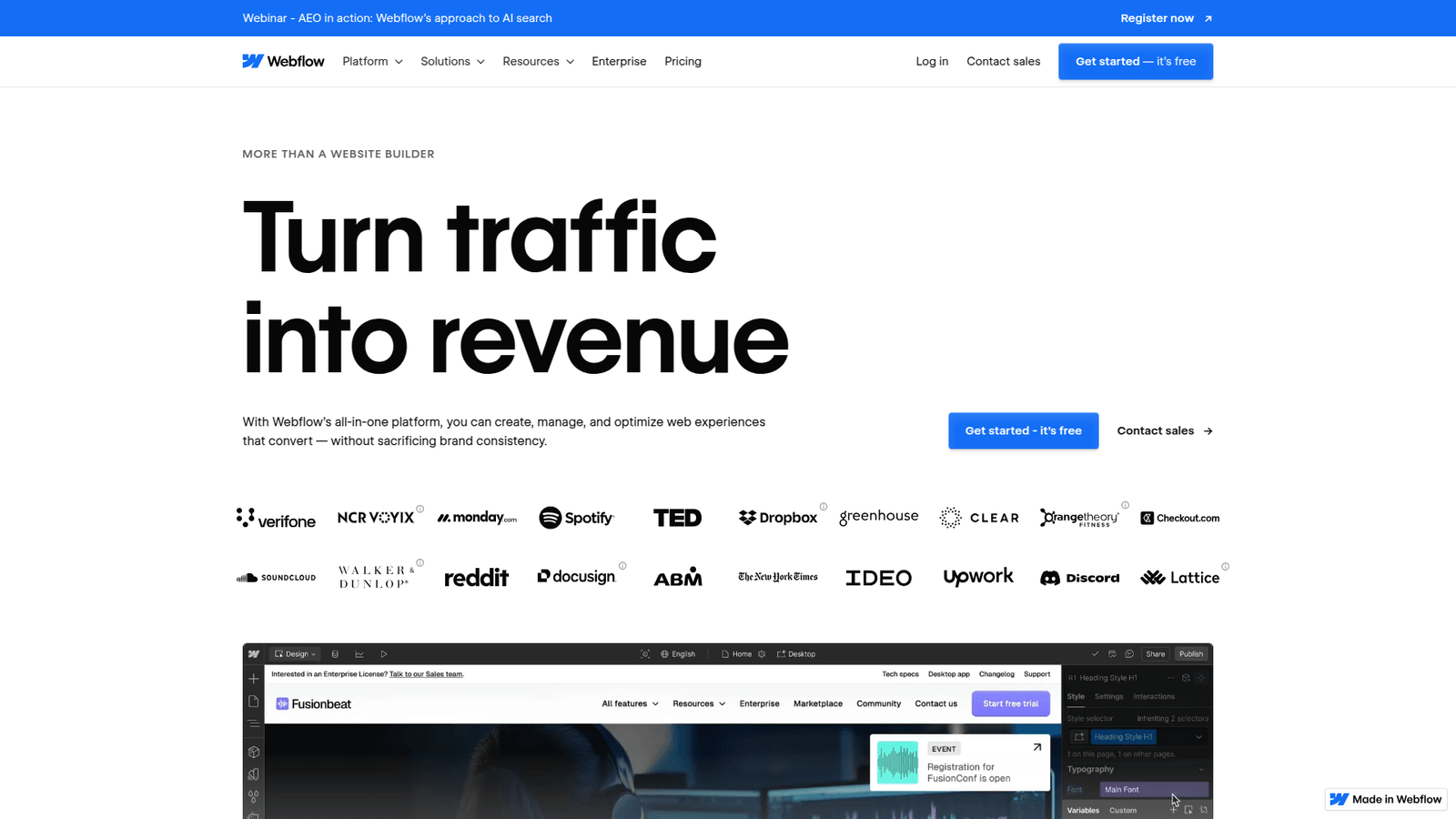

Webflow empowers no-code and low-code developers. Build stunning, custom websites fast, without complex coding. Streamline your workflow, save time, and launch projects quicker. Start building smarter today!
Webflow Isn’t Just Hype – It’s the Real Deal
Ever feel like you’re constantly juggling too much? Like every project demands more time, more code, more headaches?
You’re not alone. The world of coding and developing is changing fast. AI isn’t just a buzzword; it’s becoming a fundamental part of how we build things. It’s about working smarter, not harder.
And that’s where Webflow steps in. It’s not just another tool; it’s a game-changer. Especially if you’re drowning in the complexities of traditional development or trying to scale your no code and low code efforts.
If you’ve heard the whispers, seen the results, but haven’t taken the plunge, this is for you. We’re going to break down exactly how Webflow for no code and low code can transform your approach to building, designing, and even earning.
No fluff. Just the facts. Let’s get into it.
Table of Contents
- What is Webflow?
- Key Features of Webflow for No Code and Low Code
- Benefits of Using Webflow for Coding and Developing
- Pricing & Plans
- Hands-On Experience / Use Cases
- Who Should Use Webflow?
- How to Make Money Using Webflow
- Limitations and Considerations
- Final Thoughts
- Frequently Asked Questions
What is Webflow?
Alright, let’s cut straight to it. What is Webflow?
Think of it as the sweet spot between traditional coding and drag-and-drop builders. It’s not a template factory. It’s a powerful visual development platform. You design and build production-ready websites without writing a single line of code, unless you want to.
That’s right. No more wrestling with HTML, CSS, or JavaScript directly. Webflow handles the heavy lifting, generating clean, semantic code in the background. This means you get the flexibility of coding with the speed of visual design.
Who’s it for? Anyone tired of slow development cycles. Marketers who need landing pages yesterday. Agencies wanting to deliver high-quality client sites faster. Freelancers aiming to scale their output without hiring a dev team. It’s for creators who value speed and control.
It bridges the gap. It empowers designers to build complex, responsive sites. It allows developers to offload repetitive front-end tasks. It’s about building custom solutions, not just cookie-cutter sites. This isn’t just about making websites pretty; it’s about making them functional and scalable, without the traditional coding burden.
Webflow for no code and low code truly changes how fast you can iterate and launch. It’s for anyone serious about delivering web experiences that perform, without getting bogged down in syntax errors.
If you want to move from idea to live site in record time, Webflow is your co-pilot. It’s about focusing on the vision, not the tedious execution.
Key Features of Webflow for No Code and Low Code
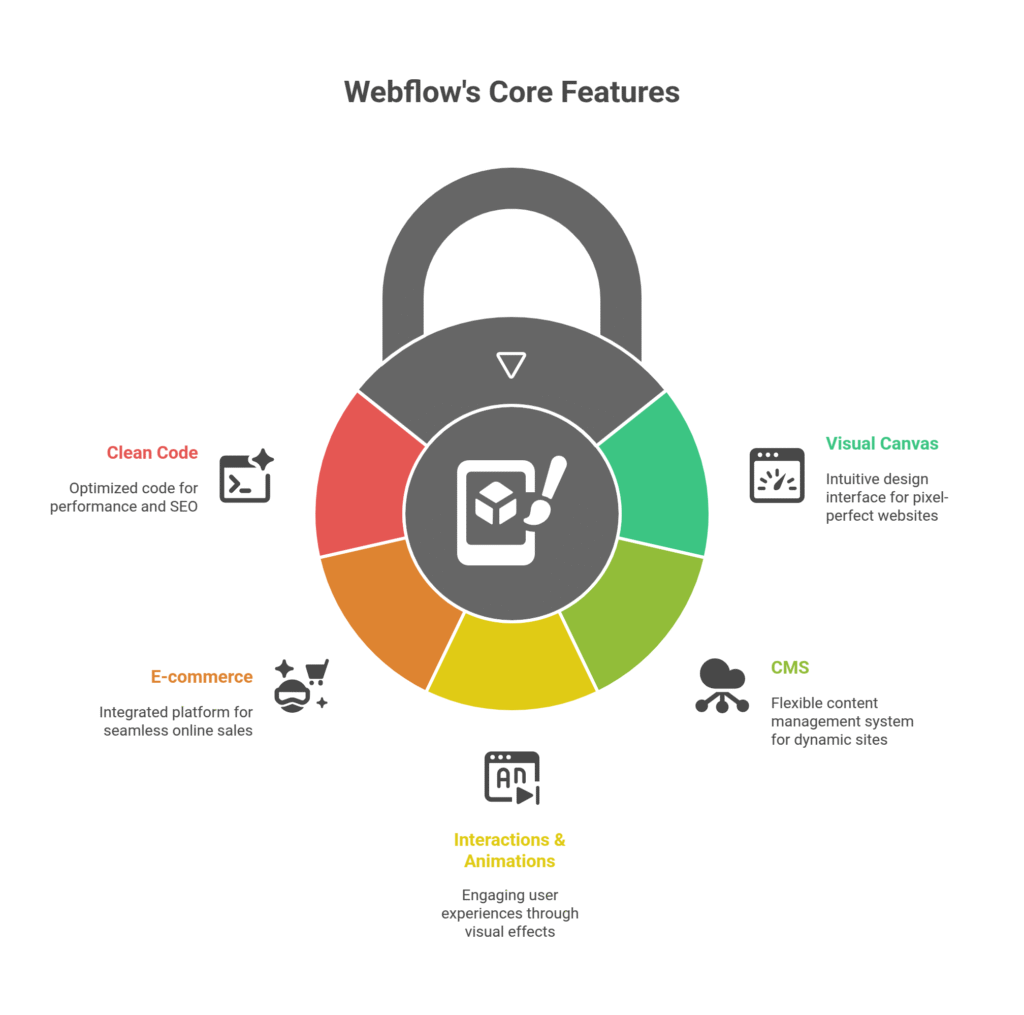
So, what makes Webflow for no code and low code stand out? It’s not just one thing; it’s a combination of powerful features that redefine how you approach web development. Let’s break down the core components that deliver real value.
- Visual Canvas: Build Your Way
This is where the magic happens. Webflow gives you a blank canvas. You drag and drop elements, yes, but you also style them with incredible precision. Think Photoshop for websites, but instead of images, you’re manipulating real HTML and CSS properties. You get visual control over padding, margins, flexbox, grid layouts – everything you’d typically code manually. It’s intuitive, but it doesn’t dumb down the process. It mirrors how a professional developer thinks about structure and styling. This means you build pixel-perfect designs that are also functionally robust. You’re not limited by templates; you’re empowered by the tools to create anything you can imagine.
- CMS: Content That Works for You
Forget database headaches. Webflow’s Content Management System (CMS) is built right in. It’s incredibly flexible. You can define custom content types – blog posts, products, team members, portfolios – whatever your site needs. Then, you can design templates that automatically pull in that content. This is a game-changer for dynamic sites. Need a new blog post? Add it to the CMS, and it populates your styled blog page automatically. It saves massive amounts of time. No more manual updates across multiple pages. This makes managing complex content simple, even for large-scale sites, without touching any code for database interactions.
- Interactions & Animations: Bring Your Site to Life
Static websites are boring. Webflow lets you add sophisticated interactions and animations without JavaScript. Think scroll-triggered animations, hover effects, parallax scrolling, and micro-interactions. You build these visually, too. Define triggers and actions directly within the designer. This allows you to create engaging user experiences that capture attention and guide visitors. It adds polish and professionalism to your sites. You’re not just building a page; you’re building an experience. This level of interactive design, typically requiring complex custom code, is now accessible to anyone using Webflow for no code and low code.
- E-commerce: Sell Smarter, Not Harder
Need to sell online? Webflow’s e-commerce functionality is fully integrated. You can set up products, inventory, payments, and shipping right within the platform. It’s not an afterthought; it’s a robust solution. You get full design control over your product pages, shopping cart, and checkout process. This means your online store can look exactly how you want it, rather than being forced into a rigid template. It’s about building a unique brand experience that drives sales, all without having to configure complex e-commerce platforms or write a single line of checkout code.
- Clean, Semantic Code: Built for Performance
Here’s the hidden gem. While you build visually, Webflow generates clean, semantic HTML, CSS, and JavaScript. This isn’t some messy, bloated code. It’s optimized for performance and SEO. This means your sites load fast and rank well. Search engines love clean code. This is crucial for visibility. You get all the benefits of high-quality code without the manual effort. It’s the best of both worlds: visual freedom and technical excellence. This is why Webflow is often preferred by professionals in coding and developing who appreciate both design flexibility and technical integrity.
Benefits of Using Webflow for Coding and Developing
Look, time is money. And frustration costs even more. If you’re in the business of coding and developing, especially with a focus on no code and low code, Webflow delivers tangible benefits that hit your bottom line and your sanity. Let’s break them down.
First, unrivalled speed to market. This isn’t about rushing; it’s about efficiency. Traditional development cycles are long. Design, handoff, coding, revisions, testing – it’s a marathon. With Webflow, you’re designing and building simultaneously. Changes are instant. Iterations happen in minutes, not days. This means your projects launch faster. Faster launches mean quicker revenue, happier clients, and more completed projects. It’s about compressing your timeline without compromising quality.
Next, superior design fidelity and control. Ever had a designer hand you a beautiful Figma file, and then the coded version looks… different? That gap disappears with Webflow. What you see is precisely what you get. You have granular control over every element, every breakpoint. This isn’t some rigid template builder. It’s a design tool that builds code. This translates to stunning, pixel-perfect websites that genuinely reflect the original design vision. No more design compromises because “the code can’t do that.”
Then, there’s the reduction in repetitive tasks. If you’re a developer, how much of your day is spent writing boilerplate HTML or tweaking CSS properties? Webflow automates that. It frees you from the mundane, allowing you to focus on complex logic, integrations, or more strategic work. For no code and low code professionals, it means less time wrestling with basic structure and more time focusing on unique design and content strategy. It reduces the busywork that saps your energy.
Consider the empowerment of non-developers. This is huge. Marketers can build landing pages. Content creators can manage their own blogs. Small business owners can launch their own sites. They don’t need a developer on speed dial for every minor change. This decentralizes web production, making teams more agile and less reliant on specialized tech talent. It democratizes web building, putting powerful tools in more hands.
Finally, scalability and maintainability. Webflow sites aren’t just pretty; they’re robust. The generated code is clean and semantic, which means it’s easier to maintain and adapt as your project grows. For agencies, this means fewer post-launch headaches and happy clients. For businesses, it means a stable, high-performing web presence that can grow with their needs. It’s about building for the long haul, without accruing technical debt from messy code.
In essence, Webflow for no code and low code allows you to do more, do it better, and do it faster. It removes friction, boosts creativity, and delivers results that simply weren’t possible for many without extensive coding knowledge. It’s a force multiplier for anyone building on the web.
Pricing & Plans

Alright, let’s talk brass tacks: what’s this going to cost you? Webflow’s pricing model is a bit different because it offers both Account plans (for individuals/teams) and Site plans (for hosting specific websites). It’s important to understand both to get the full picture of Webflow for no code and low code.
First, the good news: Is there a free plan? Yes, but with limitations. You can get started with Webflow for free, which allows you to build and design up to two unhosted projects. This is fantastic for learning the platform, experimenting with features, and even building out a portfolio piece. You can’t publish these sites to a custom domain on the free plan, but you can explore nearly all design capabilities. It’s a perfect sandbox to test the waters and see if it’s the right fit for your no code and low code needs.
Now, onto the premium versions. Webflow’s pricing is structured to scale with your needs, whether you’re a freelancer, a small business, or a large agency. They have two main categories of plans: Site Plans and Workspace Plans (formerly Account Plans).
Site Plans: These are for hosting your actual websites. You choose a plan based on the type of site (basic, CMS, Business, or Enterprise) and the features you need (e.g., number of CMS items, monthly form submissions, CDN bandwidth). For a typical marketing site or blog, the CMS plan is often a sweet spot, offering more CMS items and bandwidth than the basic plan. E-commerce plans have their own tiers based on transaction volume and product limits.
Workspace Plans: These are for the number of seats (users) and advanced team features. If you’re a solo freelancer, the free Starter workspace is fine. If you’re an agency with multiple designers or developers collaborating, you’ll need a paid Workspace plan (e.g., Core, Growth, Enterprise). These plans unlock features like more unhosted projects, version history, custom code hosting, and team permissions. This is crucial for managing larger teams and multiple client projects efficiently within your coding and developing workflow.
Comparing with alternatives: Traditional coding tools have no direct “pricing” beyond software licenses, but they incur significant development time costs. Many drag-and-drop builders like Squarespace or Wix are simpler but lack Webflow’s design flexibility and code quality. For example, you might pay less upfront for Wix, but you’ll be much more restricted in customisation and scalability. Webflow sits in a unique position, offering a professional-grade solution that, while costing more than basic DIY builders, offers immense value in terms of speed, control, and output quality. It often becomes cheaper than hiring a dedicated developer for custom front-end work, especially for ongoing projects.
So, while it’s not the cheapest option compared to basic website builders, the value proposition of Webflow for no code and low code becomes clear when you factor in time savings, design precision, and the ability to build truly custom, high-performing websites without constant developer intervention. It’s an investment that typically pays for itself quickly through increased efficiency and project delivery.
Hands-On Experience / Use Cases
Alright, let’s get real. How does Webflow for no code and low code actually work in the trenches? Forget the marketing speak. I’m going to walk you through a practical scenario where Webflow shines, illustrating its usability and the kind of results you can expect.
Scenario: Building a SaaS Product Landing Page (The “Launch It Yesterday” Project)
Imagine this: You’ve got a new SaaS product. Marketing needs a slick, high-converting landing page. They need it yesterday. Traditionally, this means: designer creates mockups, hands off to a developer, developer codes, designer finds issues, developer fixes, rinse and repeat. Days, maybe weeks, gone.
With Webflow, here’s my approach:
1. Rapid Prototyping and Design (Day 1): I open Webflow. Instead of starting from scratch in a code editor, I’m building directly on the canvas. I start laying out sections: hero, features, testimonials, pricing, CTA. I’m pulling in pre-built sections from the library or designing custom ones from basic divs. I’m applying brand colours, fonts, and responsive settings as I go. Need a complex layout with different elements side-by-side? Flexbox and Grid controls are right there, visually. I can see the responsive view instantly. This stage, which might take a full day in design software, takes half a day to get a functional, responsive layout in Webflow. The client can see a live, interactive prototype within hours, not days.
2. Adding Interactive Elements (Day 2): A static page isn’t enough. We need some “wow.” I go into the Interactions panel. I add a subtle scroll-triggered animation to the feature blocks. A button glows on hover. A sticky navigation bar appears as you scroll down. This is all done visually. I define the trigger (e.g., “when element comes into view”) and the action (e.g., “fade in,” “move up”). No JavaScript. This adds a level of polish that normally requires a front-end developer and a significant chunk of time. The page feels alive, engaging users immediately.
3. CMS Integration for Content (Day 2-3): The marketing team wants to easily update testimonials and FAQs. I create a CMS collection for “Testimonials” with fields for Name, Company, Quote, and Image. Then, I design one testimonial card. I link the card elements to the CMS fields. Now, adding a new testimonial is just filling out a simple form in the Webflow CMS – no design changes needed. It automatically populates and styles. This is powerful for scalable content, whether it’s blog posts, case studies, or team profiles. It hands content management back to the content creators, taking it off your plate.
4. Form Setup and SEO (Day 3): A landing page needs forms. I drag in a form block, customize fields, and set up the submission to go to the client’s marketing automation tool (via Zapier or direct integration). I also go through the SEO settings within Webflow: meta titles, descriptions, open graph images. It’s all built-in and easy to access. This ensures the page is ready for search engines and social sharing from day one.
Results: What would have taken 1-2 weeks with traditional development is now done in 3-4 days, fully responsive, visually stunning, and ready to publish. The client gets exactly what they envisioned, faster, with less back-and-forth. The quality of the generated code is excellent, ensuring good performance. This isn’t just theory; it’s how I’ve seen Webflow for no code and low code transform project delivery and client satisfaction. It streamlines the entire process, letting you build complex, performant websites with surprising speed and control.
Who Should Use Webflow?

If you’re still on the fence, let’s clarify exactly who stands to gain the most from integrating Webflow into their workflow. It’s not for everyone, but for specific profiles, it’s an absolute powerhouse.
For the Freelance Web Designer: If you’re building websites for clients, Webflow is a non-negotiable tool. You can design with precision, build custom functionalities (without coding them from scratch), and deliver high-quality, responsive sites faster. This means more projects, happier clients, and a better hourly rate. You’re no longer limited by your coding skills or budget for developers.
For Creative Agencies: Are you tired of design-to-development handoffs that lose fidelity? Webflow lets your designers become builders. This streamlines your production pipeline immensely. You can offer custom web solutions without the overhead of a large development team. It allows agencies to scale their web offerings, maintain design control, and reduce project timelines, leading to higher profitability and client satisfaction.
For Marketing Teams and Marketers: Need to launch a new campaign landing page? A micro-site for an event? Webflow gives marketing teams the power to build and iterate on web assets rapidly, without constant reliance on IT or development departments. This agility is crucial for modern marketing, allowing quick A/B testing and campaign deployment. You can control the entire conversion funnel visually.
For Startups and Small Businesses: When you’re lean, every dollar and every hour counts. Webflow lets startups build impressive, custom websites that look like they cost tens of thousands, but for a fraction of the price and time. You can launch your MVP website quickly, gather feedback, and iterate without significant development costs or delays. It’s perfect for establishing a strong online presence from day one.
For Developers and Front-End Engineers: Wait, developers? Yes. While it’s a no code tool, it’s a powerful visual interface for building front ends. Developers can use Webflow to quickly prototype, build static sites, or even handle the front-end for complex web applications, then pass the clean, semantic code to their back-end teams. It frees up time from repetitive UI work, letting them focus on deeper logic and integrations. It’s a low code accelerant for experienced pros.
For Content Creators and Bloggers: If you’re serious about your content and want full control over your blog’s design and structure, Webflow’s CMS is unbeatable. You can build a custom blog layout that perfectly matches your brand, not some off-the-shelf WordPress theme. Managing content is simple, and the performance benefits mean your readers get a fast, smooth experience.
In essence, if you need to build professional, custom, high-performing websites quickly and efficiently, and you value design control without the deep complexities of traditional coding, Webflow for no code and low code is your tool. It bridges the gap between design and development, making web creation accessible and powerful for a wide range of professionals.
How to Make Money Using Webflow
Alright, let’s talk turkey. How do you turn Webflow into cash? It’s not just a tool for building; it’s a full-blown revenue generator. Here’s how people are doing it, and how you can too, especially focusing on Webflow for no code and low code services.
- Service 1: Building Custom Websites for Clients
This is the most direct path. Businesses, startups, and even established companies constantly need new websites, landing pages, or redesigns. They often don’t have the in-house expertise or the budget for a traditional development agency. That’s where you step in. With Webflow, you can build stunning, fully custom, responsive websites in a fraction of the time it would take a traditional developer. This speed allows you to take on more projects, charge competitive rates, and deliver faster. Clients love quick turnarounds and high-quality results. You can specialize in specific niches like SaaS landing pages, e-commerce stores, or portfolio sites. Your ability to deliver without writing complex code is a massive selling point.
- Service 2: Offering Webflow Maintenance and CMS Management
Building the site is one thing; maintaining it is another. Many clients, especially small businesses or busy marketing teams, don’t want to deal with website updates, security patches, or content uploads. You can offer ongoing maintenance packages. This includes checking site health, making minor design tweaks, and even adding new content via the Webflow CMS. Because the CMS is so user-friendly, you can charge a retainer for regular content updates. This provides you with recurring revenue, which is the holy grail for any business. It’s a low-effort way to generate consistent income after the initial build.
- Service 3: Creating and Selling Webflow Templates or Components
If you’ve got a knack for design and building reusable elements, you can create and sell Webflow templates or UI kits on marketplaces like the official Webflow Template Marketplace or third-party sites. Think about specific niches: a template for a yoga studio, a portfolio template for photographers, or a comprehensive SaaS dashboard UI kit. Once built, these are passive income generators. People pay to save time, and a well-designed, functional template saves them immense effort. This strategy lets you leverage your skills to earn money even when you’re not actively working on client projects.
Case Study Example: The Agency That Scaled with Webflow
Take “Digital Forge Co.,” a small agency that used to struggle with client website delivery. They had designers and marketers, but kept hitting bottlenecks with developers. They switched to a Webflow-first approach for their coding and developing projects. Suddenly, their designers were building out entire front-ends. Project timelines were cut by 50%. This meant they could take on twice as many clients. They started offering “Express Launch” packages – a custom website live in 2 weeks – which became incredibly popular.
They also introduced a monthly retainer for “Webflow Content Care,” where they’d manage CMS updates and small design tweaks for clients. Their revenue jumped by 80% in the first year, and their profit margins improved dramatically. They weren’t just building websites; they were building an efficient, scalable business model. Webflow for no code and low code was the engine of their growth. This proves that you can not only save time but actively grow your business and revenue by embracing this powerful platform.
Limitations and Considerations
No tool is perfect. And while Webflow for no code and low code is powerful, it’s crucial to understand its limitations. Going in with eyes wide open means you can set proper expectations and avoid headaches down the road. Let’s look at some things to keep in mind.
First, the learning curve can be steeper than basic drag-and-drop builders. If you’re coming from Wix or Squarespace, Webflow might feel overwhelming initially. It exposes a lot of professional web design concepts (like Flexbox, Grid, specific CSS properties) visually. This is its strength, offering immense control, but it means you need to learn these concepts. It’s not just “drag a picture here”; it’s about understanding how a web page is structured and styled. It requires a commitment to learn, though the reward is worth it for advanced customisation and performance.
Next, hosting is tied to Webflow. While you can export the code (on some plans), the true power of Webflow, especially its CMS and advanced interactions, comes from hosting your site directly on their platform. This means you’re locked into their hosting ecosystem and pricing model. If you have specific, complex server requirements or want to self-host on a custom server for specific reasons, Webflow might not be the ideal solution out-of-the-box. This is a common point of discussion for those looking at total cost of ownership in coding and developing projects.
Consider backend logic and complex integrations. Webflow excels at front-end development. It can integrate with many third-party services via Zapier, Make (formerly Integromat), or custom code embeds. However, if your project requires custom backend databases, complex user authentication systems, or highly specific server-side logic, Webflow alone won’t cut it. You’ll need to integrate with external services or custom code for those functionalities. It’s excellent for the user-facing side but isn’t a full-stack development platform. It’s perfect for the “no code and low code” front end but less so for the heavy backend.
There’s also the potential for over-complication. Because Webflow gives you so much control, it’s possible to build unnecessarily complex designs or structures. Just because you *can* add a dozen different interactions doesn’t mean you *should*. A cluttered design or overly animated page can negatively impact user experience and load times. It requires discipline and good design principles to use its power effectively, rather than creating a convoluted mess.
Finally, custom code can be tricky. While Webflow allows custom HTML embeds, CSS, and JavaScript, integrating truly complex custom code that interacts deeply with Webflow’s generated structure can sometimes be challenging. It’s designed to handle most things visually. If your project relies heavily on bespoke JavaScript frameworks or very specific custom server-side functions, it might require a more traditional development environment or a headless CMS setup integrated with Webflow’s front end.
So, while Webflow for no code and low code is a powerhouse for front-end web development, understand its boundaries. It’s not a magic bullet for every single web project, especially those with heavy, unique backend needs. But for building custom, performant, and visually stunning websites without touching code, its strengths far outweigh these considerations for most users.
Final Thoughts
Look, if you’re still doing things the hard way, you’re leaving money on the table and time in the bin. The world of coding and developing is shifting, and Webflow for no code and low code isn’t just riding the wave; it’s building the damn surfboard.
It’s not just hype. It’s a tool that lets you move faster, build better, and iterate quicker. It’s about getting your ideas out there without getting bogged down in endless lines of code or fighting with clunky builders. The control it gives you, paired with the speed of visual development, is a potent combination.
If you’re a freelancer trying to scale, an agency struggling with bottlenecks, a marketer needing more agility, or a startup needing to launch yesterday, Webflow is a strategic move. It gives you the power to create professional-grade websites that stand out, without needing a full-stack development team on retainer.
So, what’s your next step? Don’t just read about it. Get in there and try it. They have a free plan for a reason. Build something simple. See how quickly you can bring a concept to life. Feel the difference of designing and building in one fluid motion.
Stop overcomplicating things. Webflow simplifies the complex. It delivers results. And in business, results are the only thing that matters.
Go build something amazing.
Visit the official Webflow website
Frequently Asked Questions
1. What is Webflow used for?
Webflow is primarily used for designing, building, and launching responsive websites without writing code. It’s a visual development platform that allows users to create custom websites, portfolios, blogs, and e-commerce stores with professional-grade flexibility and performance.
2. Is Webflow free?
Webflow offers a free “Starter” plan that allows you to build and design up to two unhosted projects. To publish sites to a custom domain, use the CMS, or access advanced features, you need to subscribe to a paid Site Plan and/or Workspace Plan.
3. How does Webflow compare to other AI tools?
Webflow isn’t an AI content generation tool like ChatGPT. It’s an AI tool for coding and developing, specifically a visual web development platform focused on no code and low code. It compares more closely to professional website builders like Squarespace or advanced drag-and-drop systems, but with significantly more design control, flexibility, and cleaner code output. Its ‘AI’ aspect comes in its intelligent generation of clean code and automation of development tasks.
4. Can beginners use Webflow?
Yes, beginners can use Webflow, but it has a steeper learning curve than simpler tools like Wix. It provides extensive visual controls that mirror actual web development concepts (like Flexbox and Grid), requiring some commitment to learn its interface and design principles. However, once mastered, it’s incredibly intuitive for anyone wanting to build custom sites without coding.
5. Does the content created by Webflow meet quality and optimization standards?
Absolutely. Webflow generates clean, semantic HTML, CSS, and JavaScript that is highly optimized for performance and SEO. Sites built with Webflow are known for fast load times and excellent technical SEO, making them well-suited to meet modern quality and optimization standards, which is crucial for any project in coding and developing.
6. Can I make money with Webflow?
Yes, definitely. You can make money by building custom websites for clients, offering ongoing maintenance and content management services, or creating and selling Webflow templates and UI kits. Its efficiency and output quality allow you to take on more projects and deliver professional results quickly, directly impacting your earning potential, especially in the growing market for no code and low code solutions.




