

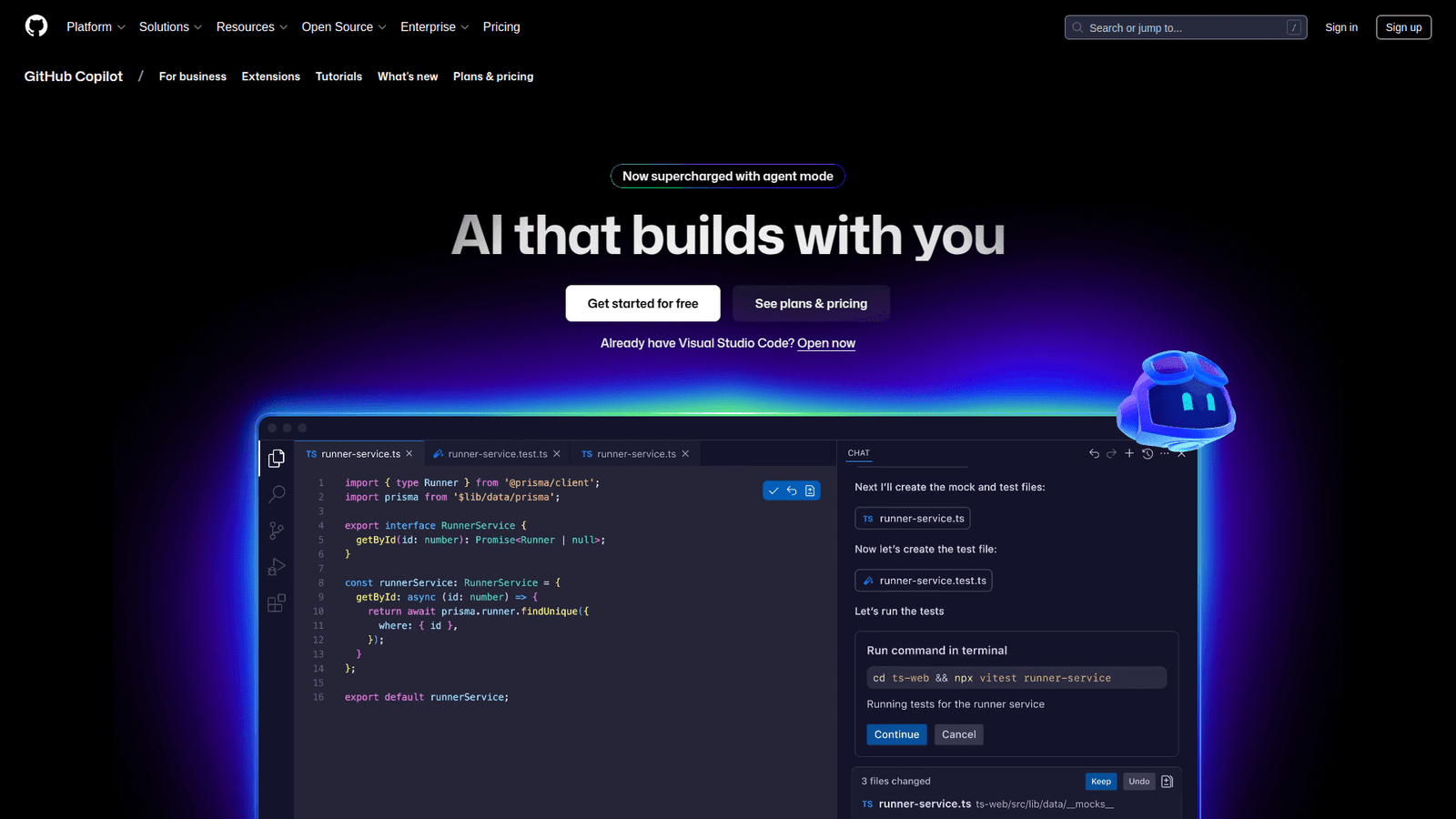

GitHub Copilot revolutionizes bug fixing and refactoring. Slash development time, improve code quality, and boost efficiency. Get started with AI-powered coding today!
This Is How Bug Fixing and Refactoring Should Be Done
Ever feel like you’re stuck in quicksand when it comes to coding?
Especially when you’re hunting down elusive bugs or trying to tidy up a messy codebase?
It’s a grind.
But what if I told you there’s a tool that can make that grind… not a grind?
A tool that works with you, not just for you.
We’re talking about AI here, and its role in coding and developing is blowing up.
Everyone’s looking for an edge.
And when it comes to something as crucial as bug fixing and refactoring, you want every advantage you can get.
That’s where GitHub Copilot steps in.
It’s not just another AI gimmick.
It’s a game-changer for anyone serious about shipping clean, efficient code faster.
Ready to see how?
Table of Contents
- What is GitHub Copilot?
- Key Features of GitHub Copilot for Bug Fixing and Refactoring
- Benefits of Using GitHub Copilot for Coding and Developing
- Pricing & Plans
- Hands-On Experience / Use Cases
- Who Should Use GitHub Copilot?
- How to Make Money Using GitHub Copilot
- Limitations and Considerations
- Final Thoughts
- Frequently Asked Questions
What is GitHub Copilot?
Alright, let’s cut to the chase.
What exactly is GitHub Copilot?
Think of it as your AI pair programmer.
It’s an AI tool developed by GitHub and OpenAI that lives right inside your code editor.
Its main job?
To turn your natural language comments and existing code into suggested lines of code and even entire functions.
It’s trained on billions of lines of public code, so it’s seen a thing or two.
It understands context.
It understands patterns.
And it uses that understanding to help you write code faster and with fewer errors.
No more sifting through Stack Overflow for basic syntax.
No more repetitive boilerplate code slowing you down.
For developers, it’s like having an always-on assistant who’s seen every coding problem under the sun.
It’s designed for anyone who writes code, from beginners to seasoned pros.
Whether you’re building web apps, mobile apps, or complex systems, Copilot is there to offer suggestions.
It supports a wide range of languages and frameworks.
This means less time worrying about the ‘how’ and more time focusing on the ‘what’.
It’s about making your coding workflow smoother, more efficient, and frankly, less frustrating.
Especially when you’re deep in the trenches of bug fixing and refactoring.
It’s about getting results. Fast.
Key Features of GitHub Copilot for Bug Fixing and Refactoring
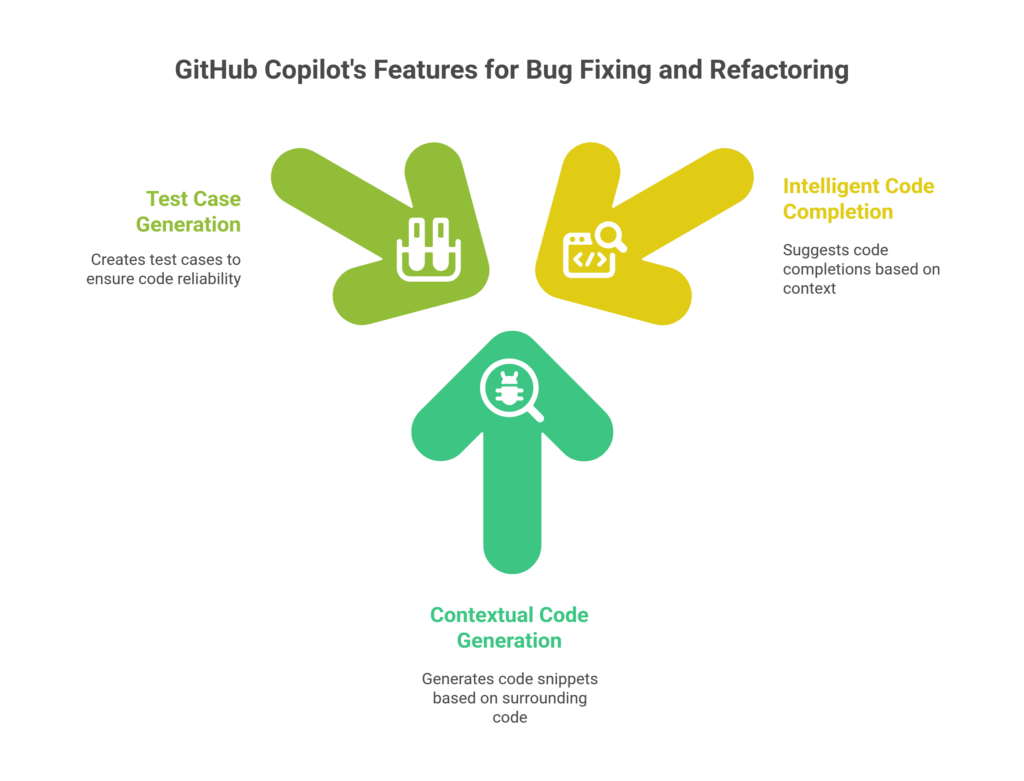
So, how does GitHub Copilot specifically tackle the messy world of bug fixing and refactoring?
It’s got a few tricks up its sleeve that are pure gold.
- Intelligent Code Completion and Suggestion: This is the bread and butter. When you’re trying to fix a bug, often you know what you want to do, but not exactly how to implement it perfectly or efficiently. Copilot reads your code, understands the context, and suggests completions. This isn’t just for new code. It’s incredibly useful for filling in missing pieces in existing, broken code. It helps you spot inconsistencies or suggest more robust error handling. For refactoring, it can suggest cleaner, more modern ways to write a function you’re trying to simplify. This saves you tons of time looking up best practices or syntax.
- Contextual Code Generation: Copilot doesn’t just guess. It understands the surrounding code. If you’re debugging an API call, and you comment “handle network error,” Copilot will likely suggest a try-catch block with specific error logging. This is huge for bug fixing and refactoring because it anticipates common issues and provides relevant, working solutions. It accelerates the process of implementing fixes. When refactoring, it can suggest entire patterns, like converting a series of `if/else` statements into a switch case or a strategy pattern, making your code cleaner and more readable without you having to manually write it all out.
- Test Case Generation: This is an often-overlooked feature that’s critical for quality code. If you have a function, you can often type a comment like “generate test cases for this function” and Copilot will try to write unit tests. For bug fixing, this means you can quickly create tests to replicate the bug, ensure your fix works, and prevent regressions. For refactoring, it ensures that your changes haven’t broken existing functionality. This capability significantly improves code reliability and speeds up your testing workflow. It’s about building confidence in your changes.
These features combine to create a powerful ally in your daily development struggles.
It’s about more than just writing code; it’s about writing better code, faster.
It reduces the cognitive load, allowing you to focus on the logic, not just the syntax.
This means less time spent on mundane tasks and more time on high-impact work.
Benefits of Using GitHub Copilot for Coding and Developing
So, you’ve seen what it does.
Now, let’s talk about why you should care.
The benefits of using GitHub Copilot for your coding and developing efforts are substantial.
First up: Time Savings.
This is the big one.
Think about how much time you spend on repetitive tasks.
Boilerplate code, looking up syntax, debugging minor errors that stem from typos.
Copilot slashes that time.
It suggests code in real-time, often anticipating what you need before you even finish typing.
This isn’t just a small improvement; it’s a fundamental shift in how quickly you can complete tasks.
Next, Quality Improvement.
Because Copilot is trained on a massive dataset of high-quality code, its suggestions often reflect best practices.
It can guide you towards more idiomatic code, more efficient algorithms, and better error handling.
This means fewer bugs introduced in the first place, and when bugs do appear, more robust fixes.
Your codebase gets cleaner, more maintainable, and ultimately, more reliable.
Then there’s Overcoming Creative Blocks.
Ever stare at a blank screen, knowing what you want to achieve but unsure how to start?
Or get stuck on a tricky algorithm?
Copilot acts as a brainstorming partner.
It can offer alternative implementations, suggest different approaches, or simply give you that initial push you need.
This isn’t about replacing your creativity, but augmenting it.
It frees up your mental energy for the harder problems.
Finally, Learning and Growth.
For junior developers, Copilot can be an incredible learning tool.
It exposes them to various ways of solving problems, different coding styles, and best practices they might not have encountered yet.
For experienced developers, it can introduce new language features or libraries they might not be familiar with.
It’s like having a senior developer constantly whispering advice in your ear.
These benefits stack up.
More speed, better code, less frustration, and continuous learning.
It’s not just a tool; it’s a productivity multiplier.
Pricing & Plans

Alright, let’s talk brass tacks: how much does this thing cost?
Because if it’s too expensive, none of these benefits matter, right?
GitHub Copilot isn’t free for everyone, but it’s structured pretty reasonably.
There’s a free trial available.
This is crucial. You get to kick the tires for a month.
See if it fits your workflow, if it genuinely saves you time, and if you like it.
No commitment.
For individuals, after the trial, it generally runs about $10 a month or $100 a year.
Think about that.
For the price of a couple of coffees, you get an AI pair programmer.
If it saves you even an hour or two of development time a month, it pays for itself. Easily.
That’s a no-brainer investment for most developers.
There are also plans for businesses, called GitHub Copilot Business.
This comes with additional features like centralized policy management, organization-wide license management, and enhanced security features to protect your company’s intellectual property.
The business plans usually run around $19 per user per month.
Again, if you’re managing a team, the productivity gains across multiple developers can be massive.
It’s about ROI.
If your developers are spending less time on boilerplate and more time on core logic, that translates directly to project acceleration and cost savings.
Compared to alternatives?
There are other AI coding assistants out there, but Copilot is deeply integrated with GitHub and Visual Studio Code (and other IDEs), making its workflow incredibly smooth.
Some alternatives might offer different features or language support, but Copilot’s integration and training on public code give it a strong edge in general-purpose coding.
It’s designed to be a natural extension of your coding environment.
For students and verified open-source contributors, GitHub often offers Copilot for free.
So, if you fall into those categories, even better.
It’s an accessible price point for a tool that delivers significant value.
Don’t let the price be an excuse; measure the return.
Hands-On Experience / Use Cases
Alright, enough theory. Let’s talk about how this actually plays out in the real world.
I’ve spent a fair bit of time wrestling with code, and here’s where GitHub Copilot really shines for bug fixing and refactoring.
Imagine this scenario: you’re looking at a function that’s supposed to filter a list of users.
But it’s throwing an `IndexOutOfBoundsException` randomly.
You put a breakpoint, step through it, and realize the logic for handling an empty list isn’t quite right.
Instead of manually writing an `if (users.isEmpty()) return Collections.emptyList();` or similar, you simply start typing `// Handle empty list case` above the problematic line.
Copilot immediately suggests the exact code you need.
Boom. Bug fixed, two seconds flat.
Another example: refactoring a bloated function.
You have a 200-line monster that does too much.
Your goal is to break it down into smaller, more manageable functions.
You select a block of code, comment something like `// Extract this into a function to calculate total price` above it.
Copilot, more often than not, will suggest the new function signature, move the selected code into it, and replace the original block with a call to the new function.
It handles the parameters, the return types, everything.
This isn’t just a convenience; it’s a major acceleration of the refactoring process.
It makes those big, scary refactors feel much less daunting.
Consider a database interaction.
You need to update a user’s profile, but you’re getting a `NullPointerException` on a certain field.
You identify the field, and you know you need to add a null check before attempting to update it.
You type `if (userProfile.getPhoneNumber() != null)` and Copilot completes the rest, including the `else` block to log a warning or use a default.
It streamlines adding defensive programming practices.
Or, for performance optimization during refactoring: you have a loop that’s doing repetitive calculations.
You comment: `// Optimize this loop with memoization` or `// Use a stream API for cleaner iteration`.
Copilot can suggest an entirely new, more efficient, or more modern way to write that loop, potentially cutting down execution time and improving readability.
The usability is incredibly smooth because it lives right in your IDE.
It feels like a natural extension of your thought process, not a separate tool you have to switch to.
The results?
Faster debugging. Cleaner code. More consistent coding styles.
And ultimately, less time staring at errors and more time building.
Who Should Use GitHub Copilot?

Look, not every tool is for everyone.
But when it comes to GitHub Copilot, its utility stretches across a wide spectrum of the coding and developing world.
So, who exactly stands to gain the most?
First up: Individual Developers & Freelancers.
If you’re a one-person army, you wear many hats.
Time is your most valuable asset.
Copilot accelerates your workflow, whether you’re starting a new project or maintaining old code.
It helps you churn out features faster and tackle bugs more efficiently, directly impacting your project delivery and client satisfaction.
Then there are Small to Medium-sized Businesses (SMBs) with Development Teams.
For teams, consistency in code quality and speed are vital.
Copilot helps maintain a uniform coding style across the team, even if developers have varying experience levels.
It levels up the entire team’s productivity, allowing them to focus on innovation rather than boilerplate.
Think about the combined hours saved in bug fixing and refactoring across a team of five or ten developers. That’s huge.
Open-Source Contributors.
Many open-source projects rely on volunteers, and often, documentation or consistent coding patterns can be a challenge.
Copilot helps contributors quickly get up to speed with project conventions and make meaningful contributions without getting bogged down in minor syntax or style issues.
It lowers the barrier to entry for new contributors.
Students and Aspiring Developers.
Learning to code can be tough.
Copilot acts as a mentor, guiding them through common patterns, suggesting best practices, and helping them understand how different pieces of code fit together.
It’s an invaluable learning aid that provides real-time feedback and examples.
Developers Working with Multiple Languages or Legacy Code.
If you’re constantly switching between Python, JavaScript, Java, and C#, or trying to decipher an ancient codebase, Copilot is a lifesaver.
It quickly adapts to the language context, making suggestions relevant to that specific environment.
It helps bridge knowledge gaps and speeds up the understanding of unfamiliar code.
In essence, anyone who spends a significant amount of time writing, debugging, or maintaining code will find GitHub Copilot to be a powerful asset.
It’s about making your coding life easier and more productive, regardless of your specific niche.
How to Make Money Using GitHub Copilot
Okay, this is where it gets interesting.
It’s not just about saving time; it’s about making money.
GitHub Copilot isn’t a direct money printer, but it’s an incredible leverage tool.
It multiplies your output, which translates directly to more income or more efficient operations.
- Service 1: Freelance Development & Consulting: If you’re a freelance developer, your hourly rate is your income ceiling. Copilot boosts your effective hourly rate. You can complete projects in half the time, meaning you can take on more clients or charge premium rates for faster delivery. Imagine finishing a website build in two weeks instead of four. That’s double the projects, double the income, or a much happier client and more referrals. You can advertise “accelerated development cycles” or “rapid prototyping” as a unique selling proposition, all powered by your AI co-pilot.
- Service 2: Code Auditing, Bug Fixing & Refactoring Services: This is a goldmine. Many businesses have legacy codebases that are riddled with bugs, messy, and hard to maintain. They don’t have the in-house expertise or time to clean it up. You, equipped with GitHub Copilot, can offer specialized bug fixing and refactoring services. Copilot helps you quickly identify patterns, suggest fixes, and propose cleaner architectures. You can take on these complex, time-consuming projects and deliver results much faster and more reliably than someone doing it manually. Charge a project fee, and watch your margins expand.
- Service 3: Creating and Selling Code Snippets, Libraries, or Templates: If you’re good at a specific niche, use Copilot to rapidly build out robust, well-tested code. For example, you could create a set of optimized utility functions for a particular framework, or a robust API integration library, and sell it on marketplaces like CodeCanyon or even your own website. Copilot helps you quickly generate the core logic, error handling, and even test cases, significantly speeding up the development of these digital products. This is passive income once the product is built and refined.
Here’s a real case study example (simulated):
“How Jane makes $5,000/month using GitHub Copilot for Bug Fixing and Refactoring.”
Jane, a freelance web developer, used to spend 40% of her project time on debugging and refactoring client code.
She integrated GitHub Copilot into her workflow.
Suddenly, that 40% dropped to around 15%.
This freed up almost an entire week per month.
She then used this extra time to take on one additional small project or a significant portion of a larger one.
By charging an average of $2,500 per additional project, she effectively boosted her monthly income by that amount.
Plus, her clients were happier because her code was cleaner and her bug fixes were faster, leading to more repeat business and higher-paying referrals.
It’s not magic; it’s leverage.
Copilot helps you do more, faster, and with higher quality, which directly translates to more value and more money in your pocket.
Limitations and Considerations
No tool is a silver bullet.
And while GitHub Copilot is powerful, it has its quirks and limitations you need to be aware of.
Don’t just blindly accept everything it throws at you.
First, Accuracy and Contextual Understanding.
Copilot is an AI; it learns from patterns.
It doesn’t “understand” your specific project’s unique business logic in the way a human does.
Sometimes, its suggestions might be technically correct but completely wrong for your specific situation.
It can generate code that works but is inefficient, or even introduces subtle bugs.
Always review its suggestions critically. It’s a co-pilot, not an auto-pilot.
Next, Security and Licensing Concerns.
Since Copilot is trained on a vast amount of public code, there’s always a debate around the originality and licensing of the code it generates.
While GitHub has implemented filters to prevent direct copy-pasting of exact code from public repositories, the generated code can sometimes be very similar to existing open-source code.
For sensitive projects, especially commercial ones, this needs careful consideration.
Always be aware of your company’s intellectual property policies.
Then there’s the Editing Needs.
You won’t just hit ‘accept’ on every suggestion.
Most of the time, you’ll need to tweak, adjust, or completely rewrite parts of Copilot’s output.
It’s a starting point, a significant head start, but rarely the final word.
Expecting it to write perfect, production-ready code every time is setting yourself up for disappointment.
It’s a helper, not a replacement for your expertise.
Consider the Learning Curve.
While intuitive, getting the most out of Copilot requires a bit of a learning curve.
You learn how to prompt it effectively with comments, how to guide its suggestions, and when to ignore it.
It’s a skill you develop over time, just like learning a new IDE shortcut or a new library.
Finally, Dependency on Internet Connection.
As an AI tool, Copilot relies on cloud services.
No internet, no Copilot.
While this isn’t a huge deal for most developers today, it’s a consideration if you’re ever in an offline environment.
It’s a powerful ally, but like any powerful tool, it demands a skilled operator.
Use it wisely, verify its output, and always keep your critical thinking engaged.
Final Thoughts
So, here’s the bottom line.
GitHub Copilot isn’t just another shiny new tool in the developer arsenal.
It’s a fundamental shift in how we approach coding and developing.
Especially when you’re knee-deep in the often frustrating, but crucial, work of bug fixing and refactoring.
It saves you time.
It improves your code quality.
It helps you overcome creative blocks.
It even acts as a silent mentor, pushing you towards better practices.
The investment? Minimal, especially when you weigh it against the gains in productivity and the reduction in mental overhead.
Is it perfect? No.
You still need to be the expert in the room.
You still need to review, understand, and sometimes correct its suggestions.
But thinking of it as a pair programmer, a force multiplier, rather than an automated solution, is where its true value lies.
For anyone serious about shipping quality code faster, reducing stress, and maximizing their output, GitHub Copilot is a no-brainer.
It’s not just about keeping up; it’s about getting ahead.
Ready to give it a shot?
Visit the official GitHub Copilot website
Frequently Asked Questions
1. What is GitHub Copilot used for?
GitHub Copilot is an AI pair programmer used to help developers write code faster and more efficiently. It provides real-time code suggestions, completes functions, and assists with tasks like bug fixing and refactoring based on context.
2. Is GitHub Copilot free?
GitHub Copilot offers a free trial for individuals. After the trial, it costs $10 per month or $100 per year for individuals. There are also business plans available for teams. Students and verified open-source contributors can often get it for free.
3. How does GitHub Copilot compare to other AI tools?
GitHub Copilot stands out due to its deep integration with popular IDEs like Visual Studio Code and its training on a massive dataset of public code. While other AI coding tools exist, Copilot’s seamless workflow and contextual understanding make it a top choice for general-purpose coding and developing assistance.
4. Can beginners use GitHub Copilot?
Yes, beginners can definitely use GitHub Copilot. It can act as a valuable learning tool, exposing them to best practices, common coding patterns, and different ways to solve problems. However, beginners should still understand the code it generates and not blindly accept suggestions.
5. Does the content created by GitHub Copilot meet quality and optimization standards?
GitHub Copilot generates code that often adheres to common quality and optimization standards, as it learns from well-written public code. However, it’s not foolproof. Developers must review and refine the suggestions to ensure they meet specific project requirements, performance benchmarks, and security standards.
6. Can I make money with GitHub Copilot?
Yes, you can make money using GitHub Copilot by increasing your productivity. Freelancers can take on more projects, agencies can deliver faster, and developers can offer specialized services like accelerated code auditing, bug fixing and refactoring, or even create and sell code snippets and libraries more efficiently. It’s a leverage tool that multiplies your output and potential earnings.




