
Unlock unparalleled coding efficiency with the best AI coding assistants. This guide cuts through the noise, showing you which tools developers actually trust to skyrocket their productivity and streamline complex projects, making your workflow smoother and more profitable.
7 Best AI Coding Assistants Developers Actually Blindly Trust
I get it. You’re a developer. Time is money, and frankly, wasting either on repetitive tasks or wrestling with baffling syntax is a bad deal. You’ve heard the buzz about the best AI coding assistants, but separating the hype from the genuine game-changers? That’s the real challenge. You need tools that deliver, not just promise. I’m talking about the best AI coding assistants that professional developers aren’t just trying out, they’re integrating them deep into their workflows, trusting them to ship better code, faster. That’s the standard we’re aiming for here.
Look, the coding landscape is shifting. It’s no longer about writing every line from scratch; it’s about leveraging intelligence to augment your capabilities. The right AI coding assistant isn’t a replacement; it’s a force multiplier. It helps you focus on the hard problems, the architecture, the creative leaps, not the boilerplate. This article will dissect the leading contenders, giving you the unfiltered truth about their features, pricing, pros, and cons. We’ll explore how they’re being used in the wild, who benefits most from each, and crucially, how you can pick the one that fuels your ambition. Let’s get to work.
Table of Contents
- What Are the Best AI Code Generation Tools?
- Top 7 AI Code Generation Tools (Detailed Reviews)
- Feature Comparison
- Pricing Breakdown
- Real-World Use Cases
- Who Should Use Each Tool?
- How to Choose the Right Tool
- Making Money with These Tools
- Common Limitations
- Final Verdict and Recommendations
- Frequently Asked Questions
What Are the Best AI Code Generation Tools?
Alright, let’s cut to it. What exactly are these “best AI coding assistants” everyone’s talking about? Simply put, they’re software tools powered by artificial intelligence designed to help developers write code more efficiently. Think of them as your hyper-intelligent co-pilot, not just for autocompletion, but for generating entire functions, suggesting fixes, and even understanding complex project context. They leverage large language models (LLMs) trained on colossal datasets of public code, enabling them to recognise patterns and predict what you’re trying to achieve.
The core promise of these tools is clear: accelerate development, reduce errors, and free up developers for higher-value, creative problem-solving. We’re past the days of simple syntax highlighting. Modern AI code generation tools are offering real-time suggestions, intelligent code completions, and even full code block generation. They integrate directly into your favourite Integrated Development Environments (IDEs), becoming an almost invisible part of your daily coding flow. This isn’t just a fancy add-on; it’s a fundamental shift in how we approach software development.
Their impact is significant. Studies indicate developers can experience substantial productivity gains, sometimes up to 45%, when leveraging these assistants. They streamline workflows by handling mundane and repetitive tasks, allowing you to focus on the intricate logic and architectural decisions. This means less time wrestling with boilerplate code or debugging trivial errors, and more time building innovative solutions. From generating unit tests for legacy code to drafting migration scripts, the applications are broad and impactful.
However, it’s crucial to remember they are assistants, not replacements. The best AI coding assistants empower developers, but human oversight, validation, and a deep understanding of business logic remain paramount. They are tools to amplify your existing skills, not to abdicate your responsibilities. The key is in knowing how to effectively integrate them into your workflow to maximise their benefits without introducing new risks. We’ll explore this balance as we dive into specific tools.
Top 7 AI Code Generation Tools (Detailed Reviews)
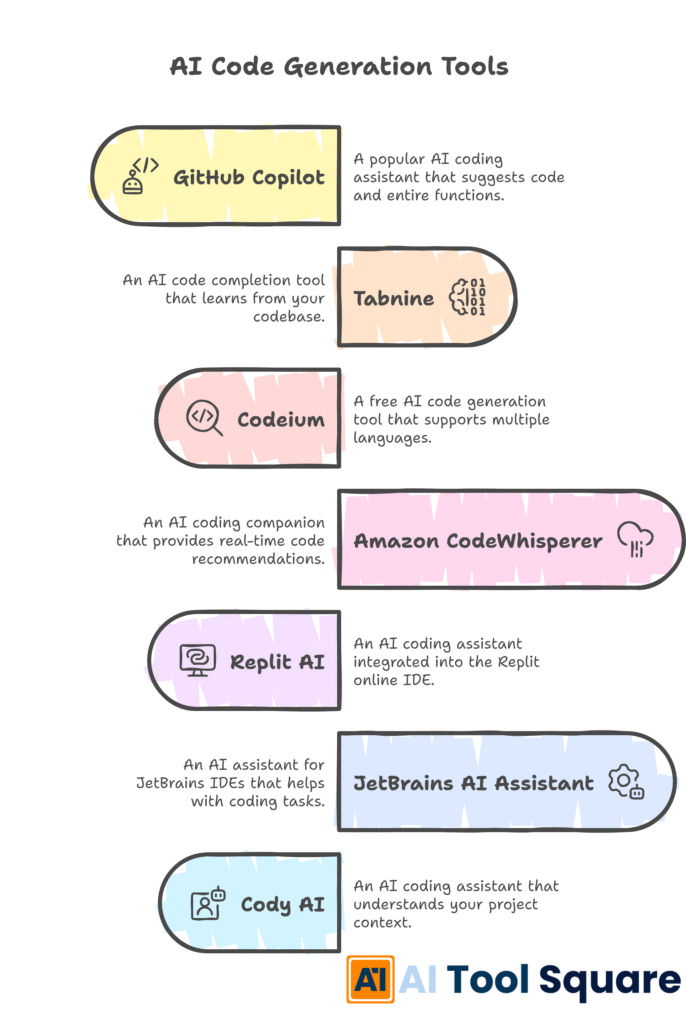
Navigating the sea of AI coding tools can be daunting. You want the heavy hitters, the ones that consistently deliver. Here, I’ve rounded up seven of the best AI coding assistants that developers are genuinely finding indispensable. I’ll break down what each offers, their costs, and the real-world advantages and disadvantages you need to consider before committing.
GitHub Copilot – best AI coding assistants Review
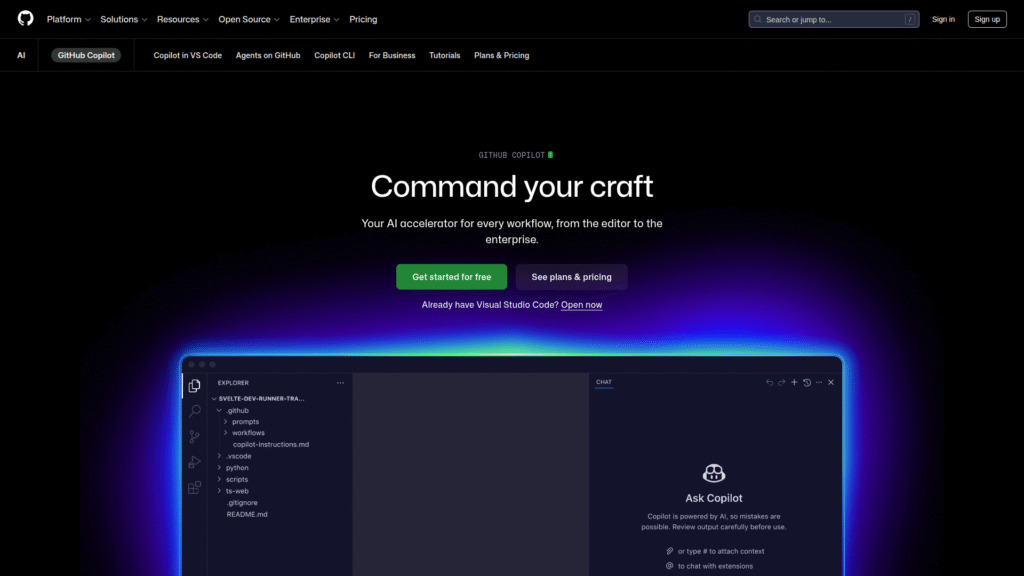
GitHub Copilot, a collaboration between GitHub and OpenAI, is often the benchmark for the best AI coding assistants. It integrates seamlessly into popular IDEs like VS Code, Visual Studio, and JetBrains, acting like a virtual pair programmer. It suggests entire lines or blocks of code as you type, functions based on comments, and helps with debugging and code explanation. Copilot learned from a vast ocean of public code on GitHub, making its suggestions highly relevant and context-aware.
- Features: Real-time code suggestions, context-aware completions, natural language to code translation, supports multiple languages and frameworks, includes Copilot Chat for conversational assistance, can generate unit tests and explain code.
- Pricing: Free for verified students, teachers, and open-source maintainers. Pro plan is $10/month or $100/year for individuals. Business plan is $19/user/month. Enterprise plan is $39/user/month for large organisations.
- Pros: Excellent code completion accuracy, deep IDE integration, strong context awareness, widely adopted, good for learning new languages.
- Cons: Relies on cloud models (potential data privacy concerns for proprietary code without enterprise plan), may suggest sub-optimal or insecure code if not reviewed, not free for most individual developers.
Visit official GitHub Copilot website
Tabnine – best AI coding assistants Review
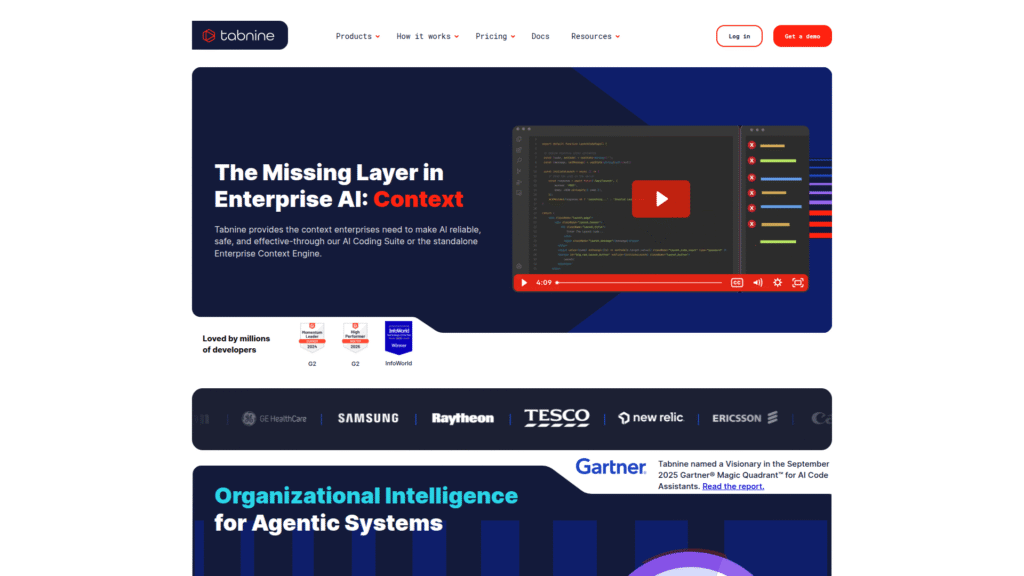
Tabnine positions itself as a privacy-first AI coding assistant, offering robust code completion that adapts to your coding style. It boasts compatibility with over 20 programming languages and integrates with many popular IDEs. Tabnine’s unique selling point is its flexible deployment options, including SaaS, on-premises, and VPC, making it a strong choice for enterprises with strict data privacy and security requirements. It focuses on helping you complete lines and blocks quickly and accurately.
- Features: Context-aware code completion, multi-language support (30+ languages), personalised AI model, various deployment options (SaaS, on-premises, VPC), automated code documentation.
- Pricing: Starter (Free) for short code completions. Pro plan is $12/user/month (up to 100 users). Enterprise plan has custom pricing.
- Pros: High privacy and security adherence (SOC-2 compliance), customizable to codebase, wide IDE support, good for enterprise use due to deployment flexibility.
- Cons: Limited functionality in the free version, initial setup and customization can be complex, lacks command-line interface support.
Visit official Tabnine website
Codeium – best AI coding assistants Review
Codeium, also known as Windsurf, offers a free, powerful AI toolkit designed to enhance coding productivity for individual developers. It supports over 70 programming languages and integrates seamlessly with a multitude of IDEs, including Visual Studio Code and JetBrains suites. Codeium provides intelligent, context-aware suggestions, intelligent search, and an AI chat interface to streamline tasks. It aims to be a strong, free alternative to other paid best AI coding assistants.
- Features: AI-powered autocomplete, intelligent search within codebase, in-editor AI chat for generating boilerplate or refactoring, broad language support (70+ languages), free for individual use.
- Pricing: Free for individual developers with unlimited usage. Teams plan starts at $15/user/month. Custom pricing for enterprises.
- Pros: Completely free for individuals, extensive language and IDE support, strong autocomplete, good value for money for teams.
- Cons: As a newer tool, it might have a smaller community compared to older options, advanced features like deeper code analysis are limited in the free tier, customer support and onboarding could improve.
Visit official Codeium website
Amazon CodeWhisperer (Amazon Q Developer) – best AI coding assistants Review
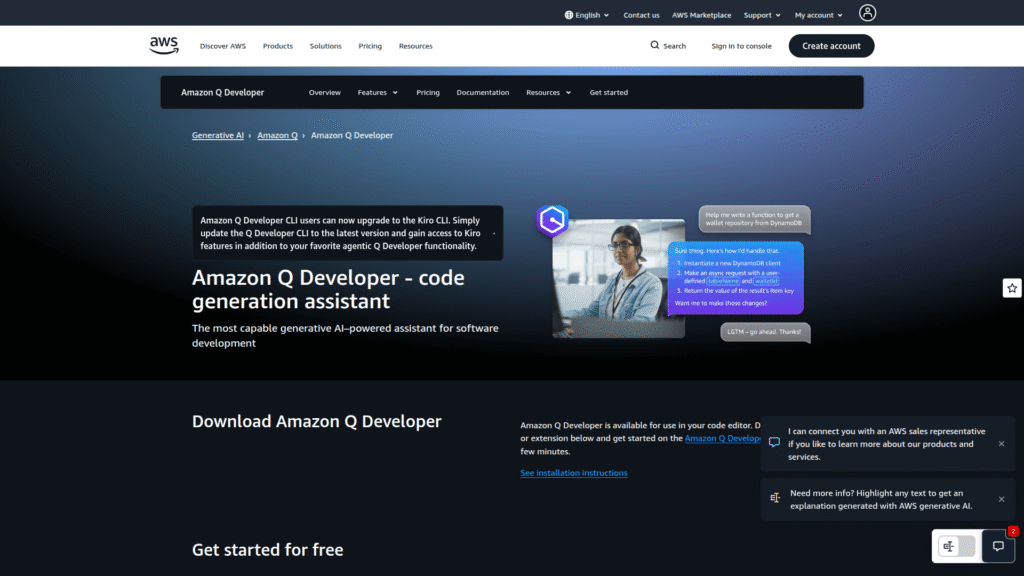
Amazon CodeWhisperer, now largely integrated into Amazon Q Developer, is Amazon’s answer in the AI coding assistant space. It provides real-time, AI-driven code suggestions, particularly strong with AWS-related code. It analyses your existing code and comments to offer tailored recommendations. A standout feature is its built-in security scans, which identify potential vulnerabilities in generated code. It supports multiple programming languages and integrates with popular IDEs and AWS services.
- Features: Real-time code suggestions, context-aware recommendations, deep AWS ecosystem integration, built-in security scans, reference tracker for open-source code, conversational assistance for debugging and documentation.
- Pricing: Free tier for individual developers with basic security features. Professional tier for advanced compliance and enterprise needs, starting at $19/user/month for Amazon Q Developer.
- Pros: Excellent for developers working within the AWS ecosystem, free for individuals, integrated security scanning, robust compliance features for enterprise.
- Cons: More limited language and IDE support compared to some competitors, not as robust outside of AWS-centric projects, advanced features are behind a paywall.
Visit official Amazon CodeWhisperer website
Replit AI (Ghostwriter) – best AI coding assistants Review
Replit AI, powered by its Ghostwriter assistant, is deeply integrated into the Replit cloud-based development environment. This platform allows you to write, run, and deploy code entirely in your browser, making it incredibly accessible with zero setup. Ghostwriter offers code generation from descriptions, intelligent autocompletion, and explanations for existing code, all while understanding your project’s context. It’s particularly popular for quick prototyping, hackathons, and educational purposes.
- Features: AI-powered code generation, intelligent autocompletion, code explanation, debugging assistance, cloud-based IDE, instant deployment, real-time multiplayer coding, mobile development support.
- Pricing: Free (limited features, public projects). Core Plan is $25/month ($20/month annually) for full Replit Agent access, unlimited private apps. Teams Plan is $40/user/month ($35/user/month annually).
- Pros: Zero setup, all-in-one development environment, excellent for beginners and rapid prototyping, strong collaboration features.
- Cons: Not ideal for large-scale enterprise projects, AI suggestions can have limited context for very complex codebases, browser-locked environment might not suit all developers, usage-based billing can be unpredictable.
Visit official Replit AI website
JetBrains AI Assistant – Best AI coding assistants Review
The JetBrains AI Assistant brings AI capabilities directly into the popular suite of JetBrains IDEs, including IntelliJ IDEA, PyCharm, and WebStorm. This tight integration means the AI understands the nuances of your project structure, offering context-aware code completion and generation, natural language chat, and project-wide code analysis. It provides structured guidance and inline suggestions, assisting developers in understanding complex logic and maintaining code compliance.
- Features: Deep IDE integration (IntelliJ, PyCharm, WebStorm), context-aware code completion and generation, natural language chat interface, code explanation, commit message generation, refactoring assistance, project-wide analysis.
- Pricing: Often included with paid JetBrains subscriptions or as an add-on. Pricing typically follows JetBrains’ existing license model, with specific AI features having their own cost structure.
- Pros: Seamless integration with JetBrains IDEs, deep understanding of project context within its ecosystem, good for structured guidance and analysis across existing projects.
- Cons: Requires commitment to the JetBrains ecosystem, moderate autocomplete speed compared to some competitors, may have a learning curve for AI-specific features.
Visit official JetBrains AI Assistant website
Cody AI – best AI coding assistants Review
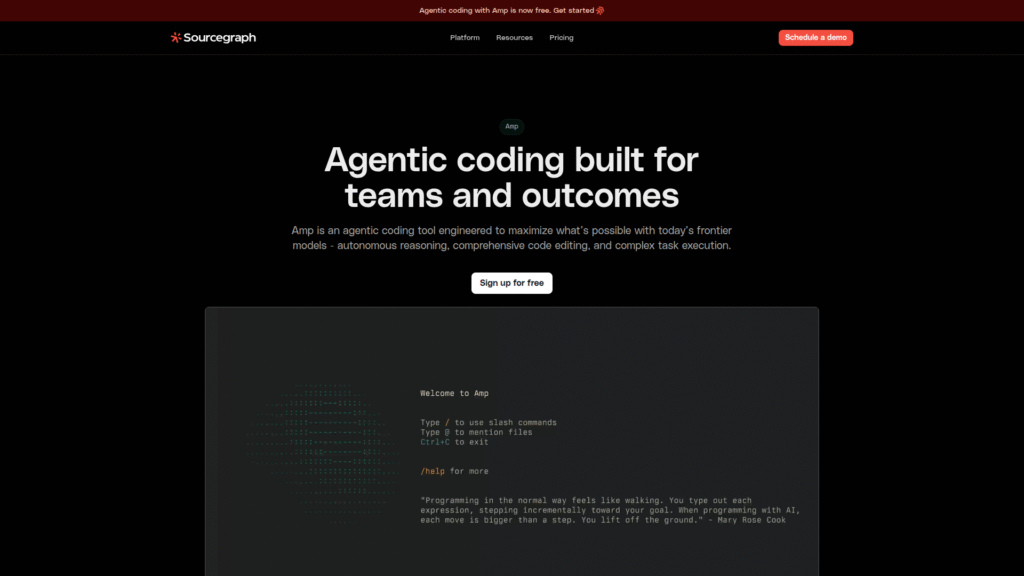
Cody AI by Sourcegraph is an AI coding assistant designed to work with your entire codebase, not just the file you’re currently editing. This makes it particularly powerful for large projects, offering code generation, refactoring, and debugging assistance that is consistent with your project’s style and existing code. Cody focuses on deep codebase understanding, leveraging advanced indexing and graph-based analysis to provide highly contextual suggestions and answers to programming queries in natural language.
- Features: Whole-codebase context understanding, intelligent code generation, refactoring, debugging, code explanation, chat interface, supports multiple programming languages, integrates with VS Code and JetBrains IDEs.
- Pricing: Free plan with limited AI interactions. Pro plan often starts around $20/month. Business and Enterprise plans offer more extensive features and support.
- Pros: Excellent for large codebases and project-wide context, provides consistent code generation, strong for complex queries and understanding existing project logic.
- Cons: Free tier has significant limitations on AI usage, requires comprehensive indexing of your codebase which can be resource-intensive, might be overkill for very small or simple projects.
Visit official Cody AI website
Feature Comparison
When you’re looking at the best AI coding assistants, features are the battleground. It’s not just about one flashy trick; it’s about the entire toolkit. Let’s stack up the key functionalities to see where each tool shines. The core offering across the board is robust code completion and generation. GitHub Copilot, Tabnine, Codeium, and Replit AI all excel at providing real-time, context-aware suggestions as you type, filling in anything from variables to entire functions. Copilot’s strength lies in its expansive training data, often delivering highly accurate and varied suggestions.
Language and IDE support vary. Codeium boasts an impressive 70+ languages, making it incredibly versatile, and integrates with nearly all major IDEs. Tabnine also offers broad language support and excellent IDE integration. GitHub Copilot is a strong contender here too, with native integrations for VS Code and JetBrains. JetBrains AI Assistant, naturally, is purpose-built for its ecosystem, providing deep integration for IntelliJ, PyCharm, and WebStorm. Amazon CodeWhisperer focuses on Python, Java, and JavaScript, with strong ties to AWS services and compatible IDEs like VS Code and IntelliJ. Cody AI integrates with VS Code and JetBrains, focusing on whole-codebase understanding.
Chat interfaces are becoming standard. GitHub Copilot Chat offers conversational assistance directly within the IDE, capable of explaining code, debugging, and generating tests. Codeium also features an in-editor AI chat for boilerplate generation and refactoring. Replit AI’s Ghostwriter includes chat for code explanation and debugging. Cody AI provides a chat that leverages its deep codebase understanding to answer complex queries. This conversational element transforms how we interact with our code, moving beyond simple completions to genuine problem-solving dialogue.
Security and privacy are major differentiators. Tabnine leads with its flexible deployment options, including on-premises and VPC modes, along with SOC-2 compliance, making it ideal for sensitive projects. Amazon CodeWhisperer offers built-in security scans for generated code and allows opting out of data sharing. GitHub Copilot’s Business and Enterprise tiers provide enhanced privacy features, ensuring code snippets are not used for public model training. For any developer working with proprietary or sensitive information, understanding these distinctions is critical. The best AI coding assistants don’t just write code; they protect it.
Pricing Breakdown
Alright, let’s talk brass tacks: what’s this going to cost you? The pricing models for the best AI coding assistants aren’t always straightforward. Many offer a free tier, but the real power usually comes with a subscription. Understanding these tiers is crucial to avoid overspending or ending up with a tool that doesn’t quite meet your needs. We want maximum value, right?
Starting with the free options, Codeium stands out, offering unlimited AI features for individual developers at no cost. Amazon CodeWhisperer also provides a generous free tier for individuals, which is great for getting started, especially if you’re heavily into the AWS ecosystem. Replit AI has a free Starter plan, but it comes with limitations like public projects and limited AI agent access.
For individuals and small teams, GitHub Copilot Pro is $10/month or $100/year. This unlocks unlimited chat and full IDE integration. Tabnine’s Pro plan is $12/user/month for teams up to 100 users, offering full-function code completions. Codeium’s team plan starts at $15/user/month. Replit’s Core plan is $25/month ($20/month annually), giving you full AI Agent access and private apps.
Enterprise-grade solutions naturally come with higher price tags and custom features. GitHub Copilot Business is $19/user/month, adding centralised billing, policy management, and enhanced privacy. The Enterprise plan is $39/user/month, tailored for larger organisations with custom requirements and private codebase integration. Tabnine Enterprise offers custom pricing with premium support, private deployment, and IP indemnification, catering to businesses with stringent security and compliance needs.
Amazon Q Developer (which includes CodeWhisperer’s professional features) is $19/user/month. JetBrains AI Assistant’s pricing integrates with their existing IDE licenses, often as an add-on, meaning the cost varies depending on your JetBrains subscription. Cody AI also has a Pro plan, often around $20/month, with custom enterprise solutions. These higher tiers justify their cost with features like data privacy guarantees, enterprise-level support, and integration with internal knowledge bases. Remember, the cheapest option isn’t always the best; consider the long-term ROI in productivity and security.
Real-World Use Cases
Look, the best AI coding assistants aren’t just for theory; they’re for getting stuff done. I’m talking about concrete, measurable improvements in your daily grind. Developers are leveraging these tools across a spectrum of tasks, and the results are often astounding. It’s about working smarter, not harder. Want to know how? Keep reading. To really dive deeper into enhancing your development pipeline, check out our insights on Coding and Developing.
One massive win is **automated unit test generation**. Picture inheriting a sprawling, undocumented legacy codebase. No tests, zero. Writing them manually would take weeks, if not months. Generative AI shines here. You can point tools like GitHub Copilot or Cody AI at a function, ask for comprehensive test cases, and boom—a solid first draft appears in minutes. You’ll still refine it, of course, but 70% of the drudgery is simply gone. I’ve seen developers cover thousands of lines of old logic in a fraction of the time, dramatically reducing bug potential and accelerating feature delivery.
Another game-changer is **automatic API client generation**. Ever integrated with a third-party API that has amazing documentation but no official SDK? Instead of hand-writing endless request wrappers, you can feed the OpenAPI spec into an AI coding assistant. It’ll return a working Python client – complete with methods, docstrings, and basic error handling. This can save hours per API endpoint, reclaiming valuable coffee time that would otherwise be spent on repetitive, manual coding.
**Code refactoring and optimisation** also see huge gains. AI tools can analyse existing codebases, identify areas for improvement, and suggest more efficient or cleaner alternatives. They can help modernise outdated syntax or restructure functions to be more modular. Debugging, too, is radically simplified. When faced with a perplexing error log, feeding it into an AI coding assistant can help identify patterns and suggest fixes that a human might miss for hours. Tools like Amazon CodeWhisperer provide real-time solutions for common issues within your IDE.
Finally, **code documentation and comment generation** is a massive time-saver. Let’s be honest, documentation is often an afterthought. AI can analyse function logic and generate comprehensive explanations or inline comments automatically, ensuring codebases remain understandable for current and future teams. This reduces manual overhead and fosters better collaboration. From data scientists prototyping scripts to QA engineers generating test cases, the best AI coding assistants are fundamentally changing how professionals operate.
Who Should Use Each Tool?
Choosing the right tool isn’t about finding the “best” in some abstract sense; it’s about finding the best AI coding assistants for your specific needs. Different developers, different teams, different projects – they all have unique requirements. Let’s break down who each of these top contenders serves best.
If you’re a **solo developer, freelancer, student, or open-source maintainer**, **GitHub Copilot Pro** is often the go-to. Its $10/month price point offers immense value for individual productivity, providing broad language support and deep IDE integration that accelerates daily coding tasks. Students, especially, can often get it for free. Similarly, **Codeium** is a phenomenal choice for individuals because its free tier offers unlimited AI features, making it accessible to anyone looking to boost their coding efficiency without commitment.
For **teams and organisations with proprietary or sensitive codebases**, **Tabnine** stands out due to its strong focus on privacy, SOC-2 compliance, and flexible deployment options including on-premises. It ensures your intellectual property remains secure while still benefiting from AI-powered completions. **GitHub Copilot Business** also caters to this need with centralised policy management and enhanced privacy controls, making it suitable for startups and small to medium teams prioritising security and collaboration.
Developers deeply embedded in the **AWS ecosystem** will find **Amazon CodeWhisperer (now Amazon Q Developer)** particularly valuable. Its tailored suggestions for AWS services, coupled with built-in security scans, make it an indispensable asset for cloud-native development on Amazon’s platform. The free individual tier is a significant bonus here.
If **rapid prototyping, learning, or collaborative web development in the cloud** is your focus, **Replit AI** is an excellent fit. Its zero-setup, browser-based environment, and real-time multiplayer coding features make it perfect for hackathons, educational settings, or quickly spinning up MVPs. For those who live and breathe in **JetBrains IDEs**, the **JetBrains AI Assistant** is a no-brainer. Its native integration and deep understanding of the JetBrains ecosystem provide unparalleled context-aware assistance within your familiar development environment.
Finally, developers working on large, complex codebases who need AI to understand their entire project, not just a single file, should seriously consider Cody AI by Sourcegraph. Its whole-codebase context and intelligent chat are powerful for refactoring, debugging, and maintaining consistency across massive projects. Each of these best AI coding assistants offers a unique advantage; align your choice with your specific workflow to maximise impact.
How to Choose the Right Tool
Choosing the right AI coding assistant isn’t about grabbing the first shiny object; it’s a strategic decision. You want a tool that integrates seamlessly, boosts your output, and doesn’t introduce more problems than it solves. It’s about finding the best AI coding assistants that genuinely fit your operation. Here’s a no-nonsense guide to making that choice.
First, assess your primary needs. Are you a solo developer needing quick completions for a side project? Then a free tool like Codeium or the affordable GitHub Copilot Pro might be perfect. Are you part of an enterprise team handling sensitive, proprietary code? Then privacy, security, and deployment flexibility become paramount, pointing you towards options like Tabnine Enterprise or GitHub Copilot Business with their robust controls and IP indemnification. Don’t let features you don’t need cloud the judgment.
Next, consider your existing tech stack and workflow. The best AI coding assistants integrate directly into your IDE. If you’re a heavy VS Code user, most tools will work. If you’re locked into JetBrains, their native AI Assistant is likely your best bet for deep integration. Similarly, if your work is heavily AWS-centric, Amazon CodeWhisperer will provide the most contextual value. Frictionless integration means you’ll actually use the tool, rather than fighting it.
Then, evaluate pricing versus value. Look beyond the sticker price. A free tool might have limitations that hinder complex tasks, forcing you to manually fill the gaps. A paid tier might offer advanced features like deep codebase context (Cody AI) or security scanning (Amazon CodeWhisperer) that save you more in time and risk mitigation than their monthly cost. Consider the return on investment. Will it save you more than it costs in hours, reduced bugs, or enhanced security?
Privacy and data governance cannot be overlooked. For business users, ensure the tool’s data policies align with your company’s requirements. Does it use your code for training public models? Can you deploy it on-premises? This is non-negotiable for sensitive projects. Finally, try before you buy. Most of these tools offer free trials or free tiers. Use them to put the best AI coding assistants through their paces with your actual codebase. See how well they understand your context, how often their suggestions are useful, and how seamlessly they fit into your daily routine. That hands-on experience is gold for making an informed decision.
Making Money with These Tools
Alright, let’s talk about the real reason many of you are here: how do you convert these powerful best AI coding assistants into actual revenue? This isn’t just about faster development; it’s about unlocking new opportunities and optimising your current income streams. The best AI coding assistants can absolutely be a leverage point for making more money. For comprehensive resources to enhance your AI code generation capabilities, explore our dedicated section on <a href=”https://aitoolsquare.com/ai-code-generation/” target=”_blank” rel=”noopener”>AI Code Generation</a>.
First up, freelance coding efficiency. If you’re a freelance developer, time is quite literally money. The faster you complete projects without sacrificing quality, the more projects you can take on, or the more competitive your rates can be for complex tasks. The best AI coding assistants, like GitHub Copilot or Tabnine, dramatically speed up boilerplate code generation, debugging, and even learning new syntax. This means you can deliver faster, impress clients, and ultimately, increase your hourly or project-based income.
Next, accelerated product development. Ever dreamt of building your own SaaS product or mobile app? AI coding tools slash the development time for minimum viable products (MVPs). You can generate core functionalities, API clients, and even basic UI components with startling speed. This rapid prototyping allows you to test market ideas quicker, iterate faster, and bring revenue-generating products to market with significantly less initial investment of time and effort. Louis Pereira’s AudioPen is a prime example of an indie developer leveraging AI to create a successful app quickly.
Specialised AI services are also a growing field. With your enhanced coding speed and understanding of AI capabilities, you can offer services like building custom GPT models for businesses, creating AI-powered automation scripts, or developing specific microservices. Businesses need developers who can integrate AI effectively, and your proficiency with the best AI coding assistants positions you perfectly to meet that demand.
You can also upskill rapidly and command higher rates. By using the best AI coding assistants to quickly learn new programming languages, frameworks, or complex libraries, you expand your skillset. This makes you a more versatile and valuable asset, enabling you to take on higher-paying, more specialised roles or projects. The ability to quickly adapt and deliver across diverse technologies is a significant competitive advantage in the market. The bottom line is this: these tools aren’t just for coding; they’re for strategic business advantage. They empower you to do more, build faster, and earn bigger, assuming you know how to wield them correctly.
Common Limitations
Look, the best AI coding assistants are powerful, but let’s be real, they’re not magic. Ignoring their limitations is a fast track to headaches and unexpected bugs. Responsible developers understand these tools have blind spots. You need to know what they are to use them effectively and, more importantly, safely. This isn’t about fear-mongering; it’s about practical risk management.
One major issue is the limited understanding of context. While AI, even one of the best AI coding assistants, has made leaps, it still struggles to grasp the “big picture” of a complex project, human intent, or subtle business logic. It operates on data-driven patterns, not true comprehension. This can lead to syntactically correct code that completely misses critical nuances or architectural constraints. It might suggest solutions that work in isolation but break broader system interactions.
Hallucinations and confidently wrong answers are a real concern. AI, even one of the best AI coding assistants, doesn’t “know”; it predicts. Sometimes, it predicts incorrectly but with absolute conviction, generating code that looks flawless but is subtly, dangerously wrong. Relying on this without vigilant human review is a recipe for disaster. This means you, the developer, are still on the hook for code quality, security, and compliance.
Outdated training data is another bottleneck. Most AI models are trained on historical code. Ask about a brand-new framework feature or a bleeding-edge library, and the AI might provide outdated examples or struggle to help. It’s not always up-to-the-minute with the latest advancements. This means if you’re working with the absolute newest tech, you might find your tool among the best AI coding assistants lagging behind.
Security vulnerabilities and unsafe dependencies can be inadvertently introduced. The best AI coding assistants, trained on public codebases, might suggest snippets that contain insecure practices or out-of-date libraries. Without proper review, these can inject security holes into your application. Developers must remain vigilant, applying secure coding practices and scrutinising AI-generated code as if it came from a stranger on the internet.
Finally, there’s the risk of over-reliance and skill degradation. Depending too heavily on AI tools can reduce a developer’s proficiency in manual coding, problem-solving, and deep strategic thinking. You become a prompt engineer rather than a problem solver. It’s crucial to use these best AI coding assistants as assistants to learn and augment, not as crutches. They struggle with large contexts, have no persistent memory across prompts, and often lack the sophistication for novel problem-solving or abstract concepts. These limitations underscore the fact that even the best AI coding assistants require a responsible, critical human in the loop. Always test and verify. Always.
Final Verdict and Recommendations
Alright, you’ve seen the breakdown. The AI coding assistant market is booming, and these tools are no longer optional—they’re becoming the new standard for productive development. You’re not going to be asking “if” you should use AI, but “which” AI, and for “what” purpose. The goal isn’t just to write code faster; it’s to write better code, minimise errors, and reclaim time for more impactful work. The best AI coding assistants are here to stay, and leveraging them correctly is a skill in itself.
For the individual developer or freelancer looking for a solid all-rounder among the best AI coding assistants, GitHub Copilot Pro remains an excellent choice. Its broad language support, deep IDE integration, and reliable suggestions make it a powerful daily driver, especially for its price point. If you’re after a truly free solution with extensive language support for personal use, Codeium is an undeniable contender, offering robust features without cost.
For enterprises and teams prioritising data privacy and security among the best AI coding assistants, Tabnine stands out with its flexible deployment options, including on-premises, and its commitment to compliance. It’s built for environments where proprietary code must remain strictly confidential. GitHub Copilot Business/Enterprise also offers robust privacy controls for larger organisations. If your organisation is heavily invested in AWS, then Amazon CodeWhisperer (Amazon Q Developer) is your best bet, providing highly contextual assistance tailored to the AWS ecosystem.
For rapid prototyping, collaborative learning, or quick web app development among the best AI coding assistants, Replit AI offers an unparalleled cloud-based environment with zero setup, making it ideal for experimentation and education. And if you’re a loyal JetBrains user, their AI Assistant provides the most seamless and deeply integrated experience within your familiar IDEs. For working with massive codebases and needing deep project context, Cody AI from Sourcegraph is engineered to understand your entire project, making it powerful for complex refactoring and debugging tasks.
Ultimately, the best strategy involves a blend of these tools, using each for its specific strengths. No single AI coding assistant is a silver bullet. You, the developer, remain the critical component—the one who guides the AI, validates its output, and ensures the code meets quality, security, and business objectives. Test them out, see what sticks, and integrate wisely. Embrace these tools not as replacements, but as powerful extensions of your own capabilities, designed to make you a more efficient and effective developer. Leveraging the right combination of the best AI coding assistants will fundamentally change how you build and deliver software.
Frequently Asked Questions
Are the best AI coding assistants truly reliable for production code?
Yes, many of the best AI coding assistants are highly reliable for generating production-ready code, but with a critical caveat: human oversight is essential. Tools like GitHub Copilot and Tabnine provide accurate suggestions and completions, significantly reducing the time spent on boilerplate. However, developers must review and validate all AI-generated code to ensure it meets quality standards, aligns with business logic, and doesn’t introduce security vulnerabilities.
Can the best AI coding assistants really help beginners learn to code faster?
Absolutely. The best AI coding assistants can be invaluable for beginners. They offer real-time suggestions, explain complex code snippets, and help debug errors, effectively acting as a personalised tutor. Tools like Replit AI, with its all-in-one browser environment, are particularly good for learning as they remove setup friction. However, beginners should avoid over-reliance and still strive to understand the underlying concepts, not just copy-paste solutions.
Do the best AI coding assistants pose intellectual property or privacy risks?
Yes, the best AI coding assistants pose intellectual property or privacy risks. This is a significant concern, especially for proprietary code. Many AI models are trained on public codebases, raising questions about whether generated code might inadvertently replicate licensed material. Companies like Tabnine offer on-premises deployment and robust privacy features (SOC-2 compliance) to mitigate this. GitHub Copilot’s Business and Enterprise plans also include enhanced privacy that prevents your code from being used for public model training. Always check the privacy policy and consider enterprise-tier solutions for sensitive projects.
What programming languages are best supported by the best AI coding assistants?
Most of the best AI coding assistants offer broad language support. Python, JavaScript, Java, TypeScript, C++, Go, and Rust are commonly and well-supported across tools like GitHub Copilot, Tabnine, and Codeium. Codeium, for instance, supports over 70 languages. Amazon CodeWhisperer excels with Python, Java, and JavaScript, particularly when integrated with AWS services. If you work with a less common language, it’s crucial to verify specific tool compatibility.
How do these best AI coding assistants handle debugging and error fixing?
The best AI coding assistants are increasingly capable of assisting with debugging and error fixing. Many, like GitHub Copilot and Replit AI’s Ghostwriter, offer conversational interfaces where you can paste error messages or code snippets for explanations and suggested fixes. Amazon CodeWhisperer includes built-in security scans to identify vulnerabilities, which aids in proactive error prevention. While they can pinpoint issues and suggest solutions, human analysis is still needed to understand the root cause and ensure the fix is appropriate for the overall system.
Are there any hidden costs associated with using the best AI coding assistants?
Potentially, yes. While some tools offer free tiers, advanced features, larger context windows, or enterprise-grade privacy often require paid subscriptions. Some platforms, like Replit AI, use “effort-based” billing for certain AI tasks, which can be unpredictable based on the complexity of your prompts. Always scrutinise the pricing model for limitations on AI requests, context length, or specific features, and consider the total cost of ownership, including potential productivity gains and risk mitigation.
Can the best AI coding assistants replace human developers?
No, the best AI coding assistants cannot replace human developers. They are powerful tools designed to augment human capabilities, automate repetitive tasks, and increase efficiency. Coding involves creativity, strategic thinking, complex problem-solving, understanding nuanced business logic, and collaborative design—areas where human intelligence remains indispensable. The best AI coding assistants empower developers to focus on higher-level challenges, not to make them obsolete.