

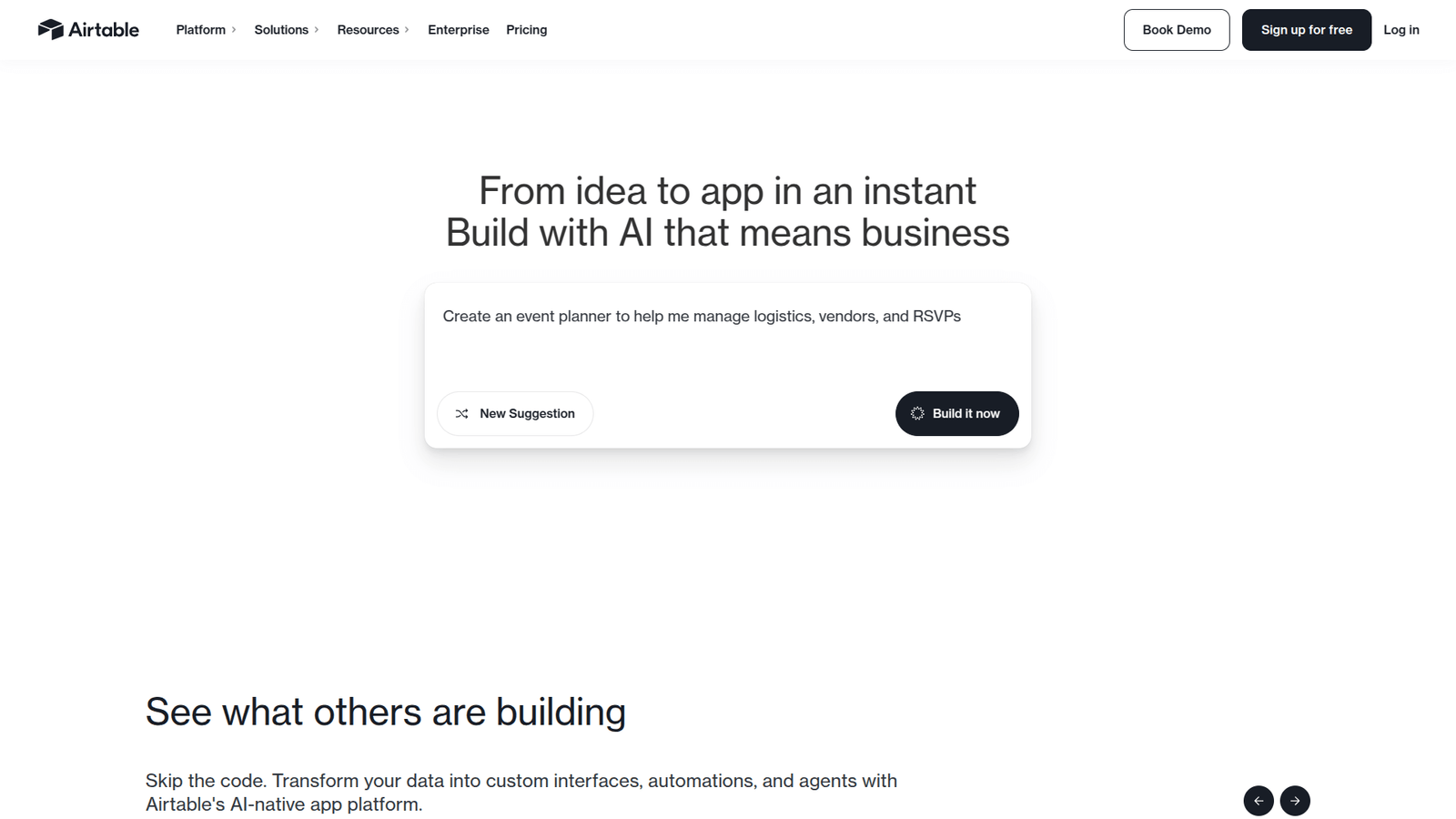

Airtable transforms No-Code Workflow Automation, empowering you to build powerful, custom solutions without code. Boost efficiency and cut costs. Start streamlining your operations today!
Why Airtable Is a Smart Choice for No-Code Workflow Automation
Ever feel like you’re constantly juggling a dozen different apps, trying to get them to talk to each other?
Or maybe you’re buried in spreadsheets, manually updating data, wishing there was a better way?
You’re not alone. The world of Automation and Integration is evolving fast.
And with the rise of AI, everyone’s looking for that edge, that tool that just… works.
That’s where Airtable steps in. It’s not just another database.
It’s a game-changer, especially if you’re into No-Code Workflow Automation.
Think of it as the ultimate Lego set for your business operations.
You get the pieces, you decide how they fit, and you build something incredible.
No coding degrees required. Just pure, unadulterated efficiency.
I’m talking about saving hours, days, even weeks of manual work.
It’s about taking those clunky, time-consuming processes and making them run like a well-oiled machine.
If you’re serious about scaling, about getting more done with less fuss, then you need to pay attention.
This article is your roadmap to understanding why Airtable is quickly becoming the go-to tool for savvy businesses and individuals.
Let’s get into it.
Table of Contents
- What is Airtable?
- Key Features of Airtable for No-Code Workflow Automation
- Benefits of Using Airtable for Automation and Integration
- Pricing & Plans
- Hands-On Experience / Use Cases
- Who Should Use Airtable?
- How to Make Money Using Airtable
- Limitations and Considerations
- Final Thoughts
- Frequently Asked Questions
What is Airtable?
Alright, let’s cut to the chase. What exactly is Airtable?
At its core, Airtable is a low-code platform for building collaborative applications.
Think of a spreadsheet, but on steroids.
It combines the familiarity of a spreadsheet interface with the power of a database.
This means you get organised data, but with rich features that excel and Google Sheets just can’t touch.
It’s not just for numbers. You can store text, images, attachments, checkboxes, dropdowns – you name it.
It’s designed for anyone who needs to organise information and build workflows without writing a single line of code.
This includes marketers tracking campaigns, writers managing editorial calendars, creators handling content pipelines, project managers overseeing tasks, and small businesses keeping tabs on everything.
The beauty of Airtable is its flexibility. It adapts to your needs, not the other way around.
You can create custom databases, called “bases,” for virtually anything.
Each base contains “tables” (like sheets in a spreadsheet), “fields” (like columns), and “records” (like rows).
But here’s where it gets interesting: these fields can be much more than just text or numbers.
You can link records between tables, creating relational databases.
This means if you update a client’s address in one table, it automatically updates everywhere that client is linked.
No more manual double-entry. No more inconsistencies.
It’s built for collaboration. Teams can work together in real-time, seeing changes as they happen.
This instant feedback loop is priceless for improving team efficiency and reducing miscommunication.
For those in No-Code Workflow Automation, Airtable becomes the central hub.
It’s where your data lives, and from there, you can connect it to other tools using automations.
Think of it as the brain of your operational machine, making sure all the parts are in sync.
It simplifies complex data management and opens up possibilities for building custom applications that precisely fit your unique processes.
This saves you big money on custom software development.
You’re building what you need, quickly, and without a developer’s salary.
Key Features of Airtable for No-Code Workflow Automation
Airtable isn’t just a pretty interface; it packs a serious punch when it comes to features that enable No-Code Workflow Automation.
Let’s break down what makes it so powerful.
- Customisable Base Structure:
This is where it all starts. Unlike rigid databases, Airtable lets you define your own data structure.
You create bases tailored to your specific projects – a content calendar, a CRM, an inventory tracker, a project management tool.
Within each base, you set up tables, fields, and views exactly how you need them.
Want a field for client emails, another for project status, and a third for task due dates?
You simply add them. This flexibility is critical for automation because your workflows are built on precise data.
The more organised and accurate your data is in Airtable, the smoother your automations will run.
It helps you avoid data silos and ensures every piece of information is where it should be.
This foundational structure means your automations always have reliable data to work with.
No more manual data entry errors messing up your system.
- Advanced Field Types and Linked Records:
This is where Airtable really shines over basic spreadsheets.
You get a huge range of field types: checkboxes, single-select, multi-select, attachments, formulas, rollups, lookups, and more.
These aren’t just pretty options; they enable powerful automations.
For example, a “status” field can trigger an automation when it changes from “Pending” to “Approved.”
But the real magic lies in linked records.
You can link a task in one table to a client in another, or an article to its author.
This creates a relational database, meaning your data is interconnected.
When you automate a process, it can pull information from related records seamlessly.
Imagine automating an email to a client when their project status changes – Airtable pulls the client’s email from the linked client record.
This removes the need for manual cross-referencing and ensures data consistency across your entire system.
It makes your data intelligent and actionable for automation.
- Native Automations and Integrations:
Airtable has its own built-in automation feature.
You can set up triggers and actions directly within your base.
For example, when a new record is created, send a Slack message.
When a due date is reached, update a status.
These native automations are powerful for simple, repetitive tasks that happen within Airtable.
But for more complex workflows that involve other apps, Airtable connects with thousands of services via tools like Zapier, Make (formerly Integromat), and Workato.
This means you can connect Airtable to your email marketing software, your CRM, your communication tools, your payment gateways, and just about anything else.
This is the core of Automation and Integration.
You can automatically add new leads from a web form to Airtable and then trigger a welcome email sequence in your marketing software.
Or automatically create a new task in your project management tool when a record is updated in Airtable.
The possibilities are endless, and it significantly reduces manual busywork, freeing up your time for higher-value activities.
Benefits of Using Airtable for Automation and Integration
So, why bother with Airtable? What’s the real payoff?
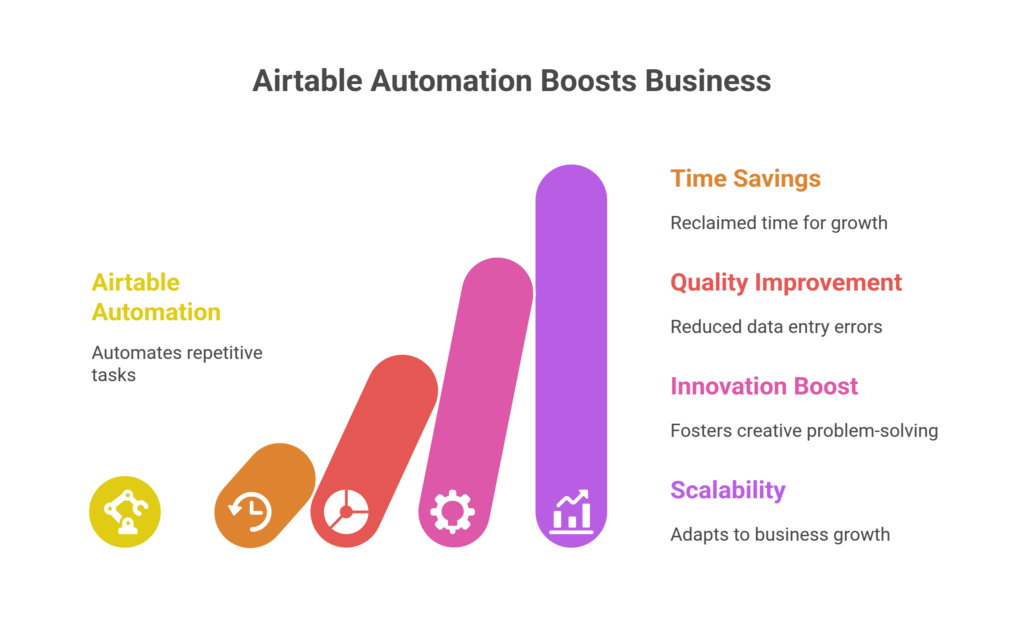
It boils down to a few key areas that directly impact your bottom line and your sanity.
First, let’s talk about time savings.
Imagine all those repetitive tasks you or your team currently do manually.
Data entry, sending follow-up emails, updating project statuses, generating reports.
These are time sinks.
Airtable, through its No-Code Workflow Automation capabilities, takes these off your plate.
When you automate, those hours spent on busywork disappear.
This isn’t just about saving an hour here or there.
It accumulates into days, even weeks, of reclaimed time over a year.
That time can be reinvested into growth strategies, client relations, or personal development.
Second, quality improvement and error reduction.
Humans make mistakes. It’s a fact.
Manual data entry is especially prone to errors.
A misspelled name, a wrong number, a missed update – these can have ripple effects, causing headaches down the line.
When Airtable handles the data transfer and updates via automation, the margin for error shrinks dramatically.
Your data becomes cleaner, more consistent, and more reliable.
This leads to better decision-making because you’re working with accurate information.
Third, overcoming creative blocks and fostering innovation.
This might sound counterintuitive for a database tool, but hear me out.
When you’re not bogged down by administrative tasks, your brain is freed up.
You can focus on strategy, on problem-solving, on truly creative work.
Airtable helps you organise ideas, track progress on creative projects, and even automate parts of the creative process, like content distribution.
It provides a structured environment for innovation to thrive, allowing you to iterate faster and experiment more.
It helps you move from being reactive to proactive.
Finally, scalability and adaptability.
As your business grows, your processes need to scale with it.
Traditional methods often break under the weight of increased volume.
Airtable’s flexible nature means you can easily expand your bases, add new workflows, and integrate more tools as your needs evolve.
You’re not locked into a rigid system.
This makes it an ideal choice for businesses aiming for rapid growth without hitting operational bottlenecks.
It’s like building a custom house instead of buying a pre-fab one – it fits your life perfectly now, and you can add extensions later.
It truly empowers you to build the exact systems you need for your unique business.
Pricing & Plans
Alright, let’s talk brass tacks: what’s it going to cost you?
Airtable, like many modern software tools, operates on a tiered pricing model.
This is good because it means you can start small and scale up as your needs (and budget) grow.
Yes, there is a free plan.
This is excellent for individuals, small teams, or anyone just wanting to get their feet wet without commitment.
The free plan gives you access to core features: unlimited bases, 1,200 records per base, 2GB of attachments per base, and limited revision history (2 weeks).
You also get access to views like grid, calendar, Kanban, form, and gallery.
For basic data organisation and simple personal projects, the free plan is surprisingly robust.
However, when you start digging into serious No-Code Workflow Automation, you’ll likely hit its limits.
The premium versions are where the real power for businesses lies.
Airtable typically offers several paid tiers, often named “Team,” “Business,” and “Enterprise.”
The exact features and pricing can vary, so always check their official website for the latest details.
Generally, premium plans offer:
- Increased Record Limits: Far more records per base, essential for large datasets.
- More Attachment Space: Crucial if you’re storing lots of files, images, or documents.
- Extended Revision History: Ability to go back further in time to restore previous versions of your data, a lifesaver for mistakes or compliance.
- Advanced Automation Runs: A much higher number of automation runs per month, which is key for automating complex or high-volume workflows.
- Sync Integrations: Advanced features for syncing data with other sources.
- Granular Permissions: More control over who can see and edit what, vital for team collaboration and data security.
- Dedicated Support: Faster and more comprehensive customer support.
- Advanced Interface Options: Access to interfaces for building custom dashboards and visual apps on top of your data.
When you compare Airtable to alternatives, it’s not always a straightforward comparison.
For example, traditional relational databases like MySQL or PostgreSQL are powerful but require coding expertise and extensive setup.
Excel or Google Sheets are great for simple lists but lack the relational database capabilities and advanced automation features.
Dedicated project management tools like Asana or Trello are fantastic for specific use cases but often lack the database flexibility of Airtable.
Airtable sits in a sweet spot, offering database power with no-code accessibility.
Its pricing reflects this unique position.
While a premium plan might seem like an investment, consider the return: hours saved, errors reduced, and the ability to build custom business applications without hiring developers.
For many businesses looking to serious Automation and Integration, the value proposition is clear.
It pays for itself quickly through increased efficiency.
Hands-On Experience / Use Cases

Theory is one thing; practical application is another.
Let’s talk about what it actually looks like to use Airtable for No-Code Workflow Automation.
I’ve seen it transform operations across different industries.
Here’s a common scenario.
Imagine you run a small marketing agency.
You’re constantly onboarding new clients, setting up campaigns, managing content, and tracking results.
Before Airtable, this was a mess: a spreadsheet for clients, another for projects, emails flying everywhere, Slack messages getting lost.
It was a recipe for missed deadlines and client frustration.
With Airtable, you can build a comprehensive Client Management System.
You start with a “Clients” table, holding all client details.
Then, a “Projects” table, linked to the Clients table, so each project knows which client it belongs to.
Next, a “Tasks” table, linked to Projects, with fields for task owner, status, and due date.
Now, the automation magic begins.
Use Case 1: Client Onboarding Automation
When a new client signs up via your website form (let’s say a Typeform), an automation (using Zapier or Make) takes that data and instantly creates a new record in your Airtable “Clients” table.
Immediately, another automation within Airtable triggers:
- It creates a set of standard onboarding tasks in the “Tasks” table (e.g., “Send Welcome Email,” “Schedule Kick-off Call,” “Set up Project Folder”).
- It assigns these tasks to the relevant team members.
- It sends an internal Slack notification to the sales and project management teams, announcing the new client and their details.
- It sends a personalised welcome email to the client, pulling their name and company from the Airtable record.
Results: Onboarding time cut by 50%. Zero missed steps. Professional, consistent client experience from day one.
Use Case 2: Content Approval Workflow
You have a content calendar in Airtable with articles, social media posts, and videos.
Each record has fields for “Status” (Draft, Ready for Review, Awaiting Client Approval, Published), “Author,” and “Reviewer.”
When an author changes a content record’s “Status” to “Ready for Review”:
- An automation sends an email notification to the assigned reviewer.
- If the reviewer changes the status to “Awaiting Client Approval,” another automation attaches the draft PDF from Airtable to an email and sends it to the client for sign-off.
- If the client provides feedback, that feedback can be added directly to a linked “Feedback” table in Airtable.
Results: Content moves through the pipeline faster. No more chasing people for reviews. Clear audit trail of approvals.
Usability and Learning Curve:
Airtable’s interface is intuitive, especially if you’re familiar with spreadsheets.
The drag-and-drop functionality, visual customisation, and clear field types make it easy to grasp the basics.
The learning curve for simple bases is very low.
Mastering linked records, formulas, and advanced automations takes a bit more time, but there are tons of tutorials and a strong community.
The key is starting small, identifying one manual process, and automating it.
The results you see quickly build confidence to tackle bigger projects.
It truly delivers on its promise of powerful Automation and Integration without the need for complex code.
Who Should Use Airtable?
If you’re reading this, you’re probably wondering, “Is Airtable for me?”
The short answer is: if you deal with data, projects, or workflows, and you want to do it better, faster, and with less manual effort, then yes.
Let’s break down the ideal user profiles.
Bloggers and Content Creators:
Managing editorial calendars, tracking content ideas, planning publication schedules, managing freelance writers, and even organising media assets.
Airtable can automate content briefs, assign tasks, and track the status of every piece of content from idea to publication.
No more scattered Google Docs and endless email threads.
Marketers:
From campaign planning and tracking leads to managing ad creatives and analysing performance data.
You can build a CRM, an email campaign tracker, or a social media content planner.
Automate lead nurturing, schedule posts, and track customer journeys.
Airtable provides a central hub for all your marketing efforts.
Small Businesses:
This is where Airtable really shines for general operations.
Think customer relationship management (CRM), project management, inventory tracking, HR onboarding, sales pipelines, or even simple accounting.
It’s like getting custom software built for your specific business needs without the massive development costs.
It gives small businesses the operational sophistication usually reserved for larger enterprises.
Agencies (Marketing, Creative, Development):
Agencies thrive on managing multiple clients and projects simultaneously.
Airtable offers a powerful solution for client onboarding, project delivery tracking, resource allocation, and even invoicing workflows.
It provides transparency for teams and clients alike, streamlining communication and ensuring projects stay on track.
The ability to link clients to projects to tasks is invaluable.
Event Planners:
Organising vendors, guest lists, budgets, schedules, and countless details is a monumental task.
Airtable can manage all of it, from RSVPs to seating charts, with automations to send reminders or update statuses.
It helps keep every moving part of an event perfectly coordinated.
Freelancers and Consultants:
Managing multiple clients, projects, invoices, and proposals can be overwhelming.
Airtable helps you stay organised, track billable hours, automate client communication, and ensure you never miss a deadline or a payment.
It’s your personal operational assistant.
In essence, if your work involves managing structured data and repetitive processes, and you’re tired of manual workarounds, Airtable is worth exploring.
It’s for anyone who wants to bring order to chaos and leverage the power of Automation and Integration without learning to code.
How to Make Money Using Airtable

Okay, so Airtable saves you time and reduces errors.
That’s great, but how does that translate into cold, hard cash?
Well, efficiency is profit. But there’s more to it.
Airtable creates direct and indirect monetization opportunities.
- Service 1: Airtable Consulting and Setup:
Many businesses, especially small to medium-sized ones, know they need better systems but don’t have the time or expertise to build them.
This is where you step in. You can offer services to design, build, and implement custom Airtable bases and workflows for clients.
Think of yourself as a digital architect.
You’d identify their manual processes, map them out, and then build a tailored Airtable solution complete with automations.
This could involve setting up a CRM, a project management system, an inventory tracker, or a content calendar.
Clients are willing to pay a premium for systems that save them hours and thousands of dollars in the long run.
You’re selling efficiency and peace of mind.
This is a high-value service.
- Service 2: Building and Selling Airtable Templates:
If you’re good at building functional and aesthetically pleasing bases, you can package them as templates and sell them.
Platforms like Gumroad, Creative Market, or even your own website can be marketplaces.
Identify common business problems (e.g., “Freelancer Project Tracker,” “Small Business CRM,” “Podcast Production Workflow”).
Build a robust, easy-to-use template that solves that problem using Airtable’s features, including pre-built automations.
This is a productised service model, allowing for passive income once the template is created.
You create it once, sell it many times.
It’s scalable and doesn’t require direct client interaction for every sale.
- Service 3: Offering No-Code Automation Services:
Beyond just Airtable setup, you can specialise in No-Code Workflow Automation, with Airtable as your central hub.
This involves connecting Airtable to other tools using platforms like Zapier, Make, or custom webhooks.
You could build systems that automatically capture leads from a website into Airtable, trigger email sequences in Mailchimp, create tasks in Asana, and send Slack notifications – all without a single line of code.
This is incredibly valuable for businesses that want to streamline their entire operation.
You’re not just building a database; you’re building an automated ecosystem.
This often commands higher fees because it delivers significant operational leverage.
You become the expert in making disparate systems talk to each other.
Real Case Study Example: “The Solo Agency Owner Who Scaled with Airtable”
Take Sarah, a solo digital marketing consultant.
She was hitting a ceiling. Too much manual work: client onboarding, project updates, invoicing.
She spent hours each week on administrative tasks.
Sarah learned Airtable and built a custom base.
When a new lead came in through her website, Airtable automatically created a new client record, triggered a task list for outreach, and sent her a Slack notification.
When a project was completed, an automation would update the client’s status, generate an invoice, and remind her to send it.
By automating her client management and project workflows, Sarah freed up 15-20 hours a week.
This allowed her to take on 2-3 more clients per month.
At an average project value of £1,500, that’s an extra £3,000-£4,500/month in revenue, directly attributable to the efficiency gained from Airtable.
She wasn’t making money directly from Airtable, but it was the tool that enabled her to scale her services and significantly boost her monthly income.
This is the power of leveraging tools for efficiency.
It’s not just about saving time; it’s about creating capacity for growth and increased earnings.
Limitations and Considerations
No tool is perfect.
While Airtable is incredibly powerful for No-Code Workflow Automation, it has its limits.
It’s important to understand these before you jump in headfirst.
First, the learning curve for advanced features.
While the basics are easy, building complex relational databases with intricate formulas, automations, and advanced interfaces does require some dedication.
It’s not code, but it’s still logic.
You need to think systemically.
If you try to replicate an enterprise-level ERP system with hundreds of interconnected tables and complex business rules, you might find Airtable hitting its ceiling in terms of complexity and performance, especially with millions of records.
It’s best suited for managing distinct, though often linked, sets of data and processes, not as a replacement for full-stack custom software.
Second, cost can add up for large teams or extensive use.
While the free plan is generous, if you have a large team, multiple power users, and high volumes of automation runs, the monthly subscription can become a significant operational expense.
You need to weigh this against the time and money saved by not hiring developers or using multiple disparate tools.
For many, the ROI is clear, but it’s a consideration for budget planning.
Third, offline access is limited.
Airtable is primarily a cloud-based application.
While there are mobile apps, they still require an internet connection to sync and update data in real-time.
If you need robust offline capabilities for field work or areas with poor connectivity, this could be a constraint.
Fourth, performance with extremely large datasets.
While Airtable handles large numbers of records well, if you’re talking about millions of records with highly complex calculations and automations running constantly, you might start to see some performance degradation.
It’s not designed to be an enterprise data warehouse or a big data analytics platform.
For most small to medium businesses, this isn’t an issue, but it’s something to be aware of if your data volume is truly enormous.
Finally, customisation beyond the interface is limited.
While you can build beautiful interfaces within Airtable, you’re still within the Airtable ecosystem.
You can’t fundamentally change how the core platform works or host it on your own servers.
If you need highly specific, custom-coded logic or a fully branded, standalone application that looks nothing like Airtable, then a no-code tool might not be enough.
However, for most Automation and Integration needs, Airtable’s flexibility is more than sufficient.
It’s about picking the right tool for the job.
Airtable is a general-purpose powerhouse, not a highly specialised niche tool for every single use case.
Final Thoughts
Look, I don’t believe in magic bullets.
But some tools come pretty darn close to solving major business headaches.
Airtable is one of them.
For anyone serious about No-Code Workflow Automation and streamlining operations, it’s not just an option; it’s a strategic advantage.
We’re in an age where efficiency isn’t just nice-to-have; it’s essential for survival and growth.
Manual processes are profit killers. They suck time, introduce errors, and drain your team’s energy.
Airtable tackles this head-on by providing a flexible, powerful platform to build custom solutions that fit your unique needs.
It helps you create systems that work for you, not against you.
You get the benefits of custom software without the staggering development costs or the need to learn complex coding languages.
The ability to link data, build custom views, and automate repetitive tasks across various applications is transformative.
It means more time focused on strategy, on creating value, and on scaling your business.
My recommendation is clear: if you’re still wrestling with spreadsheets, fragmented data, and endless manual tasks, you need to give Airtable a serious look.
Start with the free plan. Experiment. Build a simple base for one of your current pain points.
See how quickly you can automate a small part of your day.
You’ll likely be surprised by how much power you can unlock without writing a single line of code.
It’s an investment in your future efficiency and profitability.
Don’t just keep doing things the old way because it’s familiar.
The world moves fast. And tools like Airtable are how you keep up, and more importantly, get ahead.
Visit the official Airtable website
Frequently Asked Questions
1. What is Airtable used for?
Airtable is primarily used for organising information, managing projects, tracking data, and building custom collaborative applications without coding. It combines the flexibility of a spreadsheet with the power of a database. People use it for everything from content calendars and CRM systems to inventory management and HR onboarding.
2. Is Airtable free?
Yes, Airtable offers a free plan. This plan provides access to core features, allowing individuals and small teams to create unlimited bases with certain limitations on records, attachment space, and revision history. For more advanced features, higher limits, and additional automation capabilities, premium paid plans are available.
3. How does Airtable compare to other AI tools?
Airtable isn’t a generative AI tool like ChatGPT or an image generator. Instead, it’s a powerful no-code platform that *integrates* with AI tools. It serves as an intelligent database and automation hub. It’s better compared to tools like SmartSuite or Monday.com, but with a stronger emphasis on flexible database structures and robust integration for Automation and Integration. It acts as the backbone for workflows, which can then incorporate AI-powered steps via integrations.
4. Can beginners use Airtable?
Absolutely. The basic interface of Airtable is very user-friendly and intuitive, especially if you’re comfortable with spreadsheets. Creating simple bases and adding data is straightforward for beginners. Mastering advanced features like complex formulas, linked records, and automations will require some learning, but it’s still accessible without a programming background.
5. Does the content created by Airtable meet quality and optimization standards?
Airtable itself doesn’t “create content” in the sense of writing articles or generating images. It helps you manage and organise content. However, by automating content workflows, it ensures consistency and adherence to standards. For example, it can enforce required fields for SEO metadata or trigger approval processes to maintain quality. When integrated with AI writing tools, it can manage the input and output, helping to ensure the AI-generated content is structured and ready for optimisation.
6. Can I make money with Airtable?
Yes, you can make money with Airtable both directly and indirectly. Directly, you can offer consulting services to help businesses set up custom Airtable bases and workflows, or you can build and sell Airtable templates. Indirectly, by leveraging Airtable for No-Code Workflow Automation, you can dramatically increase your personal or business efficiency, saving time and reducing costs, which translates directly to higher profits and the capacity to take on more clients or projects.




