

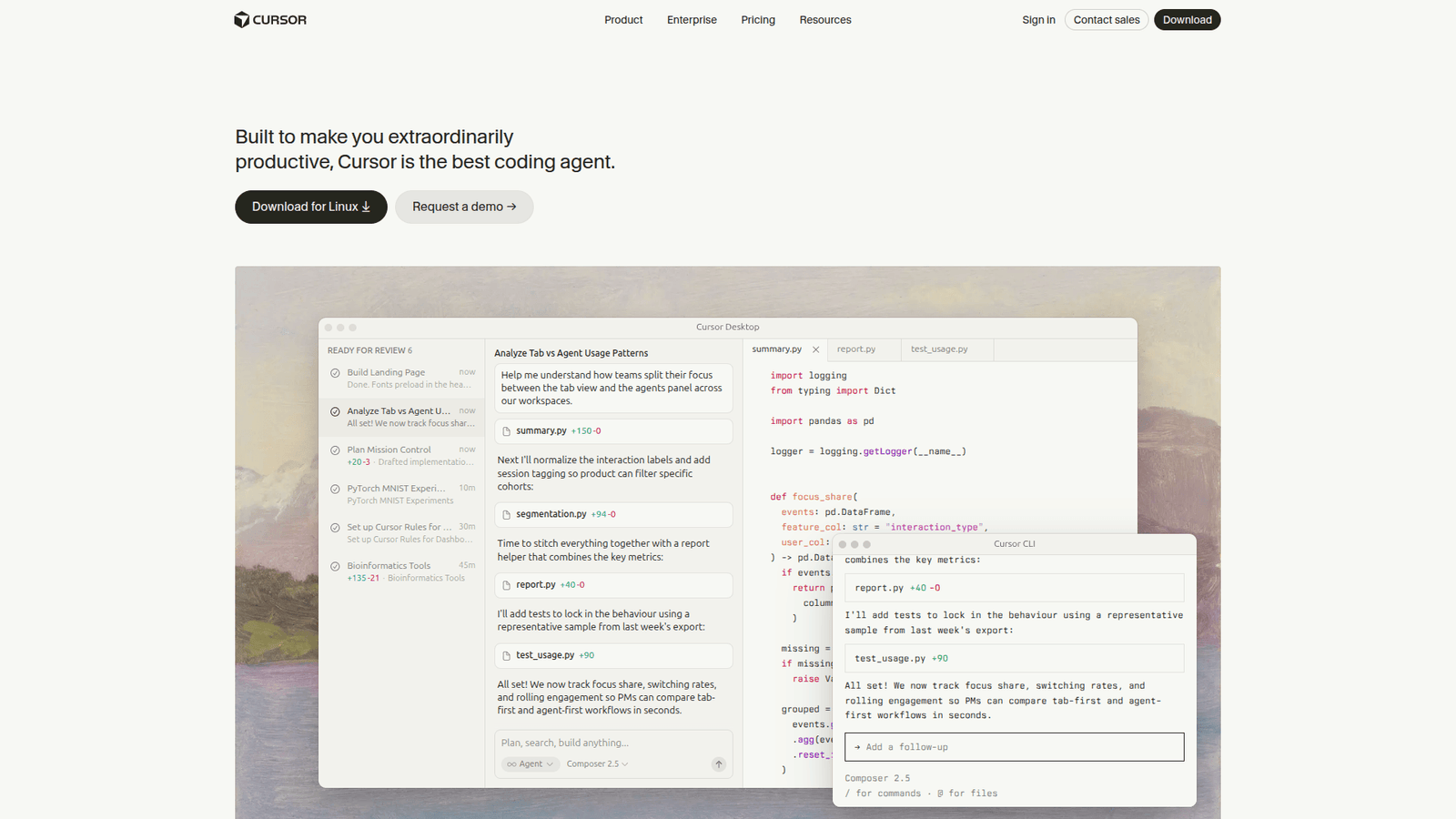

Supercharge your coding with Cursor! Master AI code generation and boost efficiency. Discover the game-changer for developers. Try it today!
Why Cursor Is a Game-Changer in AI Code Generation
The game in coding and developing has fundamentally shifted. AI isn’t just a buzzword anymore; it’s a core component of how we build, create, and innovate. For anyone deep in the trenches of writing code, the explosion of AI tools has been both exciting and a little overwhelming.
But what if there was one tool that didn’t just add to the noise, but actually cut through it? A tool designed to make your life as a developer easier, faster, and frankly, more productive.
Enter Cursor.
If you’re looking to leverage the power of artificial intelligence for your coding projects, specifically in the realm of AI code generation, you need to know about this. It’s not just another AI assistant; it’s built from the ground up for developers.
This isn’t about replacing developers. It’s about augmenting them. It’s about giving you superpowers.
Ready to see how AI code generation can move from a complicated process to your biggest advantage? Let’s break down what Cursor is all about and why it’s becoming essential for coders and developers everywhere.
What is Cursor?
Cursor is an AI-first code editor. Think of it as a supercharged version of your favourite development environment, infused with the intelligence of AI. It’s built to deeply integrate AI capabilities directly into your coding workflow.
Unlike generic AI assistants that you might use in a separate window, Cursor is designed to be your primary coding companion. It understands your codebase, can generate code, debug, refactor, and even explain complex sections of your project, all within the editor itself.
The core idea behind Cursor is to make AI an indispensable part of the development process. It’s for coders who want to build faster, write cleaner code, and spend less time on repetitive tasks. It’s for anyone in Coding and Developing who sees the potential of AI code generation and wants to harness it effectively.
It acts as a cognitive partner, helping you brainstorm, problem-solve, and execute tasks with unprecedented speed. It’s not just about writing code; it’s about thinking about code, together with AI.
Key Features of Cursor for AI Code Generation
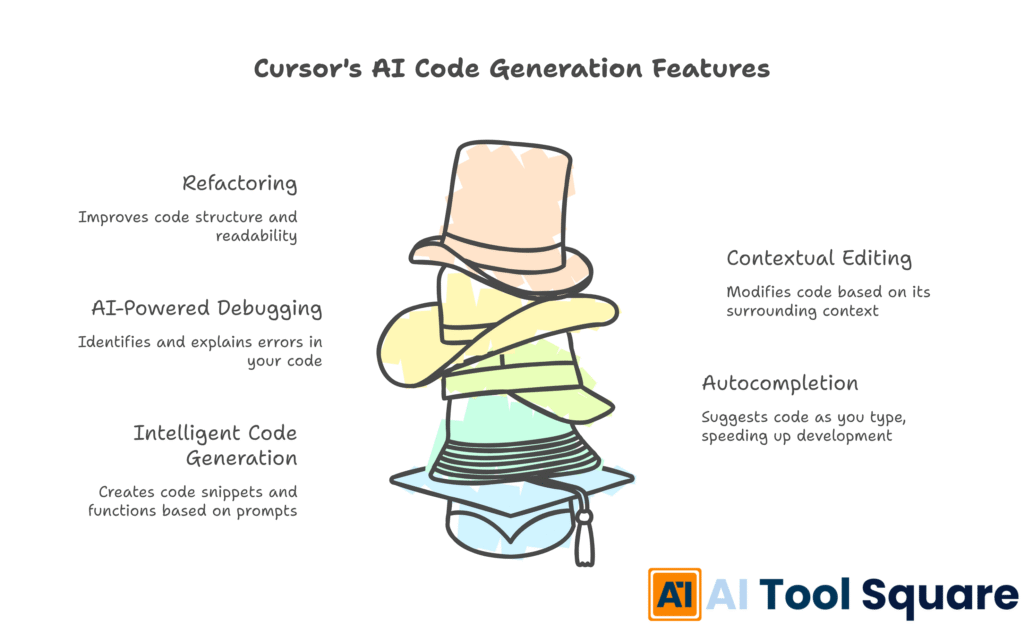
Cursor packs a serious punch when it comes to features specifically designed to enhance AI code generation. It’s not just about throwing prompts at an AI; it’s about seamless integration and powerful context awareness.
- Intelligent Code Generation and Autocompletion
This is where Cursor truly shines for AI code generation. It goes beyond simple syntax suggestions. Based on your current file, project context, and even your coding style, it can generate entire blocks of code, functions, or even classes. You can ask it to write code to achieve a specific outcome, and it will draft it for you, often with remarkable accuracy.
This feature dramatically speeds up development. Instead of writing boilerplate code or looking up syntax, you can have Cursor generate it, saving you significant time and mental energy. It’s like having a pair programmer who’s an expert in every language and framework, always ready to help. - AI-Powered Debugging and Error Explanation
Debugging is often the most frustrating part of coding. Cursor aims to alleviate this pain. When you encounter an error, you can ask it to explain what’s wrong and suggest fixes. It can analyze the error message in context with your code and provide clear, actionable insights.
This capability extends to identifying potential bugs before they even manifest. By understanding the logic and patterns in your code, Cursor can flag areas that might be problematic. This proactive approach to bug detection significantly improves code quality and reduces the time spent on troubleshooting. - Contextual Code Editing and Refactoring
Cursor’s AI understands the broader context of your project. This means when you ask it to edit or refactor code, it does so intelligently. Need to rename a variable across your entire project? Or perhaps change the signature of a function? It can handle these complex refactoring tasks with minimal input from you.
It can also help you understand and modify unfamiliar code. If you’ve inherited a large codebase or are working with a new library, you can ask Cursor to explain specific parts or suggest improvements. This makes complex codebases more accessible and maintainable, a huge win for any developer.
These features combine to create a powerful environment for AI Code Generation. It’s not just about getting code; it’s about getting the *right* code, efficiently and accurately.
Benefits of Using Cursor for Coding and Developing
The advantages of integrating Cursor into your daily coding routine are substantial, particularly for professionals in Coding and Developing. It addresses common pain points and unlocks new levels of efficiency.
Firstly, there’s the sheer **time saving**. Imagine cutting down the hours spent on writing repetitive code, searching for obscure syntax, or debugging elusive errors. Cursor’s AI code generation capabilities mean you can prompt for entire functions or code snippets, drastically reducing the manual typing and cognitive load. This frees up your valuable time to focus on more complex problem-solving and architectural design.
Secondly, **quality improvement** becomes a standard. With AI-powered assistance, you can generate cleaner, more robust code. Cursor can suggest best practices, identify potential security vulnerabilities, and help you write more efficient algorithms. This leads to fewer bugs, more reliable software, and a higher overall standard for your projects.
Overcoming **creative blocks** is another significant benefit. Staring at a blank screen or grappling with a difficult logic problem can halt progress. Cursor can act as a brainstorming partner, offering suggestions, alternative approaches, and even generating starting points for your code. This keeps the momentum going and helps you push through challenging development phases.
The **learning curve** for new technologies is also substantially reduced. If you’re tasked with working with a new programming language, framework, or API, Cursor can help you get up to speed quickly. You can ask it to explain concepts, provide examples, and even generate starter code for you, making the onboarding process much smoother.
Furthermore, Cursor fosters a **more collaborative environment**, even when working solo. It acts like a highly knowledgeable pair programmer, offering suggestions and validating your ideas. This can lead to more innovative solutions and a deeper understanding of your own code.
Finally, there’s the **reduced stress**. Let’s face it, coding can be stressful. Meeting deadlines, fixing bugs under pressure, and dealing with complex code can take a toll. By automating tedious tasks and providing intelligent assistance, Cursor helps alleviate much of this pressure, allowing developers to work more comfortably and sustainably.
Pricing & Plans

Cursor offers a tiered pricing structure designed to accommodate different user needs, from individual developers to larger teams. Understanding these plans is key to maximizing the tool’s value for your AI code generation efforts.
There is a **Free tier**, which is a fantastic entry point for individuals or those just starting to explore AI code generation. This free plan typically provides a generous amount of AI credits per month, allowing you to experiment with the core features of Cursor, generate code, and get a feel for its capabilities. It’s an excellent way to understand how it can fit into your workflow without any financial commitment.
For users who require more extensive AI usage, faster response times, or access to advanced models, Cursor offers **Paid plans**. These premium versions often come with increased AI credit limits, priority access to newer models, and enhanced support. The exact details of these plans can vary, so it’s always best to check the official website for the most up-to-date information on features and pricing.
When comparing Cursor to other AI code generation tools, its integrated nature within a code editor is a significant differentiator. Many alternatives might be standalone web applications or plugins that don’t offer the same depth of context awareness or seamless workflow integration. The pricing models for these alternatives can vary widely, some offering subscription-based access to their AI models, while others might have usage-based pricing. Its structure, especially with its robust free tier, makes it an accessible and powerful choice for developers at all levels. The focus on providing real value within the development environment itself is a key aspect of its pricing strategy.
Hands-On Experience / Use Cases
Imagine a team is building a new web application with a complex user interface. They need to implement a dynamic data table that fetches, sorts, and filters information from an API.
Instead of manually writing all the HTML, CSS, and JavaScript, a developer opens it. They prompt: “Generate a React component for a sortable and filterable data table. It should fetch data from a placeholder API and display columns for ‘Name’, ‘Email’, and ‘Status’.” Cursor, understanding the context of the project and the request for a React component, generates a well-structured component, including state management for sorting and filtering, and handles the API call.
The developer reviews the generated code. It’s clean, follows common React patterns, and includes comments. They might then refine the prompt: “Add a feature to bulk select rows and highlight the selected ones.” Cursor updates the component, adding the necessary logic for row selection and visual feedback.
Another scenario involves a developer refactoring a legacy Python script that has grown unwieldy over time. The script performs various data processing tasks. The developer selects a large section of the script and asks Cursor: “Refactor this code into separate, well-named functions with clear docstrings. Improve efficiency where possible.” It analyzes the code, breaks it down into logical functions, writes docstrings explaining each function’s purpose, parameters, and return values, and suggests optimizations for data processing.
Consider a team working on a microservice architecture. They need to implement a new API endpoint that requires authentication and data validation. A developer can prompt Cursor with: “Create a FastAPI endpoint for user registration. It should accept a JSON payload with ‘username’, ’email’, and ‘password’, validate the email format, hash the password, and return a success message or an error if validation fails.” It generates the Python code for the endpoint, including Pydantic models for validation and `bcrypt` for password hashing, ready to be integrated into the service.
These examples illustrate how its AI code generation capabilities can be applied to real-world development challenges, from rapid feature development to legacy code modernization and microservice implementation. The key is providing clear, contextual prompts, allowing Cursor to leverage its understanding of code and programming best practices.
Who Should Use Cursor?

Cursor is engineered for anyone deeply involved in the act of creating software. If you write code, build applications, or manage development teams, this tool is designed to make your work more efficient and impactful.
**Software Developers and Engineers:** This is the primary audience. Whether you’re a frontend, backend, full-stack, mobile, or game developer, Cursor can accelerate your coding, assist with debugging, and help you learn new technologies faster.
**Data Scientists and ML Engineers:** For those working with Python, R, or other data-centric languages, Cursor can assist with data manipulation, model implementation, and even generating boilerplate code for common machine learning tasks.
**DevOps Engineers and SREs:** If your work involves scripting, infrastructure as code, or troubleshooting complex systems, Cursor can help generate and refine scripts, understand configuration files, and identify potential issues in your infrastructure.
**Technical Leads and Architects:** While not writing code daily, leads and architects can use Cursor to quickly prototype ideas, explore different architectural patterns, and even generate documentation outlines for their designs.
**Freelance Developers and Agencies:** For those who rely on speed and efficiency to manage multiple client projects, Cursor can significantly boost productivity. Offering faster turnaround times and higher quality code can be a major competitive advantage.
**Students and Aspiring Developers:** Learning to code can be challenging. Cursor can act as an invaluable tutor, explaining code, providing examples, and helping learners overcome common hurdles. This makes the journey into Coding and Developing more accessible.
Essentially, if you spend a significant amount of your professional life in a code editor and want to leverage the power of AI to do your job better, faster, and with less friction, Cursor is a tool you should seriously consider. It’s built for the practical demands of modern software development.
How to Make Money Using Cursor
Leveraging Cursor effectively can open up new revenue streams and enhance existing ones for developers and tech professionals. It’s not just about personal productivity; it’s about creating services and efficiencies that clients will pay for.
- Accelerated Freelance Development Services
As a freelance developer, your time is your most valuable asset. Cursor can dramatically speed up your project delivery. By using its AI code generation, debugging, and refactoring capabilities, you can take on more projects, complete them faster, and deliver higher quality results. This directly translates to increased income.
For example, a freelancer can offer to build a custom web application feature. Instead of spending days coding it from scratch, they can use Cursor to generate the core functionality, then spend their time on customization, client communication, and testing. This allows them to charge competitive rates while increasing their profit margin due to the reduced time investment. - Specialised AI-Assisted Code Auditing and Modernisation
Many companies have legacy codebases that are difficult and expensive to maintain or update. You can offer services focused on auditing these codebases for bugs, security vulnerabilities, and inefficiencies, and then using Cursor to help refactor and modernise the code.
Cursor’s ability to understand and explain complex code, suggest refactoring, and generate new, cleaner code makes it ideal for these tasks. Clients are willing to pay a premium for experts who can revitalise their existing software assets, and it provides the tools to do so more efficiently than manual methods. - Developing and Selling Code Snippets or Boilerplate Projects
With Cursor, you can generate high-quality, well-documented code snippets or even complete boilerplate projects for various use cases (e.g., a template for a common web app feature, a starting point for a specific type of API integration). These can then be sold on marketplaces or offered directly to clients.
For instance, a developer could use it to create a robust, secure boilerplate for a user authentication system in a popular framework. This package, complete with clear instructions and Cursor-generated code, could be a valuable asset for other developers or startups looking to save time on foundational setup, creating a passive income stream.
Example: A developer specialized in e-commerce found that many small businesses struggled with setting up basic product listing pages. Using it, they generated a highly customizable and efficient product listing component. They then packaged this component with clear setup instructions and sold it on a developer marketplace, generating over $1,500 in its first month by leveraging Cursor’s AI code generation to build a marketable product quickly.
Limitations and Considerations
While Cursor is a powerful tool, it’s not a magic bullet. Understanding its limitations is crucial for setting realistic expectations and ensuring effective use, especially in AI code generation.
One of the primary considerations is **accuracy and correctness**. AI-generated code, while often impressive, can still contain errors, logical flaws, or security vulnerabilities. It’s imperative that developers **always review and test** any code generated by Cursor. You cannot simply copy-paste without scrutiny. Human oversight remains non-negotiable.
There’s also the **learning curve**, though often less steep than traditional coding, it requires understanding how to prompt the AI effectively. Crafting precise and context-aware prompts is an art. Misleading or vague prompts can lead to irrelevant or incorrect code, wasting time rather than saving it.
**Context window limitations** can also be a factor. While Cursor is designed to be context-aware, very large codebases might present challenges for the AI to fully grasp all nuances simultaneously. In such cases, developers might need to guide the AI more explicitly or break down complex tasks into smaller, manageable parts.
**Over-reliance** is another risk. If developers become too dependent on AI for code generation, their own problem-solving skills and fundamental coding knowledge might stagnate. It’s vital to use Cursor as an assistant and learning tool, not a replacement for critical thinking and understanding.
Finally, **intellectual property and licensing** can be a consideration, especially when generating code that might be derived from existing open-source projects. While Cursor aims to generate novel code, understanding the provenance of AI-generated content is an evolving area that developers should be mindful of.
Final Thoughts
Cursor is more than just another AI tool; it’s a fundamental shift in how we approach coding and developing. For anyone serious about harnessing the power of AI code generation, it presents an unparalleled opportunity to boost efficiency, improve code quality, and accelerate innovation.
Its deep integration into the development environment, combined with intelligent features for code generation, debugging, and refactoring, makes it a truly indispensable asset. While it requires skilled oversight and thoughtful prompting, the benefits in terms of time saved and complexity overcome are undeniable.
If you’re looking to stay ahead in the rapidly evolving landscape of software development, integrating Cursor into your workflow is not just recommended, it’s becoming essential. It empowers you to work smarter, not harder, and to focus your energy on the creative and strategic aspects of your work.
Ready to experience the future of coding? Explore Cursor and see how it can transform your development process.
Visit the official Cursor website
Frequently Asked Questions
1. What is Cursor used for?
Cursor is an AI-first code editor designed to assist developers. It’s used for generating code, debugging, refactoring, explaining code, and generally streamlining the entire coding process by integrating AI capabilities directly into the development environment.
2. Is Cursor free?
Cursor offers a free tier that provides a good amount of AI credits for individual use, allowing users to explore its core features. Paid plans are available for users who require more extensive AI usage, faster responses, and advanced features.
3. How does Cursor compare to other AI tools?
Cursor differentiates itself by being an integrated code editor rather than a standalone AI assistant. This allows for deeper context awareness of your codebase, leading to more relevant and accurate AI code generation and assistance.
4. Can beginners use Cursor?
Yes, beginners can benefit significantly from Cursor. It can act as a powerful learning tool by explaining code, providing examples, and helping to generate starter code, making the learning process smoother and more efficient for those new to coding.
5. Does the content created by Cursor meet quality and optimization standards?
AI-generated code from Cursor can meet high-quality and optimization standards, but it requires careful review and testing by a human developer. The AI provides a strong foundation, but developers must ensure the code is accurate, secure, and perfectly aligned with project requirements.
6. Can I make money with Cursor?
Absolutely. Cursor can help you make money by accelerating freelance projects, offering specialized code auditing and modernisation services, or by creating and selling code snippets and boilerplate projects. Its efficiency gains directly translate to increased earning potential.
7. How to make money with Cursor?
To make money with Cursor, focus on leveraging its speed and AI code generation capabilities to deliver client projects faster and more efficiently. Offer services like rapid web development, legacy code modernisation, or build and sell reusable code components or templates generated with the tool.




