


Discover the 7 most powerful AI podcast editors that can revolutionise your audio workflow, saving you time and boosting your content quality. I’m talking smart editing, noise reduction, and pro-level sound, all thanks to AI.
Unleashing the Power of AI Podcast Editors for Flawless Audio
Listen, if you’re serious about podcasts, you know the grind. Editing can be a beast, eating up hours that you could be spending on content creation, marketing, or, you know, sleeping. That’s where AI podcast editors come in. I’ve seen firsthand how these tools can literally transform a rough recording into a polished, professional-sounding episode with minimal effort. It’s not magic; it’s just damn good technology doing the heavy lifting for you.
We’re not talking about some flimsy automation here. I’m talking about sophisticated algorithms that can identify filler words, remove background noise, sweeten your vocals, and even generate show notes. The goal is simple: make your podcast sound incredible without you needing to be an audio engineer. This isn’t about replacing your skill; it’s about amplifying it. These AI podcast editors are your secret weapon, allowing you to focus on delivering value to your audience instead of wrestling with waveforms.
In this comprehensive guide, I’m going to break down the top 7 AI podcast editors that are currently dominating the market. We’ll look at what makes each one tick, who they’re best suited for, and how they can seriously impact your production workflow and ultimately, your bottom line. Get ready to ditch the endless hours of manual editing and embrace a smarter, more efficient way to create podcasts that truly stand out.
Table of Contents
- What Are the Best Podcast Editing Tools?
- Top 7 AI Podcast Editors (Detailed Reviews)
- Feature Comparison
- Pricing Breakdown
- Real-World Use Cases
- Who Should Use Each Tool?
- How to Choose the Right Tool
- Making Money with These Tools
- Common Limitations
- Final Verdict and Recommendations
- Frequently Asked Questions
What Are the Best Podcast Editing Tools?
Alright, let’s get down to brass tacks. The “best” AI podcast editors aren’t just about flashy features; they’re about efficiency, quality, and ultimately, making your life easier. Think about it: every minute you save in editing is a minute you can reinvest into scripting, guest outreach, or promoting your latest episode. That’s where the real value lies. I’ve seen too many podcasters burn out trying to manually tweak every single syllable. It’s unsustainable.
The top AI podcast editors on the market today are doing some seriously clever stuff. They’re using machine learning to identify and remove coughs, stutters, and those annoying “ums” and “ahs” that can derail a listener’s experience. They’re also smart enough to balance audio levels across multiple speakers, even if they’re recorded in completely different environments. This means less time spent manually levelling tracks and more time focusing on your narrative. It’s about achieving a professional sound without needing a full-blown studio setup or an expensive audio engineer on staff.
Furthermore, these tools are often equipped with intelligent noise reduction, which can clean up even the most challenging recordings. Imagine recording an interview in a café and having the AI magically strip away the clatter of plates and background chatter. That’s the kind of power we’re talking about. They can also offer transcription services, which are invaluable for accessibility, SEO, and creating show notes. The best AI podcast editors are comprehensive solutions, not just single-feature gimmicks. They’re designed to streamline your entire post-production process, from raw audio to a broadcast-ready file, all with a few clicks. If you’re looking to upgrade your audio game, you might also want to check out our broader Voice and Music Generation tools.
When I talk about the best, I’m talking about tools that provide consistent, high-quality results. They need to be intuitive enough for a beginner to pick up, yet powerful enough to satisfy the demands of a seasoned pro. The learning curve should be minimal, and the impact on your workflow should be massive. We’re looking for solutions that give you back your time, without compromising on the quality that your audience expects. These are the AI podcast editors that are truly moving the needle in the industry.
Ultimately, choosing the right AI podcast editors comes down to your specific needs and budget. But rest assured, the options available today are incredibly robust and offer features that were once only accessible to those with deep pockets and specialised skills. It’s an exciting time to be a podcaster, and these tools are making it easier than ever to produce outstanding audio content that captivates your listeners.
Top 7 AI Podcast Editors (Detailed Reviews)
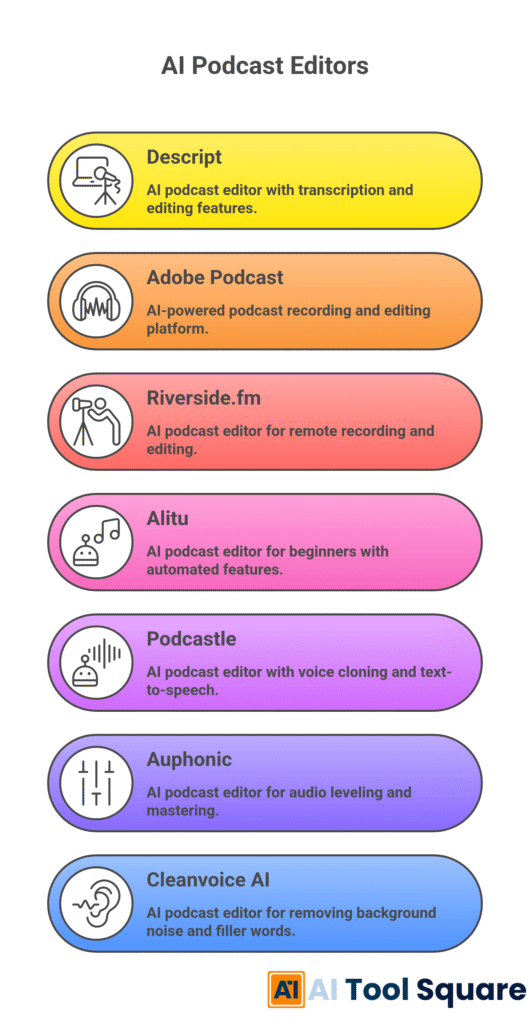
Descript – AI podcast editors Review
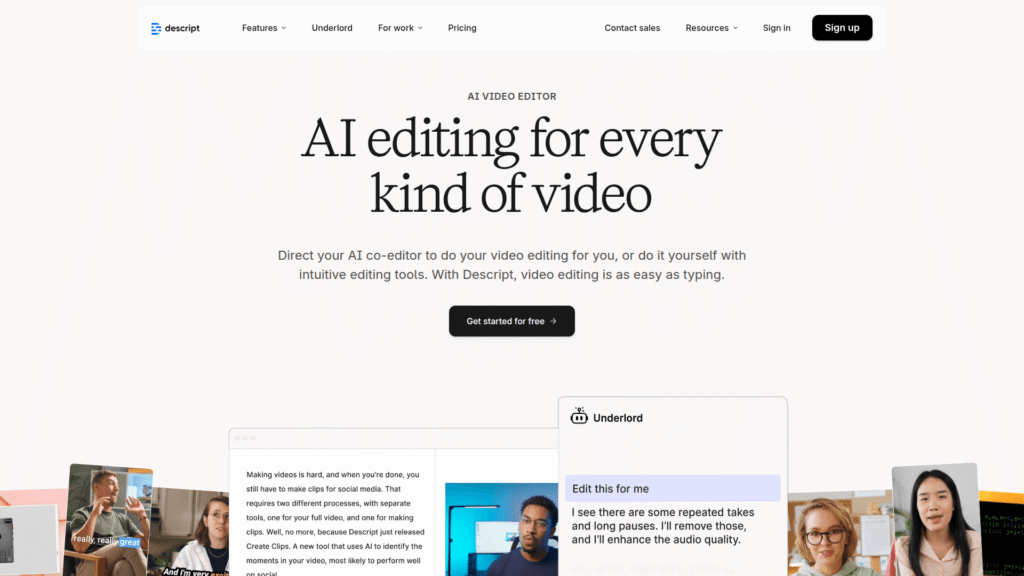
Descript isn’t just an audio editor; it’s a full-blown media suite that has revolutionised how many creators approach video and audio. Its standout feature is its ability to edit audio by editing text. Yes, you read that right. You literally remove filler words or awkward pauses by deleting the corresponding text in the automatically generated transcript. This alone makes it one of the most powerful AI podcast editors available. It’s like having a ghost editor working alongside you, but you’re still in complete control.
Beyond text-based editing, Descript offers “Studio Sound,” which magically removes background noise and enhances speech quality, making your audio sound like it was recorded in a professional studio. It also includes “Overdub,” an AI voice generator that can create realistic voice clones to correct mistakes or add new content without re-recording. This is next-level stuff for AI podcast editors. The collaborative features are also excellent, allowing teams to work on projects together seamlessly. It really changes the game for production teams.
- Features: Text-based editing, Studio Sound (noise reduction & speech enhancement), Overdub (AI voice cloning), automatic transcription, multi-track editing, screen recording, video editing, audiograms.
- Pricing: Free plan available with limited transcription hours. Paid plans typically start around £12-£15 per month for Creator, £24-£30 per month for Pro, with custom pricing for Enterprise.
- Pros: Incredibly intuitive text-based editing, powerful AI features for audio clean-up and voice generation, excellent for collaborative projects, combines audio and video editing.
- Cons: Can be resource-intensive, some advanced features might require a bit of a learning curve, free plan is quite limited.
Visit official Descript website
Adobe Podcast (formerly Project Shasta) – AI podcast editors Review
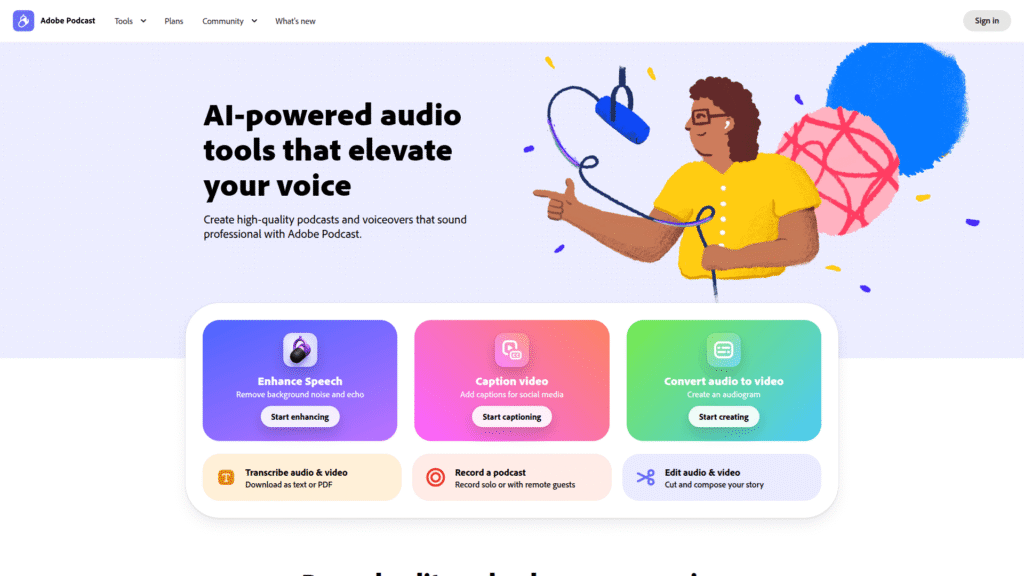
Adobe Podcast is a relatively newer player in the dedicated AI podcast editors space, but it’s backed by the formidable power of Adobe. Its primary focus is on enhancing spoken audio, making it sound crisp and professional even from less-than-ideal recordings. The “Enhance Speech” feature is particularly impressive, using AI to reduce background noise and improve vocal clarity significantly. It’s almost like magic how it cleans up audio that you thought was unusable.
While not a full-fledged DAW, Adobe Podcast excels at its core mission: making your voice sound amazing. It’s an excellent tool for podcasters who want to quickly process their audio for clarity and consistency without getting bogged down in complex editing suites. It integrates well with other Adobe products, which is a bonus for those already in the Adobe ecosystem. Think of it as your quick and dirty audio polish tool among AI podcast editors.
- Features: AI-powered speech enhancement (noise reduction, vocal clarity), microphone check, transcriptions, basic editing tools.
- Pricing: Currently offers a free tier with some limitations, and it’s included with some Adobe Creative Cloud subscriptions. Specific standalone pricing may evolve.
- Pros: Exceptional AI speech enhancement, very user-friendly interface, great for quick clean-up of spoken audio, browser-based.
- Cons: Lacks advanced multi-track editing features, not a full DAW replacement, primarily focused on speech.
Visit official Adobe Podcast website
Riverside.fm – AI podcast editors Review
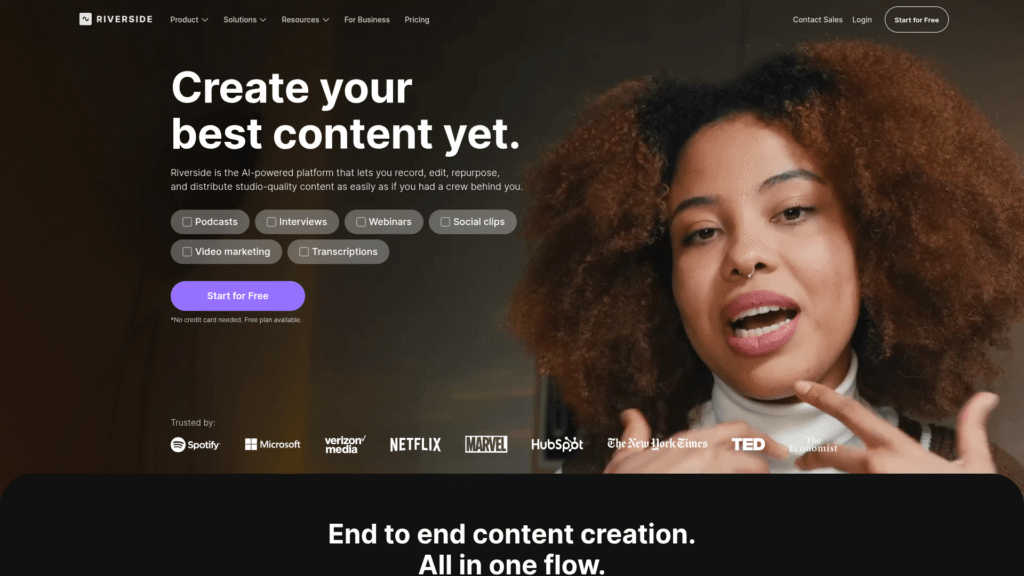
Riverside.fm isn’t just an editor; it’s a comprehensive recording and editing platform designed specifically for remote podcasts and video interviews. What makes it a standout among AI podcast editors is its ability to record high-quality, local audio and video tracks for each participant, regardless of their internet connection. This means no more worries about dodgy internet causing dropouts in your recordings. The AI then comes into play with features like automatic transcription, noise reduction, and even AI magic editing to quickly remove silences and merge tracks.
The platform offers a text-based video and audio editor, similar to Descript, allowing you to edit your content by simply editing the transcript. This streamlines the post-production process immensely, especially for multi-person interviews. It also provides automatic speaker separation and various tools for post-production polish, making it incredibly powerful for anyone regularly conducting remote interviews. It’s a full ecosystem for podcasters and content creators.
- Features: Local recording of high-quality audio/video, text-based editing, automatic transcription, AI magic editor, noise reduction, speaker separation, live streaming capabilities.
- Pricing: Free trial available. Paid plans typically range from £15-£25 per month for Standard, £24-£38 per month for Pro, with custom Enterprise options.
- Pros: Superior recording quality for remote guests, excellent AI editing features, user-friendly interface, ideal for interviews and panel discussions.
- Cons: Primarily focused on remote recording, some advanced editing features might be limited compared to dedicated DAWs, can be pricey for solo podcasters.
Visit official Riverside.fm website
Alitu – AI podcast editors Review
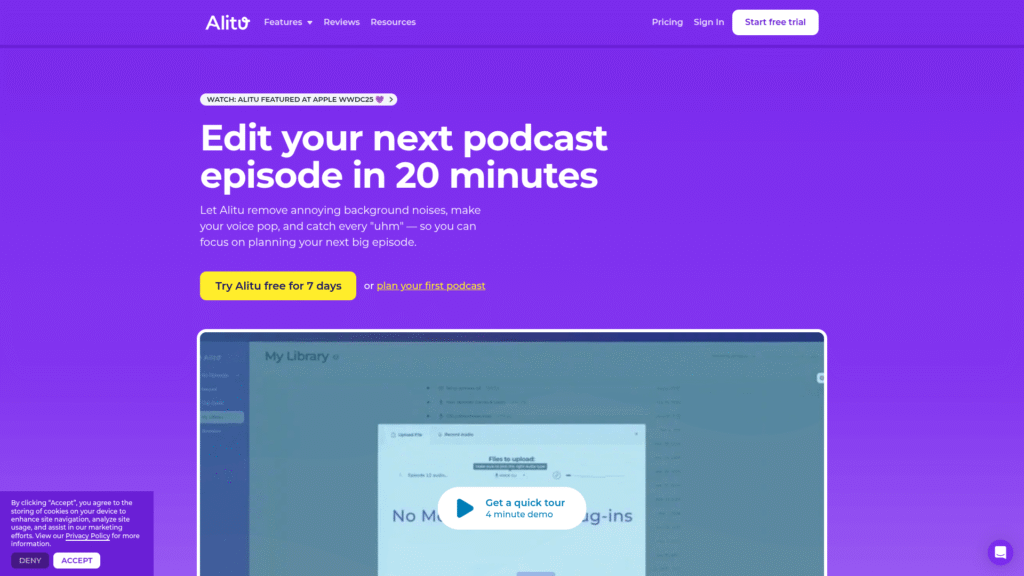
Alitu is designed specifically for podcasters who want to simplify their entire workflow. It’s one of those AI podcast editors that aims to take away all the technical headaches, allowing you to focus purely on your content. The platform automatically cleans up your audio, handles noise reduction, processes levels, and even adds intro and outro music. It’s like having a production assistant that works tirelessly in the background.
Beyond the automated cleanup, Alitu provides an intuitive interface for editing, allowing you to easily cut out sections, stitch together different clips, and add your music and advertisements. It also offers automatic transcription and publishing directly to your podcast host. For a solo podcaster or a small team, Alitu can be a game-changer, drastically reducing the time spent in post-production. It’s built from the ground up to be incredibly user-friendly and efficient.
- Features: Automatic audio clean-up (noise reduction, levelling), easy editing tools, intro/outro music integration, automatic transcription, direct publishing to hosts.
- Pricing: Free trial available. Typically, a single monthly plan around £25-£30, offering unlimited processing.
- Pros: Extremely user-friendly, excellent for beginners, automates many tedious editing tasks, comprehensive workflow solution.
- Cons: Less control over fine-grain editing compared to a DAW, may not suit highly advanced users, focused solely on podcast production.
Podcastle – AI podcast editors Review
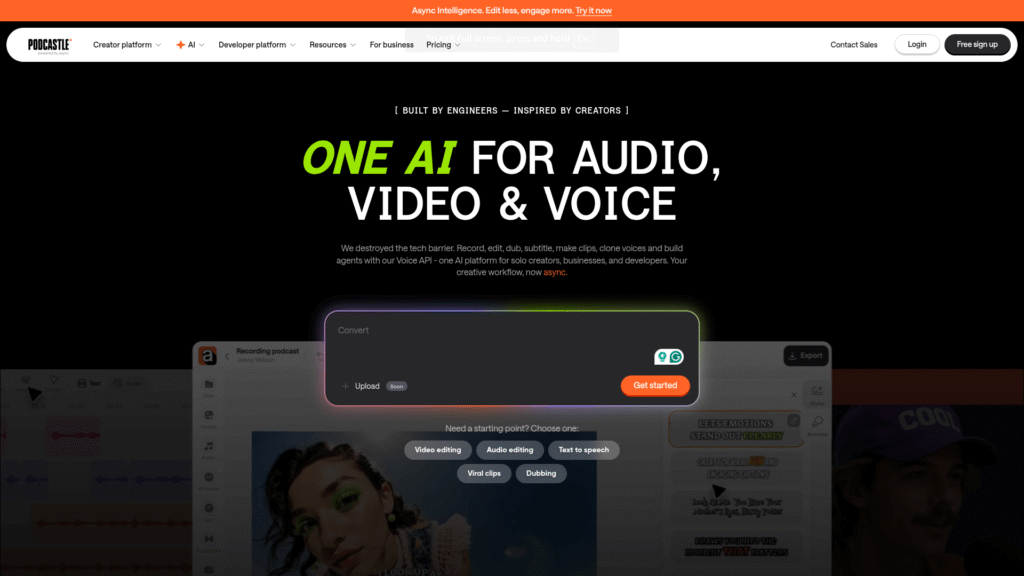
Podcastle positions itself as an “all-in-one platform for studio-quality podcasts.” It’s certainly one of the more robust AI podcast editors, offering a suite of tools that cover recording, editing, and even AI-powered content generation. Its core strength lies in its ability to record high-fidelity audio and video remotely, similar to Riverside.fm, ensuring your raw materials are top-notch from the start.
The AI features are where Podcastle truly shines. It includes an AI Magic Dust tool for one-click audio enhancement, background noise removal, and intelligent silence removal. They also offer a revoice feature, allowing you to convert text into realistic AI speech for intros, outros, or even entire segments. This can be incredibly useful for correcting mistakes or adding additional content without re-recording. Plus, their text-to-speech editor makes repurposing content a breeze.
- Features: Remote recording (audio/video), AI Magic Dust (one-click enhancement), noise removal, silence removal, revoice (AI voice generation), text-to-speech, transcription, multi-track editor.
- Pricing: Free plan with limited features. Paid plans typically start around £10-£15 per month for Storyteller, £25-£35 per month for Pro, with custom Enterprise options.
- Pros: Comprehensive suite of tools for recording and editing, strong AI capabilities for audio enhancement and voice generation, user-friendly interface.
- Cons: Some features can be resource-intensive, may have a slight learning curve for advanced AI tools, free tier is somewhat limited.
Visit official Podcastle website
Auphonic – AI podcast editors Review
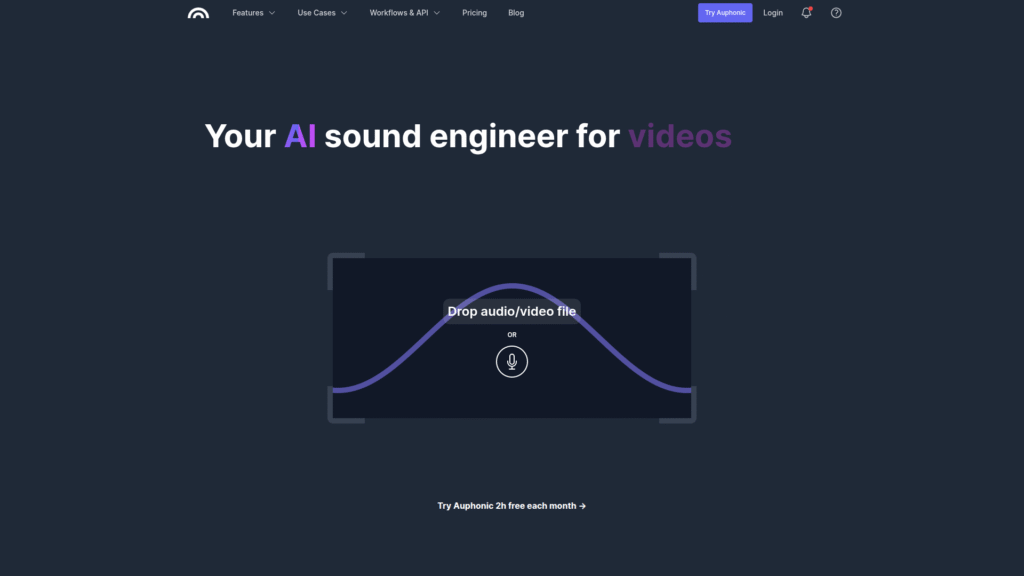
Auphonic isn’t a full editing suite in the same vein as Descript or Riverside; rather, it’s a powerful audio post-production web service that focuses exclusively on making your audio sound amazing. It’s an essential tool for anyone serious about audio quality and fits perfectly into the category of AI podcast editors. Auphonic uses advanced AI algorithms to automatically level, normalise, remove noise, and even cross-talk between speakers.
You simply upload your raw audio files, and Auphonic works its magic, returning a polished, broadcast-ready file. It handles everything from loudness normalisation (crucial for podcasting standards) to adaptive level optimisation and hum reduction. While it doesn’t offer cutting or splicing features, it’s an incredible tool for finalising your audio after you’ve done your basic edits elsewhere. Think of it as the ultimate audio mastering engineer in the cloud. It’s all about achieving that professional shine effortlessly.
- Features: Automatic level normalisation, loudness correction (EBU R128), intelligent noise reduction, hum reduction, automatic cross-talk removal, speech recognition (transcription), multi-track processing.
- Pricing: Free tier with limited processing hours. Paid plans based on usage (processing hours), typically starting around £9-£15 for 9 hours per month.
- Pros: Exceptional audio quality enhancement, completely automated post-production, essential for achieving broadcast standards, supports various output formats.
- Cons: Not an editor itself, requires a separate tool for cutting/splicing, pricing can scale with heavy usage.
Visit official Auphonic website
Cleanvoice AI – AI podcast editors Review
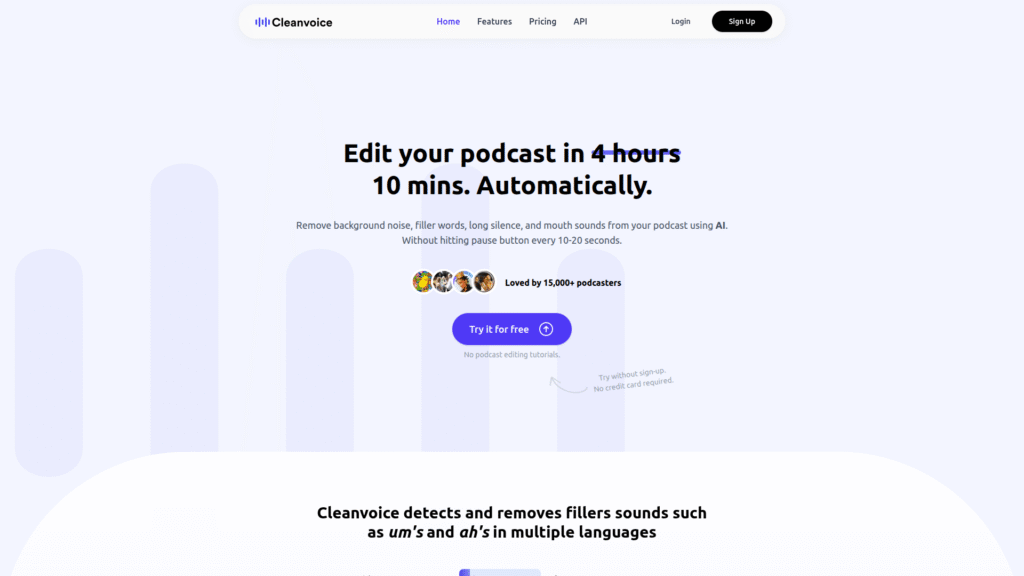
Cleanvoice AI is a niche but incredibly effective tool among AI podcast editors, focusing specifically on removing filler words, mouth clicks, and other common audio annoyances. If you’re tired of manually cutting out every “um,” “ah,” “you know,” or lip smack, then Cleanvoice AI is your new best friend. It uses advanced artificial intelligence to identify these specific sounds and remove them, saving you a monumental amount of time in post-production.
This tool is perfect for podcasters who want to clean up their spoken audio without getting into the complexities of a full digital audio workstation. You simply upload your audio file, select the types of sounds you want to remove, and let the AI do its work. It’s remarkably accurate and delivers clean, natural-sounding results. While it doesn’t offer multi-track editing or noise reduction, it excels at its specialised task, making your speech sound much more polished and engaging.
- Features: AI-powered filler word removal (um, ah, you know), mouth click removal, stutter removal, silence removal.
- Pricing: Free trial available. Paid plans are usage-based, typically starting around £8-£12 for 10 hours of processed audio.
- Pros: Highly effective at its specific task, saves massive amounts of manual editing time, very easy to use, results sound natural.
- Cons: Only performs filler word and sound removal, not a full editing suite, may require another tool for other post-production tasks.
Visit official Cleanvoice AI website
Feature Comparison
When you’re evaluating AI podcast editors, it’s not just about what they *can* do, but how well they do it, and whether their features align with your specific workflow. Some tools are comprehensive powerhouses, handling everything from recording to final export, while others are specialists, excelling at one particular aspect of audio clean-up. For instance, Descript and Riverside.fm both offer text-based editing, which is a massive time-saver for anyone dealing with spoken word content. This feature alone can cut editing time in half, as you’re essentially editing a document instead of fiddling with waveforms. They also both provide robust multi-track capabilities, which is crucial for interviews or shows with multiple hosts.
On the other hand, tools like Adobe Podcast and Auphonic focus heavily on audio enhancement and mastering. Adobe Podcast’s “Enhance Speech” is uncanny in its ability to transform poor recordings into professional-sounding audio. Auphonic, while not an editor, is unparalleled in its automatic levelling, normalisation, and noise reduction, making it an indispensable final step for many podcasters. These AI podcast editors are about ensuring your audio meets broadcast standards without manual intervention. Then you have specialists like Cleanvoice AI, which precisely target filler words and mouth noises, providing an incredibly efficient solution for a very specific, yet common, editing headache. It’s about understanding which pain points you need to solve.
Transcription services are another key differentiator. Most of the top AI podcast editors, including Descript, Riverside.fm, and Podcastle, offer automatic transcription, which is invaluable for accessibility, SEO, and generating show notes. Some even allow you to edit directly from the transcript, which is a huge efficiency boost. The presence of AI voice generation, like Descript’s Overdub or Podcastle’s Revoice, also sets certain tools apart, offering creative solutions for correcting errors or adding new content without re-recording. Consider if you need a full ecosystem or if a modular approach with specialised AI podcast editors works better for you. It’s all about building a workflow that saves you time and delivers quality.
Pricing Breakdown
Let’s talk money. When it comes to AI podcast editors, pricing models can vary wildly, and understanding them is crucial to making a smart investment. Many tools offer a free tier or a free trial, which is always my recommendation for getting a feel for the software before committing. However, these free versions often come with significant limitations, such as restricted processing hours, watermarked audio, or fewer features. For serious podcasters, a paid plan is almost always necessary to unlock the full power of these AI podcast editors.
Subscription models are common, with monthly or annual payments. Tools like Descript, Riverside.fm, Podcastle, and Alitu typically offer tiered subscriptions based on features, recording hours, or transcription minutes. For example, a “Creator” plan might give you a certain number of transcription hours and access to core AI features, while a “Pro” or “Business” plan will offer more hours, advanced AI capabilities, and perhaps team collaboration features. It’s essential to estimate your monthly usage to pick the most cost-effective tier. Don’t pay for features you don’t need, but don’t undershoot your requirements either; you’ll just end up upgrading later.
Other AI podcast editors, like Auphonic and Cleanvoice AI, often use a usage-based pricing model. You purchase a certain number of processing hours, and those hours are deducted as you use the service. This can be great for intermittent users or those who have variable production schedules. For instance, if you only produce one podcast a month, a usage-based plan might be more economical than a fixed monthly subscription. Always weigh the cost against the time saved and the quality gained. Remember, time is money, and investing in the right AI podcast editors can free up valuable hours that you can put back into growing your show. Look at the long-term value, not just the upfront cost.
Real-World Use Cases
Alright, let’s get practical. How are people actually using these AI podcast editors in the wild? It’s not just about theoretical benefits; it’s about tangible results for everyday podcasters. Take the solo creator who records in a less-than-perfect home studio. They might use Adobe Podcast’s “Enhance Speech” to instantly clean up their audio, removing echoes and background hum without needing expensive equipment or acoustic treatment. This means their message comes across clearly, even if their recording environment isn’t ideal. It democratises high-quality audio, making it accessible to anyone with a microphone and a good idea. That’s a powerful shift.
Consider a team that produces a weekly interview show with guests from all over the globe. They’re likely using a tool like Riverside.fm or Podcastle to record high-quality, local tracks from each participant. Then, they leverage the AI podcast editors’ text-based editing to quickly trim down the conversation, remove long pauses, and clean up any verbal stumbles. The automatic transcription also makes it easy to generate show notes and social media snippets. This workflow drastically reduces post-production time, allowing them to focus on booking more guests and promoting their content, rather than getting bogged down in intricate audio edits. It’s about scaling production efficiently.
And what about the highly polished, narrative-driven podcasts? Even they can benefit. A producer might use Cleanvoice AI to meticulously remove every single “um” and mouth click from a monologue, ensuring a perfectly smooth and engaging listening experience. They might then run the final audio through Auphonic for professional loudness normalisation and additional noise reduction, ensuring it sounds fantastic across all listening platforms. These AI podcast editors aren’t just for beginners; they’re for anyone who values efficiency and quality. They’re tools that help you produce better content, faster, no matter your skill level or production scale. It’s about getting an edge in a crowded market.
Who Should Use Each Tool?
Choosing the right AI podcast editors really comes down to matching the tool to your specific needs and current workflow. There’s no one-size-fits-all answer, so let’s break it down. If you’re a beginner or a solo podcaster looking for an all-in-one solution that automates most of the tedious editing, Alitu is probably your best bet. It’s incredibly user-friendly and designed to streamline the entire process from recording to publishing, making professional-sounding audio accessible without a steep learning curve. Think of it as your automated podcast producer.
For those who frequently record remote interviews or panel discussions and prioritise high-quality multi-track recording, Riverside.fm or Podcastle are the clear winners. These AI podcast editors ensure that each participant’s audio is captured locally in pristine quality, eliminating internet-related audio dropouts. Their text-based editing features also make post-production of conversations incredibly efficient. If your show relies on multiple voices, these platforms provide the robust foundation you need. They are built for collaboration and remote production.
If you’re already comfortable with basic audio editing but want to drastically cut down on the time spent cleaning up spoken word, Descript is a game-changer with its text-based editing and Studio Sound. Similarly, if your primary pain point is noisy audio or inconsistent levels, Adobe Podcast (for speech enhancement) or Auphonic (for mastering and normalisation) are indispensable AI podcast editors. And for the meticulous editor who wants to eliminate every filler word and mouth click, Cleanvoice AI is the specialist tool you need to achieve that ultra-polished sound. It’s about targeting your biggest time sinks and finding a tool that solves them effectively.
How to Choose the Right Tool
Picking the perfect AI podcast editors isn’t about grabbing the flashiest option; it’s about a strategic decision that impacts your entire production workflow. First, honestly assess your biggest pain points. Are you struggling with inconsistent audio quality? Spending too much time removing filler words? Having trouble with remote guest recordings? Your answers will immediately narrow down the field. If noise reduction is paramount, Auphonic or Adobe Podcast will jump out. If cutting out “ums” is your nightmare, Cleanvoice AI is your specialist solution. It’s about identifying the bottleneck in your current process and finding an AI podcast editor that directly addresses it.
Next, consider your technical proficiency and desired level of control. Some AI podcast editors, like Alitu, are designed for maximum automation and ease of use, perfect for beginners who want a “set it and forget it” approach. Others, like Descript, offer powerful AI features alongside a comprehensive editing suite, providing more control for those who want to fine-tune their edits. Don’t overcomplicate things if you don’t need to, but also don’t choose a tool that limits your creative vision. It’s a balance between simplicity and power. Think about how much time you actually want to spend in the editing interface.
Finally, always take advantage of free trials. This is non-negotiable. What looks good on paper might not feel right in practice. Run your actual audio files through the AI podcast editors you’re considering. See how they handle your specific voice, your recording environment, and your typical content. Does the AI sound natural? Is the interface intuitive? Does it integrate with your existing tools? The best way to know if an AI podcast editor is right for you is to put it to the test with your own material. This hands-on experience will give you the confidence to make the right investment for your podcast’s future. For more general advice on refining your process, check out our broader Podcast Editing category.
Making Money with These Tools
Look, the ultimate goal for many podcasters isn’t just to make great content; it’s to monetise it, and these AI podcast editors are absolutely critical to that mission. How? Simple: time and quality. By dramatically reducing your editing time, you free up hours that can be spent on revenue-generating activities. Imagine gaining back 5-10 hours a week previously dedicated to manual edits. That’s time you can use for pitching sponsors, creating premium content, building your community, or developing new shows. More time equals more opportunity to make money.
Secondly, professional-sounding audio directly impacts listener retention and growth. Listeners are far more likely to stick around and subscribe to a podcast that sounds crisp, clear, and well-produced. These AI podcast editors help you achieve that polished sound, even if you don’t have a professional studio or extensive audio engineering skills. Higher listener retention leads to more downloads, which makes your show more attractive to advertisers and sponsors. A high-quality product is easier to sell, whether that’s to an audience or a brand partner.
Furthermore, the efficiency gains allow you to scale your content production. With less time spent on each episode, you can potentially produce more episodes, launch spin-off shows, or repurpose your content into different formats (e.g., video clips, audiograms) with ease. More content means more touchpoints with your audience and more opportunities for monetisation through ads, premium subscriptions, or merchandise sales. These AI podcast editors aren’t just tools; they’re business accelerators. They empower you to professionalise your operation, grow your audience, and ultimately, increase your earning potential in the competitive world of podcasting. It’s about leveraging technology to build a better business.
Common Limitations
While AI podcast editors are incredibly powerful and transformational, it’s important to manage expectations and understand their limitations. They are tools to assist, not completely replace, human expertise. One common limitation is the potential for over-processing. While AI is excellent at noise reduction and speech enhancement, sometimes it can be a bit too aggressive, leading to an artificial or robotic sound if not used judiciously. This is especially true with very noisy recordings; a human editor might know when to leave a slight amount of ambiance to preserve naturalness, while an AI might strip it all out, creating an unnatural silence. It’s a delicate balance.
Another limitation often revolves around nuanced artistic decisions. An AI can remove filler words, but it won’t understand the subtle comedic timing of a deliberately placed pause or the emotional impact of a specific vocal inflection. For highly creative or narrative-driven podcasts, a human editor’s touch is still invaluable for crafting the perfect flow and emotional resonance. AI podcast editors excel at the technical clean-up, but the storytelling and artistic direction often require human intuition. They handle the mechanics, not the art, of the edit.
Finally, integration with highly specific or complex workflows can sometimes be a challenge. While many AI podcast editors offer excellent core features, if you rely on very specific plugins, bespoke templates, or highly customised audio effects within a traditional DAW, you might find some limitations in transferring your entire workflow to an AI-centric platform. While the technology is rapidly advancing, there will always be edge cases where human intervention or traditional software offers more granular control and flexibility. It’s about understanding where the AI excels and where a human touch or a different tool might still be necessary.
Final Verdict and Recommendations
Alright, so where do we land with these AI podcast editors? My verdict is clear: they are not just nice-to-haves; they are essential tools for anyone serious about producing high-quality podcasts efficiently. The time savings alone justify the investment, but the improved audio quality they deliver is what truly elevates your content and helps you stand out in a crowded market. Whether you’re a solo creator, a remote team, or a seasoned producer, there’s an AI tool here that can dramatically improve your workflow and the final product.
For the all-in-one comprehensive solution that handles recording, text-based editing, and powerful AI enhancement, Descript is hard to beat. Its ability to edit audio like a document is revolutionary. If you’re regularly conducting remote interviews and need pristine multi-track recordings coupled with smart editing, then Riverside.fm or Podcastle are your top contenders. For those who want maximum automation and ease of use without sacrificing quality, Alitu is an absolute gem for streamlining the entire production process.
If your primary focus is on getting broadcast-quality sound and tackling specific audio issues, consider integrating specialist AI podcast editors. Adobe Podcast is excellent for quickly enhancing speech, Auphonic is the master of automated post-production and loudness normalisation, and Cleanvoice AI is a must-have for eliminating filler words and mouth noises with surgical precision. The best strategy for many will be a hybrid approach, using a core editor for major cuts and then leveraging specialist AI tools for specific clean-up and mastering tasks. Invest in these AI podcast editors, and you’re investing in the future of your podcast.
Frequently Asked Questions
Is AI podcast editors a replacement for a human audio engineer?
No, AI podcast editors are powerful tools designed to assist and automate many tedious tasks, but they are not a complete replacement for a skilled human audio engineer. They excel at technical clean-up and efficiency, but human expertise is still vital for artistic decisions and complex audio challenges.
Can AI podcast editors really improve my audio quality?
Absolutely. Modern AI podcast editors use advanced algorithms for noise reduction, speech enhancement, level normalisation, and more, which can significantly improve the clarity, consistency, and overall professional sound of your audio, even from basic recordings.
Are these AI podcast editors easy to use for beginners?
Many AI podcast editors, especially those like Alitu, are designed with user-friendliness in mind and have intuitive interfaces that make them accessible even for beginners with little to no prior audio editing experience. Some may have a steeper learning curve for advanced features, however.
Do AI podcast editors offer transcription services?
Yes, many of the leading AI podcast editors, including Descript, Riverside.fm, and Podcastle, offer automatic transcription services, which can be invaluable for editing, accessibility, SEO, and generating show notes.
What’s the best AI podcast editor for remote interviews?
For remote interviews, Riverside.fm and Podcastle are highly recommended. They specialise in recording high-quality local audio and video tracks for each participant, ensuring excellent source material for editing with their built-in AI tools.
How much do AI podcast editors typically cost?
Pricing varies significantly. Many offer free tiers or trials with limited features. Paid plans can range from around £10-£30+ per month for subscription-based models, or usage-based pricing for specialist tools, depending on the features, processing hours, and advanced capabilities required.
Can AI podcast editors help me remove filler words like “um” and “ah”?
Yes, some AI podcast editors, most notably Cleanvoice AI and Descript, are highly effective at identifying and removing filler words, mouth clicks, and other speech imperfections, saving you a tremendous amount of manual editing time and resulting in a much cleaner, more professional sound.
There you have it. The right AI podcast editors are game-changers for anyone serious about audio. Go get after it.




This is a solid list! I’ve been testing several AI editors recently to speed up my workflow. While these are great, I found that CleanAudio has been the most effective for removing stubborn background noise without making the voice sound “robotic.” It delivers a much more natural, studio-quality finish than most other tools I’ve tried. Definitely a must-have for any serious podcaster!