

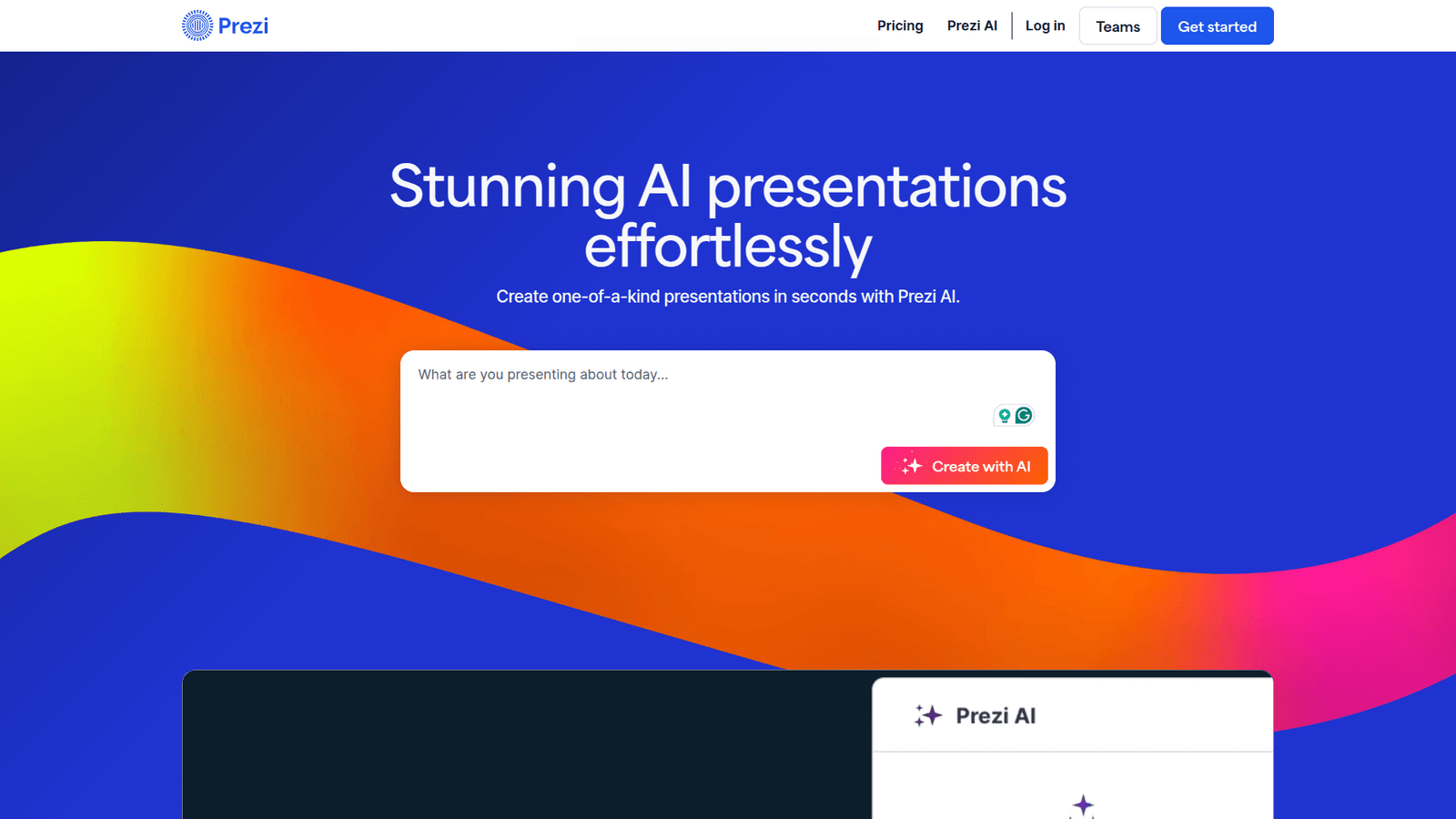

Prezi revolutionises Presentation Design, helping you create stunning visuals in minutes. Stop struggling with static slides and unlock dynamic, engaging presentations that captivate your audience. Try Prezi today!
Prezi Simplifies Even Complex Presentation Design
Ever feel like you’re battling your presentation software more than you’re actually designing?
I get it. The world of Visual and Graphic Design is moving at lightning speed, especially with AI in the mix.
New tools pop up daily, promising to make your life easier. But few actually deliver.
When it comes to Presentation Design, most people are stuck in the past, churning out boring slides that put audiences to sleep.
But what if there was a way to make your presentations truly stand out? Not just visually, but in how they impact your audience?
That’s where Prezi steps in. It’s not just another slide deck builder. It’s a different beast entirely.
This isn’t about fancy bells and whistles; it’s about getting real results.
If you’re serious about making an impact, you need to understand how Prezi can change your game.
Table of Contents
- What is Prezi?
- Key Features of Prezi for Presentation Design
- Benefits of Using Prezi for Visual and Graphic Design
- Pricing & Plans
- Hands-On Experience / Use Cases
- Who Should Use Prezi?
- How to Make Money Using Prezi
- Limitations and Considerations
- Final Thoughts
- Frequently Asked Questions
What is Prezi?
Prezi isn’t PowerPoint. It’s not Keynote. It’s a complete rethink of how we present information.
Instead of static, linear slides, Prezi uses a single, vast canvas. You zoom in and out, pan across, and rotate to reveal content in a non-linear, narrative flow.
Think of it like a mind map brought to life, or a movie where you control the camera.
This approach keeps your audience engaged because they see the bigger picture while you guide them through the details.
It’s built for impact, not just information transfer.
Its core function is to create dynamic, memorable presentations that leave a lasting impression.
The target audience? Anyone who needs to communicate complex ideas clearly and persuasively.
That includes marketers telling a brand story, writers explaining a concept, or creators showcasing their portfolio.
If your goal is to stand out, Prezi gives you the tools to do it.
It’s about making your content stick. It’s about being remembered.
Key Features of Prezi for Presentation Design
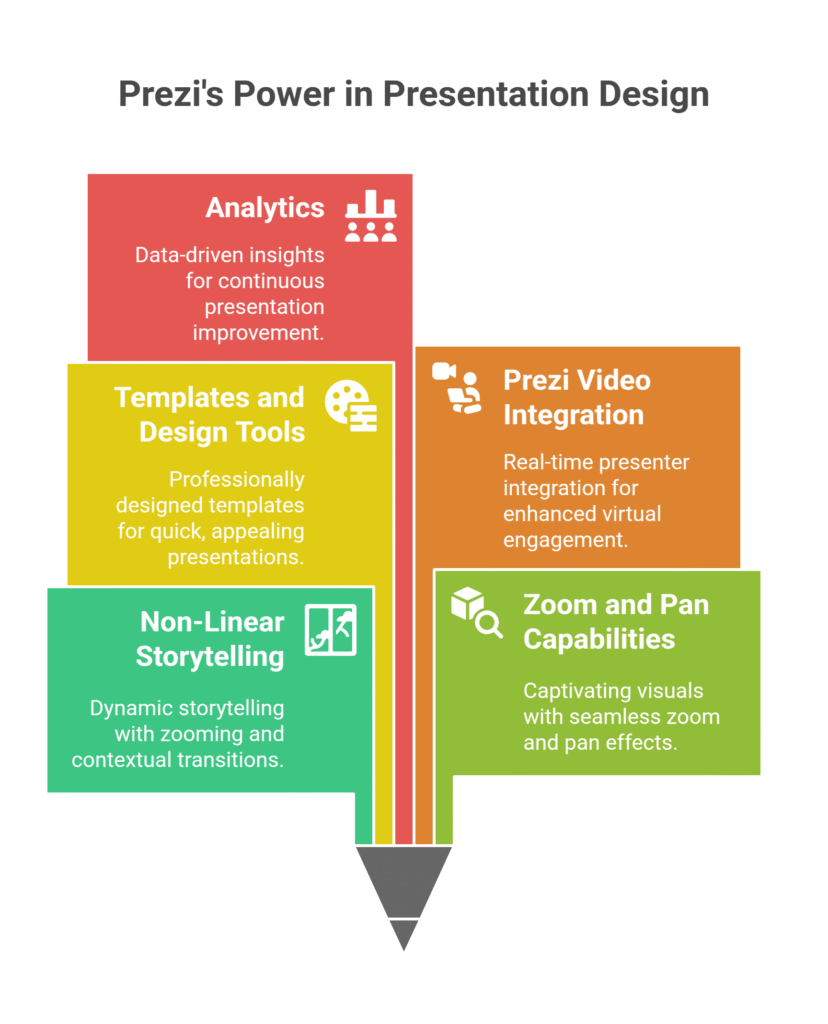
- Non-Linear Storytelling: This is Prezi’s signature move.
Instead of clicking through sequential slides, you create a path on a single canvas. You can zoom in on specific points, then zoom out to show context, and then jump to an entirely different section.
This helps with Presentation Design by allowing your audience to grasp the relationships between ideas, rather than just isolated facts.
It’s like having a conversation, not just reading from a script. It makes your content flow naturally.
- Zoom and Pan Capabilities: This feature is what makes Prezi presentations so captivating.
You can effortlessly zoom into details or pan across the canvas to connect different ideas.
It’s a powerful visual cue that reinforces your message and keeps eyes glued to the screen.
This capability helps you highlight important information without losing sight of the overall narrative.
It’s about guiding attention with motion, not just static pointers.
- Templates and Design Tools: Prezi comes loaded with professionally designed templates.
This means you don’t start from scratch. These templates are specifically structured for that non-linear Prezi experience.
They help even non-designers create visually appealing presentations quickly.
You can customise colours, fonts, and layouts to match your brand.
It simplifies the design process, letting you focus on your message, not pixel-pushing.
You get a head start, every time.
- Prezi Video Integration: This feature is a game-changer for remote presentations.
It allows you to appear on screen alongside your content, in real-time.
Your visual aids float next to you, making it feel like you’re presenting from a professional studio.
This drastically improves engagement in virtual meetings, making your Visual and Graphic Design work feel more personal.
It breaks down the barrier between presenter and audience, which is critical for impact.
- Analytics: Knowing if your presentation landed is crucial.
Prezi offers analytics that show you who viewed your presentation, how long they viewed it, and even which parts they spent the most time on.
This feedback is gold for refining your content and approach.
It helps you understand what resonates and what doesn’t, so you can continuously improve.
It’s about data-driven decisions, not just guesswork.
Benefits of Using Prezi for Visual and Graphic Design
The biggest benefit? Time.
How much time do you waste fiddling with slides, trying to make them “pop”?
Prezi’s templates and intuitive interface cut that time dramatically.
You’re not just saving minutes; you’re reclaiming hours you can spend on actual design work or, you know, living your life.
Beyond time, there’s a huge jump in quality.
Traditional presentations often feel disjointed. Each slide is an island.
Prezi connects everything on a single canvas, creating a cohesive, memorable narrative.
This means your audience gets a better, more complete picture of your ideas.
It’s like moving from a series of snapshots to a full-length film.
And creative blocks? They become less of an issue.
The non-linear structure encourages different ways of thinking about your content.
Instead of forcing ideas into rigid slides, you can explore connections and relationships visually.
This sparks new ideas and helps you present complex information in a simple, compelling way.
It helps you stand out. In a world full of boring presentations, being different means being noticed.
Your pitch will be remembered. Your training will be absorbed. Your message will stick.
That’s not just a benefit; that’s a competitive edge.
Pricing & Plans
Is Prezi free? Yes, there’s a basic free plan.
It gives you a taste of what it can do, but it comes with limitations.
Public presentations only, and limited storage. Think of it as a trial run.
For serious users, the premium versions are where the real value lies.
They offer private presentations, advanced analytics, offline access, and more customisation options.
There are different tiers: Standard, Plus, and Premium.
Standard is good for personal use, Plus for professionals who need more control, and Premium for teams or those requiring all the bells and whistles, including advanced training and support.
Prices vary, but typically range from around £5 to £15 per month when billed annually.
Compared to alternatives? Well, Prezi isn’t really an alternative to PowerPoint.
It’s a different approach. The investment isn’t just in software; it’s in a different way of communicating.
If your presentations are critical to your business – pitches, sales, training – the return on investment is clear.
The ability to deliver more memorable, impactful presentations can easily translate into more clients, better sales, or more effective training.
It’s an investment in your communication, which is invaluable.
Hands-On Experience / Use Cases
When I first tried Prezi, I was skeptical.
I’d been using traditional slides for years. Why change?
But then I had a big presentation coming up for a new client. It wasn’t just about showing information; it was about telling a story, making them feel something.
I chose a template that had a clear central theme, branching out into different sub-topics.
Instead of creating separate slides for each point, I placed related ideas closer together on the canvas.
Then, I used the path tool to guide the audience through the narrative, zooming in for details and pulling back to show how everything connected.
The usability was surprisingly intuitive. If you can drag and drop, you can use it.
The learning curve for the basics is low. Mastering the narrative flow takes a bit of practice, but it’s rewarding.
The result? The client was hooked. They said it was the most engaging presentation they’d ever seen.
It wasn’t just the content; it was the way it was delivered. The dynamic movement kept their attention from start to finish.
Another use case: explaining complex data.
Imagine you have a market research report with tons of charts and figures.
Instead of showing each chart on a separate slide, you put them all on one large canvas.
You start with the overview, zoom into a specific chart for detail, then pan to another related chart, drawing connections between them live.
This is incredibly powerful for illustrating relationships and trends.
It helps your audience grasp the bigger picture and the individual details at the same time.
Prezi transforms a dry data dump into a compelling data story.
It’s about clarity and impact.
Who Should Use Prezi?
If you’re a blogger explaining intricate concepts, Prezi can transform your content into visually stunning, interactive experiences.
Forget static diagrams; imagine a reader zooming into your argument’s core, then pulling back to see the full scope.
Marketers, this is for you. Pitches, campaigns, strategy reviews.
Your presentations are your sales tools. Make them unforgettable.
It helps you tell a brand story that sticks, not just a list of features.
Small businesses looking to punch above their weight will love it.
You don’t need a huge budget for high-end Visual and Graphic Design. Prezi gives you the tools to create professional, impactful presentations in-house.
Agencies, listen up. Your clients are tired of the same old slide decks.
Differentiate your service. Present your proposals and results in a way that truly wows them.
It’s a value-add you can immediately leverage.
Educators and trainers will find it invaluable for engagement.
Explaining complex topics becomes simpler when you can show the connections visually.
Students or trainees stay more focused when the presentation moves and adapts to the content.
Anyone who needs to communicate effectively and memorably.
If your goal is to inform, persuade, or teach, and you want to do it better than the competition, Prezi is for you.
How to Make Money Using Prezi
Okay, let’s talk brass tacks. How do you turn Prezi into cash?
It’s simpler than you think. Prezi isn’t just a tool; it’s a skill.
- Service 1: Custom Presentation Design Services.
People hate making presentations. They also know a good presentation can make or break a deal, a pitch, or a funding round.
Offer your expertise. Become a freelance Prezi presentation designer.
Businesses, entrepreneurs, and even academics are willing to pay good money for someone to transform their messy notes into a stunning presentation.
Charge per project, or even an hourly rate. Showcase your portfolio on platforms like Upwork or Fiverr, or even your own website.
The demand for impactful Presentation Design is huge, and Prezi gives you a unique edge.
- Service 2: Training and Workshops.
You’ve mastered it. Others want to.
Offer workshops, online courses, or one-on-one training sessions.
You can teach businesses how to train their staff more effectively using Prezi Video, or help marketing teams create more compelling pitches.
Charge for your time and expertise. This leverages your knowledge and creates a scalable income stream.
Think about niche markets: educators, non-profits, or even sales teams.
- Service 3: Content Creation for Marketers.
Beyond standard presentations, it can be used for interactive infographics, explainer videos (with Prezi Video), and even dynamic web content.
Marketers are always looking for fresh ways to present information.
You can offer services to create engaging content that stands out from static blog posts or PDFs.
Imagine an interactive product demo built entirely in Prezi that a sales team can send out.
This isn’t just a presentation; it’s an experience.
Consider Sarah, a freelance graphic designer.
She was struggling to differentiate herself in a crowded market.
She started offering “Prezi Pitch Deck Makeovers” as a premium service.
Instead of just designing pretty slides, she focused on structuring the narrative using its non-linear canvas.
She helped a startup secure funding by transforming their flat PowerPoint into a dynamic presentation that demonstrated their product’s journey and vision.
That single project led to multiple referrals. She now charges upwards of £500 for a comprehensive Prezi design, making £4,000 to £6,000 per month just from this niche service.
It’s about identifying a need and filling it with a tool that delivers unique value.
Limitations and Considerations
No tool is perfect. It has its quirks.
One common concern is the potential for “Prezi sickness.”
Too much zooming and panning, without a clear purpose, can disorient your audience.
It’s like a rollercoaster ride – fun if controlled, nauseating if not.
The key is thoughtful design and a clear narrative path.
Don’t just add movement for the sake of it.
Editing needs can sometimes be a bit different than traditional slide software.
Because it’s a single canvas, managing elements can feel less structured if you’re used to isolated slides.
There’s a learning curve, especially for those ingrained in linear thinking.
It’s not steep, but it exists. You’ll need to commit some time to understand its unique logic.
It’s not just about learning buttons; it’s about learning a new way to present.
Also, consider offline access if you’re presenting without internet.
While premium plans offer offline viewing, the full collaborative experience works best online.
Finally, if your audience is extremely traditional or technically challenged, a Prezi might be too much for them.
Know your crowd. Most will love it, but some might prefer the familiar.
These aren’t deal-breakers, but they are worth considering before you jump in.
They are just part of using any powerful tool.
Final Thoughts
It isn’t just another presentation tool. It’s a fundamental shift in how you communicate.
If your goal is to bore people, stick to traditional slides.
But if you want to captivate, inform, and truly engage your audience, Prezi delivers.
It saves you time on design, improves the quality of your output, and helps you overcome creative blocks.
It gives your message a memorable edge in a noisy world.
My recommendation? Don’t just read about it. Try it.
Start with the free plan, pick a template, and try to build a simple presentation.
See for yourself how different it feels.
See how it forces you to think differently about your content.
The investment in learning it will pay dividends in stronger pitches, more effective training, and an undeniable competitive advantage.
It’s about making your work, and your message, unforgettable.
Stop just presenting. Start performing.
Visit the official Prezi website
Frequently Asked Questions
1. What is Prezi used for?
Prezi is used for creating dynamic, non-linear presentations that are more engaging than traditional slide decks. It’s ideal for storytelling, explaining complex ideas, and making an impact in business, education, and creative fields.
2. Is Prezi free?
Yes, Prezi offers a basic free plan with limited features, primarily for public presentations. For private presentations, advanced features, and analytics, premium paid plans are available, typically billed annually.
3. How does Prezi compare to other AI tools?
It is unique because it focuses on a non-linear canvas approach, setting it apart from AI tools that generate static slides. While some AI tools focus on content generation or simple design, it excels in creating a fluid, engaging presentation experience, often integrating AI for features like Prezi Video backgrounds.
4. Can beginners use Prezi?
Absolutely. While its unique canvas takes a little getting used to, Prezi’s intuitive drag-and-drop interface and rich template library make it accessible for beginners to create professional-looking presentations quickly.
5. Does the content created by Prezi meet quality and optimization standards?
It helps you create visually high-quality presentations. Its unique structure can also be optimised for audience engagement, which is a key “quality” metric for presentations. While it doesn’t directly handle SEO for web content, the engaging nature of Prezi can improve content retention and sharing.
6. Can I make money with Prezi?
Yes, you can. Many professionals offer services like custom Prezi presentation design, training and workshops, or use it to create engaging marketing content for clients. Its unique capabilities allow for premium service offerings.




