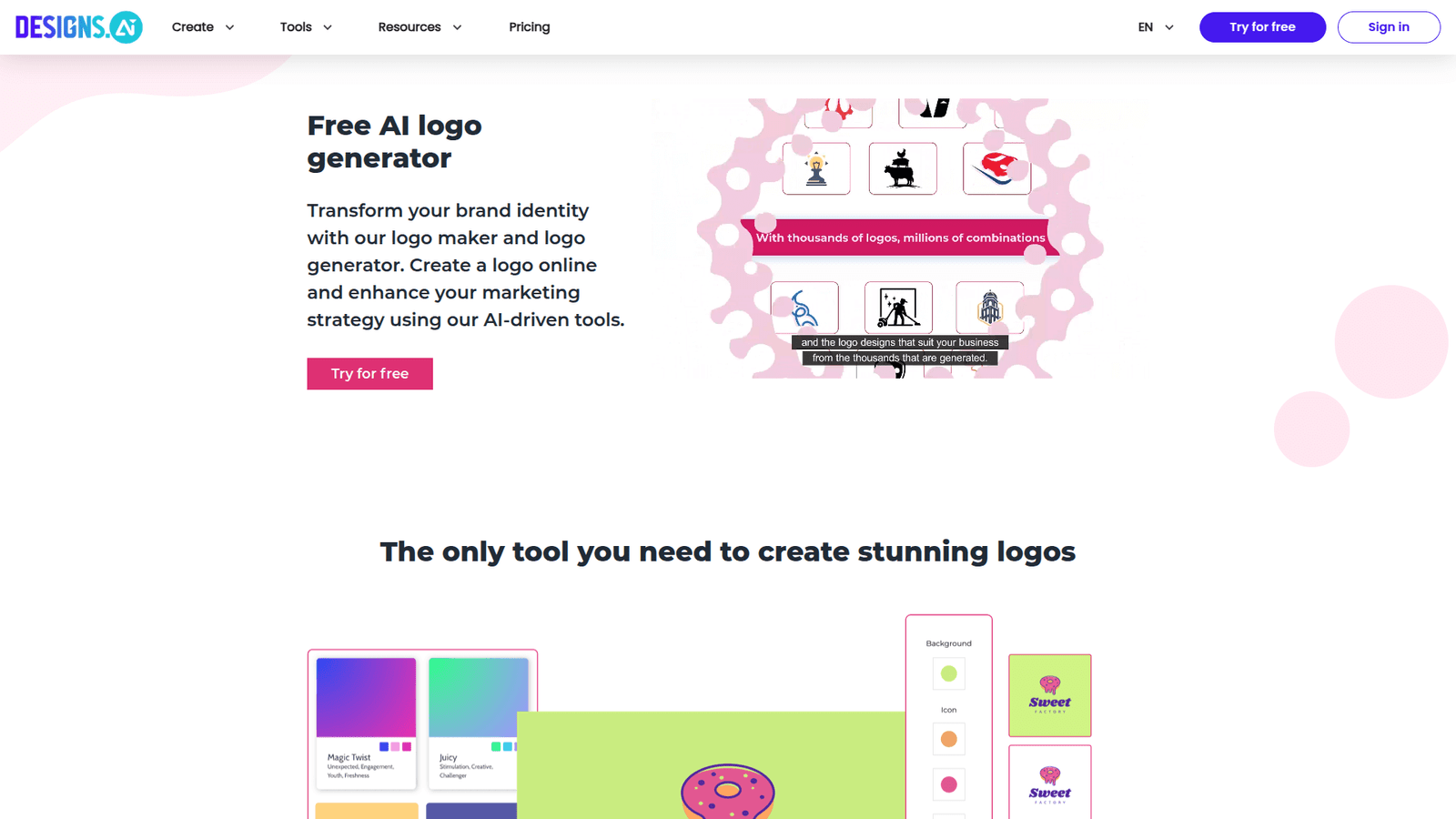

Designs.ai Logomaker revolutionizes logo design, helping you create stunning, professional logos in minutes. Boost your visual brand presence effortlessly. Try it now and master logo creation!
Don’t Outsource – Designs.ai Logomaker Can Do It In-House
The world of Visual and Graphic Design is changing fast. Seriously fast. AI isn’t just a buzzword anymore; it’s a tool, a partner, if you know how to wield it. And when it comes to branding, specifically Logo Design, this shift is massive.
You used to need a designer, time, and a budget. Now? Not always. Not with tools like Designs.ai Logomaker shaking things up.
It’s not about replacing talent. It’s about leveraging technology to get results, faster, smarter, and with less friction. This isn’t just for agencies or big companies; it’s for anyone who needs a solid brand identity without the usual headaches.
If you’re in visual creation, or just need a logo that pops, this is for you. Let’s cut through the noise and see what Designs.ai Logomaker actually brings to the table.
Table of Contents
- What is Designs.ai Logomaker?
- Key Features of Designs.ai Logomaker for Logo Design
- Benefits of Using Designs.ai Logomaker for Visual and Graphic Design
- Pricing & Plans
- Hands-On Experience / Use Cases
- Who Should Use Designs.ai Logomaker?
- How to Make Money Using Designs.ai Logomaker
- Limitations and Considerations
- Final Thoughts
- Frequently Asked Questions
What is Designs.ai Logomaker?
Okay, so what’s the deal with Designs.ai Logomaker? Think of it as your personal AI-powered logo studio. It’s an online tool designed to help you create professional-looking logos without needing a design degree or spending weeks learning complex software.
It’s built for efficiency. You input a few details – your brand name, industry, maybe some keywords – and the AI kicks out a heap of logo ideas. We’re talking options, lots of them.
This tool is a game-changer for anyone who needs a logo, like, yesterday. Marketers, small business owners, startups, content creators, even agencies handling multiple clients. It cuts down the back-and-forth, the revisions, the endless brainstorming.
The core function? It automates the initial concept phase of logo creation. It takes your basic input and translates it into visual elements: icons, fonts, colours, layouts. Then, it serves up a buffet of possibilities.
You don’t start from a blank canvas. You start with intelligent suggestions. Then you tweak, refine, and make it your own. It puts the power in your hands, giving you a head start on what can often be a slow, expensive process. This is about making logo design accessible and fast.
It’s not just about speed, though. It’s about quality. The AI is trained on thousands of design principles and successful logos. This means the suggestions aren’t random. They’re based on what works, visually.
So, if you’re tired of generic templates or waiting on designers, Designs.ai Logomaker is worth a look. It’s about getting from idea to finished logo with minimal friction. It really changes the game for quick, effective branding.
Key Features of Designs.ai Logomaker for Logo Design
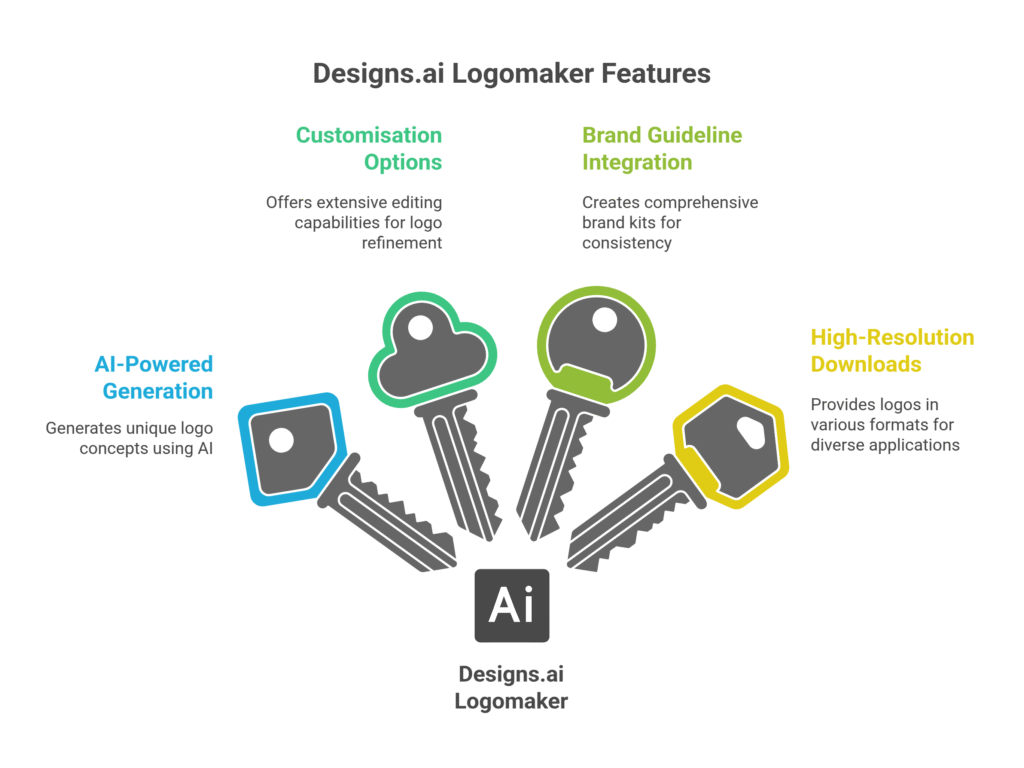
- AI-Powered Generation: This is the backbone. You type in your brand name, industry, and a few keywords. The AI then spits out hundreds of unique logo concepts. We’re talking different styles, icons, fonts, and colour schemes, all tailored to your input. This cuts out the blank page problem. It gives you a strong starting point, often better than what you could brainstorm solo. Think of it as having a thousand junior designers all working for you at once, churning out ideas. This is why it’s a powerhouse for modern logo design.
- Extensive Customisation Options: Once you pick a concept you like, the real fun begins. Designs.ai Logomaker isn’t a “take it or leave it” kind of tool. You get full control. Adjust fonts, tweak colours, change icons, alter layouts, add taglines, resize elements. Every component is editable. This means you can take an AI-generated idea and truly make it unique to your brand. It’s like having a high-end design studio, but without the high-end price tag or the steep learning curve. The flexibility ensures your logo doesn’t look like everyone else’s.
- Brand Guideline Integration: This is a massive win. Once your logo is perfect, Designs.ai Logomaker can automatically generate a brand kit. This isn’t just about the logo file itself. It includes colour palettes with hex codes, font styles, and usage guidelines. This is crucial for consistency across all your marketing materials. No more guessing what shade of blue you used or what font pairs best. It ensures your brand identity is cohesive from day one. This feature alone saves hours of manual work and helps maintain a professional appearance. It’s a complete solution, not just a logo maker.
- High-Resolution Downloads & File Formats: What’s a great logo if you can’t use it everywhere? Designs.ai Logomaker lets you download your final logo in various high-resolution formats. We’re talking SVG (scalable vector graphics), PNG (transparent background), JPG, and PDF. This means your logo will look crisp and clear whether it’s on a massive billboard or a tiny social media icon. You get files ready for print, web, and everything in between. No pixelation, no fuss. This flexibility ensures your logo is always presentation-ready, across all platforms and mediums.
Benefits of Using Designs.ai Logomaker for Visual and Graphic Design
Alright, let’s talk benefits. Why should you even consider Designs.ai Logomaker? Simple: it addresses core pain points in Visual and Graphic Design, especially when it comes to logos.
First off, there’s the sheer **time saving**. Traditional logo design can take days, even weeks. Briefings, concepts, revisions, more revisions. It’s a marathon. With Designs.ai Logomaker, you can go from idea to a solid concept in minutes. Seriously, minutes. You plug in your details, get options, tweak, and download. This rapid prototyping means you can launch projects faster or iterate on branding ideas without delay.
Then there’s the **cost efficiency**. Professional logo designers are worth every penny, but they come at a price. For startups, small businesses, or individual creators, that budget might not be there. Designs.ai Logomaker offers a professional output at a fraction of the cost. It democratises access to high-quality branding. You get pro-level results without breaking the bank.
**Quality improvement** is another big one. If you’re not a designer, your attempts at logo creation might end up looking, well, amateurish. Designs.ai Logomaker leverages AI to ensure the generated concepts adhere to fundamental design principles. This means better aesthetics, better balance, and better overall visual appeal. You get a logo that looks like it was designed by an expert, even if you’re not one. It elevates your brand’s perception instantly.
It also helps in **overcoming creative blocks**. Staring at a blank screen, trying to conjure a logo from thin air, is tough. The AI acts as a creative partner, providing a springboard of ideas. It shows you possibilities you might never have thought of. This kick-starts your creativity, allowing you to focus on refining and personalising, rather than struggling for an initial concept. It eliminates the dreaded “designer’s block.”
Finally, **consistency and control**. Once your logo is done, the tool generates brand guidelines. This ensures that your logo looks the same, uses the same colours, and maintains its integrity across all platforms. This level of control is usually reserved for big brands with design teams. Designs.ai Logomaker puts it within reach for everyone, ensuring your brand always presents a unified and professional front.
Pricing & Plans

Alright, let’s talk brass tacks: what’s it going to cost you? Because a tool is only good if it’s affordable for its target user. Designs.ai Logomaker understands that.
Is there a free plan? Yes and no. You can use the Designs.ai Logomaker to **create your logo concepts for free**. You can generate ideas, play around with customisation, and see exactly what it can do. This is a massive plus. It means you can test the waters, ensure the tool meets your needs, and even get a pretty good idea of your final logo before committing any cash. You can iterate, revise, and get it just right without pressure. This “try before you buy” approach is smart.
The catch? To **download your high-resolution logo files and the full brand kit**, that’s when you’ll need to subscribe. Designs.ai Logomaker operates as part of the broader Designs.ai suite. So, your subscription gives you access not just to the Logomaker, but often to other tools like Designmaker, Mockupmaker, and Videomaker, depending on the plan.
They typically offer different tiers: a **Basic Plan**, a **Pro Plan**, and sometimes a **Custom/Enterprise Plan**.
The **Basic Plan** usually includes unlimited logo downloads (in various formats like PNG, JPG, SVG), basic brand guidelines, and access to a decent library of assets. This is perfect for individuals, small businesses, or anyone who just needs a solid logo and basic branding.
The **Pro Plan** kicks it up a notch. This might include more advanced features like exclusive assets, full commercial licensing for all elements, priority support, and perhaps more comprehensive brand kits with detailed usage instructions. This is geared towards professionals, agencies, or businesses with more complex branding needs.
How does it compare to alternatives? Many basic online logo makers offer free downloads, but often the quality is limited, or the customisation options are shallow. They might give you a JPEG and that’s it. Designs.ai Logomaker stands out by offering **vector files (SVG)** even in its more accessible plans, which is crucial for scalability without loss of quality. Compared to hiring a professional designer, even their Pro Plan is a fraction of the cost. You’re trading intense human creativity for AI-powered efficiency and robust customisation. It’s a strong middle ground, offering professional output without the premium price tag.
Hands-On Experience / Use Cases
Alright, let’s talk about actually using Designs.ai Logomaker. I’ve run it through its paces, and here’s what I found. It’s not just theory; this is how it performs in the wild.
The process starts simple: I type in my brand name – let’s say “SwiftMark Consulting”. Then I add keywords: “strategy,” “speed,” “growth.” The industry? “Business Consulting.” I hit generate.
Immediately, the AI kicks into gear. Within seconds, it populates the screen with a massive grid of logo concepts. Seriously, dozens. Different icons, some abstract, some literal. Various font pairings – modern sans-serifs, classic serifs, bold, light. Colour palettes ranging from vibrant to understated. It’s a visual buffet.
My initial reaction? Overwhelmed, in a good way. It’s a lot to sift through, but it shows the breadth of the AI’s capability. I scroll through, looking for something that catches my eye.
I spot a concept with a subtle arrow icon incorporated into a letter, paired with a clean, confident font. It’s strong, professional, and hints at forward movement. This is a good starting point.
Now, for the usability. I click on that concept. The editor loads, and it’s intuitive. On the left, a panel for tweaking: colours, fonts, icons, layout, tagline. I want to try a darker blue for more authority. A few clicks, and it’s changed. The preview updates instantly.
The icon options are impressive. Even after picking an initial concept, I can swap out the icon for literally hundreds of other choices. I experiment with a geometric shape, then a more abstract swirl. Each change is quick and seamless.
I test out different font weights, letter spacing, and even add a tagline like “Accelerating Your Vision.” The drag-and-drop functionality for moving elements around is smooth. I can resize the icon, reposition the text, and align everything perfectly.
The results? A logo that genuinely reflects “SwiftMark Consulting.” It’s clean, professional, and visually appealing. It took me less than 15 minutes to go from zero to a logo concept I was genuinely happy with, ready for a minor tweak or two.
**Use Case 1: The Startup Founder.** Imagine a tech startup, “QuantumLeap Apps.” They need a logo, fast, for their pitch deck. They don’t have a design budget. Using Designs.ai Logomaker, they generate concepts, pick one with a futuristic vibe, tweak the colours to match their brand identity, and download the SVG. Total time: 30 minutes. The logo looks legit, professional, and they didn’t spend a dime on a designer.
**Use Case 2: The Marketing Agency.** A small marketing agency lands a new client: a local bakery. The client needs a quick logo refresh. Instead of a multi-day design process, the agency uses Designs.ai Logomaker to generate 10 distinct options in an hour. They present the top 3 to the client, get immediate feedback, make quick adjustments in the tool, and deliver a final logo the same day. This speeds up their workflow and increases client satisfaction.
My experience shows it’s robust, user-friendly, and delivers on its promise for fast, quality logo generation. It truly makes professional logo design accessible.
Who Should Use Designs.ai Logomaker?

Okay, so who exactly is this tool for? Because not every tool is for everyone. But Designs.ai Logomaker hits a pretty wide audience, especially within Visual and Graphic Design.
**Small Business Owners & Startups:** This is probably the biggest target. If you’re launching a new venture, you need a logo. But budgets are tight, and time is scarcer. Designs.ai Logomaker gives you a professional-looking logo without the big agency fees or the weeks of waiting. It gets you branded and ready to go, fast.
**Bloggers & Content Creators:** Your blog, your YouTube channel, your podcast – they all need a distinct identity. A strong logo helps you stand out. Designs.ai Logomaker lets you create a memorable visual that resonates with your audience, elevating your personal brand without needing a graphic designer on retainer.
**Marketers:** Whether you’re an in-house marketer or agency-side, you often need quick visual assets. New campaigns, micro-brands, or even client pitches might require a fast logo concept. This tool allows marketers to rapidly prototype logo ideas or create secondary brand marks without pulling resources from the design team. It’s an efficiency booster.
**Freelancers (Writers, Consultants, Coaches):** Building your personal brand is crucial as a freelancer. A professional logo instills confidence and establishes credibility. Designs.ai Logomaker provides an easy, affordable way to get that polished visual identity, making your proposals and online presence more impactful.
**Designers & Agencies (for specific use cases):** Wait, designers? Yes. Not for every project, obviously. But for quick client mock-ups, presenting initial concepts, or handling smaller projects where budget or time is extremely limited. It can serve as a powerful brainstorming partner, giving you a starting point to build upon, rather than starting from scratch. It’s a tool for efficiency, not necessarily for replacing custom, high-concept design.
**E-commerce Store Owners:** Your online store needs a memorable logo to build trust and brand recognition. Designs.ai Logomaker can help you create a distinctive logo that reflects your product and appeals to your target customers, enhancing your shop’s professionalism.
**Non-Profits & Community Groups:** Often operating on shoestring budgets, these organisations still need strong branding to communicate their mission. Designs.ai Logomaker offers an affordable way to create a compelling logo that helps rally support and increase visibility.
In short, if you need a professional logo quickly, affordably, and with a good degree of customisation, Designs.ai Logomaker is likely for you. It simplifies the often-complex process of logo design, making it accessible to pretty much anyone who needs a visual identity.
How to Make Money Using Designs.ai Logomaker
Okay, let’s get down to brass tacks: how do you turn Designs.ai Logomaker into cash? Because knowing how to use a tool is one thing; knowing how to monetise it is where the real leverage comes in. This isn’t just about making your own logo; it’s about creating an income stream.
- Offer Logo Design Services to Small Businesses: This is the most direct route. Many small businesses, startups, and local shops need a professional logo but can’t afford a traditional design agency. You step in.
You can offer packages: “Basic Logo Package,” “Standard Branding Package (Logo + Colours + Fonts),” etc. Use Designs.ai Logomaker to rapidly generate concepts, present them to clients, and make revisions quickly. Since the tool handles the heavy lifting, your time investment per project is low, allowing you to take on more clients.
You can charge anywhere from £50 to £300+ per logo, depending on complexity and additional brand elements you include. This tool drastically cuts down your production time, increasing your profit margins significantly.
- Provide Branding Kits and Style Guides: A logo isn’t enough. Businesses need consistency. Once you design a logo with Designs.ai Logomaker, it automatically generates a basic brand kit (colour codes, font names).
You can expand on this. Offer a service to build out full brand style guides: showing logo usage on different backgrounds, clear spaces, forbidden uses, stationery mock-ups (which you can also do with other Designs.ai tools). This adds significant value and allows you to charge more.
Clients are often overwhelmed by brand consistency. You simplify it for them, providing a clear roadmap for how to use their new visual identity. This positions you as a strategic partner, not just a logo creator.
- Create Niche-Specific Logo Templates or Collections: Identify underserved niches. Think “yoga studio logos,” “eco-friendly brand logos,” “podcast logos.”
Design a collection of unique, high-quality logos for these specific niches using Designs.ai Logomaker. You can then sell these templates on platforms like Etsy, Creative Market, or your own website. Buyers download the template and can then customise it further (or pay you for customisation).
This is a passive income play. You do the work once, and the designs can sell repeatedly. The AI helps you generate variations quickly, allowing you to build a large library of niche templates efficiently.
**Real Case Study Example:**
Let’s talk about “Sarah’s Swift Logos.” Sarah was a freelance writer struggling to diversify her income. She discovered Designs.ai Logomaker and saw its potential. She started by offering “Quick Logo Refresh” services to local small businesses in her town.
Her process was simple:
1. **Consultation:** 15-minute call to understand the business, style, and desired outcome.
2. **Generation:** She’d use Designs.ai Logomaker to generate 20-30 concepts in an hour.
3. **Presentation:** She’d pick the top 5-7 concepts, polish them slightly, and present them to the client.
4. **Refinement & Delivery:** Client picks one, Sarah makes final tweaks in the editor, downloads the high-res files and brand kit, and delivers.
Sarah charged £150 per logo. In her first month, she completed 8 logos, earning £1200. Her direct costs were minimal (her Designs.ai subscription). She leveraged the tool’s speed to take on more projects than she ever could doing manual logo design. Her clients were thrilled with the speed and professional quality. This wasn’t about being the “cheapest” but the “most efficient” and “best value.”
The key here is speed and perceived value. Designs.ai Logomaker massively increases your output, meaning more projects, more clients, and ultimately, more money in your pocket. It’s an arbitrage play: leverage powerful AI to deliver professional-grade design services at competitive prices, making a healthy margin on your time and effort.
Limitations and Considerations
No tool is perfect. Designs.ai Logomaker is powerful, but it’s important to understand its boundaries. Knowing these helps manage expectations and ensures you use it effectively.
First, **originality vs. uniqueness**. While Designs.ai Logomaker generates a vast number of options, it’s working with existing elements and algorithms. This means that while your logo might be unique in its specific combination, the individual components (icons, fonts) are drawn from a library. For a highly bespoke, conceptual, or truly groundbreaking logo that needs deep symbolism or complex artistic representation, a human designer is usually still the answer. This tool is for efficiency and strong, functional design, not avant-garde art.
Next, **true brand strategy**. A logo is part of a larger brand identity. A human designer often dives deep into market research, target audience psychology, brand values, and competitive analysis *before* even sketching a concept. Designs.ai Logomaker doesn’t do that. It takes your input literally. So, while it gives you a visually appealing logo, the strategic thinking behind it still needs to come from you (or a human brand strategist). It’s a design execution tool, not a brand strategist.
Then there’s the **editing needs**. While the customisation options are robust, there are limits. If you need to heavily modify an icon, merge multiple elements in complex ways, or create something truly custom that goes beyond the tool’s built-in editor, you’ll hit a wall. For those highly specific, detailed adjustments, traditional graphic design software (like Adobe Illustrator) is still necessary. Designs.ai Logomaker provides excellent starting points and good refinement, but it’s not a full vector editor.
Finally, **learning curve (minimal, but present)**. While generally easy to use, getting the *best* results requires a bit of experimentation. Understanding how different keywords influence the AI, and how to effectively navigate the customisation options to get exactly what you want, takes a few tries. It’s not a steep curve, but it’s not entirely “set it and forget it” either. You need to invest a little time to master its capabilities and fine-tune your inputs.
For most users and most situations, Designs.ai Logomaker is incredibly effective. But for highly complex, deeply symbolic, or ultra-custom logo design needs, be aware of its operational limits. It excels at delivering high-quality, professional logos quickly, but it’s a tool for smart execution, not a replacement for human creative genius on the most intricate projects.
Final Thoughts
So, here’s the bottom line on Designs.ai Logomaker: it’s not just hype. It actually delivers. In a world where Visual and Graphic Design moves at warp speed, having a tool that keeps up is non-negotiable. And for logo design, this thing is a powerhouse.
It slices through the usual bottlenecks. No more endless waiting. No more massive invoices. You get professional-grade results, fast, and on your terms. This isn’t about replacing human creativity entirely; it’s about augmenting it. It’s about giving you the leverage to achieve more, whether you’re a startup founder, a busy marketer, or a seasoned designer needing a quick turnaround.
The AI-powered generation is genuinely impressive, kicking out diverse concepts that actually make sense. The customisation is intuitive, letting you dial in the exact look and feel you want. And the fact it spits out brand guidelines? That’s just smart business, ensuring consistency without extra effort.
Is it perfect? No. No tool ever is. For truly avant-garde, hyper-conceptual branding, you’ll still need a human visionary. But for 90% of logo needs out there – the clear, professional, effective identities that most businesses need – Designs.ai Logomaker is not just good; it’s a game-changer.
If you’re still outsourcing every logo, or if you’re pulling your hair out trying to design something decent yourself, you’re missing a trick. This tool empowers you to bring a crucial part of your branding in-house, giving you control, saving you time, and ultimately, saving you money.
It’s an investment that pays for itself, quickly. Stop overcomplicating things. Stop waiting. Go and see what Designs.ai Logomaker can do for your logo design workflow. It’s the smarter way to get things done in 2024.
Visit the official Designs.ai Logomaker website
Frequently Asked Questions
1. What is Designs.ai Logomaker used for?
Designs.ai Logomaker is an AI-powered online tool primarily used for creating professional-quality logos quickly and efficiently. It helps users generate diverse logo concepts based on their industry and keywords, offering extensive customisation options for elements like fonts, colours, and icons. It’s ideal for businesses, marketers, and individuals needing a strong brand identity without complex design software.
2. Is Designs.ai Logomaker free?
You can use Designs.ai Logomaker to generate and customise logo concepts for free. This allows you to explore designs and refine them to your liking. However, to download your final high-resolution logo files (including vector formats) and access the full brand kit, you will need a paid subscription to Designs.ai, which typically offers various plans.
3. How does Designs.ai Logomaker compare to other AI tools?
Designs.ai Logomaker stands out by combining powerful AI generation with robust customisation and integrated brand guideline creation. While many AI logo tools offer basic generation, Designs.ai provides more granular control over design elements and delivers print-ready vector files, which many competitors either lack or charge extra for. Its comprehensive suite also includes other design tools, offering greater value.
4. Can beginners use Designs.ai Logomaker?
Absolutely. Designs.ai Logomaker is designed with a user-friendly interface that requires no prior design experience. Its intuitive drag-and-drop editor and AI-guided suggestions make it accessible for beginners to create professional logos. You simply input your brand name and preferences, and the tool guides you through the process.
5. Does the content created by Designs.ai Logomaker meet quality and optimization standards?
Yes, Designs.ai Logomaker produces high-quality logos that meet industry standards. Logos can be downloaded in various high-resolution formats (SVG, PNG, JPG), suitable for both web and print applications. The AI is trained on successful design principles, ensuring visually balanced and effective logos that are optimised for different uses and brand consistency.
6. Can I make money with Designs.ai Logomaker?
Yes, you can definitely make money with Designs.ai Logomaker. Many freelancers and small agencies use it to offer fast, affordable logo design services to clients, create and sell niche-specific logo templates, or build comprehensive branding kits for businesses. Its speed and efficiency allow you to take on more projects and boost your profitability significantly.