

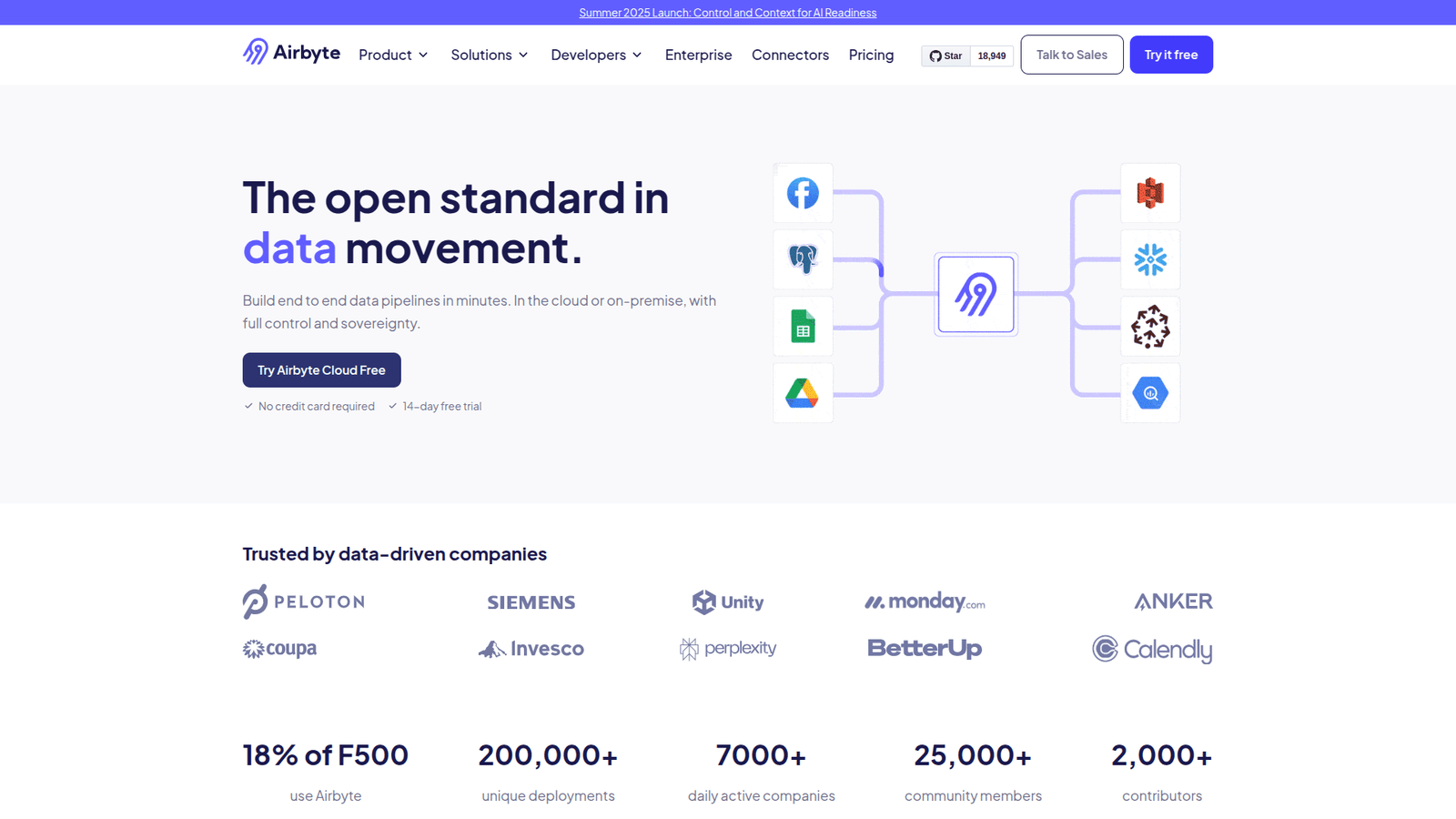

Airbyte simplifies Data Sync for Automation and Integration. Easily connect data sources, save time, and boost efficiency. Start syncing data smarter today!
Why Airbyte Is a Smart Choice for Data Sync
You know the drill.
You’ve got data everywhere. Sales data here, marketing data there, customer data scattered across apps.
Connecting it all feels like building a bridge with spaghetti.
Especially if you’re in Automation and Integration. Your whole job is making things talk.
And when data doesn’t talk? You’re stuck. Wasting hours on manual transfers, custom scripts breaking daily, and reports that are outdated the minute you run them.
It’s chaos. It’s inefficient. And honestly, it costs you money and sanity.
You see the rise of AI tools. They’re supposed to make life easier.
But sorting through them? Finding the ones that actually solve your core problems?
That’s another job entirely.
One of the biggest headaches is always data movement. Getting data from Point A to Point B, reliably, consistently.
This is where Airbyte steps in.
It’s not just another tool. It’s built specifically for this pain point. Data Sync.
If you’re tired of the data spaghetti mess, keep reading.
This could change how you work forever.
Table of Contents
- What is Airbyte?
- Key Features of Airbyte for Data Sync
- Benefits of Using Airbyte for Automation and Integration
- Pricing & Plans
- Hands-On Experience / Use Cases
- Who Should Use Airbyte?
- How to Make Money Using Airbyte
- Limitations and Considerations
- Final Thoughts
- Frequently Asked Questions
What is Airbyte?
Alright, let’s cut to the chase. What exactly is Airbyte?
Think of it as a universal translator for your data.
It’s an open-source data integration platform. Its main job? To move data.
Specifically, to extract data from various sources and load it into data warehouses, data lakes, or databases. This is the core process of Data Sync.
It’s designed to make this complex process simple. No more wrestling with APIs yourself. No more building fragile data pipelines from scratch.
Airbyte handles the connections. It manages the data flow.
It’s for anyone who needs to get data from multiple places into one place to analyze it, report on it, or automate actions based on it.
This includes developers, data engineers, analysts, and yes, even marketers or business owners who need reliable data for their tools.
If your job involves getting data from anywhere to anywhere else, Airbyte is built for you.
It focuses on the Extract, Load, Transform (ELT) process. You extract data, load it into a destination, and then transform it there if needed.
This is different from the older ETL model, which often transformed data *before* loading. ELT is generally more flexible and scalable, especially with modern data warehouses.
Airbyte gives you control. You decide where the data comes from and where it goes.
It’s designed to be deployed anywhere – cloud, on-premise, even on your laptop for testing.
This flexibility is huge. It means you’re not locked into a specific vendor’s cloud.
The open-source nature is also a big deal. It means the community is constantly adding new connectors.
More connectors mean more places you can pull data from. And more places you can send it to.
This is crucial for staying agile in a world where new apps pop up constantly.
So, in short: Airbyte is your dedicated workhorse for moving data reliably.
It’s the infrastructure layer that makes your data usable in one central location.
This is foundational for any serious data strategy or Data Sync initiative.
If you need data from point A to point B without the headache, Airbyte is worth looking at.
It solves a very real, very common problem for anyone dealing with data across multiple systems.
Key Features of Airbyte for Data Sync
Let’s break down what makes Airbyte tick, specifically for Data Sync. What features actually matter?
- Massive Connector Library: This is Airbyte’s superpower. They boast hundreds of pre-built connectors.
Need data from Salesforce? There’s a connector. Google Analytics? Yep. Databases like PostgreSQL or MongoDB? Absolutely. Marketing platforms, payment gateways, ad networks – you name it, chances are there’s a connector.
This means you spend less time building custom integrations. Less time dealing with flaky APIs. More time actually using your data.
- Custom Connector Development Kit: Can’t find a connector for a super niche source? Airbyte provides a kit to build your own.
This is key for true Automation and Integration. It means you’re not limited by their library. If you can access the data, you can build a way to sync it.
The kit is designed to be relatively easy to use, often requiring just a few hours to build a new connector.
- Multiple Sync Modes: Airbyte handles different ways of syncing data.
Full Refresh: Copies all data every time. Simple, but can be slow for large datasets.
Incremental Sync: Only copies new or changed data since the last sync. Much faster and more efficient for ongoing synchronization.
They support various methods for incremental syncing, like cursor-based or log-based replication, depending on what the source supports.
This flexibility ensures you can choose the right method for performance and data freshness.
- Data Transformation Capabilities (via dbt Integration): While Airbyte focuses on EL, it integrates tightly with dbt (data build tool) for the T (Transform) part.
dbt lets you define transformations using SQL, making it easy to clean, model, and prepare your data once it’s in your data warehouse.
This separation of concerns is powerful. Airbyte gets the data there, and dbt makes it usable.
- Monitoring and Observability: Data pipelines break. It’s a fact of life.
Airbyte provides built-in logging and monitoring. You can see when syncs fail, why they failed, and track the volume of data being moved.
This is crucial for maintaining reliable Data Sync. You can quickly identify and fix issues before they impact your downstream processes or reports.
- Scheduling and Orchestration: You don’t want to manually kick off syncs.
Airbyte allows you to schedule syncs at defined intervals – hourly, daily, weekly, etc.
It also offers APIs and integrations for more advanced orchestration tools like Airflow, Kubernetes, or Dagster.
This ensures your data is refreshed automatically, providing fresh data whenever you need it for analysis or Automation and Integration workflows.
- Open-Source and Community-Driven: This isn’t just a technical detail; it’s a feature.
The core product is free and open-source. This means transparency, no vendor lock-in, and a community contributing bug fixes and new features.
The speed at which new connectors are added is largely thanks to this community.
- Scalability: Airbyte is built to handle large volumes of data.
It can be deployed in various configurations, from a simple setup on a single machine to a distributed cluster on Kubernetes.
This means it can grow with your data needs, from syncing a few tables to replicating entire databases.
These features combined make Airbyte a powerful engine for Data Sync.
It takes the heavy lifting out of connecting to sources and moving data.
This frees up valuable time for you to actually *use* the data, rather than wrestle with getting it.
If your current Automation and Integration setup is constantly tripping over data bottlenecks, Airbyte is designed to clear the path.
It provides the plumbing necessary for sophisticated data workflows.
Benefits of Using Airbyte for Automation and Integration
Alright, so Airbyte moves data. Big deal, right?
Wrong.
Getting data where it needs to be, reliably and automatically, is a *massive* deal.
Especially in the world of Automation and Integration.
Here’s why Airbyte is a game-changer:
You save serious time. Forget writing custom scripts for every single data source. Forget debugging those scripts when APIs change. Airbyte handles the connection logic. You configure it once, and it just runs.
This isn’t just theoretical time saving. It’s hours every week you get back. Hours you can spend on building better automations, analyzing data for insights, or, you know, living your life.
You get more reliable data. Manual processes break. Custom scripts are fragile. When your Data Sync relies on human intervention or brittle code, your downstream automations are built on shaky ground. Airbyte provides robust, tested connectors. They handle retries, error handling, and schema changes much better than a script you wrote in an afternoon.
This means your data is more likely to arrive correctly, on time, every time. Your automations fire when they should. Your reports are based on current, accurate information.
You can connect more data sources, faster. Have a new tool you need data from? With Airbyte’s connector library, adding a new source is often a matter of clicking a few buttons and entering credentials.
Compare that to researching the API documentation, writing code, testing it, and deploying it. Airbyte reduces the friction to integrate new data streams into your existing Automation and Integration workflows. This agility lets you experiment and expand your data strategy quicker.
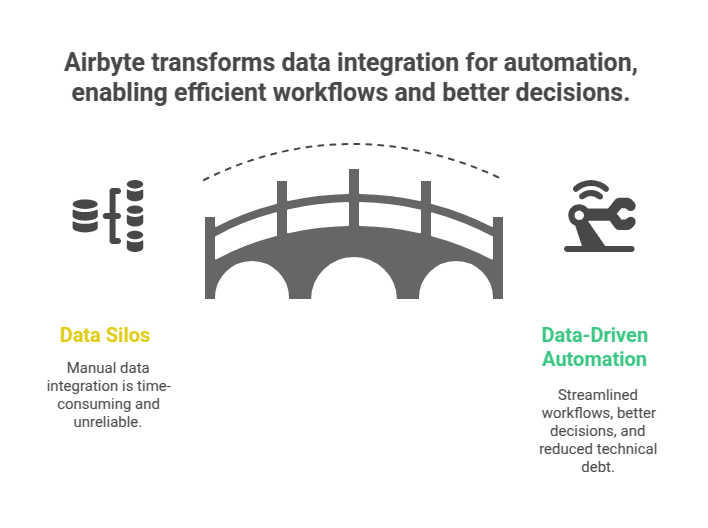
You reduce technical debt. Custom integrations are maintenance nightmares. They require ongoing attention, updates, and fixes. Every new integration adds to the burden. Airbyte takes on that burden for you. Their team and community maintain the connectors.
This means less time spent patching old code and more time building new things. It cleans up your technical stack and makes it easier to manage.
You enable better decision-making. When your data is consolidated and consistently updated in a central location (like a data warehouse), you can actually make sense of it.
You can run cross-functional reports. You can build dashboards that show the whole picture, not just silos of data. This comprehensive view powers smarter decisions in marketing, sales, operations, and beyond.
You support complex automation scenarios. Many advanced automations require data from multiple systems. Think triggering an email sequence based on purchase data *and* website activity data. Or updating your CRM based on support ticket resolution *and* customer feedback.
Airbyte makes getting all that data into one place feasible. This unlocks the ability to build more sophisticated, data-driven automations that truly impact your business.
In short, Airbyte isn’t just moving bytes around. It’s building the foundation for efficient, data-powered Automation and Integration.
It removes a major roadblock – accessing and synchronizing data – so you can focus on the valuable parts of your job.
It’s about getting more done with less effort, powered by reliable data.
Pricing & Plans
Okay, let’s talk money. How much does this magic Data Sync machine cost?
Airbyte has a few options, which is good. It means you can find something that fits your needs and budget.
First, remember the core is open-source. This is huge.
The open-source version is free. You download it, you host it yourself, and you manage it.
This requires technical expertise. You need someone comfortable setting up infrastructure, managing databases, and handling potential issues.
If you have the technical team and want maximum control (and zero software cost), the open-source version is the way to go.
Then there’s Airbyte Cloud. This is their managed service.
They host and manage the Airbyte instance for you. This is ideal if you don’t want the hassle of infrastructure management.
You pay based on usage, specifically on the volume of data synced.
This is measured in “credits” or gigabytes transferred. The exact pricing structure can change, so always check their official site for the latest details.
Typically, you’ll pay per GB of data transferred. There might be different tiers with varying prices per GB, potentially cheaper as you sync more data.
They often have a free tier or free credits to get you started. This lets you test it out with your actual data before committing financially.
Compared to building custom connectors internally, Airbyte Cloud is often significantly cheaper and faster to implement. The ongoing maintenance cost of custom code is usually higher than Airbyte’s subscription fee.
Compared to other commercial ELT tools, Airbyte is often very competitive on price, especially given the breadth of their connector library. Some legacy tools charge per connector, per sync, or have high base fees. Airbyte’s usage-based pricing can be very cost-effective if your data volume fluctuates.
The free open-source version is a massive differentiator. It lowers the barrier to entry significantly.
You can start using Airbyte today, without paying anything, if you have the technical chops to deploy it.
The cloud version makes it accessible to teams who don’t want to manage infrastructure. You pay for convenience and scalability.
Always calculate the estimated data volume you need to sync to get a realistic idea of the cost for the cloud version.
Factor in things like how often you sync (hourly vs. daily) and the incremental data volume added each time.
The pricing model aligns well with the value delivered – you pay for the data you move.
It’s a flexible approach that can work for small projects or large enterprise-scale Data Sync needs.
Hands-On Experience / Use Cases
Okay, let’s talk real world. What does it look like to actually *use* Airbyte? And what are some practical applications for Automation and Integration?
Setting up a basic Data Sync is surprisingly straightforward.
Let’s say you want to get your HubSpot CRM data into a Google BigQuery data warehouse.
First, you fire up Airbyte (either your self-hosted version or the Cloud service).
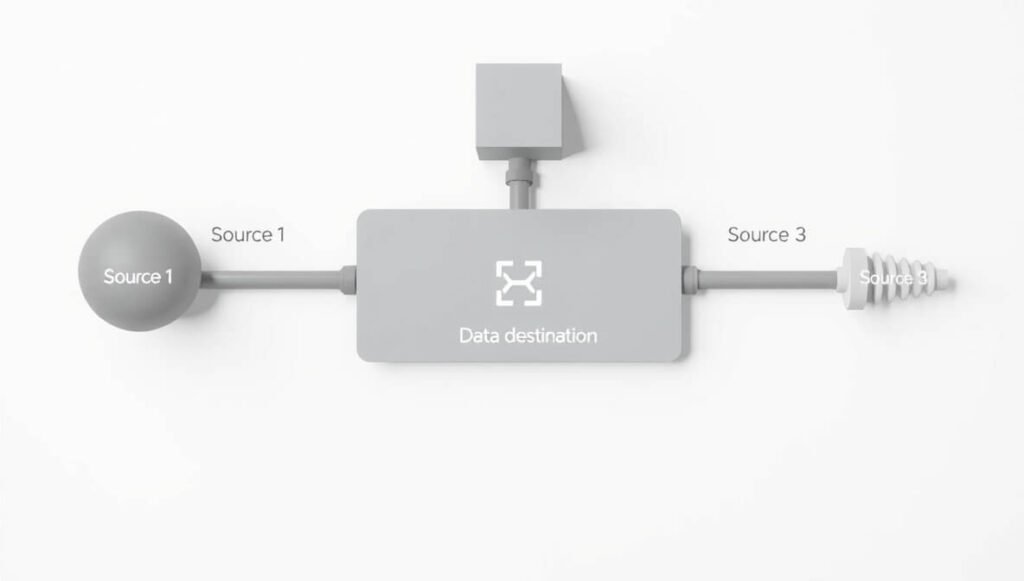
You define a “Source” connection. You search for “HubSpot,” enter your API key or connect your account through OAuth. Airbyte tests the connection.
Then, you define a “Destination” connection. You search for “BigQuery,” enter your project ID, dataset ID, and provide the necessary credentials (usually a service account key). Airbyte tests that too.
Next, you create a “Connection” between the Source (HubSpot) and the Destination (BigQuery).
Here’s where you configure the specifics:
Which tables (or “streams” in Airbyte language) from HubSpot do you want to sync? Contacts? Companies? Deals? You select them.
What sync mode do you want? Full refresh or incremental? For contacts and deals that change, incremental is usually best.
What is the sync frequency? How often should Airbyte check HubSpot for new data and move it to BigQuery? Hourly? Daily? You set the schedule.
Airbyte shows you the schema of the data it will pull from HubSpot and how it will map to tables in BigQuery. You can adjust column names or types if needed, though often the defaults are fine to start.
You save the connection, and you can kick off the first sync.
Airbyte starts pulling data from HubSpot, loads it into temporary storage, and then loads it into the designated tables in your BigQuery dataset.
You can watch the logs, see the progress, and check for errors.
Once the sync is complete, your HubSpot data is sitting in BigQuery, ready for analysis.
Now, how does this apply to Automation and Integration?
**Use Case 1: Unified Marketing Analytics:**
Pull data from Google Analytics, Facebook Ads, Google Ads, HubSpot, and your email marketing platform into a single data warehouse using Airbyte.
Now, instead of looking at scattered reports, you can join this data. Calculate true Customer Acquisition Cost (CAC) across all channels. Analyze customer journeys from first touch to conversion across different platforms. Build dashboards in tools like Tableau, Power BI, or Google Data Studio powered by this central, synced data.
Your automation tools (like a marketing automation platform or a custom script) can then access this unified data source to trigger actions based on a complete view of the customer.
**Use Case 2: Sales & Support Efficiency:**
Sync data from your CRM (Salesforce, HubSpot), your support desk (Zendesk, Intercom), and your billing system (Stripe, PayPal) into one place.
Identify customers with high support ticket volume but low recent purchases. Automate alerts to their account manager. Analyze the correlation between product usage data (synced from your app’s database) and support ticket topics.
Automate the creation of follow-up tasks in the CRM based on specific support ticket resolutions or customer feedback captured in the support tool.
**Use Case 3: Operational Reporting:**
Combine data from your ERP system, inventory management software, and sales platform.
Build real-time reports on inventory levels tied to sales velocity. Predict stock-outs or overstock situations.
Automate reorder processes or alerts when inventory drops below a certain threshold, pulling data from multiple operational systems.
These are just a few examples. The power comes from breaking down data silos.
Airbyte makes the fundamental step – getting the data into a usable location – much simpler and more reliable than building custom integrations every time.
My experience using it has been primarily focused on consolidating data for reporting and then feeding that consolidated data into other automation tools. It significantly reduces the “data preparation” time that often bogs down automation projects.
It’s less about AI *within* Airbyte itself (though it uses smart tech for things like schema detection) and more about it being the *foundation* for AI and Automation tools that *use* the data.
Reliable Data Sync is the silent hero behind many successful data projects and complex automations.
Airbyte is the tool that makes that hero’s job much easier.
Who Should Use Airbyte?
So, is Airbyte for everyone? Probably not.
But it’s a solid fit for a lot of people, especially those wrestling with data across different systems.
Here’s a breakdown of who really benefits:
Data Engineers and Analysts: This is perhaps the most obvious group. If your job is to build data pipelines, clean data, and make it ready for analysis, Airbyte is a massive time saver.
It handles the Extract and Load parts, which are often the most tedious and prone to breakage. This frees you up to focus on the complex transformations and analysis that actually provide value.
Businesses with Multiple SaaS Apps: Most companies today use dozens, sometimes hundreds, of different software applications. CRM, ERP, marketing automation, sales tools, support desks, payment gateways, etc. Each one generates data.
If you need to get data out of these apps and into a central database or data warehouse for reporting, analysis, or to power other tools, Airbyte is designed for this exact problem.
Teams Building Data Products: If you’re building a product or service that relies on aggregating data from different sources, Airbyte can be the backend engine for data ingestion.
Think of a marketing dashboard provider, a business intelligence platform, or an analytics tool that needs to connect to various customer data sources.
Marketing Teams: Modern marketing is data-driven. Marketers use a lot of tools – ad platforms, analytics, email marketing, social media schedulers, CRM.
Getting a unified view of customer interactions and campaign performance requires pulling data from all these places. Airbyte makes it possible to consolidate this data for better targeting, segmentation, and ROI measurement. It fuels smarter Automation and Integration in marketing.
Sales Teams: Combining sales data with marketing data, product usage data, and support data gives sales teams a 360-degree view of leads and customers.
Airbyte can bring all this data into a single place (like a data warehouse), which can then be used to enrich CRM records, prioritize leads, or automate sales outreach based on comprehensive information.
Business Intelligence (BI) Users: If you rely on dashboards and reports to make decisions, you need reliable data feeding those tools.
Airbyte ensures your BI tools are connected to the latest data from all your relevant sources, providing a single source of truth instead of siloed, potentially conflicting reports.
Agencies Offering Data Services: If you’re an agency providing data analytics, marketing automation, or business intelligence services to clients, Airbyte can be a core part of your tech stack.
It simplifies connecting to client data sources, allowing you to deliver insights and build automations faster and more reliably.
Essentially, if you have data scattered across different systems and you need to bring it together automatically and reliably – whether for analysis, reporting, or Automation and Integration purposes – Airbyte is built for you.
It solves a fundamental data problem that most businesses face as they grow and use more software.
If you’re manually exporting CSVs, writing custom scripts, or struggling to get a complete view of your data, Airbyte is definitely worth investigating.
It lowers the barrier to entry for sophisticated Data Sync.
How to Make Money Using Airbyte
Alright, straight talk. Can you actually make money *with* Airbyte?
Not by itself, directly. It’s infrastructure.
But it’s a powerful tool that *enables* lucrative activities and services.
Think of it like a high-performance engine. The engine itself doesn’t make money, but the car it powers does.
Here’s how Airbyte can help you earn:
- Service 1: Data Integration and ELT Services: Many businesses struggle with getting their data organized. They have data in Salesforce, Shopify, a database, and they need it all in one place (like a data warehouse) for analysis.
You can offer a service to set up and manage their data pipelines using Airbyte. You charge for your expertise in connecting sources, configuring syncs, and ensuring data reliability. This is a high-value service because clean, integrated data is crucial for business insights.
You can position yourself as the expert who solves their data spaghetti problem, powered by Airbyte.
- Service 2: Building Data Warehouses and BI Solutions: Airbyte excels at loading data into data warehouses (like Snowflake, BigQuery, Redshift). Once the data is there, businesses need help cleaning it (transformation) and building reports/dashboards on top of it.
You can offer an end-to-end service: use Airbyte to sync their data into a data warehouse, use a tool like dbt for transformations, and then build dashboards using BI tools (Looker, Tableau, etc.).
You become their go-to person for business intelligence infrastructure. Airbyte is just one (critical) piece of that puzzle, enabling the whole solution.
- Service 3: Implementing Data-Driven Automation & Integration: Many advanced automations require access to consolidated data. Setting up triggers based on combined sales, marketing, and product data.
You can help businesses build these complex automations. You use Airbyte to get the necessary data into a place accessible by their automation platform (Zapier, Make, or a custom solution). Then you build the automation logic.
Your value is in making the automation smarter and more effective by giving it access to rich, integrated data sources that Airbyte provides.
Efficiency Gains (Internal Use): If you run your own business, using Airbyte internally saves you massive amounts of time and reduces manual work related to Data Sync.
That saved time is money. It allows you to focus on revenue-generating activities instead of wrestling with data pipelines.
For an agency, using Airbyte streamlines your internal data operations, making your team more efficient and profitable.
Acquiring Clients: By offering data integration services powered by Airbyte, you solve a fundamental problem for businesses. This can be a strong foot in the door to acquire new clients who might then hire you for broader analytics, BI, or automation work.
Case Study Idea: Imagine a small e-commerce marketing agency. They previously spent hours every week manually pulling data from Shopify, Facebook Ads, Google Ads, and Klaviyo into spreadsheets to track campaign performance. This was slow, error-prone, and they couldn’t react quickly.
They implemented Airbyte to sync all this data into a simple data warehouse (like a managed PostgreSQL database). They built a few key dashboards.
Result: They reduced the time spent on data collection by 80%. They could see campaign performance in near real-time. This allowed them to optimize ad spend faster, leading to a 20% increase in client ROI. The time saved meant they could take on two more clients without hiring additional staff. That’s direct money saved and earned, enabled by Airbyte.
Airbyte is the engine. Your expertise in data, automation, and business problems is the driver.
Together, you can deliver significant value, and charge accordingly.
It’s not a get-rich-quick tool. It’s a foundational technology that makes complex, valuable data work possible and efficient.
Limitations and Considerations
Look, no tool is perfect. Airbyte is powerful, but it has its limits and things you need to think about.
It’s primarily an EL tool, not an ETL tool. This means it focuses on Extracting and Loading data. Transformations (cleaning, reshaping, joining) typically happen *after* the data is loaded into the destination, often using a separate tool like dbt.
If you require complex data transformations *before* data hits your destination, you might need to integrate Airbyte with another processing layer or use a tool that does ETL.
While the connector library is vast, it might not have a connector for every single obscure or internal tool you use. You might need to build a custom connector using their development kit, which requires development resources.
Connectors can break. APIs change. Data schemas evolve. While Airbyte and its community work to keep connectors updated, you will still need to monitor your syncs and troubleshoot issues when they arise. This isn’t a set-it-and-forget-it solution forever.
The self-hosted open-source version requires technical expertise to deploy, manage, scale, and maintain. You need someone comfortable with cloud infrastructure, databases, and potentially Docker and Kubernetes.
The Airbyte Cloud pricing is based on data volume. If you have extremely high volumes of data or frequently sync large tables in full refresh mode, the cost can add up. You need to monitor your data consumption.
Schema changes in the source can sometimes cause syncs to fail. Airbyte tries to handle this gracefully, but complex changes might require you to reconfigure the connection or update the connector.
While it integrates with orchestration tools, managing complex dependencies between multiple Airbyte connections or combining them with other tasks might require setting up an external orchestrator like Airflow.
Airbyte focuses on moving structured and semi-structured data. If you’re dealing primarily with unstructured data (like text documents or images), it’s not the right tool for that job directly, though it could sync metadata about those files.
Data quality is still your responsibility. Airbyte moves the data, but it doesn’t magically clean inaccurate or inconsistent data at the source. You’ll need transformation steps (often done with dbt) to address data quality issues once the data is in your destination.
Security is critical. If you’re using the open-source version, you are responsible for securing your Airbyte deployment and the data in transit. If you’re using Airbyte Cloud, you rely on their security measures. Always understand the security implications when dealing with sensitive data.
The learning curve, while not steep for basic usage, can take time if you want to master custom connectors, advanced configurations, or troubleshooting complex issues.
Despite these considerations, for most standard Data Sync use cases, Airbyte handles the heavy lifting effectively. Knowing the limitations just helps you plan accordingly and integrate it correctly into your overall data stack and Automation and Integration strategy.
It solves a big piece of the puzzle, but it’s not the *entire* puzzle.
Final Thoughts
Alright, summing it up.
Airbyte is a serious contender in the data integration space, particularly for anyone focused on reliable Data Sync as part of their overall Automation and Integration efforts.
It tackles a fundamental problem: getting data from point A to point B automatically and consistently.
Its strength lies in its massive, growing library of connectors, its open-source foundation, and its flexibility in deployment.
This isn’t just another tool you add to the pile. It can be a foundational piece of your data infrastructure.
It saves significant time compared to manual methods or building custom scripts. It makes your data pipelines more robust and easier to manage.
This leads to better data availability, more reliable reports, and the ability to power sophisticated, data-driven automations.
Whether you’re a data professional, a marketer, a sales leader, or an agency, if you’re dealing with data silos and the headache of moving data, Airbyte offers a compelling solution.
The open-source option makes it accessible to everyone, allowing you to kick the tires and even run it in production without upfront software costs, provided you have the technical resources.
The cloud option provides a managed service for those who prefer not to handle the infrastructure.
Yes, it has limitations – it’s EL, not ETL primarily, connectors can have issues, and you still need to manage the data once it’s moved.
But for its core purpose – extracting and loading data from a huge variety of sources – it excels.
My recommendation? If you’re struggling with Data Sync, give Airbyte a look.
Start with the open-source version to test it out if you have the technical capability, or try the free tier of Airbyte Cloud.
Connect a couple of your most problematic data sources and see how it works.
It might just be the tool that finally solves your data connection headaches and unlocks new possibilities for Automation and Integration.
It’s a smart choice for building a modern, efficient data stack.
Visit the official Airbyte website
Frequently Asked Questions
1. What is Airbyte used for?
Airbyte is used for data integration. Its primary function is to extract data from various sources (like databases, SaaS apps, APIs) and load it into destinations (like data warehouses, databases, data lakes). It’s essential for Data Sync and building data pipelines.
2. Is Airbyte free?
Yes, the core Airbyte platform is open-source and completely free to use and self-host. Airbyte also offers a paid cloud-hosted version where you pay based on data usage, which includes a free trial or free credits to start.
3. How does Airbyte compare to other AI tools?
Airbyte isn’t an AI tool in the sense of generating content or making predictions. It’s an AI tool for Automation and Integration, specifically focused on the ‘I’ part – Integration, through Data Sync. It automates the process of moving data, which is a crucial step before you can use AI or other tools for analysis or automation.
4. Can beginners use Airbyte?
Basic usage of Airbyte Cloud is relatively beginner-friendly, especially for connecting to popular sources and destinations through its UI. Setting up the self-hosted open-source version or building custom connectors requires more technical expertise.
5. Does the content created by Airbyte meet quality and optimization standards?
Airbyte doesn’t create content. It moves data. The quality and optimization of the data depend on the source system and any transformations you apply after syncing. Airbyte ensures the data is moved accurately and reliably.
6. Can I make money with Airbyte?
Yes, you can make money using Airbyte indirectly. It’s a tool that enables you to offer valuable services like data integration, building data warehouses, implementing data-driven Automation and Integration solutions, and providing BI services. Its efficiency helps you save time and take on more client work.




