

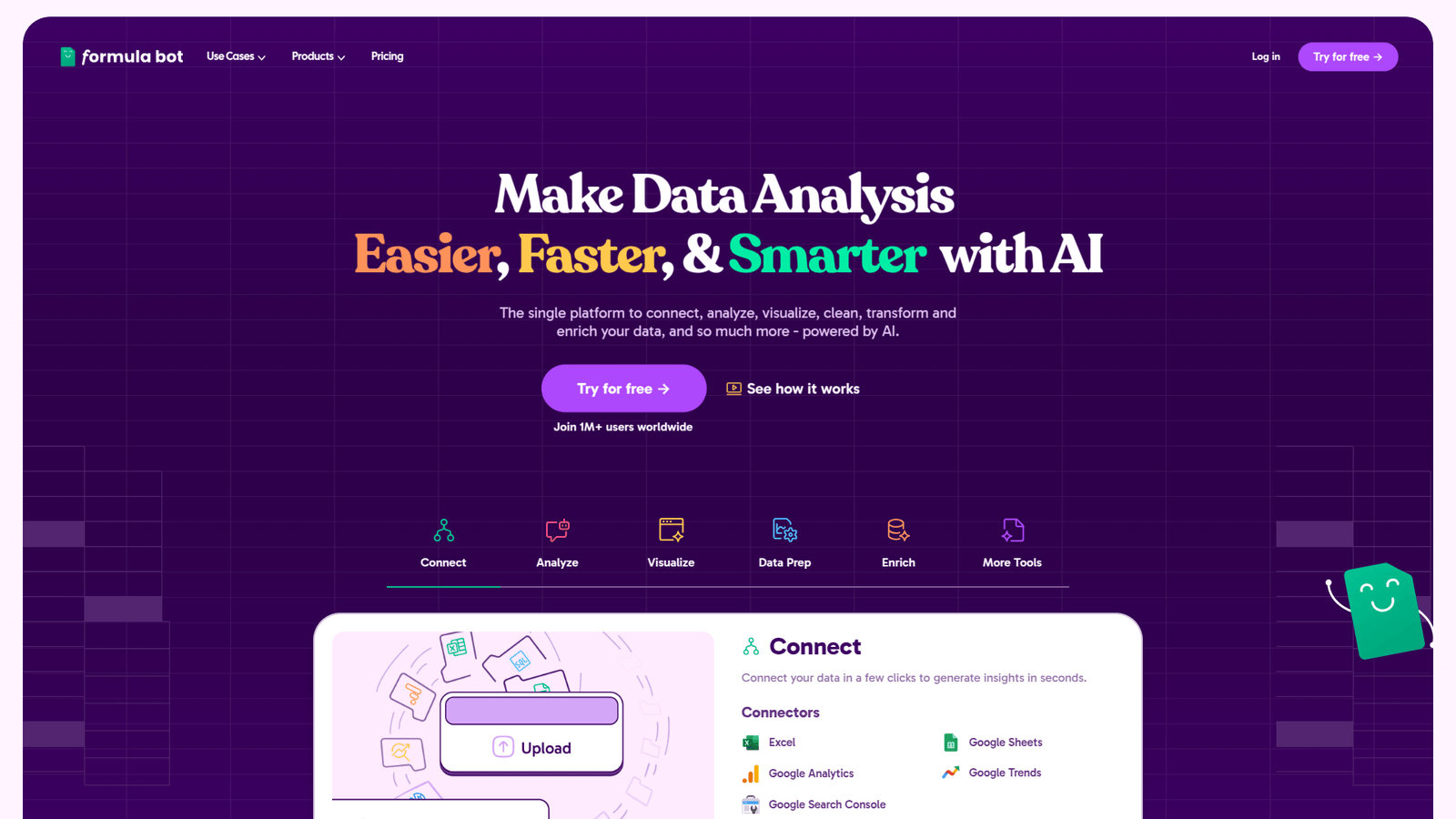

Formula Bot simplifies Excel & Google Sheets tasks. Get complex formulas instantly. Boost your data analysis workflow, save hours. Try it now!
Why Formula Bot Is a Smart Choice for Excel and Google Sheets
You’re buried in spreadsheets.
Numbers swimming before your eyes.
Trying to figure out that VLOOKUP for the tenth time today.
Or maybe you’re staring at a mountain of data, wondering how to even start.
Data analysis and business intelligence.
It’s the backbone of good decisions.
But the tools we use?
Excel.
Google Sheets.
They can feel like battling a dragon with a toothpick sometimes.
Formulas, pivot tables, macros… it’s a steep hill to climb.
Especially when you need answers fast.
Everyone’s talking about AI now.
How it’s changing everything.
Well, it’s hitting data analysis too. Hard.
And one tool is popping up everywhere for those who work with spreadsheets.
Formula Bot.
It promises to make your life easier.
A lot easier.
Less head-scratching.
More results.
Sound good?
Let’s break down what this thing actually does.
And why it might be the upgrade your Excel and Google Sheets game needs.
Table of Contents
- What is Formula Bot?
- Key Features of Formula Bot for Excel and Google Sheets
- Benefits of Using Formula Bot for Data Analysis and Business Intelligence
- Pricing & Plans
- Hands-On Experience / Use Cases
- Who Should Use Formula Bot?
- How to Make Money Using Formula Bot
- Limitations and Considerations
- Final Thoughts
- Frequently Asked Questions
What is Formula Bot?
Okay, what is this thing?
Formula Bot is an AI-powered tool.
Plain and simple.
Its main job?
Taking your plain English questions and turning them into formulas for Excel or Google Sheets.
No more digging through help forums.
No more guessing which function does what.
You tell it what you want to achieve in your spreadsheet.
Like, “I need to add up the sales for every product category in this column.”
Or, “Find the email address for the customer named John Doe from this list.”
Formula Bot listens.
Then it spits out the exact formula you need.
Ready to copy and paste.
It’s built for anyone who uses spreadsheets regularly.
Marketers tracking campaign data.
Salespeople managing leads.
Finance pros crunching numbers.
Anyone involved in data analysis and business intelligence.
It’s designed to cut through the complexity.
To give you the power of complex formulas without needing to be a spreadsheet wizard.
Think of it as your personal formula assistant.
Always on call.
Never judging your lack of SUMIFS knowledge.
It also works the other way around.
Got a formula you don’t understand?
Paste it in.
Formula Bot explains it in simple terms.
It’s not just about getting the job done.
It’s about learning as you go.
Breaking down those cryptic combinations of letters and symbols.
For anyone wrestling with Excel or Google Sheets, this tool aims to be a lifeboat.
Turning frustration into action.
Getting you the data insights you need, faster.
It’s a simple concept.
But the impact?
It’s huge.
Especially when deadlines are tight.
And accuracy matters.
Which, let’s be honest, is always.
Formula Bot is specifically targeting that pain point.
The pain of knowing what you need to do with data.
But not knowing how to make the spreadsheet do it.
It bridges that gap.
Using the power of AI to understand your intent.
And translate it into spreadsheet language.
No jargon needed from your side.
Just tell it what you want.
It handles the rest.
That’s the core idea.
Making complex spreadsheet tasks simple.
Available to everyone.
Regardless of their formula fluency.
That’s Formula Bot in a nutshell.
Key Features of Formula Bot for Excel and Google Sheets
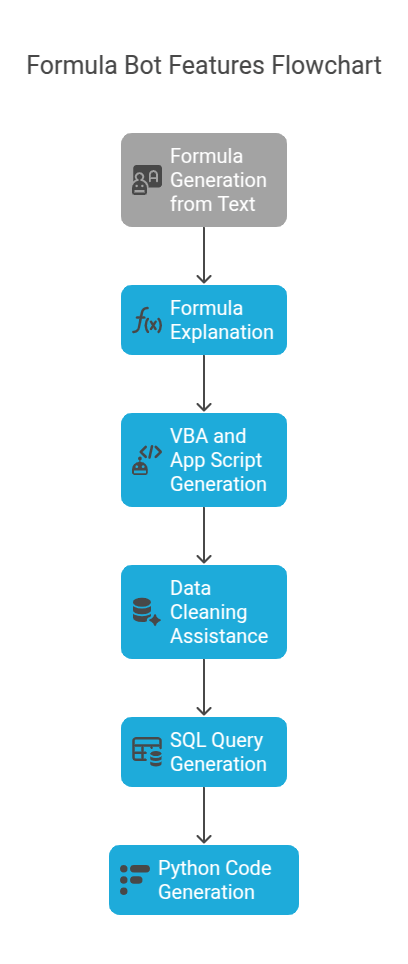
So, what exactly can this AI do?
It’s more than just generating formulas.
- Formula Generation from Text: This is the core magic. You type in a description of what you want your formula to do. Like, “Calculate the average order value for customers from the UK.” Formula Bot processes that English sentence. It then outputs the correct formula for Excel or Google Sheets. This saves massive amounts of time compared to manually building formulas or searching online. It supports a wide range of functions and complex logic. It’s like having a spreadsheet expert on demand. Always ready to give you the exact string you need. This is a game-changer for anyone who finds formula syntax frustrating. It lowers the barrier to performing sophisticated calculations and data manipulations. Excel and Google Sheets suddenly become much more accessible.
- Formula Explanation: Ever inherited a spreadsheet filled with formulas that look like ancient hieroglyphs? Or maybe you wrote something complex months ago and can’t remember how it works? Formula Bot solves this. You paste the formula into the tool. It breaks down each part. It explains what each function does. It tells you how the formula works as a whole. This is invaluable for learning. It helps you understand the logic behind the formulas you’re using. It empowers you to modify formulas or build similar ones yourself over time. It’s a learning tool as much as a productivity tool. It demystifies the spreadsheet black box.
- VBA and App Script Generation: This is where Formula Bot steps up the game. For more advanced automation in Excel and Google Sheets, you often need code (VBA for Excel, App Script for Google Sheets). Writing code is a whole other skill. Formula Bot can generate simple scripts based on your description. Need a script to automatically send emails based on a spreadsheet trigger? Describe it. Need a macro to reformat data a specific way? Describe it. It won’t write complex applications, but for common automation tasks, it’s powerful. It opens up automation possibilities to people who aren’t coders. This is huge for saving repetitive manual work.
- Data Cleaning Assistance: Spreadsheets are often messy. Inconsistent formats, missing values, typos. Data cleaning is crucial for accurate analysis. Formula Bot offers some help here. While not a full-blown data cleaning suite, it can suggest formulas or techniques to address common issues. Need to remove duplicate rows? It can give you the formula. Need to format dates consistently? It can help. It streamlines part of the often tedious data preparation process.
- SQL Query Generation: Many data analysis and business intelligence tasks involve pulling data from databases. This requires SQL queries. If you’re not fluent in SQL, this is another hurdle. Formula Bot can translate your request (“Get all customers who placed an order over $100 in the last month from the ‘orders’ table”) into a SQL query. This is incredibly useful for analysts who work with databases but aren’t SQL experts. It bridges the gap between needing data and knowing how to extract it.
- Python Code Generation: For more advanced data analysis, Python is a standard tool. Formula Bot can generate Python code snippets related to data manipulation tasks. Need a script to read data from a CSV and calculate summary statistics? Describe it. This feature pushes the tool beyond just spreadsheets. It caters to users who are moving into more programmatic data analysis. It helps automate tasks or generate starting points for data science projects.
These features combine to tackle the biggest pain points in spreadsheet and data work.
Building formulas.
Understanding existing ones.
Automating repetitive tasks.
Accessing data from different sources.
It’s designed to save you time.
Reduce errors.
And make you more productive.
Whether you’re a beginner or an experienced user.
There’s something here that speeds up your workflow.
And lets you focus on the insights.
Not the mechanics.
Benefits of Using Formula Bot for Data Analysis and Business Intelligence
Why bother with another tool?
Especially when you’re already swamped.
The benefits of Formula Bot boil down to a few core things.
And they hit right at the heart of data analysis and business intelligence work.
Massive Time Savings: This is the big one. How much time do you waste wrestling with formulas? Searching online? Debugging errors? Formula Bot gives you the formula instantly. What might take you 10-15 minutes (or more!) of searching and trial-and-error takes seconds. Over a week, a month, a year, this adds up to hours. Hours you can spend actually analysing the data. Building reports. Making decisions. Not fighting with syntax. Time is your most valuable asset. This tool gives you more of it.
Increased Accuracy: Manual formula building is prone to errors. A misplaced comma. A wrong range. A slight logical error. These mistakes can throw off your entire analysis. Formula Bot generates formulas based on proven logic. While you should always verify, the likelihood of a fundamental syntax or function error is drastically reduced. This means more reliable data. More trustworthy analysis. Better decisions based on accurate numbers.
Reduced Frustration and Stress: Staring at a spreadsheet that won’t do what you want is demoralising. It’s stressful. It sucks the energy out of your day. Formula Bot removes a huge source of that frustration. It turns a “how do I even do this?” moment into a quick query and a copy-paste. Less stress means more focus. More creativity. A better workday.
Democratisation of Advanced Techniques: Complex formulas, VBA/App Scripts, SQL queries – these were often locked behind technical skill barriers. Formula Bot lowers those barriers. It allows users without deep technical knowledge to use advanced techniques. You don’t need to be a coding expert to automate a task in Google Sheets anymore. You don’t need to be a SQL master to pull specific data from a database. This empowers more people within an organisation to work with data effectively. It spreads data analysis capabilities wider.
Improved Learning: As mentioned, the formula explanation feature is powerful. You don’t just get an answer; you get an understanding. This helps you learn spreadsheet functions and logic over time. You become more proficient. Formula Bot becomes a crutch initially, but it also teaches you to walk on your own.
Faster Iteration and Exploration: When getting data points or performing calculations is quick and easy, you can explore your data more freely. Try different calculations. Slice the data in new ways. Test hypotheses faster. This leads to deeper insights. You can iterate on your analysis without the technical overhead slowing you down.
For anyone working with Excel or Google Sheets in a data analysis context, these benefits are huge.
It’s not just about generating formulas.
It’s about changing your workflow.
Making it faster.
More reliable.
Less painful.
Giving you the headspace to think about what the data means.
Not how to calculate it.
That’s where the real value lies.
In shifting your focus from the mechanics to the insights.
Formula Bot facilitates that shift.
Pricing & Plans

Okay, so how much does this wizardry cost?
Formula Bot follows a pretty standard SaaS (Software as a Service) model.
They usually offer a free tier.
This is great for trying it out.
Dipping your toes in the water.
See if it actually works for your needs.
The free plan typically gives you a limited number of queries per month.
Enough to solve a few formula headaches.
Or explain some tricky ones.
It’s not enough for heavy daily use.
But it’s perfect for testing the waters.
Seeing the AI in action.
Figuring out if it understands how you phrase things.
For serious use, you’ll need a paid plan.
They usually have different tiers.
Often based on the number of queries you get per month.
Or access to advanced features.
The premium versions unlock unlimited (or very high limits on) queries.
This is essential if you’re using it regularly for complex tasks.
Or if you work with large datasets that require frequent formula generation or explanation.
Premium plans might also include access to the more advanced features.
Like VBA/App Script generation.
SQL queries.
Python code generation.
If these features are important for your workflow, the premium plan is necessary.
Pricing varies.
Expect monthly or annual subscription options.
Annual plans are usually cheaper per month.
How does it compare to alternatives?
Frankly, dedicated AI tools specifically for generating formulas in Excel and Google Sheets are relatively new.
You could use a general AI chatbot like ChatGPT.
They can generate formulas.
But Formula Bot is specialised.
It’s built specifically for this task.
Its AI is trained on spreadsheet logic.
It often provides more accurate and relevant formulas faster.
It also has the specific interface for copy-pasting formulas and explanations.
General AI chatbots are great generalists.
Formula Bot is a specialist.
For this specific problem, specialists often outperform generalists.
The cost needs to be weighed against the time saved.
If you save even a few hours a month on formula work, the subscription likely pays for itself.
Factor in the reduction in errors and stress too.
Those have a value.
Check their official website for the latest pricing details.
They might have different tiers than I’ve described here.
But the free plan to try is usually available.
Start there.
See the results for yourself.
Then decide if a paid plan makes sense for your usage level.
Hands-On Experience / Use Cases
Enough theory.
How does this actually work in practice?
Imagine you have a sales spreadsheet.
Columns for Date, Product, Region, Sales Amount, and Commission Rate.
You need to calculate the commission for each sale.
And then sum up the total commission paid out per region.
Okay, first step: calculate commission per sale.
Manual way: You know it’s Sales Amount multiplied by Commission Rate.
So, maybe you’d type `=D2*E2` in cell F2.
Then drag the formula down.
Simple enough, right?
But what if there’s a minimum sales threshold before commission applies?
Or different rates based on the product type?
The formula gets complicated fast.
Using Formula Bot:
Go to the Formula Bot interface.
Select Excel or Google Sheets.
Type something like: “Calculate commission in column F by multiplying Sales Amount (column D) by Commission Rate (column E), but only if Sales Amount is greater than 100. If it’s 100 or less, the commission is 0.”
Hit generate.
Formula Bot processes your request.
It understands the condition.
It understands the calculation.
It understands the columns you referenced.
Output: `IF(D2>100, D2*E2, 0)`
Bingo.
Copy, paste into F2, drag down.
Done.
Next, sum commission per region.
Manual way: You’d need `SUMIF` or `SUMIFS`.
Maybe a pivot table.
More syntax to remember.
More ranges to select.
Formula Bot way:
New query: “Sum the total commission (column F) for each region listed in column C.”
Generate.
Output: `SUMIF(C:C, “YourRegionHere”, F:F)` (It might give a slightly more complex one depending on context, but this is the idea).
It might even suggest using a pivot table and walk you through that.
See the difference?
You focus on the *what*.
Formula Bot handles the *how*.
Another use case: Data cleaning.
You have a list of names in one column.
Some are “John Smith”, others “smith, john”.
You need them all “John Smith”.
Formula Bot query: “Format names in column B so the first letter of each word is capitalised and everything else is lowercase.”
Output for Excel: `PROPER(B2)`
Output for Google Sheets: `PROPER(B2)`
Simple example, but it works for more complex formatting too.
Or explaining formulas.
You get a sheet with `=INDEX(MATCH(A1,LookupTable[ID],0),LookupTable[Value])`.
Paste it into Formula Bot’s explanation tool.
Explanation: “This formula uses INDEX and MATCH to perform a lookup. MATCH finds the row number where the value in cell A1 matches a value in the ‘ID’ column of the table named ‘LookupTable’. INDEX then returns the value from the ‘Value’ column of ‘LookupTable’ in that specific row number found by MATCH.”
Crystal clear.
Usability is key here.
The interface is usually clean.
You select the platform (Excel or Sheets).
Choose generate or explain.
Type or paste.
Get the result.
It’s designed for speed and simplicity.
The results are generally accurate.
Though for very complex, multi-step logic, you might need to break it down into smaller steps or refine your query.
But for 90% of common spreadsheet tasks?
It nails it.
These hands-on examples show its power.
It translates human intent into spreadsheet action.
Saving you from the technical details.
Allowing you to work faster and smarter.
This is why people in data analysis are looking at tools like this.
The productivity boost is real.
Who Should Use Formula Bot?

So, is this tool for you?
If you touch Excel or Google Sheets, probably yes.
But let’s get more specific.
Data Analysts and Business Intelligence Professionals: This is the core audience. If your job involves extracting insights from data, building reports, or monitoring KPIs using spreadsheets, Formula Bot is built for you. It automates the grunt work of formula creation, freeing you up for higher-level thinking. It helps you work through analysis much faster.
Marketers: Tracking campaign performance, analysing website traffic data, managing customer lists. Marketers live in spreadsheets. Formula Bot helps them segment data, calculate ROI, track conversions, and much more without needing deep spreadsheet expertise.
Sales Teams: Managing leads, tracking sales performance by region or product, calculating commissions. Sales ops and individual salespeople can use Formula Bot to quickly get the numbers they need to understand their performance and pipeline.
Finance Professionals: Budgeting, forecasting, expense tracking, financial modelling. While finance pros often have strong spreadsheet skills, Formula Bot can still speed up complex formula creation and validate existing ones.
Small Business Owners: Juggling many hats means less time to become a spreadsheet guru. Formula Bot helps small business owners manage finances, track inventory, or analyse sales without getting bogged down in technical details.
Students and Educators: Learning spreadsheet skills can be tough. Formula Bot can help students understand formulas by explaining them. Educators can use it to quickly generate examples or check their own formulas.
Anyone who uses Excel or Google Sheets Regularly but Isn’t a Guru: If you find yourself constantly searching for “how to do X in Excel” or struggling with anything beyond basic SUM and AVERAGE, Formula Bot will save you significant time and frustration.
It’s not really for someone who uses spreadsheets once a month for a simple list.
The value comes with regular use.
Where the time savings accumulate.
Where complex tasks are a frequent need.
If you feel like spreadsheets are slowing you down.
Or preventing you from getting the data you need.
Or if you’re spending too much time on the mechanics of calculations.
Then Formula Bot is probably a good fit.
It levels the playing field.
Giving you access to advanced spreadsheet capabilities.
Without years of practice.
It empowers users to do more with their data.
Regardless of their current skill level.
That’s the power it offers.
How to Make Money Using Formula Bot
Can you turn Formula Bot into a money-making tool?
Absolutely.
It’s not a direct money-making platform like selling products.
It’s a tool that enhances your ability to provide valuable services.
Here’s how.
- Offer Spreadsheet Consultation & Formula Building Services: Many businesses and individuals struggle with complex spreadsheets. They need custom formulas, dashboards, or automation. You can offer your services as a spreadsheet consultant. Use Formula Bot to rapidly generate and verify the complex formulas needed for their specific requirements. Your speed and accuracy, boosted by the AI, become your selling points. You charge for your expertise and the time saved. This is particularly valuable for small businesses that can’t afford a full-time data analyst.
- Provide Data Analysis & Reporting Services: Leverage Formula Bot to offer data analysis and reporting to clients. You can take raw data, use the AI to quickly perform calculations, segment data, and prepare reports in Excel or Google Sheets. This allows you to take on more clients or bigger projects. The AI helps you process data faster, meaning you can deliver results quicker and increase your capacity. You can charge for the analysis and the creation of clear, insightful reports.
- Create and Sell Premium Spreadsheet Templates: Build sophisticated Excel or Google Sheets templates for specific niches (e.g., budget planners for freelancers, inventory trackers for e-commerce, project managers for small teams). Use Formula Bot to build complex, robust formulas into these templates. Since the AI helps with the formula logic, you can create more powerful and error-free templates than you might otherwise. Sell these templates online on marketplaces or your own website.
- Develop and Sell Simple Automation Scripts: If you utilise the VBA/App Script generation feature, you can create simple, useful scripts for common tasks. Things like automatically sending emails when a cell changes, moving data between sheets based on criteria, or formatting data upon entry. Package these scripts or offer to create custom simple automations for clients who don’t know how to code.
- Offer Spreadsheet Tutoring or Training: Use Formula Bot’s explanation feature to become a better spreadsheet tutor. You can quickly explain complex formulas students or clients encounter. You can also show them *how* to use Formula Bot to solve their own problems, making your training sessions even more valuable and modern.
Think of Formula Bot as a force multiplier.
It makes you faster.
More accurate.
Capable of tackling more complex problems.
These capabilities are valuable.
Businesses pay for speed, accuracy, and expertise.
Formula Bot enhances all three.
Imagine a scenario:
Sarah runs a small marketing agency.
She lands a client who needs weekly reports on ad spend and conversions across different platforms.
Manually pulling and combining this data into a single Google Sheet.
Then writing complex formulas to calculate ROI per platform.
Might take her half a day each week.
Using Formula Bot:
She sets up the sheet structure once.
Uses Formula Bot to quickly generate the necessary ROI formulas, even for edge cases.
Maybe even gets a small App Script generated to pull data automatically.
The reporting time drops to an hour or two.
She charges the client a fixed rate for the weekly report.
That half-day of manual work costing her time…
Now costs her maybe an hour of active work and a few seconds of AI queries.
She can take on two or three more clients in the time she saved.
Her income increases directly because Formula Bot made her workflow more efficient and capable.
That’s how you make money with it.
By becoming a more efficient, effective, and capable service provider.
Enabled by the AI.
You’re not selling the AI; you’re selling the results the AI helps you produce.
Think about the spreadsheet pain points in your niche.
Formula Bot is likely the solution.
And solutions are what people pay for.
Limitations and Considerations
No tool is perfect.
Formula Bot is powerful, but it has limits.
And things you need to keep in mind.
Accuracy Isn’t 100% Guaranteed: While the AI is good, it’s not foolproof. It relies on understanding your natural language request. If your request is ambiguous or very complex, the generated formula might not be exactly what you need. You should always, always, always test the formula it gives you. Apply it to a small sample of your data first. Check the results manually or with a known outcome. Don’t just copy and paste into a massive dataset and assume it’s right.
Context Can Be Tricky: AI works best with clear, specific instructions. If your request depends heavily on the layout of your spreadsheet or very specific conditions not easily described in text, the AI might struggle. You might need to rephrase your query several times.
It Doesn’t Understand Your Specific Spreadsheet Layout (by Default): You have to tell it which columns contain which data. It doesn’t connect directly to your live sheet (usually) to see the headers or data types. You need to be clear: “Look at column B for product names and column D for sales figures.”
Subscription Cost: For heavy users, the free plan isn’t enough. You’ll need a paid subscription. Factor this into your costs, especially if you’re using it for your business. Does the time saved justify the monthly or annual fee?
Not a Replacement for Understanding: While Formula Bot can explain formulas, relying solely on it to generate everything without trying to understand the underlying logic means you won’t develop your own skills. Use it to learn, not just as a black box solution generator. You still need a fundamental grasp of spreadsheet concepts.
Simple Tasks Might Be Faster Manually: For very basic formulas (`=SUM(A1:A10)`, `=A1*B1`), it might actually take longer to type the request into Formula Bot than just typing the formula directly. It shines with complexity.
Dependency on the Tool: If you become overly reliant on Formula Bot for every formula, you might find yourself stuck if you ever lose access to the tool. It’s a tool to augment your skills, not replace them entirely.
These aren’t necessarily dealbreakers.
They are just things to be aware of.
Like any tool, it’s best used by someone who understands its purpose and its limits.
Know that the AI is a powerful assistant.
Not an infallible guru.
Verification is key.
Understanding how to phrase your requests helps a lot.
And remember, it’s there to help you be better.
Not to do your thinking for you.
Keeping these considerations in mind will help you use Formula Bot effectively.
And avoid potential pitfalls.
Final Thoughts
Alright, let’s wrap this up.
Formula Bot is a focused AI tool.
It targets a specific pain point: the difficulty and time involved in working with formulas in Excel and Google Sheets.
Especially for those involved in data analysis and business intelligence.
It takes your natural language requests.
Turns them into usable formulas.
It explains existing formulas.
It can even help with scripts and database queries.
The benefits are clear:
Massive time savings.
Fewer errors.
Less frustration.
Access to more advanced capabilities for non-experts.
It speeds up your workflow.
Allows you to focus on analysing data.
Rather than fighting with the tools.
You can absolutely use it to enhance your professional services.
Offering faster, more accurate spreadsheet and data analysis work.
Limitations exist, mainly around the AI’s interpretation and the need for verification.
But these are manageable with a little care.
For anyone who spends significant time in Excel or Google Sheets.
Particularly if complex calculations or data manipulation are part of your job.
Formula Bot is a tool worth looking at.
It’s part of the wave of AI tools making complex tasks more accessible.
Making us all more productive.
It might not solve world hunger.
But it can definitely solve your VLOOKUP problems.
And for many of us, that’s a pretty good start.
I recommend trying the free plan.
Put it to the test with a real problem you’re facing in a spreadsheet right now.
See if it gives you the formula you need.
See how fast it is.
That’s the best way to know if it’s the right tool for you.
If it saves you time on even one tricky formula, you’ll see the potential.
It’s a smart move for anyone serious about getting results from their data.
Without getting bogged down in the weeds.
Give it a shot.
Your future self (buried in spreadsheets) will thank you.
Visit the official Formula Bot website
Frequently Asked Questions
1. What is Formula Bot used for?
Formula Bot is primarily used for converting plain English descriptions into formulas for Excel and Google Sheets.
It also explains existing formulas, generates VBA/App Scripts, SQL queries, and Python code snippets for data tasks.
It helps users perform data analysis and spreadsheet tasks faster and more accurately.
2. Is Formula Bot free?
Formula Bot typically offers a free plan with limited queries per month.
For more extensive use, they offer paid subscription plans with higher query limits and access to advanced features.
3. How does Formula Bot compare to other AI tools?
Compared to general AI chatbots, Formula Bot is specialised for spreadsheet formulas and related data tasks.
Its training is focused on this area, often leading to more accurate and context-aware results for formula generation and explanation.
4. Can beginners use Formula Bot?
Yes, Formula Bot is designed to be user-friendly for beginners.
Its core function is translating natural language into formulas, making complex tasks accessible without prior knowledge of formula syntax.
5. Does the content created by Formula Bot meet quality and optimization standards?
Formula Bot generates technical outputs like formulas and code, not written content like blog posts.
The “quality” refers to the accuracy and correctness of the generated formulas and code for spreadsheet tasks.
Users should always verify the output fits their specific needs and data structure.
6. Can I make money with Formula Bot?
Yes, you can make money using Formula Bot by enhancing your professional services.
Use it to speed up and improve spreadsheet consulting, data analysis, report generation, or the creation of template sales.
It makes you more efficient and capable, which clients pay for.




