
Searching for AI meeting summary tools? Discover the top 7 AI meeting summary tools that genuinely boost your productivity and streamline your workflow, helping you save hours every week.
Master Your Meetings with Powerful AI Meeting Summary Tools
Right, let’s cut to the chase. If you’re anything like me, you’re sick and tired of wasting precious hours trying to remember what was actually said in a meeting. We’ve all been there – drowning in notes, trying to decipher cryptic scribbles, or worse, completely forgetting key decisions. It’s a productivity killer, pure and simple.
But what if I told you there’s a better way? What if you could walk out of a meeting, knowing a perfectly crafted summary would be waiting for you, almost instantly? That’s the power of AI meeting summary tools, and let me tell you, once you go AI, you never go back. These aren’t just fancy gadgets; they’re essential weapons in your arsenal for peak performance.
My goal here is to introduce you to the absolute best in the business. We’re talking about AI meeting summary tools that don’t just promise the world, but actually deliver. I’ve spent time digging into these solutions, figuring out what makes them tick, where they excel, and where they might fall short. We’ll cover everything from their core features and pricing to who should be using each one. By the end of this, you’ll be armed with all the knowledge you need to pick the perfect AI meeting summary tools for your specific needs, allowing you to focus on what truly matters: getting sh*t done and making money.
Ready to unlock a new level of efficiency? Let’s get stuck in and discover how these AI meeting summary tools can revolutionise your work.
Table of Contents
- What Are the Best Meeting Summarizing Tools?
- Top 7 Meeting Summarizing Tools (Detailed Reviews)
- Feature Comparison
- Pricing Breakdown
- Real-World Use Cases
- Who Should Use Each Tool?
- How to Choose the Right Tool
- Making Money with These Tools
- Common Limitations
- Final Verdict and Recommendations
- Frequently Asked Questions
What Are the Best Meeting Summarizing Tools?
Alright, so you want to know what the cream of the crop looks like when it comes to meeting summarizing tools. It’s not just about getting a transcription; anyone can do that. We’re talking about intelligent AI meeting summary tools that understand context, identify key action items, and pull out critical decisions without you having to lift a finger. The best tools in this space go beyond simple note-taking, offering features like speaker identification, sentiment analysis, and even integration with your existing CRM or project management software. Imagine having a concise, actionable summary delivered directly to your inbox, ready to share with your team. That’s the standard we’re aiming for.
The market for AI meeting summary tools has matured significantly, meaning there are some seriously powerful options out there. These aren’t just for big corporations; small businesses, freelancers, and even individual entrepreneurs can leverage this technology to reclaim hours every week. Think about the time saved from not having to type up minutes, chase colleagues for their interpretations, or revisit recordings to recall a specific point.
This isn’t just about convenience; it’s about strategic time reallocation. You can put those saved hours into actual productive work, client acquisition, or even just getting your life back. When you consider the impact on your overall Productivity and Assisting capabilities, the investment in quality AI meeting summary tools becomes a no-brainer. It’s about working smarter, not harder.
When I talk about the “best,” I’m referring to a combination of accuracy, ease of use, feature set, and value for money. There’s no single perfect tool for everyone, which is why we’ll break down several top contenders. Some excel at real-time summarisation, others at post-meeting analysis, and some offer a robust suite of integrations. The key is finding the tool that aligns perfectly with your workflow and the specific types of meetings you conduct. Whether you’re in sales, marketing, operations, or running your own show, there are AI meeting summary tools designed to make your life considerably easier. Get ready to kiss those long, tedious meeting recaps goodbye.
Top 7 Meeting Summarizing Tools (Detailed Reviews)
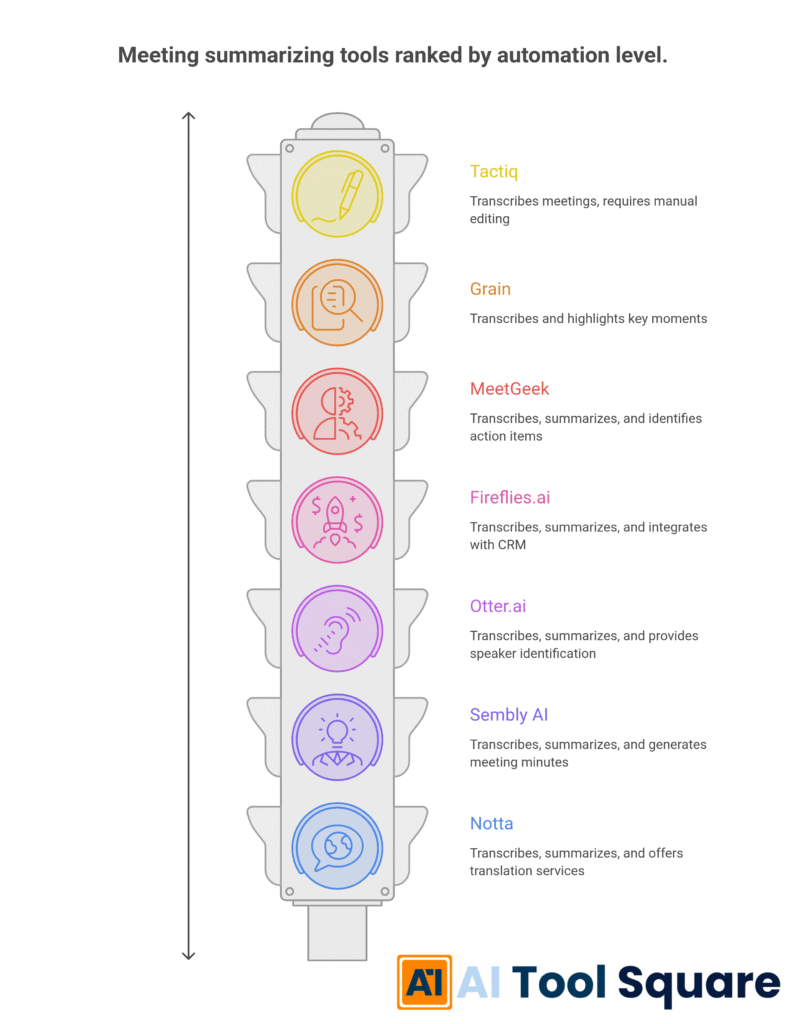
Let’s get down to brass tacks and review the heavy hitters in the AI meeting summary tools arena. I’ve handpicked these seven because they consistently deliver on their promises, offering real value and demonstrable time savings. Each of these AI meeting summary tools brings something unique to the table, whether it’s an innovative approach to AI, superior transcription accuracy, or a user interface that’s just a joy to use.
My aim is to give you enough detail to understand their core strengths and help you identify which one might be the best fit for your specific needs. Remember, the right tool isn’t just about features; it’s about how those features integrate into your daily grind and genuinely improve your output. We’re looking for impact, pure and simple.
When evaluating these AI meeting summary tools, I considered several factors: the precision of their summaries, the clarity of their transcriptions, the breadth of their integrations, and how intuitive they are to navigate. A complex tool, no matter how powerful, will gather dust if it’s too much of a pain to learn. We want seamless integration, not another headache.
Also, I’ve paid close attention to their ability to handle different accents, background noise, and technical jargon – common stumbling blocks for lesser AI meeting summary tools. The goal here is to provide you with an honest, no-fluff assessment, helping you cut through the marketing hype and get straight to what matters: performance. This detailed breakdown should serve as your go-to guide for making an informed decision about which of these Meeting Summarizing solutions to implement.
I’m confident that within this list, you’ll find an AI meeting summary tool that not only meets your requirements but exceeds your expectations. These tools represent the forefront of what’s possible in automating the most tedious aspects of meeting management. From automatically identifying action items to generating shareable summaries in various formats, they’re designed to empower you to be more present in your meetings and more efficient afterwards. It’s about shifting your focus from frantic note-taking to active participation and strategic thinking. So, let’s dig into each one individually and see what makes them tick. These are the AI meeting summary tools that actually work.
Otter.ai – AI meeting summary tools Review
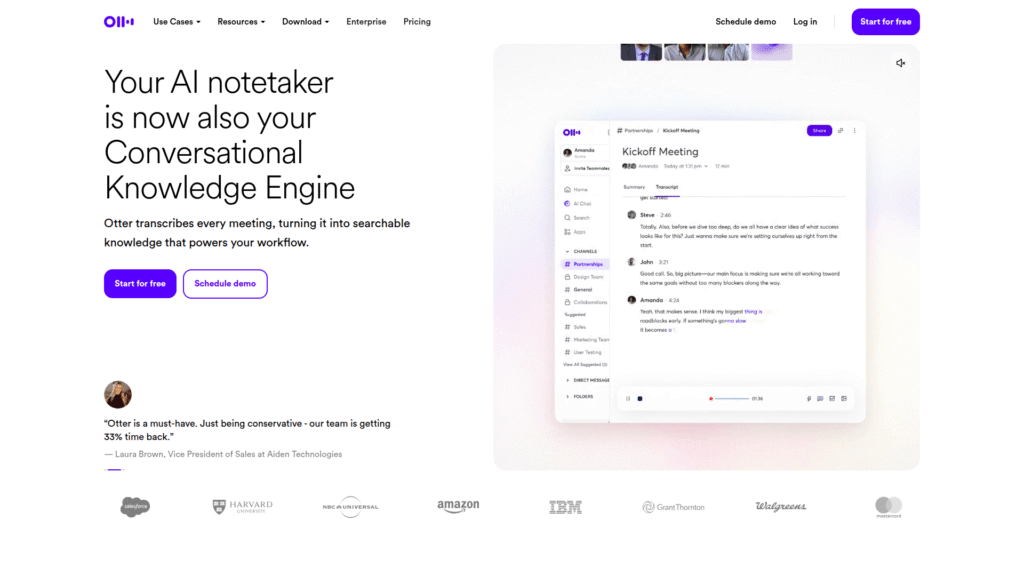
Otter.ai is one of the most widely recognised AI meeting summary tools, and for good reason. It excels at real-time transcription and summarisation for both live meetings and uploaded audio files. Its AI is particularly good at distinguishing between speakers, making it incredibly useful for team discussions. You can highlight key points during the meeting, and Otter will use these as anchors for the summary. It also offers a search function, allowing you to quickly locate specific discussions within your transcripts. The convenience of its mobile app means you can literally summarise meetings on the go. Integrations include Zoom, Google Meet, and Microsoft Teams, ensuring it slots neatly into most workflows.
Pricing: Otter.ai offers a free plan with limited transcription minutes. Paid plans start around £8.30 per month (Pro) offering more minutes, custom vocabulary, and advanced export options. The Business plan, for teams, includes additional features like administrative controls and priority support.
Pros:
- Excellent speaker identification.
- Real-time transcription and summarisation.
- Good integration with popular meeting platforms.
- User-friendly interface.
- Generous free tier.
Cons:
- Accuracy can sometimes be affected by strong accents or poor audio quality.
- Limited advanced analytical features compared to some competitors.
Visit official Otter.ai website
Fireflies.ai – AI meeting summary tools Review
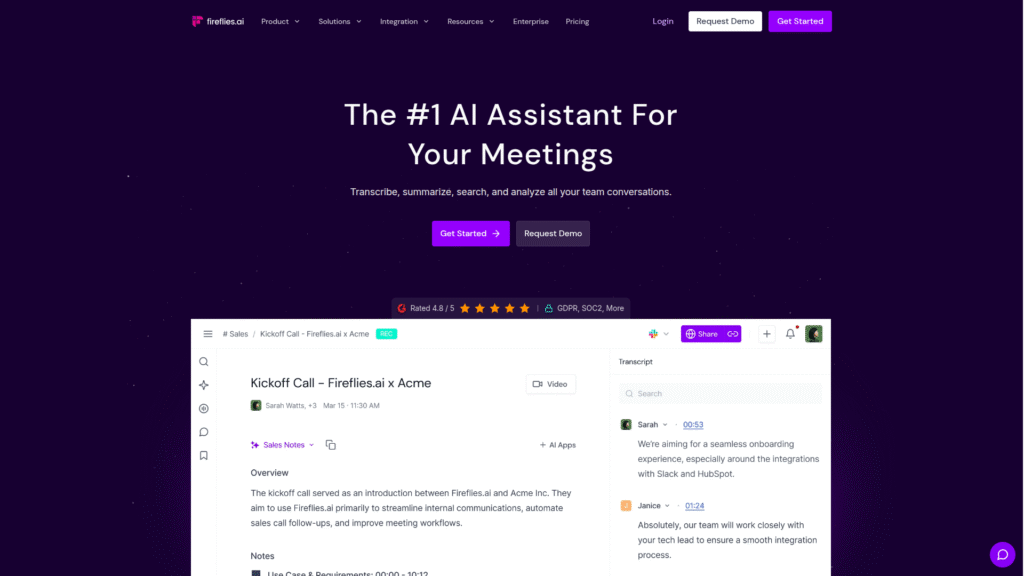
Fireflies.ai is another powerhouse in the AI meeting summary tools space, designed to transcribe, summarise, and analyse voice conversations. It integrates seamlessly with a vast array of video conferencing apps, dialers, and collaboration tools. Fireflies.ai can automatically detect action items, questions, and other key metrics, presenting them in an easy-to-digest format. Its “Smart Search” allows you to comb through hours of meetings in minutes, and you can create custom topic trackers to monitor specific keywords or phrases across all your discussions. This tool is particularly strong for sales teams looking to track objections or marketing teams monitoring product feedback. Its AI meeting summary tools capabilities are truly robust.
Pricing: Fireflies.ai has a free tier for basic transcription. Paid plans begin at approximately £8 per month (Pro), offering more transcription credits, custom vocabulary, and advanced search filters. Business and Enterprise plans provide team management features and API access.
Pros:
- Extensive integration options.
- Robust AI for identifying action items and key metrics.
- Smart search and custom topic trackers.
- Supports over 60 languages.
Cons:
- The UI can feel a bit cluttered for new users.
- Free tier is quite restrictive for power users.
Visit official Fireflies.ai website
MeetGeek – AI meeting summary tools Review
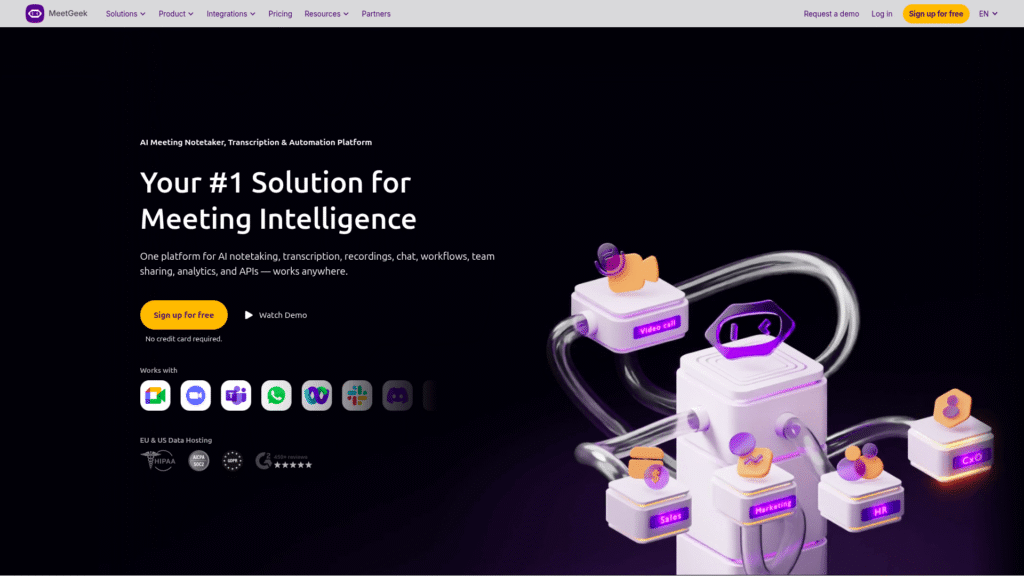
MeetGeek positions itself as a smart meeting assistant that records, transcribes, and summarises your meetings with AI. What sets MeetGeek apart from many other AI meeting summary tools is its focus on creating highly shareable and branded meeting highlights. It automatically generates a meeting summary with key takeaways, action items, and even sentiment analysis, presenting it in a clean, visual format. You can easily share these summaries with colleagues who couldn’t attend, ensuring everyone stays in the loop. It integrates with popular video conferencing platforms and offers a range of customisation options for your summary templates. If you need AI meeting summary tools that produce polished, professional outputs, MeetGeek is a strong contender.
Pricing: MeetGeek offers a free plan with limited meeting hours and features. Paid plans start around £17 per month (Pro), which unlocks more meeting hours, advanced AI features, and custom branding. Business and Enterprise tiers are available for larger teams.
Pros:
- Generates visually appealing and shareable summaries.
- Includes sentiment analysis.
- Good for team collaboration and keeping everyone informed.
- Customisable summary templates.
Cons:
- Free plan is somewhat restrictive.
- Higher pricing tier for more advanced features.
Visit official MeetGeek website
Tactiq – AI meeting summary tools Review
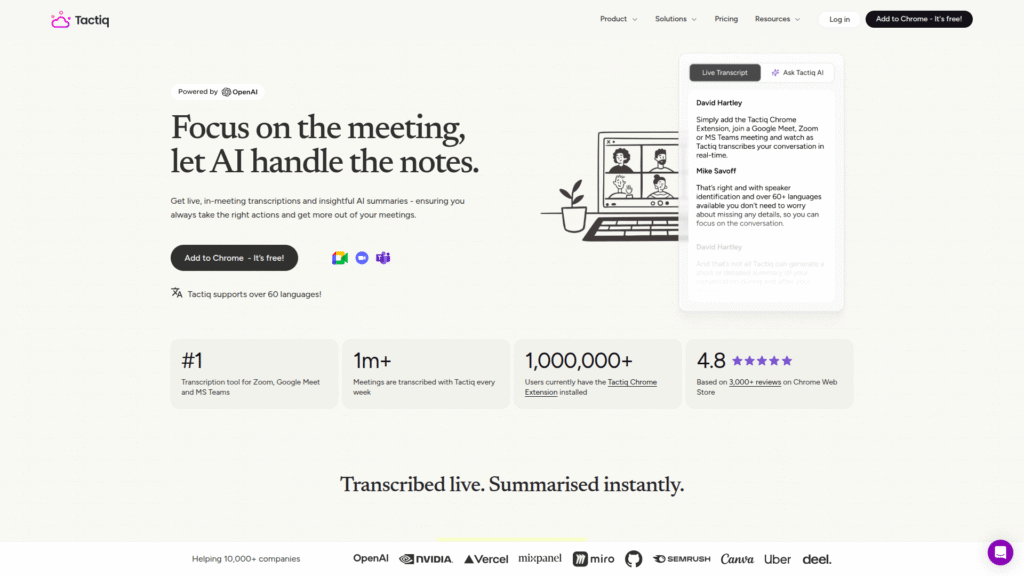
Tactiq is an AI meeting summary tool that integrates directly into your browser, making it incredibly easy to use during live meetings on platforms like Zoom, Google Meet, and Microsoft Teams. Its primary strength lies in its ability to capture key decisions, action items, and important highlights with a single click during the meeting. Post-meeting, it generates a concise summary, transcribes the conversation, and allows you to export notes to various tools like Notion, Slack, and Salesforce. This focus on real-time capturing and seamless integration makes it a highly efficient choice for busy professionals. Tactiq understands that sometimes you just need quick, actionable takeaways, and its AI meeting summary tools are built around this principle.
Pricing: Tactiq offers a free plan with a limited number of transcripts per month. Paid plans begin at approximately £7 per month (Pro), providing unlimited transcripts, advanced integrations, and custom branding. Team plans are also available.
Pros:
- Excellent for real-time note-taking and highlight capturing.
- Seamless browser integration.
- Strong export options to popular productivity tools.
- User-friendly and intuitive.
Cons:
- Less robust in terms of advanced AI analysis compared to some competitors.
- Primarily focused on live meeting transcription.
Grain – AI meeting summary tools Review
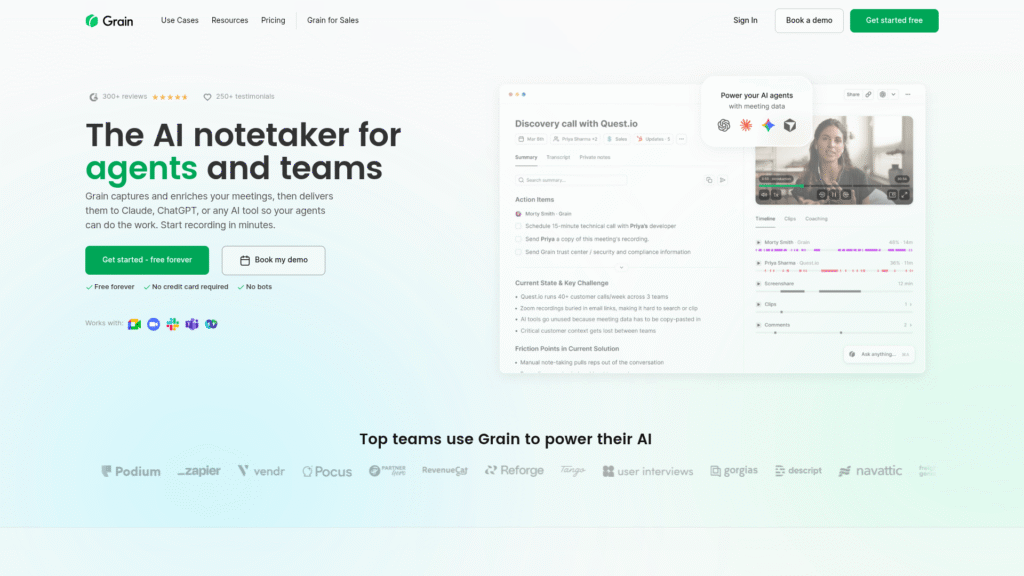
Grain is one of the AI meeting summary tools that really shines when it comes to video. It’s built for recording, transcribing, and sharing the most important moments from your video calls. Instead of just text summaries, Grain allows you to create short video clips (called “Grains”) of key moments directly from your meeting recordings. These clips can be easily shared, embedded, or organised, making it perfect for creating testimonials, training materials, or quick updates. It integrates with Zoom, Google Meet, and Microsoft Teams and offers robust search capabilities across all your recordings. If your workflow heavily relies on visual communication and snippets from calls, Grain’s AI meeting summary tools are exceptionally powerful.
Pricing: Grain offers a free plan with limited recording hours and clip storage. Paid plans start around £16 per month (Pro), increasing recording limits, providing more clip storage, and unlocking advanced collaboration features. Business plans offer even more scale.
Pros:
- Unique ability to create and share video clips from meetings.
- Excellent for visual learners and content creation.
- Strong search capabilities across video recordings.
- Good collaboration features.
Cons:
- More focused on video clips than traditional text summaries, which might not suit everyone.
- Can be more expensive for extensive usage.
Sembly AI – AI meeting summary tools Review
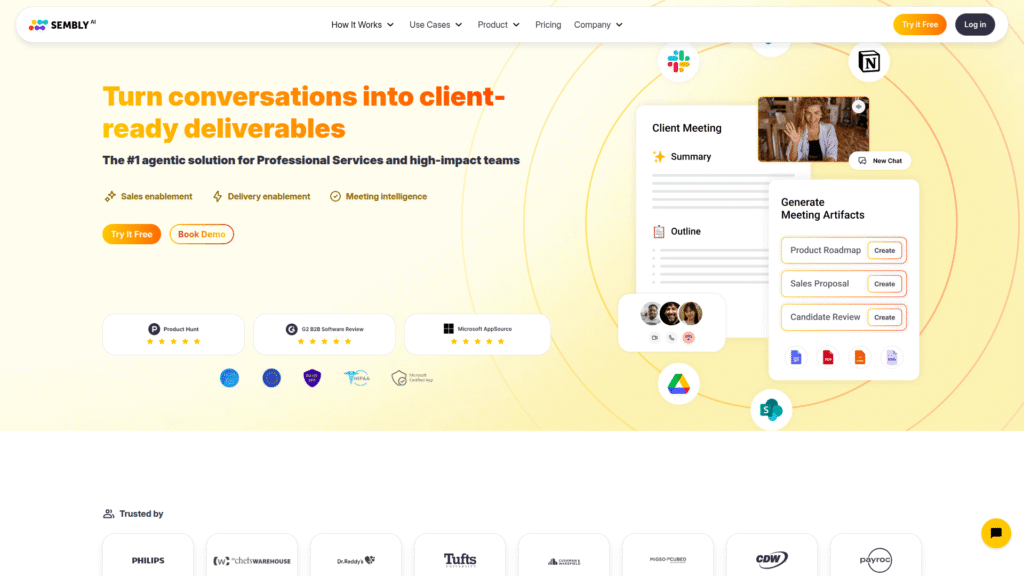
Sembly AI is a meeting assistant that focuses on generating intelligent insights and comprehensive meeting summaries. It goes beyond simple transcription by identifying key discussion topics, action items, and even risks within your conversations. What makes Sembly AI stand out among other AI meeting summary tools is its “Meeting Notes” feature, which automatically compiles a structured summary with speakers, key decisions, and follow-ups. It integrates with major conferencing platforms and offers enterprise-grade security, making it suitable for businesses with strict compliance requirements. If you’re looking for AI meeting summary tools that provide deep analytical capabilities and robust security, Sembly AI is a solid choice.
Pricing: Sembly AI offers a free plan with limited meeting capacity. Paid plans start at approximately £8 per month (Professional), offering more meeting hours, advanced AI features, and integrations. Business and Enterprise plans provide team management and customisation options.
Pros:
- Strong AI for identifying topics, action items, and risks.
- Comprehensive and structured meeting notes.
- Enterprise-grade security features.
- Good for analytical insights.
Cons:
- The user interface could be more intuitive for new users.
- Some advanced features are locked behind higher-tier plans.
Visit official Sembly AI website
Notta – AI meeting summary tools Review
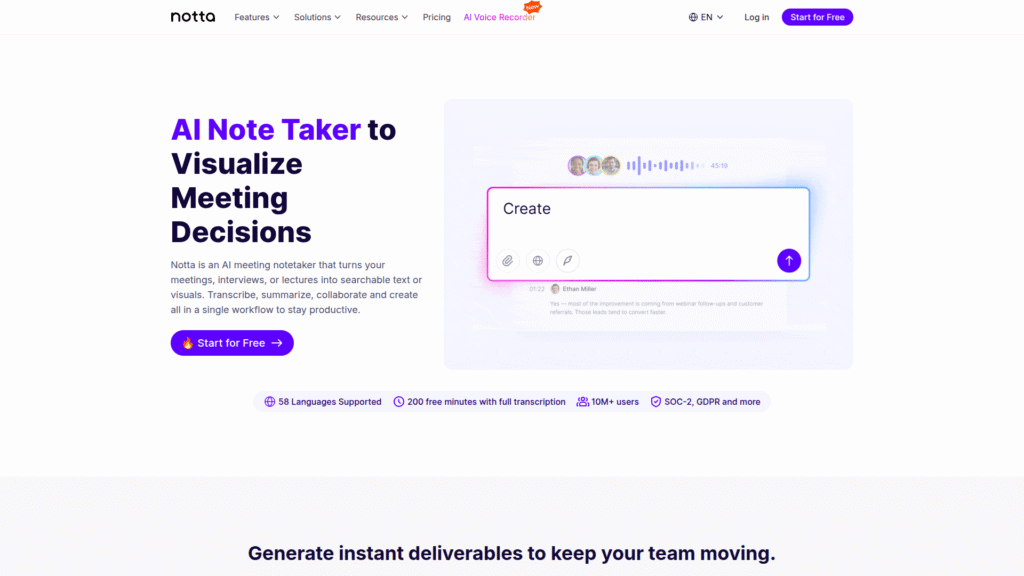
Notta is a powerful transcription and summarisation tool that supports over 104 languages, making it a truly global player in the AI meeting summary tools market. It can transcribe live meetings, audio files, and even video files, and then generate concise summaries. Notta’s AI is particularly adept at real-time transcription, and it offers excellent accuracy even with challenging audio. It allows for easy editing and sharing of transcripts and summaries, and its integration with calendar apps helps you keep your schedule organised. If you frequently deal with international teams or need multilingual support, Notta’s AI meeting summary tools are an indispensable asset.
Pricing: Notta offers a free plan with limited transcription minutes. Paid plans start around £8.30 per month (Pro), offering more transcription hours, advanced export options, and additional features like noise reduction. Business and Enterprise plans are also available.
Pros:
- Exceptional multilingual support (104 languages).
- High accuracy in real-time transcription.
- User-friendly interface.
- Good for international teams.
Cons:
- Free plan is quite limited for heavy usage.
- Summarisation features, while good, might not be as deep as some competitors.
Feature Comparison
Right, so you’ve seen the individual breakdowns of these AI meeting summary tools. Now, let’s stack ’em up against each other. When you’re picking a tool, features are king, but it’s not just about having the most; it’s about having the right ones for your specific operation. Some of these AI meeting summary tools excel in real-time capabilities, meaning they’re pulling out insights as the meeting happens, which is gold if you need to react fast. Others are more geared towards post-meeting analysis, giving you a deep dive into sentiment and complex action items. Think about your workflow: do you need instant snippets or a comprehensive recap delivered hours later?
Transcription accuracy is another critical feature. There’s nothing more frustrating than a summary based on garbled audio. The best AI meeting summary tools use advanced AI to minimise errors, even with background noise or multiple speakers. Then there’s speaker identification – crucial for understanding who said what, especially in larger meetings.
Export options are also massive; can you push the summary straight into your CRM, project management tool, or email? Integrations with platforms like Zoom, Google Meet, and Microsoft Teams are non-negotiable for most. These connections ensure that the AI meeting summary tools aren’t just standalone islands but become integral parts of your existing tech stack, simplifying, not complicating, your life. We’re looking for seamless operation here, not another manual step.
Finally, consider the unique features. Grain, for instance, stands out with its video clipping capabilities, which is brilliant for creating quick highlights or testimonials. MeetGeek offers visually appealing, branded summaries. Tactiq focuses on quick, in-meeting captures. Sembly AI brings robust analytical insights and enterprise-grade security. Notta boasts unparalleled multilingual support. Each of these AI meeting summary tools has its own superpower. By comparing these features directly, you can identify which tool’s strengths align precisely with your biggest pain points and opportunities for efficiency. It’s about finding that perfect fit that generates the most leverage for your business.
Pricing Breakdown
Alright, let’s talk brass tacks: money. Because no matter how powerful an AI meeting summary tool is, if it busts the budget, it’s a non-starter. You’ve got to weigh the cost against the value generated – how many hours will this save you, and what’s an hour of your time (or your team’s time) actually worth?
Most of these AI meeting summary tools operate on a tiered subscription model, typically with a free tier that offers limited functionality, followed by progressively more expensive plans that unlock additional features, more transcription minutes, and advanced integrations. The free tiers are usually great for individual use or for just trying out the service, but if you’re serious about productivity, you’ll likely need a paid plan.
When you’re comparing the pricing of these AI meeting summary tools, look beyond the headline number. Consider what you get for that money. How many transcription hours are included? Are there limits on the number of meetings or participants? What about storage for your recordings and transcripts? Do you need team management features, or is it just for you? Some tools might seem cheaper upfront but then charge extra for features that are standard in a slightly more expensive competitor. It’s a classic value proposition game. For instance, if you require extensive multilingual support, Notta’s pricing might be a steal compared to a tool that requires add-ons for each language.
Also, pay attention to annual versus monthly billing. Often, committing to an annual plan will significantly reduce the per-month cost, which can be a smart move if you’ve already identified your preferred AI meeting summary tool. For businesses, enterprise plans usually offer custom pricing and dedicated support, which can be invaluable for larger teams with specific needs. The key is to project your usage. Don’t pay for features or minutes you won’t use, but don’t hamstring your operations by going too cheap on something that could genuinely revolutionise your efficiency. The right AI meeting summary tools aren’t an expense; they’re an investment in reclaiming your most valuable asset: time.
Real-World Use Cases
So, we’ve talked features and pricing, but how do these AI meeting summary tools actually play out in the trenches? This isn’t just theoretical; this is about tangible results for real businesses. Imagine a sales team using Fireflies.ai. After every client call, an AI-generated summary lands in their CRM, highlighting commitments, client pain points, and follow-up actions. No more scrambling to remember what was promised or digging through notes. The sales rep is instantly ready for the next step, and the manager has immediate visibility into customer interactions. This isn’t just efficiency; it’s about closing more deals faster because every detail is captured and actionable. These are the powerful advantages of good AI meeting summary tools.
Consider a marketing agency, constantly brainstorming new campaigns. With Otter.ai or MeetGeek, every creative session is transcribed and summarised. Key ideas, potential roadblocks, and assigned tasks are automatically documented. This means less time spent on meeting minutes and more time focused on crafting killer campaigns. Furthermore, if a team member misses a meeting, they can quickly review the AI summary and be up to speed in minutes, rather than relying on a colleague’s potentially incomplete notes. The continuity and collective knowledge benefits of AI meeting summary tools are immense, ensuring no valuable insight gets lost in the shuffle.
Even for individual entrepreneurs or consultants, the impact of AI meeting summary tools is profound. Think about client meetings, discovery calls, or even internal strategy sessions. Having an instant, accurate record means you can focus 100% on the conversation, building rapport, and absorbing information, rather than furiously scribbling. Post-meeting, you have a professional summary ready to send to clients, demonstrating your attention to detail and reinforcing trust. For anyone juggling multiple projects and clients, these tools are a lifesaver, ensuring that every conversation is leveraged for maximum impact. They transform mundane admin into strategic advantage. That’s the real power of these AI meeting summary tools.
Who Should Use Each Tool?
Alright, let’s get specific. While all these AI meeting summary tools aim to make your life easier, they each have their sweet spot. It’s about matching the tool to the user for maximum impact. If you’re a busy executive or an individual contributor who spends a lot of time in 1-on-1s or small team meetings and needs general, reliable transcription and summarisation, Otter.ai is a fantastic all-rounder. Its free tier is generous, and its paid plans offer solid value for broad use cases. It’s straightforward, dependable, and a great entry point into the world of AI meeting summary tools.
For sales professionals, account managers, or customer success teams, Fireflies.ai is a beast. Its deep analytical features, ability to track custom topics, and extensive CRM integrations make it perfect for dissecting client conversations, identifying buyer intent, and ensuring no follow-up is missed. Similarly, if your role involves creating and sharing impactful visual content from calls, like for training, testimonials, or quick updates, Grain is your go-to. Its unique video clipping functionality turns raw meeting footage into highly digestible, shareable assets. These are AI meeting summary tools built for specific, high-stakes communication.
If you’re part of a marketing team or lead client-facing projects where polished communication is paramount, MeetGeek’s ability to create branded, visually appealing summaries will be invaluable. It ensures your meeting recaps look as professional as your presentations. For those who need real-time capture of key points and seamless integration with a broad range of productivity apps, Tactiq is ideal.
Its browser extension makes in-meeting note-taking almost effortless. Finally, for international teams or businesses operating across multiple languages, Notta is the undisputed champion due to its extensive multilingual support. And for larger enterprises requiring robust security and deep analytical insights into risks and topics, Sembly AI stands out. Each of these AI meeting summary tools solves a specific problem for a specific user.
How to Choose the Right Tool
Choosing the right AI meeting summary tool isn’t about picking the most expensive or the one with the most features. It’s about aligning the tool’s capabilities with your specific needs and workflow. First, identify your primary pain points. Are you struggling with accurate transcriptions, losing track of action items, or spending too much time writing post-meeting summaries? Your biggest problem will often point you towards the right solution. If it’s action item tracking, Fireflies.ai or Sembly AI might be your best bet. If it’s quick, shareable highlights, consider Grain or MeetGeek. These AI meeting summary tools are purpose-built.
Next, consider your typical meeting environment. Do you mostly use Zoom, Google Meet, or Microsoft Teams? Ensure the AI meeting summary tool you choose has robust and seamless integrations with your preferred conferencing platforms. A tool that constantly fights your existing tech stack will cause more headaches than it solves. Think about audio quality and accents – some tools handle diverse linguistic inputs better than others. If your team is global, multilingual support (like Notta offers) becomes a critical factor. The best AI meeting summary tools blend into your environment effortlessly.
Finally, think about your budget and scale. Start with the free trials or free tiers offered by these AI meeting summary tools. This allows you to test them in real-world scenarios without any financial commitment. See how they perform with your actual meetings. If you’re an individual, a cheaper plan might suffice. For a growing team, consider plans that offer team management, analytics, and scalability. Don’t be afraid to try a couple before settling on “the one.” The goal is to find an AI meeting summary tool that truly enhances your productivity and justifies its cost by saving you valuable time and mental energy. It’s an investment in efficiency, so choose wisely.
Making Money with These Tools
Okay, let’s talk about the real reason we do anything: making money. These AI meeting summary tools aren’t just about saving time; they’re about creating leverage that directly impacts your bottom line. Think about it. When you save hours on administrative tasks like writing meeting minutes, those hours can be redirected to revenue-generating activities. More time spent on sales calls, strategic planning, client outreach, or developing new products directly translates to more income. It’s a simple equation: increased efficiency equals increased earning potential. The best AI meeting summary tools are fundamentally profit drivers.
For consultants and freelancers, these tools allow you to take on more clients without sacrificing quality or burning out. Imagine being able to attend a client meeting, knowing that all key decisions and action items will be perfectly documented, ready for review. This not only makes you more efficient but also projects an image of professionalism and meticulousness that clients will pay a premium for. You can deliver higher quality output in less time, freeing you up to serve more clients or charge more for your services. This is how AI meeting summary tools can directly increase your billable hours and client satisfaction.
Businesses can leverage these AI meeting summary tools to improve internal communication, streamline project management, and accelerate decision-making. Faster decision cycles mean projects move quicker, products launch sooner, and problems are resolved more rapidly. This agility can give you a significant competitive advantage. For sales and customer service teams, detailed records of customer interactions lead to better follow-ups, improved customer retention, and ultimately, more sales. The data captured by these AI meeting summary tools can also be analysed to identify trends, optimise processes, and inform strategic growth initiatives. This isn’t just about convenience; it’s about building a more profitable, data-driven business. These aren’t just tools; they’re strategic assets.
Common Limitations
Look, no tool is perfect, and it would be a disservice to pretend that AI meeting summary tools are some magic bullet without any downsides. It’s important to understand their limitations so you can manage expectations and use them effectively. One of the most common issues is transcription accuracy, especially in challenging audio environments. Heavy accents, multiple speakers talking over each other, or significant background noise can all lead to errors in the transcription, which then, of course, impacts the quality of the summary. While AI is getting better, it’s not infallible, and you’ll likely still need to do a quick review of the output.
Another limitation often revolves around context and nuance. While AI can identify keywords and action items, it might miss the subtle implications of a conversation, the unspoken agreements, or the specific tone that could be crucial to understanding the full picture. A human touch is still invaluable for interpreting the deeper meaning behind certain discussions. These AI meeting summary tools are fantastic at summarising explicit information, but inferring implicit details is still largely a human domain. You can’t expect them to read between the lines perfectly every time.
Data privacy and security are also valid concerns, particularly for businesses dealing with sensitive information. While most reputable AI meeting summary tools have robust security measures in place (Sembly AI being a good example), it’s always wise to understand how your data is stored, processed, and protected. Always check their privacy policies. Finally, integration limitations can sometimes be a bottleneck. If a tool doesn’t seamlessly connect with your essential CRM or project management software, it can create additional manual steps, negating some of the efficiency gains. Be realistic about what these AI meeting summary tools can and cannot do, and you’ll get the most out of them.
Final Verdict and Recommendations
Right, so we’ve broken down the best AI meeting summary tools on the market. My final verdict is this: if you’re not using one of these, you’re leaving money on the table and wasting valuable time. The gains in productivity and the sheer mental relief of not having to manually summarise meetings are simply too significant to ignore. These tools aren’t a luxury; they’re a necessity in today’s fast-paced business environment. They provide the leverage you need to focus on high-value tasks, improve communication, and ultimately, grow your business.
For a reliable all-rounder that’s excellent for individuals and small teams, Otter.ai is a solid recommendation. Its ease of use and good free tier make it a great starting point. If your workflow involves heavy sales, client management, or you need deep analytical insights from conversations, Fireflies.ai is a top contender with its robust feature set and integrations. For those who need to create visually engaging and shareable summaries or are in a marketing-heavy role, MeetGeek provides a fantastic solution. And if video clips and visual communication are key, Grain is truly exceptional in its niche. These AI meeting summary tools genuinely make a difference.
If you’re operating with global teams and need unparalleled multilingual support, Notta is the clear winner. For real-time in-meeting capture and quick integrations with productivity apps, Tactiq is incredibly efficient. And for enterprises demanding top-tier security and advanced topic/risk identification, Sembly AI stands out. Ultimately, the best AI meeting summary tool for you is the one that fits seamlessly into your existing workflow, addresses your specific pain points, and provides a clear return on investment in terms of time saved and productivity gained. Don’t overthink it; pick one, try it, and start reclaiming your time. These AI meeting summary tools are game-changers.
Frequently Asked Questions
What are AI meeting summary tools?
AI meeting summary tools are software applications that use artificial intelligence to transcribe, analyse, and condense spoken conversations from meetings into concise summaries, highlighting key points, action items, and decisions. They aim to automate the tedious task of manual note-taking and recap creation.
How accurate are AI meeting summary tools?
The accuracy of AI meeting summary tools varies depending on the tool, audio quality, accents, and background noise. While generally very good, especially with clear audio and standard accents, some errors can occur. Most tools allow for editing of the transcript and summary for perfect accuracy.
Can AI meeting summary tools integrate with my existing calendar and video conferencing platforms?
Yes, most leading AI meeting summary tools offer robust integrations with popular calendar apps like Google Calendar and Outlook, and video conferencing platforms such as Zoom, Google Meet, Microsoft Teams, and Webex. This allows for seamless scheduling and recording of meetings.
Are AI meeting summary tools secure for sensitive information?
Reputable AI meeting summary tools prioritise data security and privacy, often employing encryption, secure storage, and compliance with various data protection regulations. However, it’s always crucial to review the privacy policy and security measures of any tool, especially when dealing with highly sensitive or confidential information.
Do I need a paid subscription to use AI meeting summary tools?
Many AI meeting summary tools offer a free tier or a free trial period with limited features or usage minutes. While these free options are great for testing, paid subscriptions typically unlock full functionality, higher usage limits, advanced integrations, and better support, making them more suitable for regular or professional use.
Can AI meeting summary tools identify different speakers?
Yes, most advanced AI meeting summary tools feature speaker identification, which automatically distinguishes between different speakers in a conversation. This is incredibly useful for creating accurate transcripts and summaries that clearly show who said what.
How do AI meeting summary tools save me time and money?
AI meeting summary tools save time by automating transcription and summarisation, eliminating the need for manual note-taking and recap writing. This frees up hours that can be redirected to revenue-generating activities, improving overall productivity and efficiency, and ultimately leading to cost savings and increased earnings.