

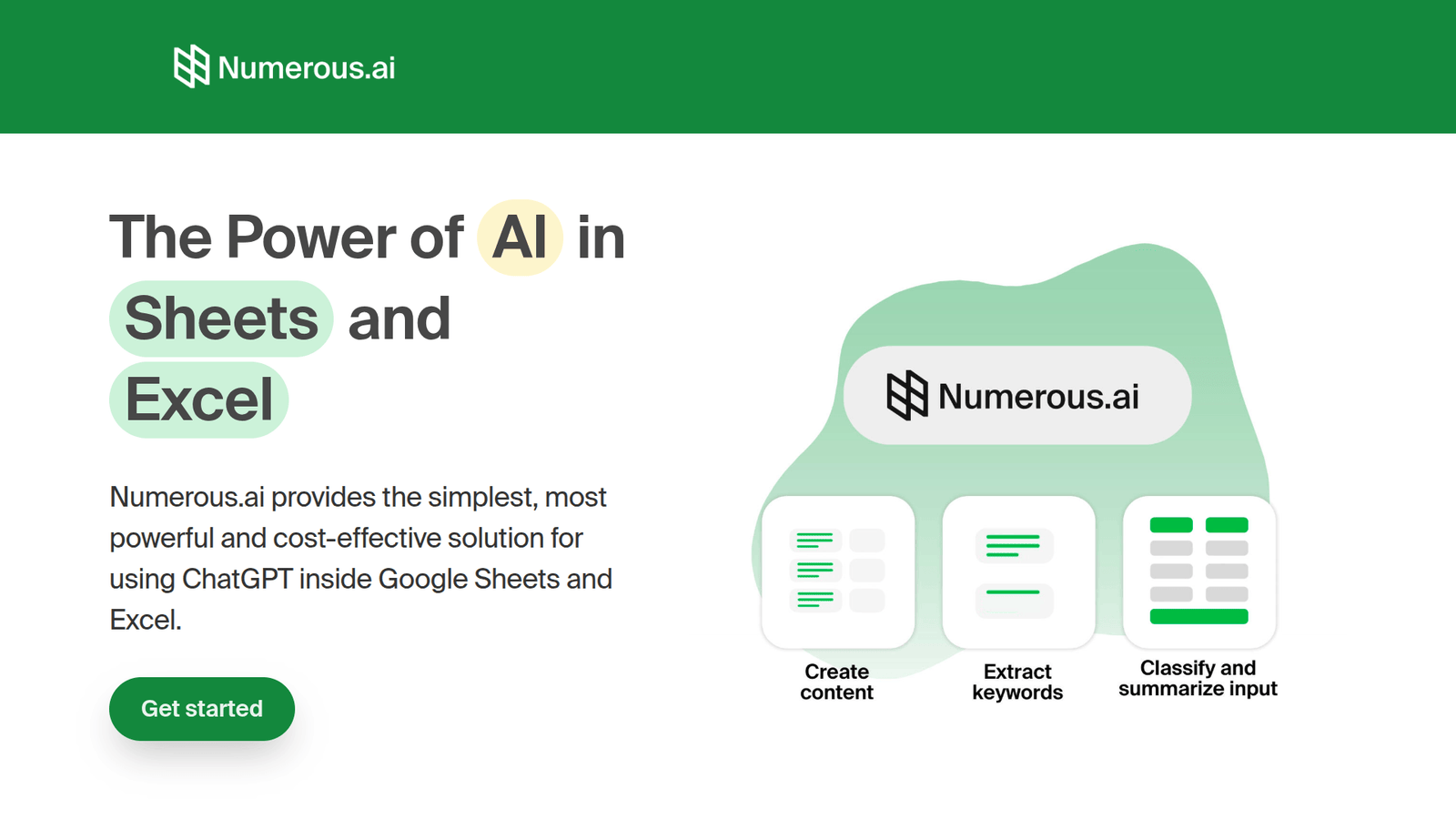

Numerous.ai revolutionises Excel & Google Sheets for data analysis. Boost efficiency & make smarter business decisions. Try Numerous.ai today!
Numerous.ai Transforms Your Excel and Google Sheets Workflow
The way we handle data is changing. Fast.
AI isn’t some distant future concept anymore. It’s here, and it’s reshaping how businesses operate.
For anyone in Data Analysis and Business Intelligence, this shift means new tools, new possibilities, and a huge opportunity to level up.
And when it comes to the bedrock tools – Excel and Google Sheets – the impact of AI is profound.
What if you could cut down hours of manual work? What if you could extract insights faster, more accurately, and with less guesswork?
That’s where Numerous.ai comes in. It’s not just another AI tool; it’s a strategic advantage for anyone working with spreadsheets.
Let’s break down how this game-changer can redefine your relationship with Excel and Google Sheets.
Table of Contents
- What is Numerous.ai?
- Key Features of Numerous.ai for Excel and Google Sheets
- Benefits of Using Numerous.ai for Data Analysis and Business Intelligence
- Pricing & Plans
- Hands-On Experience / Use Cases
- Who Should Use Numerous.ai?
- How to Make Money Using Numerous.ai
- Limitations and Considerations
- Final Thoughts
- Frequently Asked Questions
What is Numerous.ai?
Numerous.ai is an artificial intelligence-powered platform designed to streamline and enhance various content and data-related tasks.
At its core, it acts as a sophisticated assistant, capable of understanding context and generating outputs that would typically require significant human effort.
Think of it as having a highly skilled team member who can process information, generate ideas, and perform complex operations in seconds.
Its primary audience includes professionals across marketing, writing, content creation, and importantly for our discussion, data analysis and business intelligence roles.
The tool is built to integrate with common workflows, aiming to reduce manual input and accelerate output.
It’s particularly effective for tasks involving structured data, text generation, and information extraction, making it a potent ally for spreadsheet users.
Key Features of Numerous.ai for Excel and Google Sheets
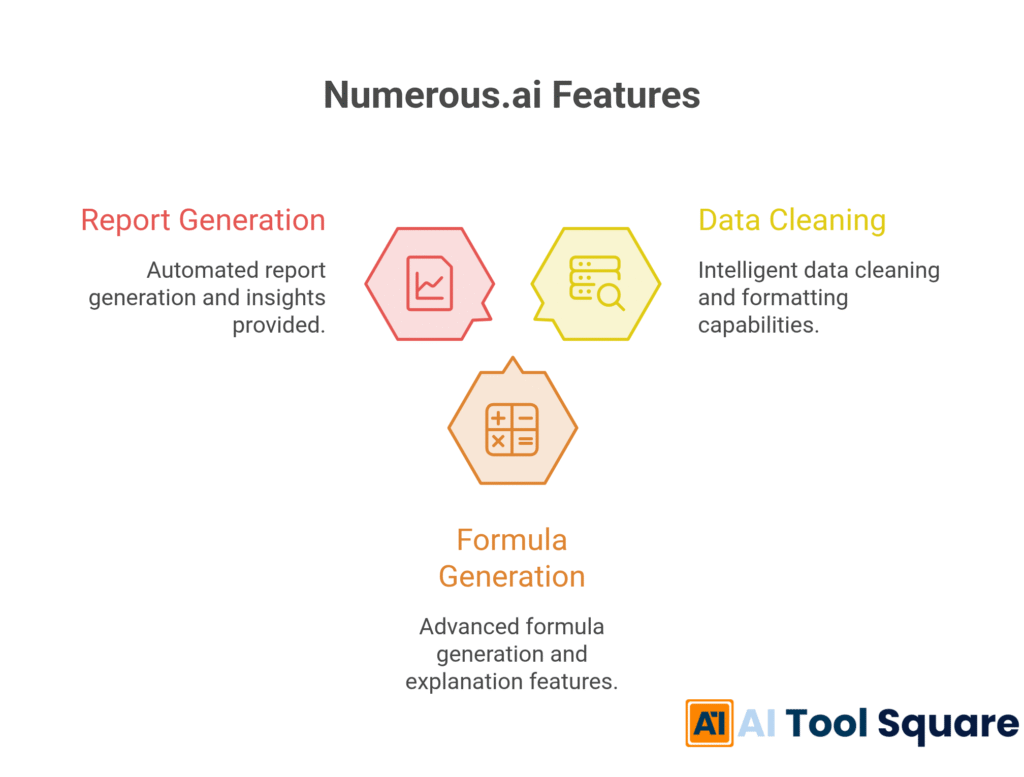
- Intelligent Data Cleaning and Formatting:
This feature tackles one of the most time-consuming aspects of working with spreadsheets: cleaning messy data. Numerous.ai can automatically identify and correct inconsistencies, typos, and formatting errors across large datasets.
This means you spend less time on tedious manual adjustments and more time on actual analysis. It handles standardisation of dates, addresses, and other common data points with ease.
For teams working with data from various sources, this capability alone can save hours per week, ensuring data integrity and reliability.
- Advanced Formula Generation and Explanation:
Struggling with complex Excel or Google Sheets formulas? Numerous.ai can generate the exact formula you need based on a plain English description of your desired outcome. No more scouring the web for obscure function combinations.
Beyond generation, it can also explain existing complex formulas in simple terms. This is invaluable for understanding legacy spreadsheets or when collaborating with others who may not be formula wizards.
This feature democratises advanced spreadsheet functionality, making powerful data manipulation accessible to a wider range of users.
- Automated Report Generation and Insights:
Numerous.ai can analyse your spreadsheet data and automatically generate narrative summaries, identify key trends, and highlight significant outliers. It transforms raw numbers into actionable business intelligence.
This means you can quickly create reports that would otherwise require manual chart creation, text writing, and interpretation. It acts as a built-in analyst, spotting patterns you might miss.
This capability is crucial for business leaders and analysts who need to communicate findings effectively and make data-driven decisions without getting bogged down in the presentation details.
Benefits of Using Numerous.ai for Data Analysis and Business Intelligence
The advantages of integrating Numerous.ai into your Data Analysis and Business Intelligence workflow are substantial.
Primary among these is the sheer time savings. Hours spent on manual data cleaning, formatting, and formula creation can be drastically reduced, often to mere minutes.
This reclaimed time allows professionals to focus on higher-value activities like strategic thinking, complex problem-solving, and in-depth interpretation of results.
Secondly, the quality and accuracy of your work will improve. AI-driven processes are less prone to human error, ensuring that your data is clean and your formulas are correct.
This leads to more reliable insights and, consequently, better business decisions. When your data foundation is solid, your conclusions are more robust.
Numerous.ai also acts as a powerful tool for overcoming creative blocks or analytical stagnation. When faced with a complex problem or a need to present data in a new way, the AI can provide starting points, suggest approaches, and even generate initial drafts of analyses.
This can be a significant boost, especially for individuals or small teams who may not have access to specialized expertise for every task.
Furthermore, it democratises advanced analytical capabilities. Users who may not be seasoned spreadsheet power-users can leverage the AI to perform sophisticated analyses, making powerful tools accessible to a broader range of employees.
This fosters a more data-literate organisation overall.
Finally, the ability to automate repetitive tasks significantly reduces burnout. Tedious, low-level work is often a major source of job dissatisfaction. By automating these tasks, Numerous.ai enhances job satisfaction and employee well-being, while simultaneously boosting overall productivity.
Pricing & Plans

Numerous.ai operates on a tiered pricing model designed to accommodate various user needs, from individual professionals to larger teams.
Typically, there is a free trial available, allowing users to explore the core functionalities before committing to a paid plan. This is a common and effective strategy for SaaS tools.
Paid plans often include features such as increased usage limits, access to premium AI models, dedicated support, and advanced collaboration tools. The exact offerings can vary.
For businesses or teams requiring extensive usage or custom integrations, enterprise-level solutions are usually on offer, which can be tailored to specific requirements.
When comparing Numerous.ai to other AI tools for Data Analysis and Business Intelligence, consider the specific features relevant to Excel and Google Sheets. Some general-purpose AI writers may offer formula generation, but a tool like Numerous.ai is purpose-built for spreadsheet enhancement.
The cost is generally positioned as an investment in efficiency and accuracy, where the time and error savings far outweigh the subscription fees for most professional users.
Hands-On Experience / Use Cases
A content marketer can leverage Numerous.ai to analyse website traffic data within Google Sheets. Instead of manually sifting through rows of metrics, the AI can identify top-performing content, audience engagement trends, and suggest areas for content optimisation.
This allows the marketer to quickly generate reports for stakeholders, explaining which content strategies are working and why, all derived directly from the spreadsheet data.
A small business owner managing inventory in Excel can use Numerous.ai to predict future stock needs. By feeding sales history and seasonal trends into the system, the AI can generate forecasts and suggest reorder points, preventing both stockouts and overstocking.
This practical application directly impacts profitability and operational efficiency.
A financial analyst tasked with preparing a quarterly report can utilise Numerous.ai to clean and consolidate financial statements from multiple sources in Excel. The AI can then generate a summary of key financial ratios, highlight variances from the previous quarter, and even draft narrative explanations for these changes.
This drastically shortens the reporting cycle and ensures accuracy in financial reporting.
Teams have reported significant improvements in collaboration when using Numerous.ai. When multiple individuals contribute to a spreadsheet, inconsistencies in data entry and formatting can become rampant. Numerous.ai acts as a universal formatter and cleaner, ensuring that all data adheres to a standard, making it easier for everyone to work with and understand.
This standardisation is critical for maintaining data integrity in shared Excel and Google Sheets environments.
Who Should Use Numerous.ai?

Numerous.ai is a versatile tool with broad appeal, particularly for professionals who regularly interact with spreadsheet data.
Data Analysts and Business Intelligence Professionals: This is the most obvious group. If your role involves interpreting data, generating reports, or deriving insights from Excel or Google Sheets, Numerous.ai is a direct productivity booster.
Marketers: For campaign performance tracking, customer segmentation, and market research analysis, marketers can use Numerous.ai to extract meaningful insights from their spreadsheet data, leading to more effective strategies.
Small Business Owners and Managers: Individuals managing finances, inventory, sales, or customer relations in spreadsheets can benefit from automated analysis, forecasting, and reporting capabilities. It provides enterprise-level analytical power without the enterprise price tag.
Freelancers and Consultants: Offering data analysis or reporting services? Numerous.ai can significantly speed up your client work, allowing you to take on more projects or deliver results faster.
Students and Academics: For research projects involving data analysis, Numerous.ai can simplify data preparation and insight generation, making academic work more manageable and insightful.
Anyone who uses Excel or Google Sheets extensively for anything beyond basic data entry can find value. If you’ve ever spent hours cleaning a spreadsheet, wrestling with a complex formula, or trying to make sense of raw numbers, Numerous.ai is built for you.
How to Make Money Using Numerous.ai
Numerous.ai isn’t just a tool for personal productivity; it opens up several avenues for generating income, especially for those skilled in Data Analysis and Business Intelligence.
- Offer Advanced Spreadsheet Consulting Services:
Many businesses, particularly small to medium-sized ones, struggle with their data. They have mountains of information in Excel or Google Sheets but lack the expertise or time to extract actionable insights.
By using Numerous.ai, you can offer services like data cleaning, advanced formula creation, custom dashboard setup, and automated reporting. You can promise faster turnaround times and more accurate results, leveraging the AI as your secret weapon.
Clients will pay a premium for this efficiency and expertise, allowing you to command higher rates than if you were performing these tasks manually.
- Develop and Sell Automated Report Templates:
Create sophisticated, data-driven report templates that clients can purchase. These templates would be pre-configured with Numerous.ai capabilities, allowing users to simply input their data and receive professional reports.
Think of ready-made sales performance dashboards, marketing ROI trackers, or financial health summaries. Your value is in the intelligent automation you’ve built into the template using Numerous.ai.
You can sell these templates on your own website, marketplaces like Etsy, or specialized business template sites. The key is that Numerous.ai makes these templates far more powerful and automated than standard, manual ones.
- Provide Data Analysis Training and Workshops:
Educate others on how to harness the power of spreadsheets with AI assistance. You can offer workshops, online courses, or one-on-one coaching sessions focused on using Numerous.ai for Excel and Google Sheets.
Your curriculum would highlight how to use the tool for data cleaning, formula generation, and insight extraction, demonstrating real-world use cases. This positions you as an expert in a high-demand skill.
The demand for AI-enhanced productivity skills is growing, making this a lucrative path for those who can teach it effectively.
For example, a freelance data analyst could use Numerous.ai to streamline client projects. A client might need a monthly sales report. Instead of spending 8-10 hours on manual data manipulation and chart creation, the analyst uses Numerous.ai to achieve the same results in 2-3 hours. This allows them to take on an additional client each month, directly increasing their monthly income without working more hours. This efficiency translates directly into profit.
Limitations and Considerations
While Numerous.ai is a powerful tool, it’s crucial to acknowledge its limitations to manage expectations and ensure effective use.
Accuracy is Not Always Perfect: AI models, including Numerous.ai, can sometimes produce inaccurate or nonsensical outputs. This is particularly true with highly nuanced or ambiguous data. It’s essential to always review and verify the AI’s generated content, formulas, and insights.
Requires Clear Input: The quality of the output heavily depends on the quality and clarity of the input. Vague or poorly structured prompts will lead to less useful results. Users need to learn how to communicate their needs effectively to the AI.
Contextual Understanding Gaps: While AI is advancing rapidly, it can still struggle with deep contextual understanding or domain-specific nuances that a human expert would grasp intuitively. For highly specialised or sensitive data analysis, human oversight remains critical.
Learning Curve: While designed to be user-friendly, mastering the full potential of Numerous.ai, especially for advanced use cases, will still require some time and practice. Understanding its capabilities and how to best leverage them is key.
Data Privacy and Security: Users should be aware of how their data is handled by the platform. It’s important to ensure that the tool complies with relevant data privacy regulations, especially when dealing with sensitive business information.
These limitations are not unique to Numerous.ai; they are common across many AI tools. The key is to use the AI as an assistant and enhancer, not a complete replacement for human judgment and expertise.
Final Thoughts
In the rapidly evolving landscape of Data Analysis and Business Intelligence, efficiency and accuracy are paramount.
Numerous.ai emerges as a standout tool, specifically addressing the persistent challenges faced by professionals working with Excel and Google Sheets.
It’s not an overstatement to say that this AI can fundamentally change your workflow, freeing up valuable time and unlocking deeper insights from your data.
For anyone looking to reduce manual drudgery, improve the quality of their analysis, and make more informed business decisions, Numerous.ai is a strategic investment.
Its ability to clean data, generate complex formulas, and provide instant insights makes it an indispensable asset.
Don’t let manual processes hold you back.
Explore what Numerous.ai can do for your spreadsheets.
Visit the official Numerous.ai website to learn more and start transforming your data analysis today.
Frequently Asked Questions
1. What is Numerous.ai used for?
Numerous.ai is an AI-powered tool designed to streamline various tasks, particularly content creation and data manipulation. For Data Analysis and Business Intelligence professionals, it excels at cleaning and formatting data, generating complex formulas, and providing automated insights within Excel and Google Sheets.
2. Is Numerous.ai free?
Numerous.ai typically offers a free trial period, allowing users to test its features. After the trial, paid subscription plans are available, providing access to full functionality and increased usage limits. Pricing varies based on the plan and features required.
3. How does Numerous.ai compare to other AI tools?
While many AI tools exist, Numerous.ai distinguishes itself by its specific focus on enhancing spreadsheet workflows. Unlike general-purpose AI writers, it offers deep integration and specialized features for Excel and Google Sheets, such as intelligent formula generation and data cleaning, making it highly relevant for Data Analysis and Business Intelligence tasks.
4. Can beginners use Numerous.ai?
Yes, Numerous.ai is designed with user-friendliness in mind. While mastering its advanced capabilities may take practice, beginners can quickly leverage its core features, like simple formula generation and data cleaning, to improve their spreadsheet efficiency. The AI helps bridge the gap for those less familiar with complex functions.
5. Does the content created by Numerous.ai meet quality and optimization standards?
Numerous.ai generates outputs based on the data and instructions provided. For data analysis and insights, the quality is dependent on the input data’s accuracy and the clarity of the request. While the AI can identify trends and anomalies, human review is always recommended to ensure the insights are contextually correct and meet specific quality and optimization standards for business reporting.
6. Can I make money with Numerous.ai?
Absolutely. By leveraging Numerous.ai, you can enhance your productivity and offer specialized services. This includes providing data cleaning, advanced spreadsheet analysis, and automated report generation for clients. Its efficiency allows for taking on more projects, thereby increasing earning potential.
7. How to make money with Numerous.ai?
You can make money by offering consulting services focused on spreadsheet optimization using Numerous.ai. This could involve cleaning messy data for clients, building complex, automated financial models in Excel, or creating insightful data dashboards in Google Sheets. You can also develop and sell pre-built, AI-powered report templates or offer training sessions on using the tool.




