

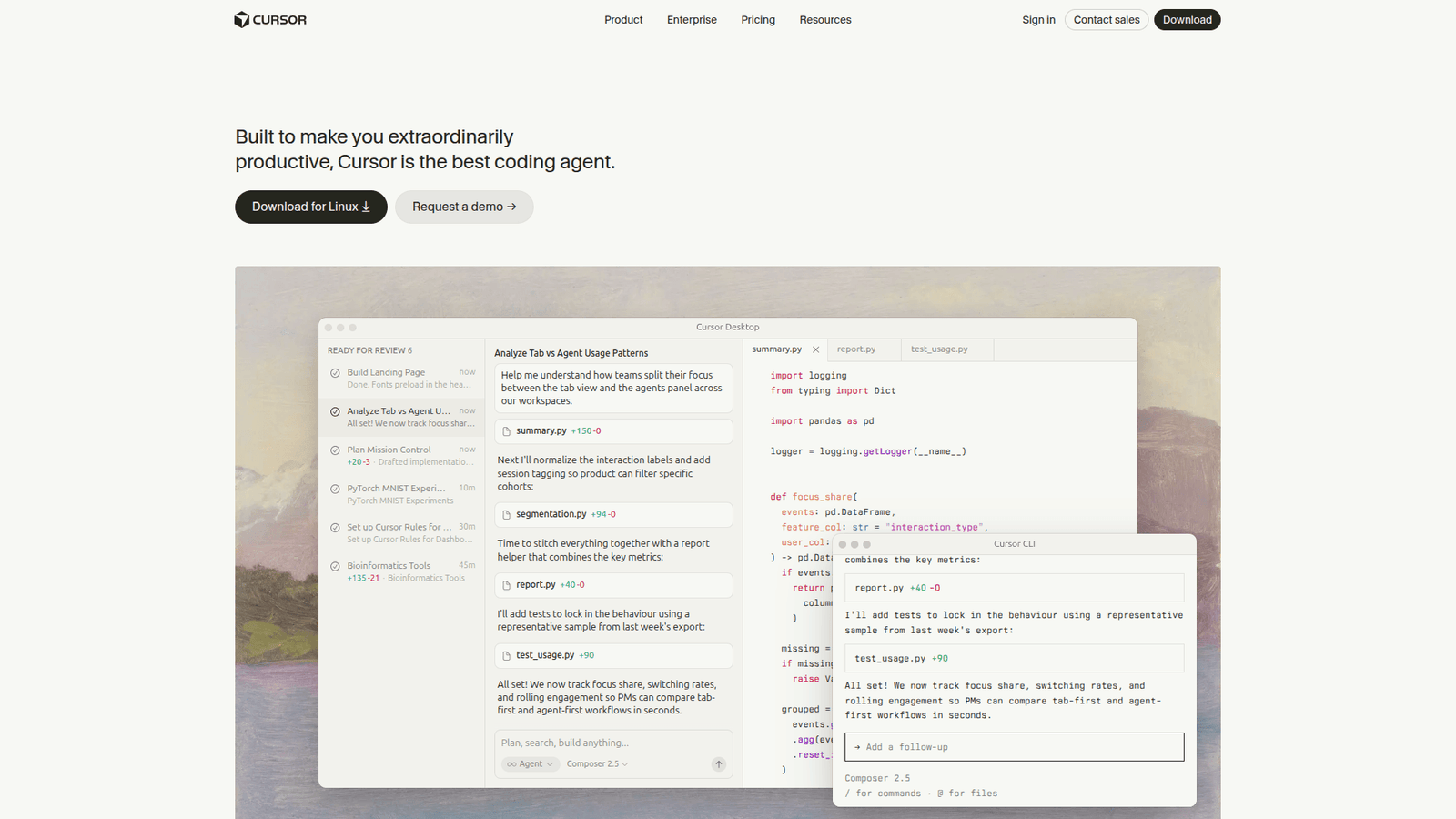

Master bug fixing & refactoring with Cursor, the AI coding assistant that slashes dev time. Try Cursor today!
Why Cursor Is a Game-Changer in Bug Fixing and Refactoring
You’re staring at the screen. Lines of code blur. A bug, elusive as a shadow, is messing with your masterpiece. Or maybe it’s that gnarly chunk of code, written months ago, that now looks like spaghetti. It needs a serious overhaul.
Sound familiar? For anyone in coding and developing, this is Tuesday. The grind of fixing bugs and refactoring code is a constant. It’s time-consuming, often frustrating, and can drain your creative energy faster than a leaky faucet.
What if there was a way to make that process… well, *easier*? Faster? More effective? What if AI could be your partner, not just a fancy autocomplete, but a genuine assistant in these critical tasks?
Enter Cursor. This isn’t just another code editor. It’s built from the ground up with AI at its core, designed to understand your code, your intent, and your pain points. And for those dreaded tasks of bug fixing and refactoring, it is proving to be a revelation.
Forget the endless hours of debugging. Forget staring blankly at complex code structures. Cursor offers a new paradigm, a smarter way to work. Let’s break down exactly how this AI-powered tool is reshaping the landscape for developers.
This isn’t about replacing developers. It’s about empowering them. It’s about giving you superpowers to tackle the most tedious aspects of software development with unprecedented speed and accuracy.
What is Cursor?
Cursor is an AI-first code editor designed to supercharge developer productivity. Think of it as your intelligent coding partner, integrated directly into your workflow. It leverages advanced AI models to understand context, generate code, answer questions about your codebase, and, crucially, help you fix bugs and refactor existing code.
Unlike traditional IDEs that offer static code completion, Cursor actively engages with your code. It can analyze your entire project, understand relationships between files, and provide context-aware suggestions and actions. This deep understanding is what sets it apart.
Its core functionality revolves around its ability to process natural language prompts and translate them into code actions. This means you can ask Cursor questions about your code, request specific modifications, or even ask it to identify and fix issues, all in plain English.
The target audience for Cursor is anyone involved in software development who wants to work more efficiently. This includes individual developers, small teams, and large enterprise development departments. Its focus on accelerating core development tasks makes it a valuable asset for all.
This isn’t just about writing new code faster. It’s about mastering the code you already have. It’s about making the tedious parts of development less of a chore and more of a streamlined process.
Key Features of Cursor for Bug Fixing and Refactoring
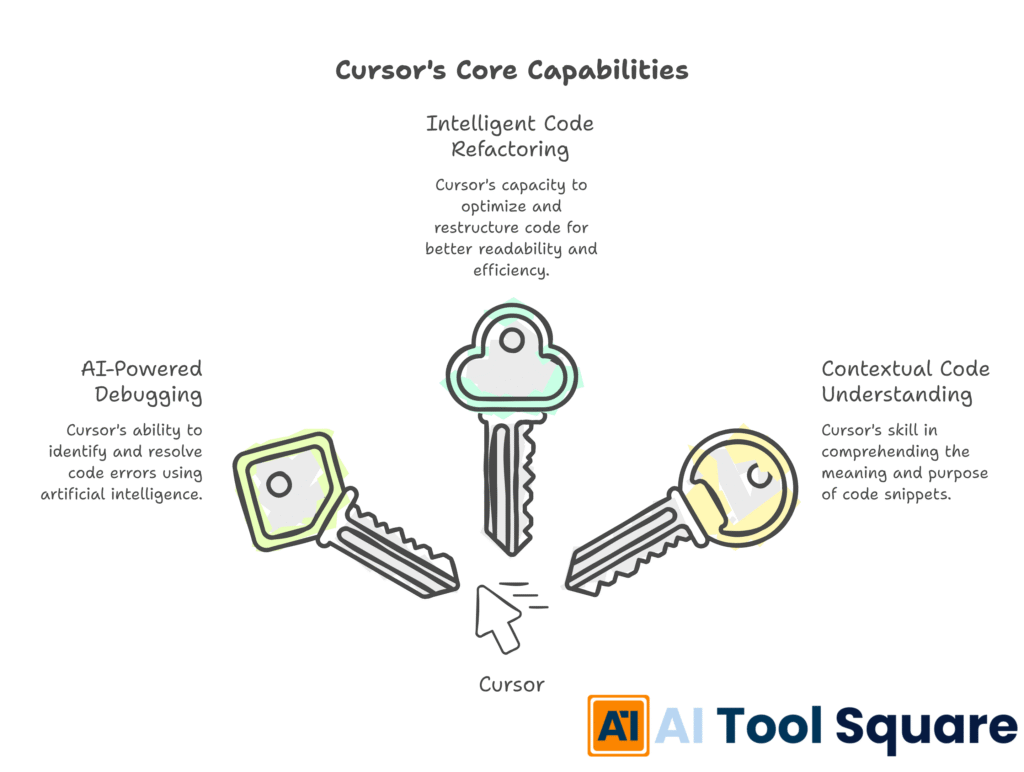
- AI-Powered Debugging: Cursor can analyse error messages and stack traces, providing intelligent suggestions on where the bug might be located and how to fix it. It goes beyond simply highlighting syntax errors.
Imagine encountering a cryptic error message. Instead of spending hours tracing execution paths, you can paste the error into Cursor and ask it to explain the problem and suggest a solution. Its AI can often pinpoint the exact line of code causing the issue and even propose a corrected snippet. This dramatically reduces the time spent in the bug fixing and refactoring cycle. - Intelligent Code Refactoring: Need to improve the readability or performance of a function? Cursor can automatically refactor code based on your instructions, suggesting more efficient algorithms or cleaner syntax.
Refactoring can be risky. You might introduce new bugs while trying to improve the code. Cursor mitigates this risk by understanding the intent behind the refactoring. You can ask it to “make this function more concise” or “improve the efficiency of this loop,” and it will provide well-reasoned changes. It can even explain *why* its suggestions are improvements, helping you learn and grow as a developer. - Contextual Code Understanding: Cursor understands the relationships within your codebase. This means it can provide highly relevant suggestions for fixes and refactoring, considering the broader context of your project.
This is a game-changer. Many AI coding tools operate on isolated snippets. Cursor, however, has a deeper comprehension of your entire project. When it suggests a bug fix or a refactoring, it’s aware of how that change might impact other parts of your application. This holistic understanding leads to more accurate and safer code modifications, making the process of bug fixing and refactoring much more robust.
Benefits of Using Cursor for Coding and Developing
The most immediate benefit of using Cursor for coding and developing is the sheer amount of time you save. Debugging and refactoring are often the most time-consuming aspects of a developer’s job. By automating or accelerating these processes, it frees up valuable hours.
This saved time doesn’t just mean you can finish your tasks faster. It means you can dedicate more time to innovation, to building new features, and to learning new technologies. It allows developers to focus on the creative and strategic aspects of their work, rather than getting bogged down in repetitive or complex problem-solving.
Beyond time savings, Cursor also leads to improved code quality. The AI can identify subtle bugs that might be missed by human review, and its refactoring capabilities help ensure code is not only functional but also clean, maintainable, and efficient. This translates to more robust applications and fewer issues down the line.
For developers facing creative blocks or struggling with complex codebases, Cursor acts as an excellent assistant. It can offer alternative solutions, explain confusing code segments, and provide starting points for improvements. This can significantly boost a developer’s confidence and productivity.
Ultimately, Cursor helps reduce developer burnout. By taking on some of the most mentally taxing tasks, it makes the development process less stressful and more enjoyable. This leads to happier, more productive developers and better software.
Pricing & Plans
Cursor offers a tiered pricing structure to accommodate different user needs. There’s typically a free plan available, which provides a solid introduction to the AI-powered features, often with limitations on usage or access to the most advanced models.
The free tier is perfect for individuals getting started or those who don’t require extensive AI assistance. It allows users to experiment with the core functionalities and see the value Cursor can bring to their development workflow.
For professionals and teams needing more power, premium plans are available. These typically unlock higher usage limits for AI features, access to more advanced AI models (which often provide more nuanced and accurate results), enhanced support, and potentially team-specific features like collaboration tools or private model access.
Comparing Cursor to other AI coding assistants, its pricing is generally competitive, especially when considering the depth of its integration and its specific focus on tasks like bug fixing and refactoring. The value proposition lies in the efficiency gains and quality improvements it delivers, which can far outweigh the subscription cost for active developers.
It’s always recommended to check the official Cursor website for the most up-to-date information on their plans and features, as these can evolve. They often offer trials for their paid plans, allowing you to test the premium features before committing.
Hands-On Experience / Use Cases
Consider a scenario where a team is working on a large legacy application. The codebase is complex, and numerous bugs have been reported over time, many of which are difficult to reproduce and fix. The team has been spending a significant portion of their sprint cycles on maintenance and debugging, hindering progress on new feature development.
When Cursor is integrated into their workflow, the developers can use its AI-powered debugging feature. They can feed the specific error messages and stack traces directly into it. The AI then analyzes the context of the error within the project, cross-referencing it with similar issues and common patterns.
For instance, if an `IndexOutOfBoundsException` occurs, Cursor might not just point to the array access. It could identify a potential race condition in a multi-threaded scenario or a misunderstanding of the data structure’s expected size based on upstream processing logic. The suggested fixes are often accompanied by explanations, helping the developers understand the root cause.
Furthermore, for areas of the code that are poorly documented or overly complex, developers can use Cursor for refactoring. They might select a function and ask it to “improve the clarity of this code” or “extract this repetitive logic into a separate utility function.” It will then propose the refactored code, which the developer can review and accept. This process significantly speeds up the effort to clean up the codebase and make it more maintainable.
Another common use case involves onboarding new team members. Instead of spending days deciphering unfamiliar code, a new developer can use Cursor to ask questions like, “What does this function do?” or “How is this data processed from the API to the UI?” it can provide concise, context-aware answers, acting as an always-available technical mentor. This dramatically reduces the ramp-up time for new hires.
Teams have also found Cursor invaluable for identifying potential performance bottlenecks. By asking it to “analyze the performance of this database query” or “suggest optimizations for this rendering loop,” developers can receive actionable advice that leads to faster applications. This proactive approach to performance tuning is often overlooked due to time constraints, but it makes it more accessible.
Who Should Use Cursor?
Cursor is a powerful tool that benefits a wide range of professionals in the coding and developing space.
Individual Developers: Whether you’re a freelancer, a hobbyist, or working on personal projects, Cursor can significantly enhance your productivity. It helps you overcome coding challenges faster, improve the quality of your work, and learn new techniques more effectively.
Small Development Teams: For startups and small businesses, Cursor can be a force multiplier. It allows smaller teams to punch above their weight, delivering high-quality software more quickly and efficiently. It can help level the playing field against larger competitors.
Agencies and Consultancies: Agencies that pride themselves on delivering fast, high-quality solutions to clients can leverage Cursor to streamline their development processes. Faster bug fixing and refactoring mean quicker project turnarounds and happier clients.
Enterprise Development Departments: Large organizations with complex codebases and strict quality standards can benefit from Cursor’s ability to maintain consistency, improve code quality, and accelerate development cycles across many projects and teams.
Students and Educators: For those learning to code or teaching programming, Cursor can serve as an invaluable learning aid. It can explain complex concepts, provide hints for assignments, and help identify and fix errors in student code, making the learning process more efficient and less frustrating.
Essentially, any developer who spends time writing, debugging, or improving code can find significant value in using Cursor. Its AI-driven assistance is versatile and applicable across many programming languages and project types.
How to Make Money Using Cursor
Cursor isn’t just about making your current job easier; it can also be a tool to unlock new revenue streams or increase profitability. By leveraging its AI capabilities, you can offer enhanced services or become more efficient, directly impacting your bottom line.
- Offer Enhanced Code Auditing and Quality Assurance Services:
Many businesses need their codebases reviewed for bugs, security vulnerabilities, and performance issues, but they lack the in-house expertise or time. You can position yourself as a specialist offering advanced code auditing services. Use Cursor’s AI to quickly identify potential issues that might take a human auditor days to find. You can provide detailed reports with AI-generated explanations and proposed fixes, justifying a premium service fee. - Provide Faster and More Accurate Bug Fixing and Refactoring Services:
Freelancers and agencies can significantly speed up their bug fixing and refactoring services. If clients are experiencing technical debt or critical bugs, you can promise and deliver faster resolution times. This efficiency allows you to take on more projects, complete them quicker, and potentially charge more for the rapid turnaround and high-quality fixes that Cursor enables. The ability to explain complex fixes clearly with AI assistance also builds client trust. - Develop and Sell Code Snippets or Libraries Enhanced by Cursor:
For developers who create and sell reusable code components, libraries, or even full applications, Cursor can help refine and optimize these offerings. You can use it to ensure your code is bug-free, highly performant, and adheres to best practices. This higher quality product can command a higher price point. Imagine selling a library that’s been rigorously tested and optimized by AI – it offers immediate value and peace of mind to the buyer.
Example Case Study: Sarah, a freelance web developer, noticed that many clients struggled with outdated or inefficient backend code. She started offering a specialized “Code Modernization Service.” By using Cursor, she could analyze existing codebases, identify areas for improvement in under an hour, and generate optimized, refactored code suggestions. She could then present these to clients with clear explanations of the benefits – improved performance, reduced security risks, and lower maintenance costs. She often charged a project fee for this service, which typically took her 30-50% less time than it would have without it, directly boosting her hourly effective rate and profitability.
Limitations and Considerations
While Cursor is incredibly powerful, it’s important to acknowledge its limitations. AI models, including those used by it, are not perfect. They can sometimes generate incorrect code, misunderstand complex nuances, or produce suggestions that are syntactically valid but logically flawed.
Therefore, human oversight remains crucial. Developers must carefully review all AI-generated code and suggestions. Relying solely on the AI without critical evaluation can lead to introducing new bugs or architectural problems. The AI is a tool to assist, not to replace, a developer’s judgment and expertise.
There can also be a learning curve associated with mastering the AI features. While prompts are in natural language, learning how to phrase them effectively to get the desired results takes practice. Understanding the AI’s capabilities and limitations will help you get the most out of the tool.
Additionally, while Cursor aims to understand your entire codebase, the effectiveness of its suggestions can depend on the project’s size, complexity, and coding standards. For extremely large or unconventional projects, the AI might require more context or specific guidance to provide optimal results.
Finally, depending on the AI model used and the complexity of the tasks, there might be associated costs beyond the subscription fee, particularly if you exceed certain usage limits on more advanced models. It’s wise to be aware of these potential expenses.
Final Thoughts
Cursor represents a significant leap forward in how developers approach critical tasks like bug fixing and refactoring. Its AI-first approach offers a level of intelligence and context awareness that traditional tools simply cannot match.
By leveraging Cursor, developers can drastically reduce the time spent on tedious debugging and code improvements, freeing them up to focus on innovation and building better software. The improvements in code quality and the reduction in developer stress are tangible benefits that impact both individuals and teams.
While it’s essential to use Cursor with a discerning eye, its ability to understand code context, offer intelligent solutions, and accelerate repetitive tasks makes it an indispensable tool for modern coding and developing.
If you’re looking to boost your productivity, improve your code quality, and make the process of dealing with bugs and messy code less of a headache, giving Cursor a serious try is a no-brainer. It’s an investment in your efficiency and the quality of your work.
Visit the official Cursor website
Frequently Asked Questions
1. What is Cursor used for?
Cursor is an AI-powered code editor designed to significantly boost developer productivity. It assists with writing code, understanding existing code, debugging, and refactoring, all through natural language commands and intelligent suggestions.
2. Is Cursor free?
Cursor typically offers a free plan with core features. Paid plans are available for users who require higher usage limits, access to more advanced AI models, or team-specific functionalities.
3. How does Cursor compare to other AI tools?
Cursor differentiates itself by being an integrated AI-first code editor, meaning AI is at its core, not an add-on. It offers deeper context awareness of your entire codebase and specialized features for debugging and refactoring, often providing more integrated and nuanced assistance than general-purpose AI coding assistants.
4. Can beginners use Cursor?
Yes, beginners can benefit from Cursor. It can help explain code, suggest fixes for common errors, and provide guidance, acting as a helpful learning companion. However, as with any tool, a foundational understanding of programming concepts will enhance its utility.
5. Does the content created by Cursor meet quality and optimization standards?
The code generated by Cursor can meet high-quality and optimization standards, but it requires review. The AI provides intelligent suggestions and can adhere to best practices, but developers must verify accuracy, performance, and specific project requirements.
6. Can I make money with Cursor?
Absolutely. By using Cursor to offer faster, more efficient, and higher-quality services like code auditing, bug fixing, and refactoring, you can increase your earning potential as a freelancer or agency.
7. How to make money with Cursor?
You can make money by offering specialized services that leverage Cursor’s AI for enhanced efficiency. This includes providing code quality assurance, rapid bug fixing, advanced refactoring services, or even developing and selling optimized code components.




