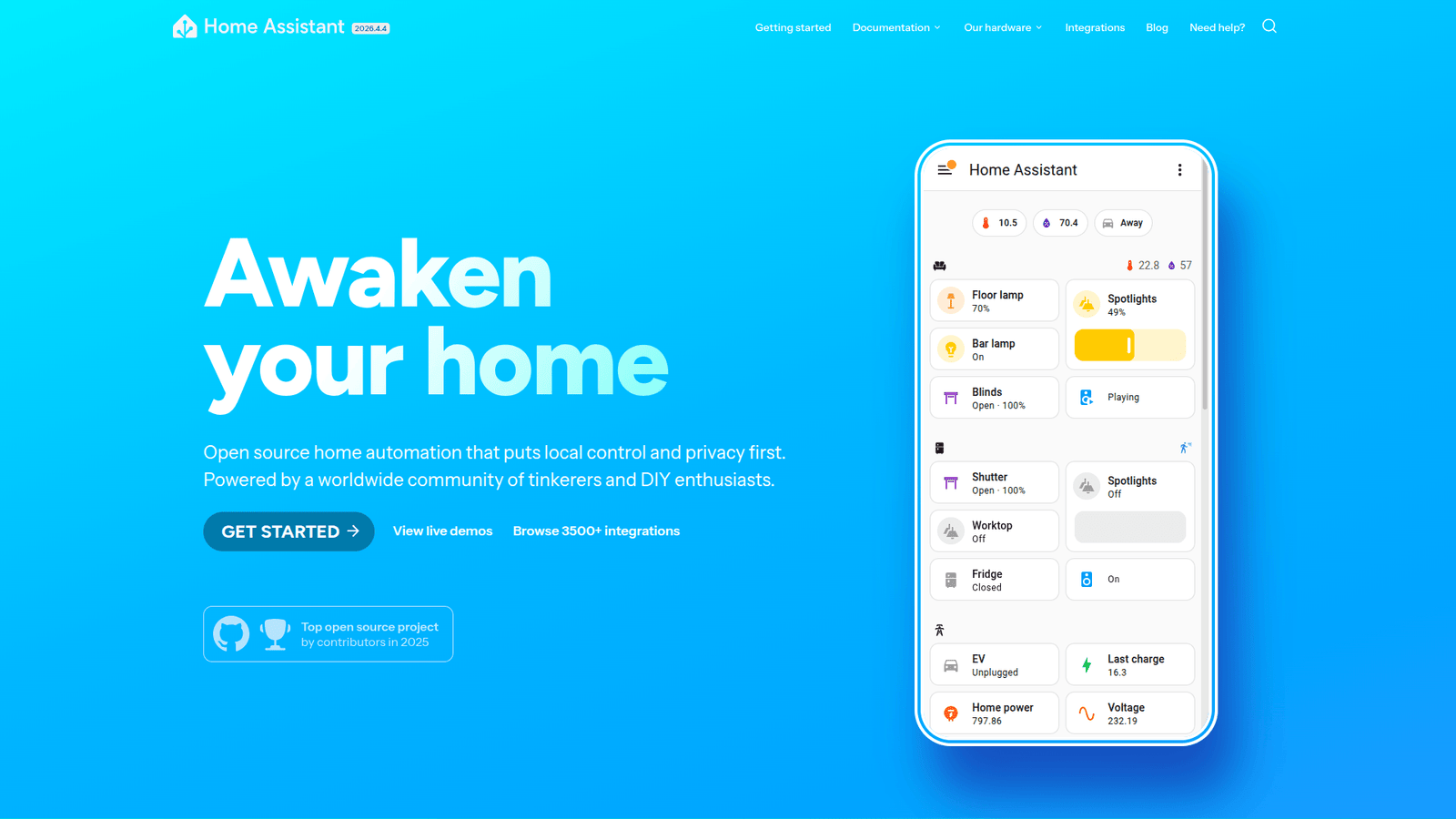

Home Assistant empowers seamless Smart Home and Building Automation, centralising all your devices. Unlock peak efficiency & control, saving time and stress. Ready to upgrade?
Don’t Outsource – Home Assistant Can Do It In-House
Tired of your smart home feeling… less than smart?
You know the drill. Different apps for different devices, frustrating delays, and a constant battle for seamless control.
It’s like trying to conduct an orchestra when every musician has their own sheet music and refuses to look at the conductor.
And if you’re trying to build a truly automated home or building, this scattered approach just won’t cut it.
The promise of AI in IoT and Smart Devices is huge, but sometimes it feels like it’s just adding more complexity, not less.
What if I told you there’s a tool that brings everything together, making your home or building automation not just smart, but genuinely intelligent?
A tool that lets you take back control, automate like a pro, and ditch the frustration for good.
That tool is Home Assistant. And it’s about to change how you think about Smart Home and Building Automation.
Table of Contents
- What is Home Assistant?
- Key Features of Home Assistant for Smart Home and Building Automation
- Benefits of Using Home Assistant for IoT and Smart Devices
- Pricing & Plans
- Hands-On Experience / Use Cases
- Who Should Use Home Assistant?
- How to Make Money Using Home Assistant
- Limitations and Considerations
- Final Thoughts
- Frequently Asked Questions
What is Home Assistant?
Home Assistant is an open-source home automation platform.
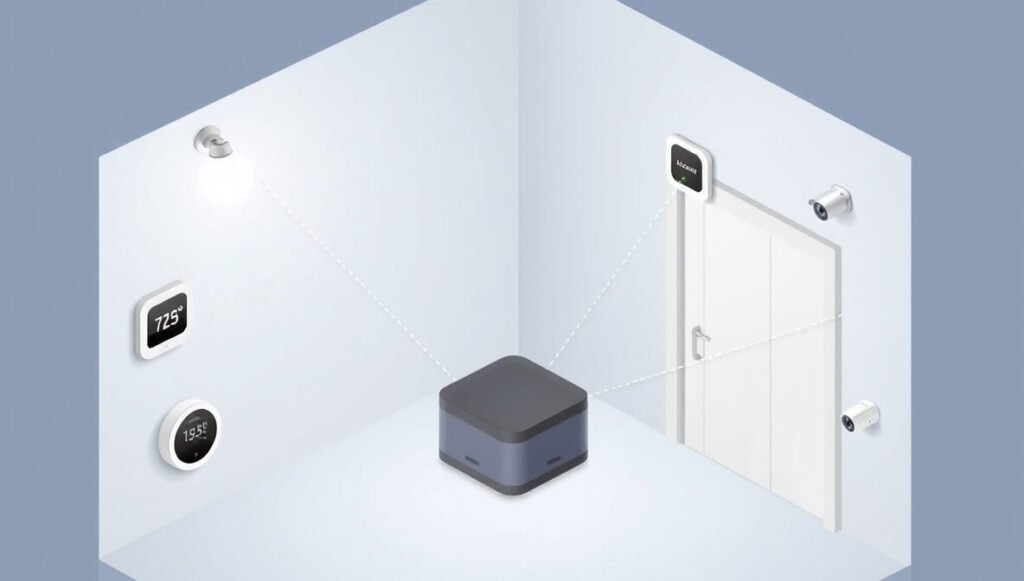
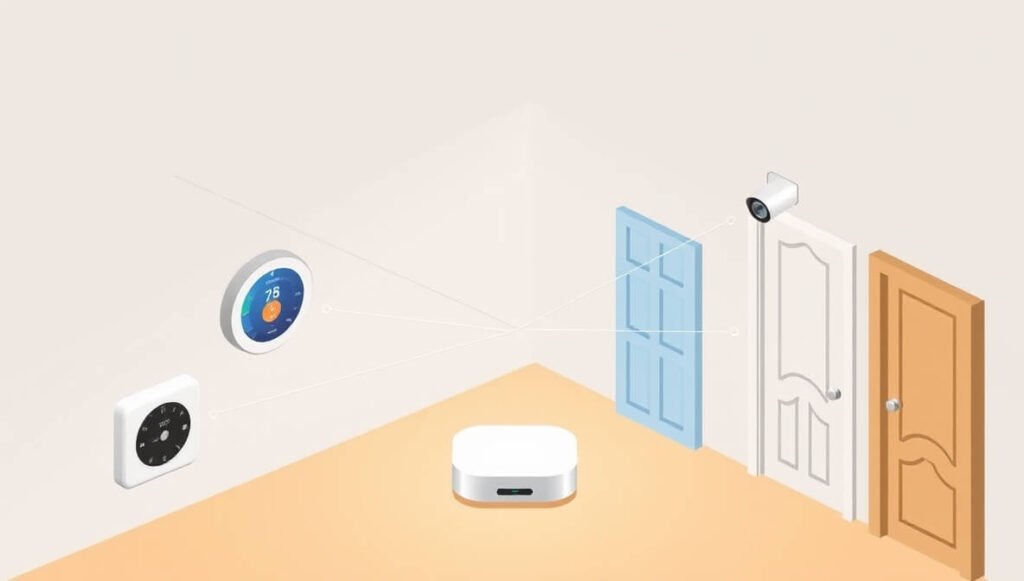
Think of it as the central brain for your entire smart home or building.
It’s designed to put local control and privacy first, which is a massive win in an age where everything seems to live in the cloud.
This means your data stays on your network, not on some company’s servers.
Home Assistant connects with literally thousands of different devices and services.
From light switches and thermostats to security cameras and entertainment systems, it brings them all under one roof.
The target audience? Anyone serious about home automation.
That includes tech enthusiasts, homeowners wanting greater control, and even building managers looking for custom automation solutions.
It’s not just for playing with gadgets. It’s for people who want robust, reliable, and deeply customisable control over their environment.
If you’ve ever felt limited by off-the-shelf smart home apps, Home Assistant is your answer.
It’s for those who want to move past basic “on/off” commands and create truly intelligent, responsive spaces.
It lets you build complex automations that react to motion, time, weather, presence, and much more.
The beauty of Home Assistant lies in its flexibility.
You can start simple and grow your system as your needs evolve, adding new devices and automations without hitting a wall.
It runs on a small computer, like a Raspberry Pi, or even a virtual machine.
This local-first approach means your automations keep working even if your internet goes down.
That’s a critical difference when you’re relying on your lights to come on or your heating to stay regulated.
It’s about empowerment, giving you the tools to create the smart home you truly want, not just the one a company dictates.
This platform supports a vast community, constantly developing new integrations and features.
So, you’re not just buying a product; you’re joining a movement towards truly open and powerful Smart Home and Building Automation.
Key Features of Home Assistant for Smart Home and Building Automation
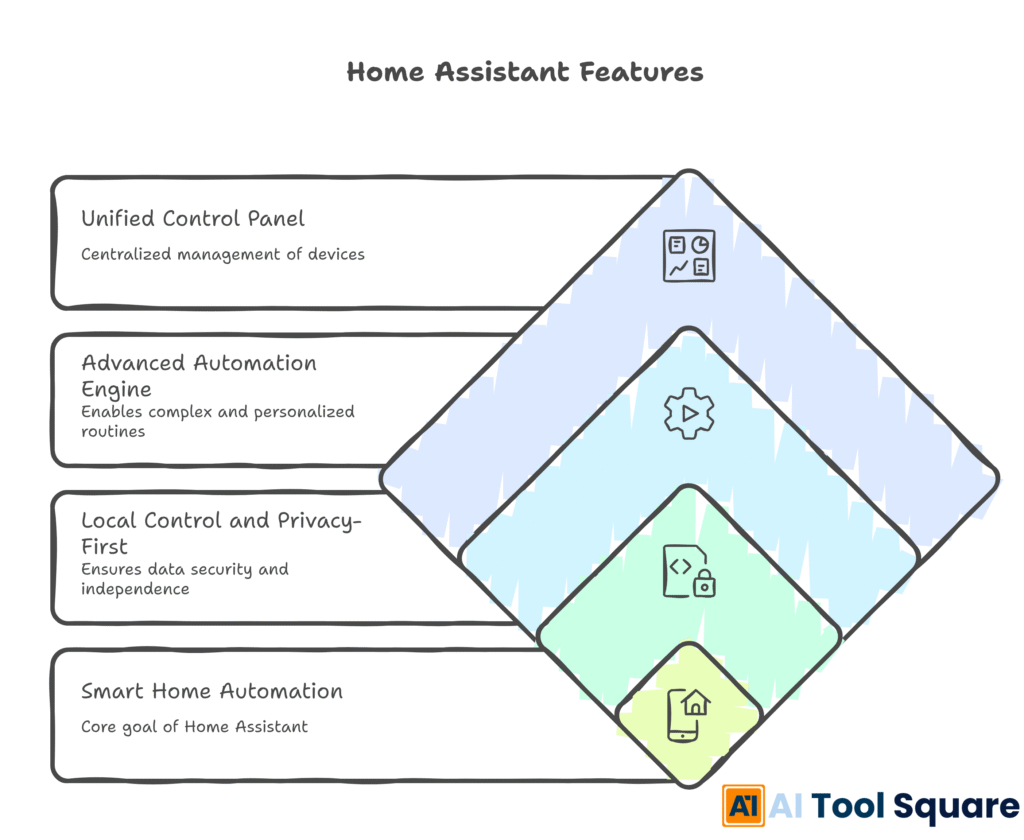
- Unified Control Panel: Home Assistant aggregates all your smart devices into a single, intuitive interface.
Imagine having dozens of smart devices from different brands – Philips Hue, Ring, Sonos, Nest, Zigbee sensors, Z-Wave switches.
Normally, you’d jump between apps, each with its own quirks.
Home Assistant pulls them all together. One dashboard, one place to see everything.
This isn’t just about convenience; it’s about gaining a holistic view of your entire environment.
You can see the status of every light, lock, sensor, and appliance at a glance.
No more guessing if the garage door is closed or if the heating is on in the guest room.
This centralised control simplifies management, especially in larger homes or commercial buildings where device counts can easily hit the hundreds.
It reduces the mental overhead of remembering which app controls what, letting you focus on what matters: your automation goals.
It truly transforms a fragmented collection of gadgets into a cohesive, manageable system, essential for efficient Smart Home and Building Automation.
- Advanced Automation Engine: Build complex, responsive automations using a powerful event-based system.
This is where Home Assistant truly shines.
It’s not just about turning lights on at sunset. It’s about building intelligent routines that respond to real-world conditions.
Think: if motion is detected in the living room AND it’s after 10 PM AND the TV is off, then dim the lights to 20% and play soft jazz.
Or: if the outdoor temperature drops below 5°C AND it’s a weekday morning, turn on the underfloor heating 30 minutes before wake-up time.
The automation engine supports triggers (like time, motion, sensor readings), conditions (like weather, presence, device state), and actions (like turning on lights, sending notifications, adjusting thermostats).
You can create intricate sequences, timers, and conditional logic.
This level of detail means your smart home isn’t just reacting; it’s anticipating.
It saves energy, improves comfort, and significantly reduces manual interaction.
For building automation, this means finely tuned climate control, optimised lighting schedules, and proactive security responses, all running autonomously.
- Local Control and Privacy-First: Keep your data on your network, ensuring reliability and security.
This is a non-negotiable for many users, and it’s a cornerstone of Home Assistant.
Unlike most commercial smart home platforms that rely heavily on cloud servers, Home Assistant runs locally on your own hardware.
What does this mean for you?
First, unparalleled reliability. Your automations don’t break if your internet connection goes down or if a company’s server has an outage.
Your lights will still turn on, your doors will still lock, and your heating will still adjust.
Second, enhanced privacy. Your personal data – occupancy patterns, energy usage, security camera feeds – stays within your four walls.
No big tech company is collecting, analysing, or potentially monetising your home’s activities.
Third, faster response times. Commands don’t need to travel to a distant server and back.
They happen almost instantly on your local network, leading to a much snappier and more satisfying experience.
This local-first approach also provides peace of mind. You own your data, you control your system.
It means your smart home remains yours, free from external dependencies or privacy concerns, which is critical for long-term trust in IoT and Smart Devices deployments.
Benefits of Using Home Assistant for IoT and Smart Devices
Let’s cut to the chase. Why bother with Home Assistant when there are simpler, out-of-the-box solutions?
Because Home Assistant gives you an unfair advantage.
First, massive time savings. Stop fiddling with a dozen apps every day.
Once your automations are set up, your home runs itself.
Lights adjust, climate control kicks in, security arms itself – all without you lifting a finger.
Think about the cumulative minutes saved each day. That adds up to hours, even days, over a year.
Time you can spend on actual work, or, you know, living your life.
Second, unmatched quality and reliability.
Because it’s locally controlled and open-source, it’s not prone to the whims of corporate servers or sudden service shutdowns.
Your system keeps working, even if your internet does not.
This level of dependability is crucial, especially for building automation where continuity is key.
No more lights failing to come on because of a cloud outage.
Third, overcoming fragmentation and creative blocks.
Ever tried to make a Philips Hue light react to a Ring doorbell motion sensor?
Good luck with that using their native apps.
Home Assistant bridges those gaps.
It allows you to combine any device, from any brand, into a single, cohesive automation.
This creative freedom means you’re only limited by your imagination, not by brand compatibility.
You can design truly innovative and efficient systems.
Fourth, enhanced security and privacy.
Your data stays local. Period.
In an age where data breaches are common and privacy is a commodity, this is invaluable.
You maintain full control over who sees what, and you’re not reliant on a third party to protect your sensitive information.
This is a huge selling point for anyone concerned about their digital footprint.
Fifth, cost-effectiveness over the long term.
While there’s an initial setup effort, Home Assistant often allows you to reuse older or cheaper hardware.
You’re not locked into expensive subscriptions or proprietary ecosystems.
This can lead to significant savings, particularly for large-scale deployments in Smart Home and Building Automation.
You invest in hardware, not recurring fees for basic functionality.
Finally, future-proofing your setup.
As an open-source project, Home Assistant is constantly evolving, with a massive community contributing new integrations and features.
You’re not dependent on a single company’s product roadmap.
This means your system can adapt to new technologies and devices as they emerge, ensuring longevity and relevance.
It’s a foundation you can build on for years to come.
Pricing & Plans
Alright, let’s talk brass tacks. Money.
Is Home Assistant going to break the bank?
The answer is a resounding no.
Home Assistant is open-source software.
This means the core software itself is completely free.
You can download it, install it, and use it to its full potential without ever paying a dime for the software license.
However, there are some costs to consider, mostly related to hardware.
You need a dedicated device to run Home Assistant on.
The most popular choices are a Raspberry Pi (costing around £50-£100), an old laptop, a mini PC, or a virtual machine on a server.
The good news is, these are typically one-off purchases.
Beyond that, there’s an optional service called Home Assistant Cloud (powered by Nabu Casa).
This is a premium subscription service that offers some extremely useful conveniences.
It’s not essential to use Home Assistant, but it makes certain things a lot easier.
Nabu Casa provides a secure, remote access solution to your Home Assistant instance, without needing complex network configuration.
This means you can control your smart home from anywhere in the world, safely and easily.
It also integrates seamlessly with voice assistants like Amazon Alexa and Google Assistant, again, without needing intricate manual setup.
The cost for Home Assistant Cloud is typically around $6.50 per month (or slightly less if you pay annually).
A portion of these subscription fees also goes directly to funding the development of Home Assistant itself, supporting the project’s growth and sustainability.
So, while the software is free, considering the Nabu Casa subscription is often a smart investment for convenience and to support the developers.
Compared to alternatives, many commercial smart home hubs have an upfront cost for the hub itself, plus sometimes ongoing subscription fees for advanced features, cloud access, or even specific integrations.
Home Assistant, even with the Nabu Casa subscription, often works out cheaper in the long run, especially considering its unparalleled flexibility and lack of vendor lock-in.
You get enterprise-level control for consumer-level pricing, or even free if you’re willing to do a bit more setup yourself.
Hands-On Experience / Use Cases
Let me tell you about a real-world scenario. My friend, Mark, runs a small bed and breakfast.
He was drowning in manual tasks.
Turning lights on and off, adjusting heating, checking security cameras, all across different apps.
It was a mess.
We set up Home Assistant for him. We used a simple Raspberry Pi and started integrating his existing devices: Philips Hue lights, a Nest thermostat, some cheap Zigbee door/window sensors, and even a couple of old Wyze cameras.
The first win: guest arrival automation.
When a guest checks in, Mark updates a simple calendar entry in Home Assistant.
Home Assistant then automatically sets the thermostat in their room to a comfortable temperature 30 minutes before arrival.
It turns on the entryway and room lights, and even plays a welcome playlist on a smart speaker.
When guests check out, the system automatically turns off all non-essential lights, adjusts the thermostat to an energy-saving mode, and disarms security for cleaning staff, then re-arms it afterwards.
Another use case: energy management.
Mark noticed he was wasting a lot of electricity.
We added smart plugs to his mini-fridges and kettles in the guest rooms.
Home Assistant monitors if a room is occupied.
If a room is vacant for more than 24 hours, it cuts power to these non-essential appliances.
This simple automation alone saved him a noticeable amount on his electricity bill each month.
Usability-wise, the initial setup can have a slight learning curve, especially if you’re new to command lines or network configuration.
However, the Home Assistant community and documentation are phenomenal.
There are step-by-step guides for almost everything.
Once the core system is running, the graphical user interface (Lovelace dashboard) is highly intuitive.
You can drag and drop elements, create custom views, and build dashboards that make sense for your specific needs.
Mark, who isn’t a tech wizard, quickly learned to tweak his automations and monitor his system from his phone or tablet.
The results for his B&B were immediate and tangible.
He reported fewer complaints about room temperature, a noticeable drop in energy consumption, and a significant reduction in the time he spent on routine tasks.
This freed him up to focus on guest experience and marketing, which are the income-generating parts of his business.
Home Assistant transformed his business from a collection of disconnected smart devices into a truly intelligent, automated operation.
It made his operation more professional, more efficient, and ultimately, more profitable.
This isn’t just theory; it’s happening today, making a real impact in IoT and Smart Devices applications.
Who Should Use Home Assistant?
So, is Home Assistant for everyone? Not quite. But it’s for a lot of people.
If you fall into any of these categories, you should be paying attention:
The Smart Home Enthusiast: You love gadgets. You own multiple smart devices. You’re always looking for ways to make your home smarter.
You’ve hit the wall with proprietary apps and want a system that lets you do anything. Home Assistant is your ultimate playground.
Homeowners Seeking Ultimate Control & Privacy: You want a reliable system that works even without the internet.
You’re concerned about your data being shared or sold.
You value local control and peace of mind. Home Assistant delivers on all fronts.
Small Businesses & Hospitality Providers (like Mark): Think B&Bs, small offices, boutique shops, or even rental properties.
You need to automate lighting, climate, security, and access to save time and energy, and improve customer experience.
Home Assistant offers custom, affordable building automation without expensive commercial systems.
IT Professionals & Developers: You understand networking, APIs, and maybe a bit of scripting.
You’re comfortable with a command line and love diving deep.
Home Assistant provides an open platform for you to build, customise, and integrate to your heart’s content.
It’s a fantastic project to flex your skills on.
Energy-Conscious Individuals: You want to monitor and manage your energy consumption in detail.
Home Assistant integrates with energy meters, smart plugs, and solar panels, allowing for sophisticated automations that optimise energy usage and save you money.
Accessibility Advocates: For those with mobility challenges, Home Assistant can automate numerous tasks, making homes more accessible.
Voice control, automated door locks, smart lighting, and environmental controls can significantly enhance independence.
Anyone Tired of Vendor Lock-in: You’re fed up with being stuck with one brand or ecosystem.
You want the freedom to choose the best devices, regardless of brand, and make them work together.
Home Assistant breaks down those barriers.
Essentially, if you’re looking for more than what off-the-shelf smart devices offer, if you want a truly customised, private, and powerful system, Home Assistant is your tool.
It empowers you to move beyond basic automation to intelligent, reactive environments.
How to Make Money Using Home Assistant
Alright, this is where it gets interesting. Home Assistant isn’t just about making your life easier; it can also be a serious revenue generator.
You’re essentially learning a skill that’s in high demand in the rapidly expanding world of IoT and Smart Devices.
Here’s how you can turn your Home Assistant expertise into cash:
- Service 1: Smart Home & Building Automation Consulting and Installation:
People want smart homes, but they don’t want the headache of setting them up.
This is your golden opportunity. Offer your services to homeowners and small businesses.
You can consult on device selection, design automation flows, install the Home Assistant system, and integrate all their devices.
Think about setting up sophisticated lighting scenes, climate control, security systems, or entertainment automation.
You can charge a flat fee per project or an hourly rate.
Target clients who have multiple devices but struggle to make them work together seamlessly.
This is especially valuable for landlords wanting to automate rental properties or offices aiming for energy efficiency.
- Service 2: Custom Automation Development & Maintenance:
Once a basic system is in place, clients often want more complex automations.
This is where you build custom scripts, intricate conditional logic, and unique integrations.
For instance, you could create an automation that monitors local weather and automatically closes blinds, adjusts heating, or turns on specific lights when a storm approaches.
Or a system that detects a water leak and sends an instant alert, while also shutting off a smart water valve.
Beyond initial setup, offer ongoing maintenance plans.
Smart homes need occasional tweaks, updates, and troubleshooting.
A recurring revenue model for monitoring, updating, and extending Home Assistant setups can be highly profitable.
This is a high-value service, as you’re providing peace of mind and continuous improvement for their smart environment.
- Service 3: Content Creation & Education:
The Home Assistant community is vast and always growing, but there’s a constant need for clear, practical information.
You can create YouTube tutorials, write blog posts, or even develop online courses.
Focus on specific use cases or integrations.
How to integrate Z-Wave devices with Home Assistant, building dashboards, or advanced automation techniques using YAML.
Monetise through YouTube ads, affiliate links for recommended hardware, course sales, or Patreon sponsorships.
Become an authority in the Home Assistant space.
People are always looking for guidance on how to use Home Assistant for Smart Home and Building Automation, and if you can teach them, you can build a solid audience and income stream.
You could even sell pre-configured Home Assistant setups (e.g., a Raspberry Pi with Home Assistant pre-installed and optimised for certain popular devices).
Case Study Example: Sarah, an interior designer, faced a common issue. Her clients wanted stylish, high-tech homes, but struggled with the tech. She learned Home Assistant. Now, she offers “Smart Home Integration” as an add-on service. For every new design project, she includes a Home Assistant setup, automating lighting, curtains, climate, and entertainment. She charges an average of £1,500 – £3,000 per project for the Home Assistant portion, significantly boosting her average client value and differentiating her from competitors. She built a reputation for delivering not just beautiful, but also truly intelligent homes. This transformed her business and helped her clients get the homes they actually wanted.
Limitations and Considerations
Home Assistant is powerful, but it’s not a magic bullet.
Like any robust tool, it comes with its own set of challenges and considerations.
First, the learning curve can be steep for beginners.
If you’ve never touched a command line, or you’re not familiar with YAML (a common configuration language used in Home Assistant), the initial setup might feel a bit daunting.
It requires a willingness to learn and troubleshoot.
While the community is incredibly supportive, expect to spend some time reading documentation and watching tutorials.
Second, it requires dedicated hardware.
You can’t just install Home Assistant on your phone or regular desktop PC for always-on operation.
You need a small, always-on computer like a Raspberry Pi, an old NUC, or a virtual machine.
This is an initial investment in time and money, though usually modest.
Third, maintenance and updates.
As an actively developed open-source project, Home Assistant gets frequent updates.
While these bring new features and improvements, they can sometimes introduce breaking changes that require manual adjustments to your configuration.
Staying on top of updates and backing up your configuration is crucial, and it requires some ongoing effort.
Fourth, troubleshooting can be complex.
When things go wrong, diagnosing issues can be tricky, especially with complex automations or multiple integrations.
You’ll need to understand log files and potentially delve into the specifics of various device protocols (Zigbee, Z-Wave, Wi-Fi, MQTT).
This isn’t always a quick fix, unlike a simple restart of a commercial smart hub.
Fifth, not every device is natively supported.
While Home Assistant boasts thousands of integrations, there will always be obscure or brand-new devices that don’t have direct support.
You might need to rely on community-made integrations (HACS) or get creative with workarounds like MQTT or REST APIs.
This can add layers of complexity.
Finally, while local control is a huge benefit for privacy and reliability, it also means you are the sole administrator.
There’s no customer support line to call if your system goes down.
You are responsible for its upkeep, backups, and security.
This level of control is great, but it comes with responsibility.
Consider these points seriously. If you’re willing to invest the time and effort, the rewards of Home Assistant are immense. If you prefer a purely plug-and-play solution with minimal configuration, Home Assistant might be overkill for you.
Final Thoughts
Look, Home Assistant isn’t for the faint of heart, but it’s not rocket science either.
It’s for anyone who’s serious about taking control of their smart home or building automation.
It’s the difference between buying a pre-built house and designing your dream home from the ground up.
Yes, there’s more effort involved in designing, but the end result is something truly tailored, robust, and uniquely yours.
It eliminates the frustration of disparate apps, unreliable cloud services, and privacy concerns.
It offers unparalleled flexibility, allowing you to integrate nearly any device and create automations limited only by your imagination.
The benefits — massive time savings, superior reliability, enhanced privacy, and the ability to combine any device — are undeniable.
And for those entrepreneurial types, it’s a powerful tool to build a lucrative service business in a rapidly growing market.
If you’re tired of your smart home feeling dumb, if you want genuine control, and if you’re ready to unlock the full potential of your devices, Home Assistant is your next step.
It’s not just another gadget; it’s a foundational shift in how you interact with your living or working space.
My recommendation? Stop messing around with fragmented systems.
Invest a little time, learn the ropes, and start building the truly intelligent environment you’ve always wanted.
It’s an investment that pays dividends in convenience, efficiency, and peace of mind.
Ready to ditch the chaos and embrace genuine automation?
Visit the official Home Assistant website
Frequently Asked Questions
1. What is Home Assistant used for?
Home Assistant is used for local home automation and building automation. It serves as a central hub to connect and control a vast array of smart devices from different manufacturers, enabling users to create advanced automations, monitor energy usage, and enhance security, all while prioritising privacy and local control.
2. Is Home Assistant free?
Yes, the core Home Assistant software is completely free and open-source. You will need to provide your own hardware (like a Raspberry Pi or an old computer) to run it. There is an optional, paid subscription service called Home Assistant Cloud (Nabu Casa) that provides convenient remote access and voice assistant integrations, but it is not required for the software to function.
3. How does Home Assistant compare to other AI tools?
Home Assistant is less of a pure “AI tool” in the generative sense, and more of an “automation platform” that leverages intelligence. It stands apart by focusing on local control, open-source flexibility, and privacy, unlike many cloud-dependent commercial smart home hubs. While some AI tools assist with content creation or data analysis, Home Assistant’s intelligence lies in its ability to integrate diverse devices and execute complex, rule-based automations based on real-time data from your home environment.
4. Can beginners use Home Assistant?
Beginners can use Home Assistant, but it does have a steeper learning curve than simple plug-and-play smart home apps. It requires some technical comfort, a willingness to read documentation, and potentially some basic understanding of networking or YAML configuration. However, the extensive community support and clear guides make it accessible for determined newcomers.
5. Does the content created by Home Assistant meet quality and optimization standards?
Home Assistant doesn’t “create content” in the typical sense of generating text or images. Instead, it creates highly optimised and reliable automation flows. These automations are designed for peak efficiency and responsiveness within your smart home or building. The “quality” comes from its robust, local control and the ability to tailor every automation precisely to your needs, often surpassing the limitations of commercial systems.
6. Can I make money with Home Assistant?
Absolutely. You can monetise your Home Assistant skills by offering smart home and building automation consulting and installation services to homeowners and small businesses. You can also provide ongoing maintenance and custom automation development. Furthermore, creating educational content like tutorials, blog posts, or online courses about Home Assistant can generate income through advertising, affiliate marketing, or direct sales.