

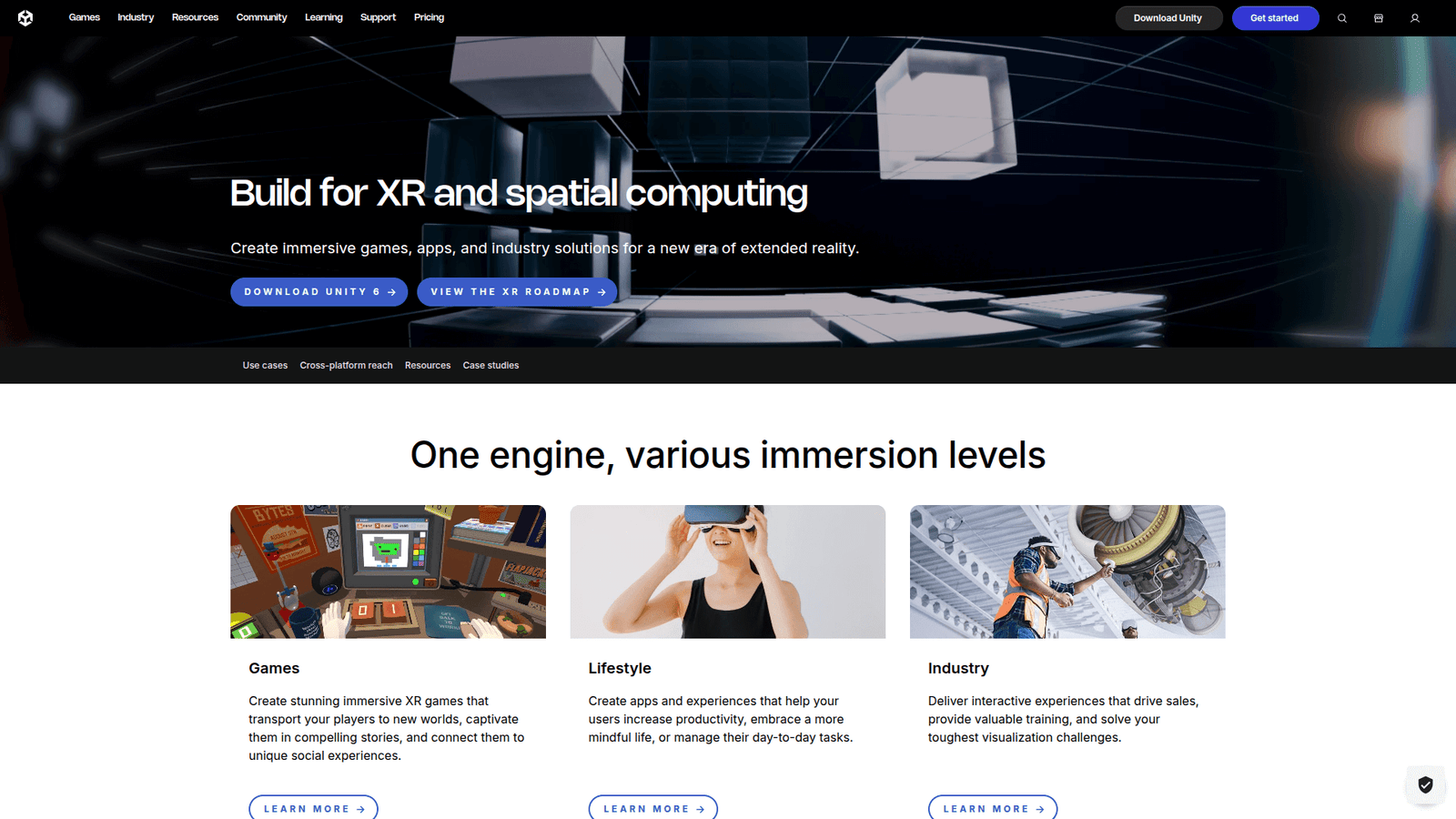

Unity XR simplifies Virtual and Augmented Reality creation, boosting efficiency for Gaming and Entertainment. Learn how this AI tool revolutionizes immersive experiences. Ready to elevate your projects?
Why Unity XR Is a Game-Changer in Virtual and Augmented Reality
Let’s talk about building immersive experiences.
Remember the days of grinding out every single detail for Virtual and Augmented Reality projects?
It was a slog.
Long hours, complex coding, and an endless stream of tweaks.
Now, imagine cutting through all that noise.
The Gaming and Entertainment industry is changing fast, with AI making waves everywhere.
Unity XR is right at the heart of it.
This isn’t just another tool.
It’s a workflow accelerator.
It’s for creators, developers, and studios who are tired of leaving money on the table due to slow processes.
If you want to build truly captivating AR/VR content, faster and with less headache, you need to pay attention.
I’m going to break down exactly how Unity XR does this.
No fluff. Just the facts.
Table of Contents
- What is Unity XR?
- Key Features of Unity XR for Virtual and Augmented Reality
- Benefits of Using Unity XR for Gaming and Entertainment
- Pricing & Plans
- Hands-On Experience / Use Cases
- Who Should Use Unity XR?
- How to Make Money Using Unity XR
- Limitations and Considerations
- Final Thoughts
- Frequently Asked Questions
What is Unity XR?
Unity XR is Unity’s extended reality platform.
It’s a comprehensive set of tools, APIs, and frameworks built directly into the Unity engine.
Think of it as the ultimate Swiss Army knife for building immersive experiences.
It’s not just for VR; it handles AR and MR (Mixed Reality) too.
The core idea is to streamline the development process for Gaming and Entertainment.
It unifies disparate hardware and software components under one roof.
Before Unity XR, developers had to wrestle with different SDKs for every headset or AR platform.
Imagine building the same game for Oculus, Vive, and HoloLens, and having to rewrite significant portions of code for each.
It was a nightmare of compatibility issues and wasted time.
Unity XR fixes this.
It provides a single, unified API.
This means you write your code once.
Then, you deploy it across multiple XR devices.
This drastically cuts development time and costs.
It’s for game developers, experience designers, animators, and anyone creating interactive 3D content.
Whether you’re building a AAA VR game or a simple AR filter, Unity XR is designed to make your life easier.
It’s about making complex tech accessible.
It means more time creating incredible experiences, and less time fighting with integrations.
It lets you focus on what truly matters: making something people will love.
Key Features of Unity XR for Virtual and Augmented Reality
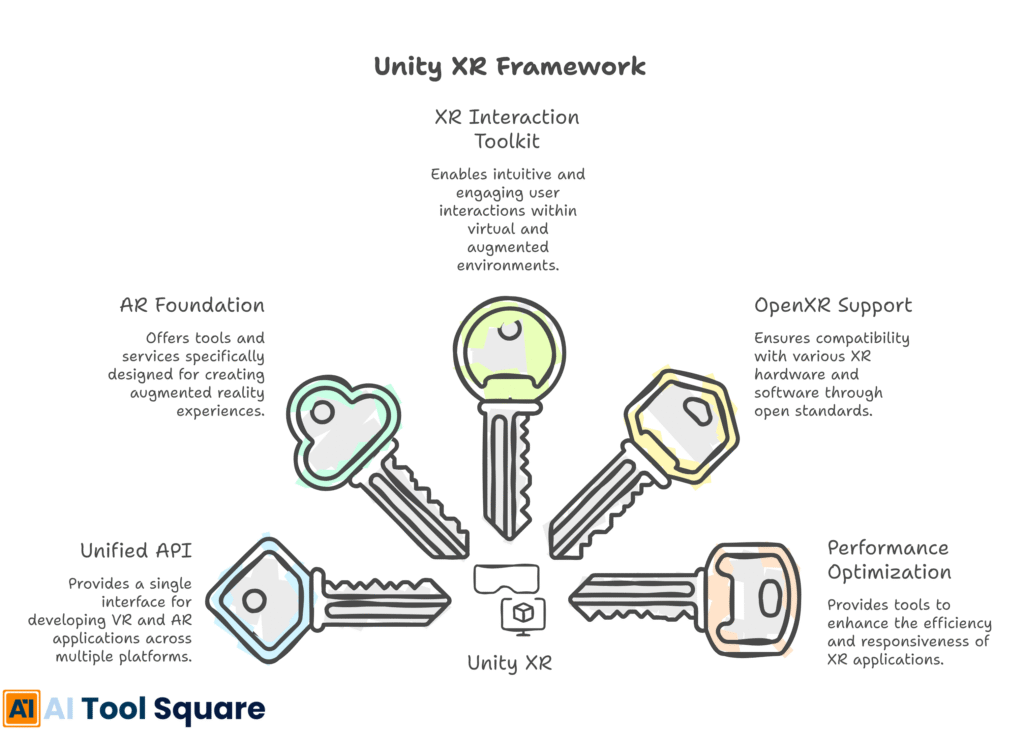
- Unified API and Cross-Platform Support: This is a big one. Before Unity XR, you’d spend countless hours adapting your code for different VR headsets or AR devices. Meta Quest, HTC Vive, Magic Leap, HoloLens – each had its own SDK. Unity XR provides a single, universal API. You write your code once. Then, it runs across all supported Virtual and Augmented Reality platforms. This is massive for efficiency. It means less time debugging platform-specific issues and more time building your game or experience. You save serious development hours, which directly translates to project cost reductions and faster time-to-market. Imagine shipping your game to five different VR platforms with minimal extra effort. That’s the power here.
- AR Foundation for Augmented Reality: AR Foundation is Unity XR’s dedicated framework for building augmented reality apps. It acts as a bridge between Unity and native AR platforms like ARKit (Apple) and ARCore (Google). This is critical because it abstracts away the complexities of dealing with each native SDK. You get access to essential AR capabilities: plane detection, image tracking, face tracking, 3D object tracking, and environmental understanding. Want to place a virtual character on a real-world table? AR Foundation handles the spatial mapping. Want an AR experience that reacts to a specific image? It’s built right in. This tool simplifies what used to be a very fragmented and challenging process for AR developers. It means smoother, more reliable AR experiences for your audience.
- XR Interaction Toolkit: Developing intuitive user interactions in XR can be tricky. How do users pick up objects? How do they navigate menus? How do they trigger actions? The XR Interaction Toolkit provides a ready-made set of components and systems for these common interactions. It includes controllers for direct manipulation, teleportation systems for movement, and UI interaction mechanics. This saves developers from reinventing the wheel every time they start a new project. You can quickly implement grabbing objects, pressing buttons, or moving through virtual spaces. It’s highly extensible, so you can customise it to fit your game’s specific needs. This accelerates prototyping and ensures a consistent, user-friendly experience, which is crucial for player immersion and retention.
- OpenXR Support: OpenXR is an open standard that Unity XR embraces. It’s designed to provide a truly universal API for XR hardware. Think of it as a standard language that all XR devices can speak. By supporting OpenXR, Unity XR further future-proofs your projects. It means your Unity-developed experiences are more likely to work with new, emerging XR hardware without significant reworks. This reduces risk and extends the lifespan of your content. It’s about building once and having it work everywhere, not just on today’s popular devices, but on tomorrow’s innovations too. This reduces vendor lock-in and gives developers more flexibility.
- Performance Optimization Tools: XR development is demanding on hardware. Frame rates are critical for preventing motion sickness and ensuring a comfortable experience. Unity XR comes with various tools and best practices for performance optimization. This includes features like single-pass stereo rendering, which draws both eyes in one go, drastically reducing rendering calls. There are also profilers to identify bottlenecks and render pipelines (like URP and HDRP) optimized for XR. These tools ensure your Gaming and Entertainment content runs smoothly on target hardware. A well-optimised experience is a fun experience. A poorly optimised one gets deleted fast. Unity XR helps you avoid that fate.
Benefits of Using Unity XR for Gaming and Entertainment
Why bother with Unity XR?
Simple: It gives you a competitive edge.
First, time savings.
The unified API means you don’t spend months porting your game across different headsets.
Imagine launching on Oculus, Valve Index, and PlayStation VR simultaneously.
That’s market reach, fast.
It means you get your product out there quicker, capturing audience attention before your competitors.
Next, quality improvement.
With less time fighting with compatibility, you have more time to polish your game.
Refine gameplay mechanics.
Add stunning visual details.
Optimise performance for buttery-smooth frame rates.
A higher quality product means better reviews, more sales, and a stronger brand reputation in Gaming and Entertainment.
Unity XR also helps you overcome creative blocks.
When the technical hurdles are reduced, your creative team can focus on innovation.
Instead of worrying about how to implement basic interactions, they can brainstorm groundbreaking gameplay.
It frees up mental bandwidth.
You can experiment more, prototype ideas faster, and ultimately create more unique and memorable Virtual and Augmented Reality experiences.
Another huge benefit is reduced costs.
Fewer developer hours mean less payroll.
Less time debugging means less money spent on fixing errors.
Being able to target multiple platforms with a single codebase means you don’t need separate teams or prolonged development cycles for each.
This makes your projects more financially viable, especially for indie studios.
Finally, future-proofing your projects.
With OpenXR support, your games are ready for the next generation of hardware.
You’re not locked into a specific vendor’s ecosystem.
This protects your investment in development and ensures your content remains relevant as the XR market evolves.
Unity XR isn’t just about making development easier; it’s about making it smarter, faster, and more profitable.
Pricing & Plans

Unity itself operates on a tiered pricing model.
Unity XR, being an integrated part of the engine, follows this structure.
There’s a free plan, called Unity Personal.
This is perfect for individuals or small teams just starting out.
If your gross revenue or raised funding is below $100,000 in the past 12 months, you can use Unity Personal without charge.
It gives you full access to the Unity editor, including all the Unity XR tools.
This is a massive advantage for aspiring developers to get their feet wet in Virtual and Augmented Reality without upfront costs.
For professional developers and studios, there are premium versions: Unity Pro and Unity Enterprise.
Unity Pro typically costs around $1,800 per seat per year, or $150 per month.
It includes a richer feature set, such as team collaboration tools, priority customer support, and no revenue cap.
This is where larger studios invest to handle more complex projects and larger teams.
Unity Enterprise is tailored for large organizations with specific needs.
It offers custom solutions, dedicated support, and advanced services.
Pricing for Enterprise is custom and negotiated based on the scale of the operation.
Compared to alternatives, Unity’s pricing is competitive.
Other engines might have different royalty models or subscription tiers.
Unreal Engine, for example, is free to use but charges a 5% royalty on gross revenue over a certain threshold.
Unity’s model is more predictable.
You pay for the tools upfront, and then you keep all your revenue.
For Gaming and Entertainment, this clarity in financial planning is invaluable.
The free tier ensures broad adoption, which means a huge community and plenty of learning resources.
The premium tiers support serious development with robust tools and support.
It’s a scalable solution for anyone creating XR content.
Hands-On Experience / Use Cases
When I first dived into Virtual and Augmented Reality development years ago, it was a wild west.
Every new headset meant learning a new SDK.
It was frustrating.
My first Unity XR project was a simple VR escape room.
I wanted players to pick up items, open doors, and solve puzzles.
Instead of writing custom scripts for hand tracking and object interaction, I grabbed the XR Interaction Toolkit.
It was a game-changer.
I dragged and dropped components.
Configured a few settings.
Within an hour, I had basic grabbing and teleportation working.
This usually took days.
The usability of Unity XR is surprisingly high.
If you’re familiar with Unity, the XR components integrate seamlessly.
The documentation is extensive, with plenty of tutorials from Unity themselves and the community.
For a use case in Gaming and Entertainment, consider an AR experience for a museum.
A studio I know used AR Foundation to build an app where visitors could point their phones at historical artefacts.
Suddenly, a virtual dinosaur would appear next to a fossil, or a Roman legionary would march across a display case.
AR Foundation’s plane detection meant the virtual elements anchored perfectly to the real floor.
Image tracking recognised specific paintings, triggering animated overlays.
The results were incredible.
Visitor engagement shot up.
The museum reported longer dwell times and overwhelmingly positive feedback.
The development team, being familiar with Unity, found AR Foundation intuitive.
They could prototype ideas quickly.
They iteration cycles were short.
They could experiment with different AR concepts without getting bogged down in low-level platform-specific coding.
This hands-on efficiency is where Unity XR really shines.
It’s about making powerful tools accessible, so creators can focus on creating, not coding every single detail from scratch.
Who Should Use Unity XR?

Unity XR isn’t just for the big players.
It’s a versatile tool that caters to a wide spectrum of creators in Gaming and Entertainment.
First up: Game Developers (Indie & AAA).
If you’re building VR games, AR mobile experiences, or anything in between, Unity XR is your go-to.
It speeds up development, ensures cross-platform compatibility, and provides robust interaction tools.
This means you can focus on unique gameplay and compelling narratives, rather than wrestling with hardware integrations.
Next, Experience Designers & Architects.
Creating immersive training simulations, virtual tours, or interactive museum exhibits?
Unity XR provides the framework to bring these concepts to life.
The AR Foundation, in particular, makes it easy to build location-based AR experiences that enhance real-world environments.
Then there are 3D Artists & Animators.
While not primarily a modelling tool, Unity is where those assets come to life.
Artists can use Unity XR to prototype how their characters or environments will behave in an interactive VR/AR setting.
They can test immersion and scale firsthand, ensuring their creations feel right in a Virtual and Augmented Reality space.
Small businesses and marketing agencies looking to leverage AR for promotional campaigns should also consider it.
Imagine an AR app that lets customers virtually try on clothes or place furniture in their homes before buying.
Unity XR makes these powerful marketing tools achievable.
Finally, Educators & Researchers.
Building interactive learning modules, scientific visualizations, or psychological experiments in VR/AR?
Unity XR offers a powerful, flexible environment for creating these complex simulations.
It caters to anyone who wants to build high-quality, performant, and engaging interactive 3D experiences without getting lost in the technical weeds of every single hardware platform.
How to Make Money Using Unity XR
Alright, let’s talk brass tacks.
How do you turn Unity XR into a cash cow?
It’s simpler than you might think if you know where to look.
Unity XR streamlines the creation of high-demand content.
That efficiency directly translates into profit.
- Develop and Sell Gaming and Entertainment Experiences: This is the most obvious path. Use Unity XR to create compelling VR games, AR mobile games, or interactive experiences. Sell them on platforms like SteamVR, Oculus Store, Apple App Store, or Google Play. Because Unity XR allows for faster development and cross-platform deployment, you can ship more titles, or larger titles, in less time. This means more products in the market, increasing your chances of hitting a bestseller. For instance, an indie studio could develop a popular AR game with Unity XR, leveraging AR Foundation for robust tracking and the XR Interaction Toolkit for intuitive controls. The faster development cycle means more time for marketing and iteration based on player feedback, leading to a higher quality and more successful product.
- Offer XR Development Services to Clients: Not everyone wants to build their own XR content. Businesses, marketers, and even other game studios often need expert help. Position yourself as a Unity XR specialist. You can offer services like custom VR training simulations for corporations, AR marketing campaigns for brands, or interactive architectural visualizations. The unified API means you can quickly prototype and deliver solutions that work across various devices, making you a versatile and attractive partner. Imagine a marketing agency needing an AR experience for a product launch; you, with Unity XR, can deliver a polished, cross-platform solution in a fraction of the time a non-Unity XR developer might take.
- Create and Sell Unity XR Assets on the Unity Asset Store: If you’re good at building reusable components, this is a goldmine. The Unity Asset Store is a marketplace for developers to buy and sell plugins, 3D models, textures, and code. You can create custom XR interaction components, advanced AR tracking solutions, or full-fledged VR locomotion systems using Unity XR, then sell them to other developers. This creates a passive income stream. For example, you could build a highly optimized hand-tracking system using Unity XR, package it, and sell it on the Asset Store. Developers who need that specific functionality, but don’t want to build it from scratch, will happily pay for your expertise. This scales incredibly well.
Case Study: How an independent developer, “PixelForge VR,” started making $5,000/month using Unity XR.
He was a solo developer struggling to get his VR games off the ground.
He switched to Unity XR, which significantly cut his development time.
He focused on niche VR puzzle games that were easy to pick up but challenging to master.
His first successful title, “Chronos Rift,” leveraged Unity XR’s cross-platform capabilities to launch simultaneously on Oculus Quest and SteamVR.
The rapid development cycle allowed him to quickly release a second, equally popular title, “Aether Labyrinth,” within six months.
By capitalising on the efficiency of Unity XR for Virtual and Augmented Reality, he could focus on game design and marketing.
This led to two successful games and a steady stream of income.
The key takeaway here is efficiency.
Unity XR helps you work smarter, not harder.
That translates directly into more products, more clients, and ultimately, more money in your pocket.
Limitations and Considerations
No tool is perfect.
Unity XR, for all its power, has its quirks.
First, the learning curve.
If you’re completely new to Unity or game development, there’s a lot to absorb.
While Unity XR simplifies things, you still need to understand core Unity concepts: game objects, components, scripting in C#, and 3D space.
It’s not a point-and-click solution for complex games.
Expect to invest time in learning.
Then there’s accuracy and precision.
While AR Foundation is excellent, real-world tracking isn’t always flawless.
Lighting conditions, reflective surfaces, and featureless environments can impact plane detection and object tracking in AR.
Your Virtual and Augmented Reality experiences need to account for these real-world variances.
Don’t expect perfect, pixel-accurate alignment every single time, especially in uncontrolled environments.
Hardware limitations are another factor.
Even with Unity XR’s optimisations, Gaming and Entertainment in VR/AR demands significant processing power.
You need to be mindful of your target hardware.
Developing for a high-end PC VR system is different from optimising for a standalone headset like the Meta Quest, or a mobile phone.
You’ll still need to manage asset complexity, draw calls, and script efficiency to ensure smooth performance.
Community support and documentation are strong, but the XR space evolves rapidly.
New devices, new standards, and new APIs emerge constantly.
You might encounter scenarios where the latest hardware isn’t fully supported immediately, or where specific solutions require a bit of digging in forums.
Staying updated is crucial.
Finally, platform-specific nuances.
While Unity XR provides a unified API, there are still platform-specific features or limitations you might want to leverage or workaround.
For example, haptic feedback on a PlayStation VR controller might feel different than on a Vive controller.
You’ll need to test thoroughly on your target devices.
These aren’t deal-breakers, but they are important considerations.
Approach Unity XR with a clear understanding of its capabilities and these potential hurdles, and you’ll be well-prepared for successful development.
Final Thoughts
So, what’s the bottom line with Unity XR?
It’s not just hype.
It’s the real deal for anyone serious about Virtual and Augmented Reality.
This tool slashes development time, cuts costs, and liberates your creative team.
It turns a fragmented, complex Gaming and Entertainment landscape into a streamlined workflow.
If you’re building games, training simulations, marketing experiences, or educational content, Unity XR is your unfair advantage.
It allows you to focus on delivering incredible experiences, not fighting with technical debt.
My recommendation?
Stop procrastinating.
If you’re not using Unity XR, you’re leaving money and opportunity on the table.
Start exploring it today.
The future of immersive content is here, and Unity XR is how you build it.
Take the leap.
Visit the official Unity XR website
Frequently Asked Questions
1. What is Unity XR used for?
Unity XR is used for developing virtual reality (VR), augmented reality (AR), and mixed reality (MR) applications and games. It streamlines the creation of immersive experiences across various hardware platforms, primarily within the Gaming and Entertainment sectors.
2. Is Unity XR free?
Unity XR itself is integrated into the Unity engine. Unity offers a free tier called Unity Personal for individuals and small teams meeting specific revenue criteria. For larger teams and professional studios, premium subscriptions like Unity Pro and Unity Enterprise are available.
3. How does Unity XR compare to other AI tools?
Unity XR focuses specifically on extended reality development within the Unity engine. It stands out for its unified API and cross-platform support for Virtual and Augmented Reality. Other AI tools might focus on content generation, code optimisation, or other aspects, but Unity XR is a complete framework for building interactive XR projects.
4. Can beginners use Unity XR?
Yes, beginners can use Unity XR. While there’s a learning curve to Unity itself, the XR Interaction Toolkit and comprehensive documentation make it accessible. Unity also has a vast community and numerous tutorials to help new developers get started with Gaming and Entertainment and XR development.
5. Does the content created by Unity XR meet quality and optimization standards?
Unity XR provides the tools and frameworks to create high-quality, optimised content. The final quality depends on the developer’s skill in using these tools, managing assets, and optimising performance for target hardware. Unity itself offers many features to help meet these standards for Virtual and Augmented Reality.
6. Can I make money with Unity XR?
Absolutely. You can make money by developing and selling your own VR/AR games or apps, offering XR development services to clients, or creating and selling reusable Unity XR assets on the Unity Asset Store. The efficiency it provides helps accelerate your path to monetisation.




