
RunwayML redefines Graphics and Animation in Gaming and Entertainment. Boost your creative workflow with AI magic, save countless hours, and achieve stunning visuals effortlessly. Transform your projects—try RunwayML today!
RunwayML Is Built for Gaming and Entertainment – Here’s Why
Ever felt like you’re running a marathon uphill, blindfolded, with one hand tied behind your back?
That’s what creating cutting-edge graphics and animation in today’s gaming and entertainment industry often feels like.
It’s relentless. It’s demanding. It chews up time and spits out exhaustion.
You’re expected to deliver blockbuster visuals, intricate character movements, and seamless environmental effects, often with deadlines that feel impossible.
The traditional tools? They’re powerful, sure. But they’re also complex, time-consuming, and demand years of specialized training.
What if there was a way to shortcut that learning curve?
A way to slash production times, boost creative output, and make your visuals truly pop, without adding another twenty hours to your already packed week?
Good news: that’s not a pipe dream anymore.
AI is here, and it’s not just a buzzword. It’s a seismic shift, especially in the world of Gaming and Entertainment.
And at the forefront of this revolution? RunwayML.
This isn’t just another shiny tool. It’s a paradigm shift for how you approach graphics and animation.
I’m talking about leveraging AI to do the heavy lifting, freeing you up to focus on what you do best: creativity.
Ready to see how RunwayML can transform your workflow and your results?
Let’s get into it.
Table of Contents
- What is RunwayML?
- Key Features of RunwayML for Graphics and Animation
- Benefits of Using RunwayML for Gaming and Entertainment
- Pricing & Plans
- Hands-On Experience / Use Cases
- Who Should Use RunwayML?
- How to Make Money Using RunwayML
- Limitations and Considerations
- Final Thoughts
- Frequently Asked Questions
What is RunwayML?
Let’s cut to the chase. What exactly is RunwayML?
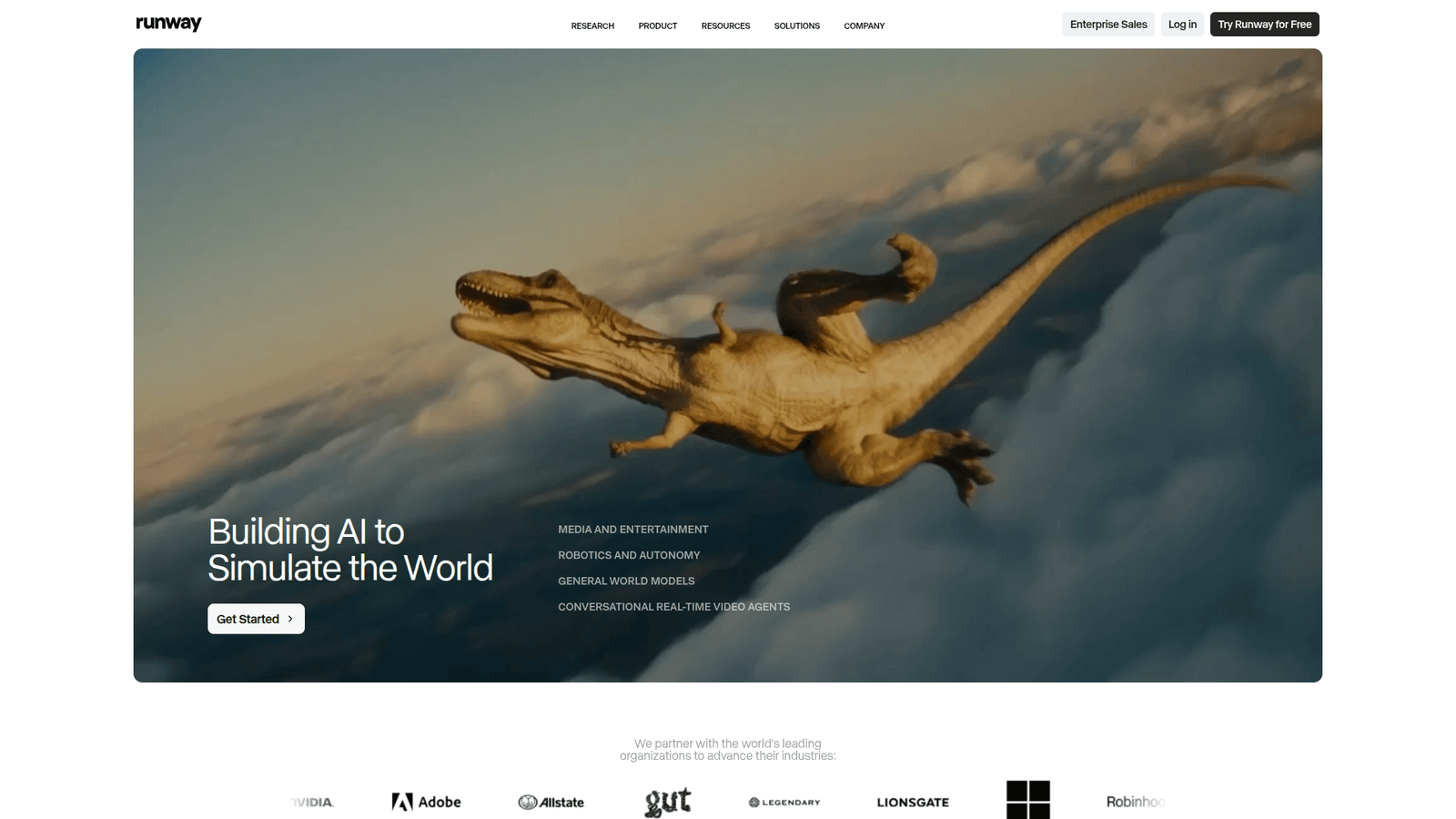
Think of it as your AI co-pilot for creative projects. Specifically, it’s a suite of AI-powered tools designed to make video and image editing, graphic design, and animation tasks faster, easier, and more innovative.
It’s not just for pros. Hobbyists, independent creators, small studios, and even large production houses are using it.
The core idea? Put powerful machine learning capabilities into the hands of creators, without requiring them to be AI experts.
Traditionally, tasks like rotoscoping, background removal, or generating realistic visual effects took hours, sometimes days, of painstaking manual work.
RunwayML flips that script. It automates these complex processes using AI algorithms.
This means less grunt work and more time for actual creative design.
It’s cloud-based, so you can access it from anywhere, on any device.
No heavy software installations. No expensive hardware upgrades.
Just log in and start creating.
RunwayML isn’t trying to replace human creativity. It’s an accelerator.
It helps you bring your ideas to life at a speed and scale that was previously unthinkable.
For anyone serious about Graphics and Animation in a fast-paced field, RunwayML is a must-have tool.
It streamlines workflows, unlocks new creative possibilities, and helps you deliver high-quality visuals faster than ever.
It’s about working smarter, not harder, to achieve truly impressive results.
This tool empowers you to push the boundaries of what’s possible in visual storytelling.
It’s a game-changer for anyone looking to optimize their creative output.
RunwayML handles the technical complexities, so you can focus on the artistic vision.
It provides a robust platform for modern digital content creation.
Key Features of RunwayML for Graphics and Animation
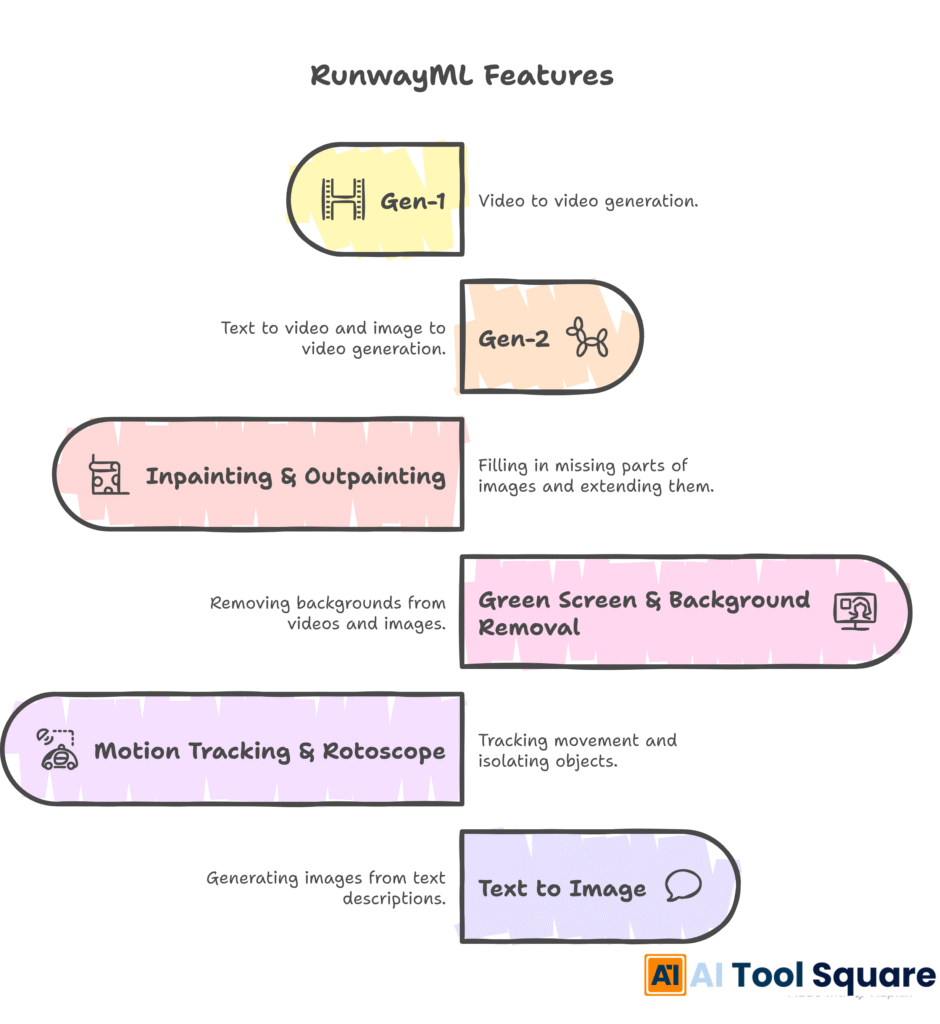
Alright, let’s get down to brass tacks. What can RunwayML actually *do* for your graphics and animation?
This isn’t just one trick. It’s a suite of powerful tools, each designed to tackle specific creative hurdles.
- Gen-1: Video to Video
Imagine taking existing footage and transforming it into something entirely new. That’s Gen-1.
You can apply styles from images or text prompts to your video. Think about turning live-action footage into a painted animation style, or changing the entire mood of a scene with a simple text description.
For gaming cutscenes or animated shorts, this means rapid stylistic iterations. You can experiment with different visual aesthetics without re-shooting or re-rendering everything from scratch.
It drastically cuts down the time spent on traditional stylistic conversions, giving you more creative freedom.
This feature is a powerhouse for visual development and pre-production.
It allows for quick prototyping of visual concepts.
- Gen-2: Text to Video & Image to Video
This is where things get truly wild. With Gen-2, you can generate video from scratch using just text prompts or still images.
Need a realistic shot of a futuristic cityscape? Type it in. Want to animate a character from a single piece of concept art? Upload the image and let AI do the rest.
This is a massive leap for pre-visualization, concept development, and even creating placeholder assets for game development.
It means you can quickly test ideas, generate unique visual sequences, or create dynamic backgrounds without needing a full production pipeline.
It’s like having an entire animation studio at your fingertips, ready to interpret your wildest ideas into moving pictures.
This saves immense resources on traditional animation processes.
It offers unparalleled speed in generating moving content.
- Inpainting & Outpainting
These tools are pure magic for visual artists. Inpainting lets you intelligently remove unwanted objects from your images or video frames.
Got a stray microphone boom in your shot? A distracting background element in your game asset? Highlight it, and AI removes it, filling the gap seamlessly.
Outpainting, on the other hand, extends your canvas. Need to expand a background for a wider shot? Want to create more environmental space around a character model?
AI intelligently generates new content that matches the existing style and perspective, making your image or video frame larger and more expansive.
This saves countless hours on cloning, patching, and manual photo manipulation, ensuring your visuals are pristine and perfectly framed.
It’s ideal for fixing errors and expanding creative horizons in post-production.
These functions improve visual quality and composition effortlessly.
- Green Screen & Background Removal
Forget the pain of complex chroma keying. RunwayML’s AI-powered green screen and background removal tools are incredibly precise and fast.
Whether you’re working with complex hair details or intricate foreground elements, the AI can isolate your subject with impressive accuracy.
This is a huge win for compositing, character animation, and creating assets for virtual environments.
You can quickly extract characters or objects from any video or image, ready to be placed into new scenes or integrated into game engines.
It drastically reduces the post-production time for visual effects artists and animators.
This feature simplifies complex compositing tasks.
It’s essential for creating dynamic visual effects efficiently.
- Motion Tracking & Rotoscope
Tracking objects or rotoscoping characters frame by frame is notoriously tedious. RunwayML automates much of this.
Its motion tracking can follow elements in your video, allowing you to attach graphics, text, or other visual effects that move with the object.
The AI rotoscoping capabilities can automatically identify and mask out subjects, saving hours of manual labor on complex animated sequences or VFX shots.
This makes adding dynamic elements or isolating characters for animation much more accessible and efficient.
It’s a lifesaver for anyone dealing with visual effects or character animation.
These tools accelerate intricate animation processes considerably.
- Text to Image
Need concept art? Background textures? Unique UI elements? Describe it in text, and RunwayML generates images.
This is perfect for rapid prototyping, generating ideas, and creating diverse visual assets for games and entertainment projects.
You can explore countless visual directions in minutes, iterating on ideas far faster than traditional sketching or 3D modeling.
It’s a brainstorming machine that produces tangible visual results, accelerating your ideation phase.
It boosts creativity by providing instant visual interpretations of ideas.
This feature is excellent for quick asset generation and concept exploration.
These features together form a powerful arsenal for anyone involved in graphics and animation. They cut down on repetitive tasks, accelerate creative iterations, and unlock capabilities that were once reserved for high-budget productions.
RunwayML is genuinely built to empower creators to achieve more, with less effort, and faster than ever.
It’s about amplifying human skill with intelligent automation.
This platform offers comprehensive tools for modern visual artists.
Benefits of Using RunwayML for Gaming and Entertainment
Okay, so you’ve seen the features. But what’s the real payoff? How does RunwayML actually make your life better in Gaming and Entertainment?
It boils down to a few core advantages that directly impact your bottom line and your creative output.
First up: Massive Time Savings. This is non-negotiable in an industry driven by deadlines.
Manual rotoscoping? Hours. Background removal? Minutes, not hours.
Generating multiple visual concepts? Days of sketching, now moments with AI.
RunwayML automates the tedious, repetitive tasks that usually eat up a huge chunk of production time.
This isn’t just about saving an hour here or there. It’s about compressing weeks of work into days, or days into hours.
Think about what you can do with that extra time: more iterations, more polish, more projects delivered on schedule.
Next, Unprecedented Quality and Consistency. AI doesn’t get tired. It doesn’t have shaky hands.
It applies effects, masks, and removals with a level of precision that’s incredibly difficult for humans to maintain over long periods.
This means cleaner green screen extractions, more seamless inpainting, and visually consistent styles across your generated assets.
Your animations and graphics look more professional, more polished, and more cohesive.
Then, there’s Overcoming Creative Blocks and Expanding Possibilities. We all hit creative walls.
Sometimes you just need a spark, a starting point.
With Text-to-Video or Text-to-Image, you can rapidly generate a multitude of visual ideas from simple prompts.
This helps you explore directions you might not have considered, breaking through creative stagnation.
It also allows you to experiment with complex visual effects or animation styles that would have been too costly or time-consuming to attempt traditionally.
You can push the boundaries of your imagination, knowing that the tools can keep up.
Another huge benefit: Democratization of Advanced Techniques.
High-end visual effects and sophisticated animation used to require specialized software, expensive hardware, and years of training.
RunwayML makes many of these techniques accessible to a much broader audience.
Independent creators, small studios, and even individuals can now produce visuals that rival those of larger productions.
This levels the playing field, allowing more voices and visions to come to life.
Finally, Cost Reduction. Time is money, especially in production.
By drastically reducing the hours spent on various tasks, RunwayML directly cuts down labor costs.
It also reduces the need for extensive outsourcing of specialized VFX or animation work.
You can keep more production in-house, maintain greater control, and save your budget for other critical areas.
This tool isn’t just about making things look good; it’s about making your entire production process more efficient, more agile, and more profitable.
RunwayML truly delivers on its promise of enhancing creative workflows.
It represents a strategic advantage for any creator in the digital space.
Pricing & Plans

Alright, let’s talk money. Because even the best tools need to make sense for your budget.
RunwayML understands that creators come in all shapes and sizes, from hobbyists to large studios.
They offer a tiered pricing structure designed to scale with your needs.
Yes, there is a free plan. This is fantastic for getting your feet wet.
The free plan usually includes a limited number of “credits” or project time, allowing you to try out many of the core features like Gen-1, Gen-2, and various magic tools.
It’s perfect for experimentation, learning the interface, and doing small, personal projects without financial commitment.
However, if you’re serious about using RunwayML for consistent Graphics and Animation work, you’ll likely need to upgrade.
The premium plans typically fall into categories like “Standard,” “Pro,” and “Unlimited” (or similar names).
Each step up offers significantly more credits, longer video generation times, higher resolution outputs, and access to more advanced features or faster processing speeds.
For example, a “Standard” plan might give you a few hundred credits a month, allow longer Gen-2 video exports, and unlock features like higher quality upscaling.
The “Pro” plan takes it up a notch, providing thousands of credits, even longer video generations, priority processing, and potentially access to beta features.
And for serious professionals or studios, the “Unlimited” (or “Enterprise”) plans offer maximum capacity, dedicated support, and often custom solutions.
How does this compare to alternatives?
Many traditional video editing and VFX software suites require significant upfront costs for licenses, or steep monthly subscriptions that don’t include AI automation.
AI tools that offer similar features individually might require separate subscriptions for each, leading to a fragmented workflow and higher overall costs.
RunwayML packages a comprehensive suite of AI tools under one roof, often making it a more cost-effective solution for studios and individuals who would otherwise need multiple specialized applications.
The value proposition here isn’t just about the cost of the subscription itself. It’s about the time saved, the quality achieved, and the new creative possibilities unlocked.
When you factor in how much time RunwayML can shave off production, the premium plans often pay for themselves rapidly through increased efficiency and output.
Always check their official website for the most current pricing details, as these can evolve.
But rest assured, RunwayML aims to provide powerful AI at a competitive price point, making cutting-edge creative tools accessible to more people.
It’s an investment in your productivity and creative potential.
This structure makes AI tools available to a wider audience.
Hands-On Experience / Use Cases
Let me paint a picture. A recent project required a short animated sequence for a mobile game trailer.
The brief: a character transforming from a silhouette into a fully detailed hero, with a dynamic, changing background.
Traditional approach? Hours of character design, modeling, rigging, animation, and then painstaking environment creation and rendering.
With RunwayML, my approach changed completely.
First, for the character transformation, I used Gen-2: Image to Video. I had a few keyframe images: a basic silhouette, a mid-transformation sketch, and the final hero art.
I fed these into Gen-2, guiding the AI with text prompts to ensure a smooth, fluid morphing effect.
The initial output was decent, but needed refinement. Instead of re-animating, I used the iterative generation features, tweaking prompts and reference images until the transformation felt epic.
This saved days of traditional animation work.
Next, the dynamic background. The client wanted something visually striking, constantly evolving, but not distracting.
I opted for Gen-1: Video to Video. I found some stock footage of abstract particle effects and glowing nebulae.
Using Gen-1, I applied different stylistic prompts to this footage – “cyberpunk neon grid,” “magical forest energy,” “ancient arcane symbols.”
In minutes, I had multiple versions of the background, each conveying a different mood, without needing to create a single 3D asset or particle system from scratch.
For compositing the character onto the background, I used RunwayML’s Green Screen tool.
Even though my character had intricate details, the AI quickly and accurately separated it from its simple green background.
This was crucial for integrating it seamlessly into the AI-generated dynamic backgrounds.
The result? A high-quality, professional-looking animated sequence that would have taken a small team days, possibly weeks, to produce conventionally.
I did it in a fraction of the time, mostly by myself.
The usability of RunwayML is also a huge win. The interface is clean, intuitive, and web-based.
You don’t need a super-powered workstation. Just an internet connection and a browser.
The iterative nature of the AI generation tools means you can quickly try different ideas, see the results, and refine your inputs.
It’s less about pixel-pushing and more about guiding the AI with your creative vision.
This hands-on experience taught me something critical: RunwayML isn’t just an assistant. It’s a creative partner.
It handles the heavy lifting, the rendering, the frame-by-frame tasks, allowing you to focus on the bigger picture: the narrative, the mood, the overall impact.
For anyone in Graphics and Animation for Gaming and Entertainment, this tool isn’t just a convenience. It’s a strategic advantage.
It’s about accelerating your creative output without compromising on quality.
It revolutionizes the speed of content production.
The tool provides tangible results quickly and efficiently.
Who Should Use RunwayML?
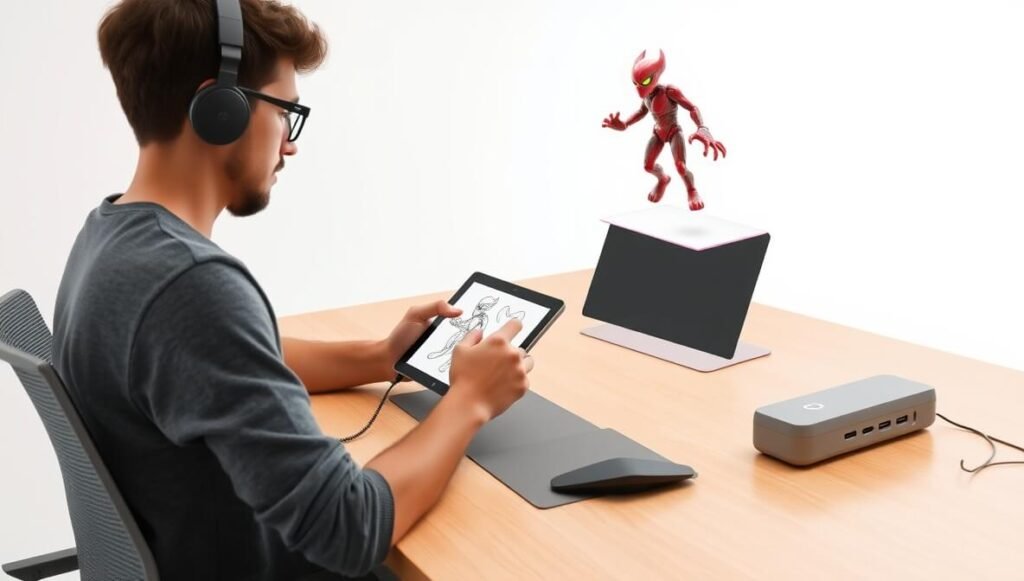
So, who exactly stands to gain the most from RunwayML?
It’s not just for a niche group. Its versatility makes it valuable across the board, particularly within Gaming and Entertainment.
Let’s break down the ideal user profiles:
Independent Game Developers and Indie Studios: You’re often working with limited budgets and small teams. RunwayML is a godsend.
It allows you to generate concept art, placeholder animations, environmental textures, and even entire cutscenes without needing to hire a massive art department.
This means higher quality visuals for your game, faster development cycles, and more resources allocated to gameplay.
Filmmakers and Video Creators: From short films to web series, visual effects are often out of reach for smaller productions.
RunwayML opens up possibilities for sophisticated VFX, stylistic transformations, and dynamic graphics that elevate your production value dramatically.
Imagine creating a sci-fi landscape or a magical creature from scratch with just text prompts.
Animators (2D and 3D): While it won’t replace your core animation software, RunwayML acts as an incredible accelerator.
Use it for rotoscoping, background generation, stylistic overlays, or even to create preliminary motion studies.
It frees up animators from tedious tasks, allowing them to focus on character performance and keyframe artistry.
Concept Artists and Illustrators: Rapid iteration is key in concept development.
Text-to-Image and Image-to-Image tools let you explore hundreds of variations of characters, environments, and props in minutes.
It’s a powerful brainstorming partner that provides visual feedback instantly, refining your ideas faster than ever.
Marketing and Social Media Teams for Gaming and Entertainment: Creating engaging video content for trailers, social media campaigns, and advertisements is constant.
RunwayML helps produce high-quality, eye-catching video clips, dynamic motion graphics, and unique promotional imagery quickly and efficiently.
This keeps your marketing fresh and relevant without blowing your budget.
Freelancers and Creative Agencies: Expand your service offerings. With RunwayML, you can take on more complex Graphics and Animation projects and deliver faster.
This means more clients, more projects, and ultimately, more revenue.
You can compete with larger studios by leveraging AI’s efficiency.
Educators and Students: For those learning animation, VFX, or game development, RunwayML offers an accessible entry point to advanced techniques.
It allows for experimentation and rapid prototyping, making the learning process more engaging and productive.
Basically, if you touch any part of visual content creation, especially video, and you want to save time, boost quality, and unleash new creative avenues, RunwayML is for you.
It’s built for anyone who believes in working smarter, not just harder, to achieve truly impressive visual results.
This tool suits a wide range of creative professionals.
It helps professionals streamline their creative workflows.
How to Make Money Using RunwayML
Alright, let’s talk turkey. How do you turn this powerful AI tool into actual cash?
RunwayML isn’t just for making cool stuff; it’s a serious revenue generator if you know how to wield it.
The core idea is simple: RunwayML helps you do more, faster, and often at a higher quality than manual methods.
This translates directly into increased capacity, competitive advantage, and client acquisition opportunities in Gaming and Entertainment.
- Offer AI-Accelerated Animation and VFX Services:
This is probably the most direct route. Position yourself as an AI-powered animation and VFX specialist.
Many smaller studios, independent filmmakers, and marketing agencies don’t have the budget for traditional high-end VFX houses.
With RunwayML, you can offer services like:
- AI-Generated Game Asset Creation: Create unique textures, sprites, or even placeholder animations for game developers much faster than traditional methods.
- Stylized Video Transformations: Take existing client footage and transform it into unique animated styles (e.g., turn a product demo into a cartoon, or a corporate video into an oil painting aesthetic) using Gen-1.
- Rapid Character Rotoscoping/Background Removal: Offer quick, clean extractions of characters or objects from videos for commercials, music videos, or indie film projects.
- Text-to-Video Storyboarding/Pre-visualization: Help clients visualize their scripts or concepts into moving images quickly, before committing to expensive production.
Your speed and efficiency allow you to charge competitive rates while maintaining healthy profit margins.
- Produce High-Quality Content for Your Own Channels:
If you’re a content creator – a streamer, YouTuber, or social media influencer in the gaming or entertainment space – RunwayML can drastically improve your production quality.
Create stunning intros, outros, transition effects, dynamic backgrounds for your streams, or unique promotional videos for your latest game review.
Higher quality content leads to more views, more engagement, and ultimately, more ad revenue, sponsorships, and brand deals.
Think about animated shorts related to popular game lore, or visually striking ‘theory’ videos that stand out.
- Sell AI-Generated Stock Assets:
There’s a constant demand for unique stock footage, motion graphics, and visual effects.
Use RunwayML’s Gen-2 (Text-to-Video/Image-to-Video) to create bespoke, royalty-free stock assets.
Generate abstract backgrounds, stylized motion graphics, unique environmental loops, or even short character animations that you can sell on platforms like Artgrid, Envato Elements, or even your own online store.
This allows you to generate a passive income stream from assets created with incredible efficiency.
The diversity of output from AI means you can fill very specific niches.
Consider the story of an independent animator, let’s call her Sarah. Sarah used to spend weeks on a 60-second animated explainer video for small businesses.
She integrated RunwayML for background generation, rotoscoping client-provided footage, and even creating specific stylized transitions with Gen-1.
Her production time was cut by 60%, allowing her to take on more projects. She could now produce 2-3 videos in the time it used to take for one.
Her quality went up, her turnaround time impressed clients, and she increased her monthly income by roughly $3,000 by taking on more clients and charging slightly more for the “AI-powered” premium service.
The efficiency gains from RunwayML translate directly into profit.
It allows you to scale your creative business without scaling your team or overhead costs significantly.
The key is to market yourself not just as a creator, but as a creator leveraging cutting-edge AI for superior results and speed in Graphics and Animation.
This gives you a powerful competitive edge.
It provides a clear pathway to enhanced earning potential.
Limitations and Considerations
No tool is a magic wand. RunwayML is incredibly powerful, but it’s essential to approach it with realistic expectations.
Understanding its limitations helps you maximize its benefits and avoid frustration.
First up: Accuracy and Artifacts. While AI has come leaps and bounds, it’s not always perfect.
Sometimes, generated video or images might have subtle “artifacts” – strange distortions, flickering, or elements that don’t quite make sense.
Background removal, while excellent, might occasionally miss a hair strand or incorrectly crop a complex edge.
This means the output often requires a final human touch, a bit of clean-up in traditional editing software, or careful selection of the best generated takes.
It’s a fantastic starting point, but rarely a “one-click-and-done” solution for every single project.
Next: Creative Control vs. AI Interpretation. When using text prompts, the AI interprets your words.
It might not always align perfectly with your exact vision. There’s an element of “prompt engineering” – learning how to phrase your requests to get closer to your desired output.
This means iterating, refining prompts, and sometimes accepting a slightly different but still compelling result.
It’s less about pixel-perfect control and more about guiding the AI toward a creative direction.
Then there’s the Learning Curve. While RunwayML’s interface is user-friendly, mastering the nuances of AI generation still requires effort.
Understanding how different models (Gen-1, Gen-2, etc.) work, optimizing your prompts, and knowing which tool to use for which task takes practice.
It’s not as steep as learning a complex 3D software, but it’s not instant mastery either. Dedicate time to experimentation.
Processing Speed and Credits. While AI is fast, generating high-resolution, long-duration video can still take time, especially with complex prompts.
And these processes consume credits. If you’re on a free or lower-tier plan, you’ll need to be mindful of your credit usage, which can impact how many iterations or long-form content you can generate.
It’s a resource to manage, just like rendering time on a traditional workstation.
Finally, Originality and Style Consistency. While you can apply unique styles, there’s always a risk that widely used AI models might produce outputs with a certain “AI aesthetic” if not carefully guided.
Maintaining a truly unique and consistent style across an entire project, especially a long one like a game or a feature film, requires skill and careful management of AI outputs.
It’s about blending AI capabilities with your own artistic direction to prevent a generic feel.
RunwayML is a revolutionary tool for Graphics and Animation.
But it’s a tool that requires human oversight, artistic direction, and a willingness to adapt.
It elevates your capabilities, but it doesn’t eliminate the need for your creative mind and discerning eye.
Embrace it as an assistant, not a replacement.
These considerations ensure a practical application of the tool.
Final Thoughts
Look, the game has changed. The world of Gaming and Entertainment is moving at breakneck speed.
If you’re still relying solely on old-school methods for Graphics and Animation, you’re not just falling behind; you’re leaving money and creative potential on the table.
RunwayML isn’t just another shiny new toy. It’s a strategic weapon in your creative arsenal.
It’s about doing more, better, and faster.
We’ve talked about the insane time savings. We’ve covered the jump in quality and consistency you can achieve.
We’ve seen how it can smash through creative blocks and open up entirely new avenues for visual storytelling.
Whether you’re an indie game developer scraping by, a seasoned filmmaker pushing boundaries, or a marketing pro needing constant fresh visuals, RunwayML is built to serve you.
It democratizes advanced visual effects, making them accessible without the need for a massive budget or years of specialized training.
Yes, it has its quirks. No tool is perfect. You’ll still need your brain, your artistic eye, and your unique creative vision.
But RunwayML empowers you to amplify that vision, to execute it with unparalleled efficiency, and to achieve results that once seemed impossible.
My recommendation is clear: If you’re serious about your craft, if you want to stay relevant and competitive, you need to be exploring AI tools like RunwayML.
It’s not just about keeping up; it’s about getting ahead.
Don’t just observe the future of graphics and animation. Be a part of shaping it.
Take the leap. Experiment. Learn. And watch your creative output explode.
This isn’t just about saving time; it’s about unlocking your full potential.
The benefits far outweigh any learning curve.
Visit the official RunwayML website
Frequently Asked Questions
1. What is RunwayML used for?
RunwayML is an AI-powered creative suite primarily used for video and image generation, editing, and animation tasks. It helps creators generate content from text or images, transform existing footage, remove backgrounds, rotoscope, and apply various visual effects with AI assistance. It’s particularly powerful for Graphics and Animation in Gaming and Entertainment.
2. Is RunwayML free?
Yes, RunwayML offers a free plan with limited features and credits. This allows users to test out many of its core capabilities. For more extensive use, longer video generations, and higher resolution outputs, paid subscription plans are available.
3. How does RunwayML compare to other AI tools?
RunwayML distinguishes itself by offering a comprehensive, integrated suite of AI tools focused on video and image creation, rather than just one specific function. While other AI tools might specialize in text-to-image or isolated video effects, RunwayML provides a broad range of capabilities, making it a powerful, all-in-one solution for visual creators.
4. Can beginners use RunwayML?
Absolutely. RunwayML is designed with a user-friendly interface that makes complex AI tasks accessible to beginners. While there’s a learning curve to master advanced features and prompt engineering, its intuitive design allows new users to start creating impressive visuals quickly.
5. Does the content created by RunwayML meet quality and optimization standards?
Yes, RunwayML is capable of producing high-quality content that meets professional standards. The AI outputs are often a strong foundation for further refinement, and with careful prompting and post-production, they can be optimized for various platforms and uses, including high-end gaming and entertainment projects.
6. Can I make money with RunwayML?
Definitely. Many professionals use RunwayML to offer AI-accelerated animation and VFX services, produce high-quality content for their own monetized channels (like YouTube), or create and sell unique AI-generated stock assets. Its efficiency gains allow you to take on more projects and deliver faster, directly increasing your earning potential.