Runway Review: Is It Worth It for Short-Form Video?
Runway is worth it for short-form video if you want video, image and audio generation from many models in one workspace and you are happy to budget in credits. It is less attractive if you need a lot of long clips, because the monthly credits on the cheaper plans cover under a minute of its top video model. This Runway review explains what you get, what the credit system means in seconds of footage, and who the plans suit, using Runway’s own pricing, product and changelog pages.
What Runway is
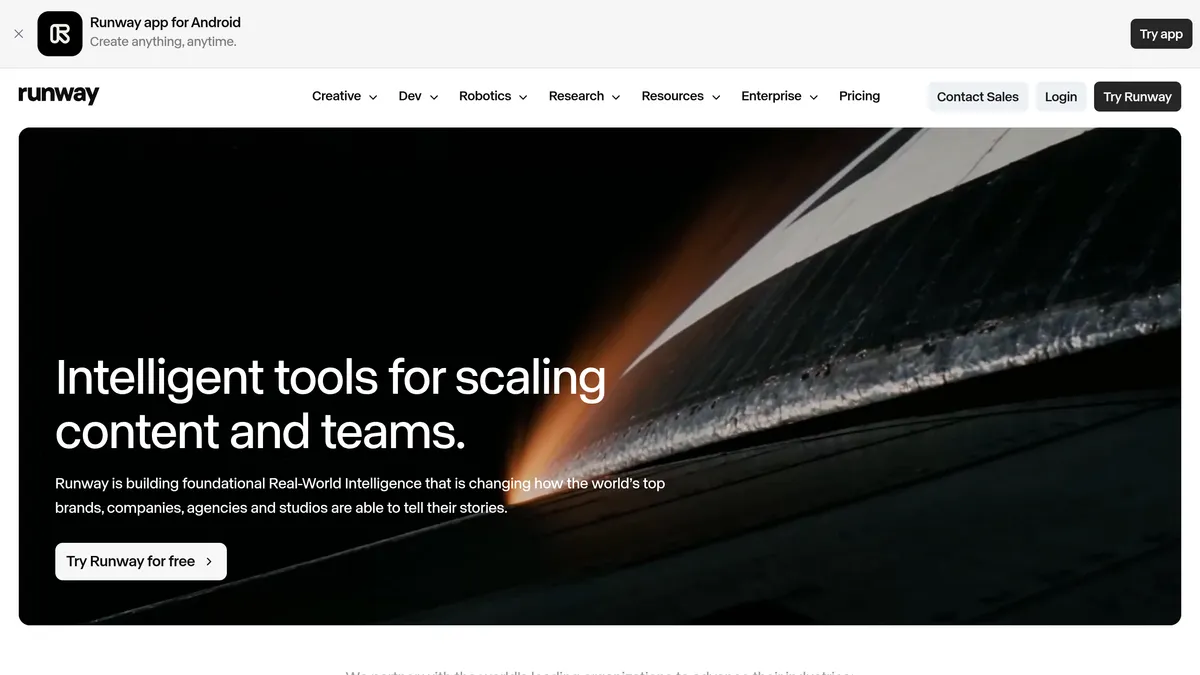
Runway describes itself as building “General World Models”, and sells three products on top of them: Runway Creative, Runway Dev (an API platform) and Runway Robotics. For creators, Runway Creative is the relevant one. The company calls it an all-in-one, cloud-based platform for generating and editing video, images and audio in one workspace, for individuals and teams.
Its own video model is Gen-4.5, which Runway calls its best video model, with “state-of-the-art motion quality, prompt adherence and visual fidelity”. That is the company’s claim, not an independent result. The paid plans also give access to models from other labs, such as Kling and Seedance, so Runway works partly as a hub as well as a model maker.
Features that matter for short-form video
Several video models in one place. The pricing page lists Gen-4.5, Aleph 2.0, Kling 4.0 and Seedance 2.0 Pro, each with its own credit cost per clip. You choose the model per generation, so you can trade quality against credits.
Agent. Runway’s Agent is described as a creative collaborator. A changelog entry from October 2026 says Agent can generate with Seedance 2.5 in Draft mode, which makes fast 480p drafts that can be enhanced afterwards. That suits short-form work, where you often test several ideas before paying for a final version.
Image, audio and upscaling tools. The pricing table also lists image models (Gen-4 Image, Nano Banana Pro), audio (text to speech at 1 credit per 50 characters, plus music models) and 4K upscaling on paid plans.
Brand Kits and Runway Ads. Brand Kits let you keep brand assets together. Runway Ads, announced on 27 October 2026 and included with every paid plan, connects to Meta, Google and TikTok, generates variants of your best-performing ads and publishes the ones you approve. That is aimed at marketers rather than casual creators.
Plugins and MCP. Runway runs inside Adobe Premiere Pro, After Effects and DaVinci Resolve (changelog, September 2026), and Runway MCP lets agents in tools such as Cursor generate with it. If you already edit in one of those apps, you do not have to leave it to generate clips.
Runway pricing
Prices are as of November 2026, from the Runway pricing page. Yearly billing is 20% cheaper than monthly.
| Plan | Monthly billing | Yearly billing (per month) | Credits per month | Notable inclusions |
|---|---|---|---|---|
| Free | $0 | – | 125 credits, one time | Selected models to test ideas; 5GB storage |
| Standard | $15 | $12 | 625 | All video and image models, no watermarks, 4K upscaling, 20GB storage, 3 projects |
| Pro | $35 | $28 | 2,250 | 1 custom voice clone, Runway MCP, unlimited 4K upscaling, 100GB storage, 5 projects |
| Max | $95 | $76 | 9,500 | Early access to new models, studio-grade output (HDR, ProRes), 500GB storage, credits roll over for a month |
| Team | $69 per seat | $55 per seat | 6,900 per seat, pooled | Everything in Max, shared projects, 1TB storage, frame-accurate comments |
The Team figures come from Runway’s Team plan page.
What the credits buy
The pricing page translates credits into footage, which is the number that matters:
- Standard: 625 credits is 52 seconds of Gen-4.5, or 104 seconds of Gen-4 Turbo.
- Pro: 2,250 credits is 187 seconds of Gen-4.5, or 375 seconds of Gen-4 Turbo.
- Max: 9,500 credits is 791 seconds of Gen-4.5.
Gen-4.5 costs 12 credits per second, so a 5-second clip is 60 credits. On Standard that is about ten such clips a month, and every retry spends credits too. Other models cost more: Aleph 2.0 is 140 credits per 5 seconds and Seedance 2.0 Pro is 160 credits per 4 seconds, according to the same page.
Credits on Standard and Pro reset each billing cycle and do not roll over; Max rolls over up to one month. Extra credits can be bought from a minimum of 1,000 and do not expire. The free plan’s 125 credits are a one-time deposit, enough for only a couple of test clips.
Strengths and limitations
Strengths
- Many models and tools behind one subscription.
- Plugins for Adobe and DaVinci Resolve, and API access for developers.
- A free plan to test the interface before paying.
Limitations
- The credit maths is tight at the entry level: under a minute of Gen-4.5 a month on Standard.
- Credits are spent on every attempt, so unusable results cost the same as good ones. Runway does not publish a success rate.
- Plan inclusions change often; for example, the page shows a time-limited 25% discount on Kling 4.0 generations until 30 November 2026.
- Several recent features (Ads, App Studio, MCP) are aimed at teams and developers, so a solo creator may use only part of what they pay for.
Who should use Runway
Runway fits you if you make short, polished clips for social media or ads, want to switch between video models without separate accounts, or edit in Premiere Pro, After Effects or DaVinci Resolve.
Look elsewhere if you mostly need long videos, talking-head avatars or captions. For avatars see our HeyGen review; for clipping and editing tools see the best AI tools for making Shorts and Reels. If you want to try Google’s model instead, our guide to making story videos with Google Veo in Flow covers that route, and voiceovers can come from a tool like ElevenLabs.
Verdict
Runway is a capable, wide-ranging generation platform, and the Free plan makes it easy to see whether the interface suits you. For regular short-form output, plan around Pro rather than Standard: at 187 seconds of Gen-4.5 a month, you have room for retries. Check the current numbers on the pricing page before subscribing, because models, credit costs and promotions change frequently.