Leonardo AI Review: Free Plan, Tokens and Who It Suits
Leonardo AI is a web-based generative AI platform for images and video, and it has a free plan that gives you 150 tokens a day. This Leonardo AI review explains how the token system works, what the free and paid plans allow according to Leonardo’s own help centre, and who is likely to get value from it.
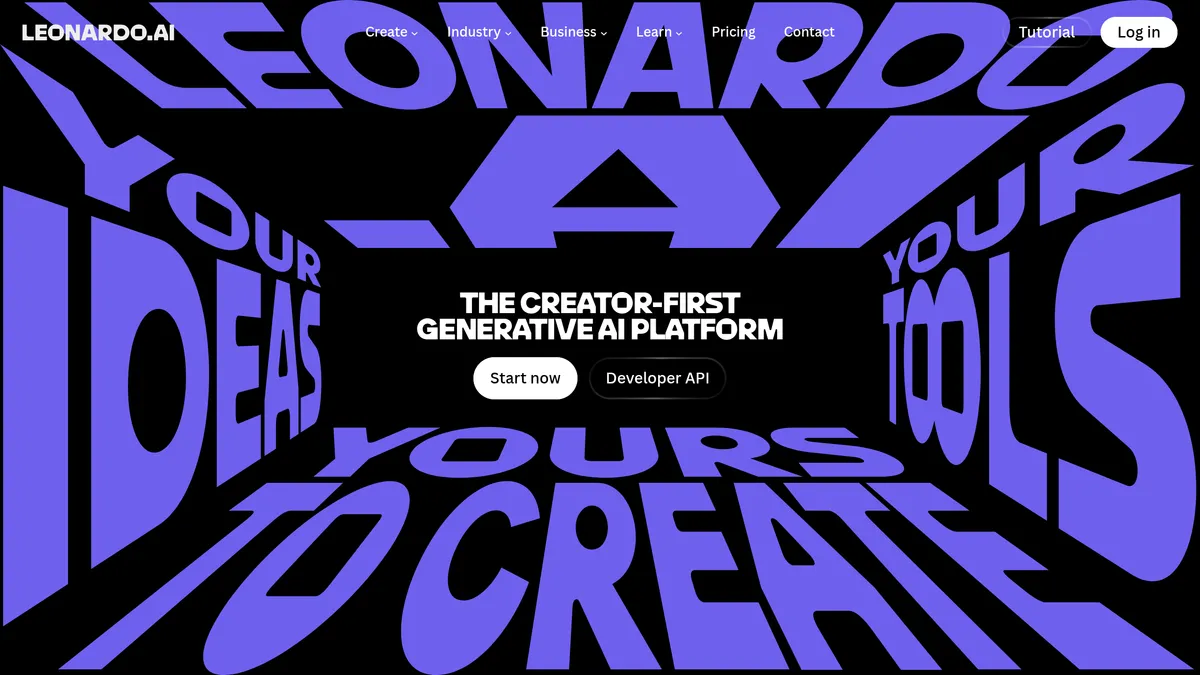
The company describes Leonardo.Ai on its homepage as “the creator-first generative AI platform”. You write a prompt, pick a model and settings, and generate images, then upscale, edit or turn a result into a video.
What Leonardo AI does
From the help centre’s guide to generating images, the basic flow is:
- Type a prompt on the home page and press Generate. Leonardo picks a model for you.
- Or open the expanded prompt box or the AI Image Creation tool to upload reference images and choose dimensions, styles and a specific model.
- Results appear in your creation feed and Library. Hover over an image to upscale, share, download, edit or turn it into a video.
Settings in the sidebar vary by model, but they include the model, a generation mode (Fast is cheaper for quick ideas, Ultra gives higher fidelity at a higher token cost), image dimensions, number of images and, on paid plans, private mode. The guide suggests ideating in Fast mode and upscaling your favourites.
Features worth knowing
The token-usage page lists the tools that cost tokens, which shows what the platform offers beyond plain text-to-image:
- Upscalers and Alchemy Upscaler for enlarging results.
- Remove Background and Unzoom.
- Canvas for editing and extending images.
- Image Guidance with reference images (using several references is a premium feature).
- 3D texture preview and generation.
- Video models, listed in the help centre among the models that can run under unlimited generations.
The help centre also names image models such as Lucid Origin, Lucid Realism, Phoenix, FLUX Dev and FLUX Schnell, and, on a separate article, Nano Banana (Gemini 2.5 Flash Image). Model lists change often, so check the app for what is available to you.
How tokens work
Everything on Leonardo costs tokens, and the cost appears on the Generate button before you commit. According to the help centre:
- Each feature, image model and video model has its own cost. Reference images, settings, image size and the number of images can change it.
- On the older fixed table, a default 768x768 image costs 1 token, Upscalers cost 5, and Alchemy (a quality mode) costs between 8 and 26 depending on the version and number of images. Treat these as examples, because current costs vary by model.
- Paid plans get a monthly token allowance. Unused monthly tokens move into a Rollover Bank that holds up to three months’ worth, and rollover tokens are used only after your regular tokens run out.
- Top-up packs are available to paid users. Top-up tokens never expire, but you need an active subscription to use them.
- Tokens cannot be transferred or gifted.
Is Leonardo AI free?
Yes, within limits. Free users get a daily allowance of 150 tokens that resets every 24 hours. Unused daily tokens expire, so they do not build up.
The free plan has some trade-offs documented by Leonardo:
- Free users can only use Auto Image or Auto Video as the model, according to the generation guide.
- Free-plan creations are publicly viewable, and other Leonardo users can copy and remix them. Private mode is for paid users.
- Multi-reference Image Guidance is a premium feature.
On commercial use, the help centre says you can use your images for commercial purposes, and that both free and paid users can download their own generations for business use. For private generations on a paid subscription, users keep full ownership and copyright. For public images, Leonardo keeps broad perpetual rights and other users get a licence to use them. Details sit in Leonardo’s Terms of Service, so read them before relying on images for client work.
Pricing
Leonardo’s pricing page lists four individual plans. Prices below are in US dollars, excluding tax, as shown on the page in November 2026 with monthly billing selected; with yearly billing selected, the same plans show $10, $24 and $48 a month.
| Plan | Price (monthly billing) | Fast tokens | Rollover Token Bank | Unlimited relaxed generation |
|---|---|---|---|---|
| Free | $0 | 150 a day | None | No |
| Essential | $12/month | 8,500 a month | 25,500 | No |
| Premium | $30/month | 25,000 a month | 75,000 | Images, on selected models |
| Ultimate | $60/month | 60,000 a month | 180,000 | Images and video, on selected models |
All paid plans add private generations, access to 80+ models including third-party ones, top-up tokens and personal AI model training (10, 20 or 50 models a month). They also raise how many generations run at once: 2 on Essential, 3 on Premium and 6 on Ultimate. The free plan is limited to Auto models and public creations.
Unlimited generation on Premium and Ultimate runs at a relaxed pace, only on listed models, and only after your fast tokens run out. On Premium the list covers image models such as Lucid Origin, Lucid Realism, Phoenix and FLUX Dev; Ultimate adds video models such as Wan 2.6, Hailuo 2.3 and Motion 2.0. Leonardo says these generations may be slowed at busy times.
For teams, the Starter plan is $24 per seat a month (25,000 fast tokens per seat, shared across the team) and Growth is $48 per seat a month (60,000 per seat), with custom plans through sales. Developers can use the API on a pay-as-you-go basis, where API credit does not expire.
Strengths and limitations
Strengths
- A real free plan with a daily reset, so you can try the main workflow without paying.
- One place for image generation, upscaling, background removal, canvas editing and video.
- Access to several models in one account, including third-party ones.
- Rollover Bank and top-up packs soften the cost of busy months on paid plans.
- Private mode and clear commercial-use wording on paid plans.
Limitations
- Token costs vary by feature and model, so your budget is harder to predict than a flat per-image price.
- The free plan limits model choice and makes your creations public.
- Unlimited generations are relaxed-speed, limited to listed models and start only after tokens are spent.
- Plans and model lists change, which makes older reviews unreliable. Check the pricing page before you subscribe.
Who should use Leonardo AI
Leonardo suits creators, marketers and small teams who want to experiment with several models and also edit, upscale and animate results in one tool. The free plan makes it easy to test whether the interface and output suit you.
It is a weaker fit if you need all your work kept private without paying, or if you want a fixed, easily predicted price per image.
Alternatives
If you want to compare, our posts on Midjourney, Flux and Adobe Firefly cover other image generators, and our roundup of AI image generators compares more.
FAQ
Is Leonardo AI free?
Yes. Free users get 150 tokens per day, reset every 24 hours, with limits on models and privacy described above.
Can I use Leonardo AI images commercially?
Leonardo’s help centre says yes, for free and paid users, subject to its Terms of Service. Only paid users can keep generations private.
Do unused tokens roll over?
Free daily tokens expire. On paid plans, unused monthly tokens go into a Rollover Bank that holds up to three months’ worth.
Verdict
Leonardo AI is a flexible, token-based creative platform with a genuinely usable free tier. Try the free plan first to see whether the workflow suits you, then decide whether Essential at $12 a month, or Premium at $30 for unlimited relaxed images, justifies the cost for private mode, rollover and extra models.